Tokurabo Takeout Orders Wordpress Plugin - Rating, Reviews, Demo & Download

Plugin Description
Tokurabo Takeout Orders adds a cart and an order form to the menu shown by Tokurabo Takeout Menu. Customers choose items, pick a pickup time and send the order. You get an email, and the order is saved in your WordPress admin. Customers pay when they pick up.
No online payment, no accounts, no checkout page to set up. Install it, and your menu takes orders.
For customers
- Tap “+” on an item, or open it and choose a size and options, then “Add to cart”
- A small cart button stays in the corner on every page of your site, so customers can keep browsing
- Enter name, email and phone, and choose a pickup date and time (or “ASAP”)
- Their details are remembered in their own browser for next time. No sign-up needed
- They get a confirmation email with the order number
For you
- An email for each new order. Reply to it to contact the customer. Send it to up to 5 addresses
- A list of all orders in the admin: search, sort by pickup time, delete, and export to CSV
- Pickup times follow your menu hours. Set the preparation time, time slots, how many days ahead, and special days (holidays or different hours)
- Stop taking orders with one button when you are too busy. The menu stays on your site
- Stop single items (“Sold out”) with a checkbox. Items marked sold out in Square are also shown as sold out
- A notice at the top of the order form, for example where to pick up
- Your own order number prefix, like TO-1017-A3F9
Not only for restaurants
Bakeries, cake shops, florists, delis, coffee stands and retail stores can take pickup orders (click and collect) the same way. If you keep your items in Square, Takeout Menu shows them, and this plugin takes the orders.
Payment
Customers pay at the counter when they pick up. Orders are not sent to Square or to any payment service. The prices in the order are calculated on your server from your menu, the same way as on your menu page.
Requirements
This plugin needs Tokurabo Takeout Menu. Set up Tokurabo Takeout Menu first and show your menu on a page.
Privacy
When a customer places an order, this plugin saves the order with the customer’s name, email address and phone number in your WordPress database, and sends emails to the customer and to you. If the customer is logged in to your site, their user ID is saved too.
The customer’s name, email and phone are also remembered in the customer’s own browser (localStorage) so they do not have to type them again. They are not sent anywhere until the customer places an order.
To limit spam, a hashed form of the customer’s IP address and email address is kept for up to one hour. It cannot be turned back into the original address.
This plugin does not send any data to outside services.
Credits
- Icons: Lucide (https://lucide.dev). Copyright (c) 2026 Lucide Icons and Contributors. ISC License (https://github.com/lucide-icons/lucide/blob/main/LICENSE).
Screenshots
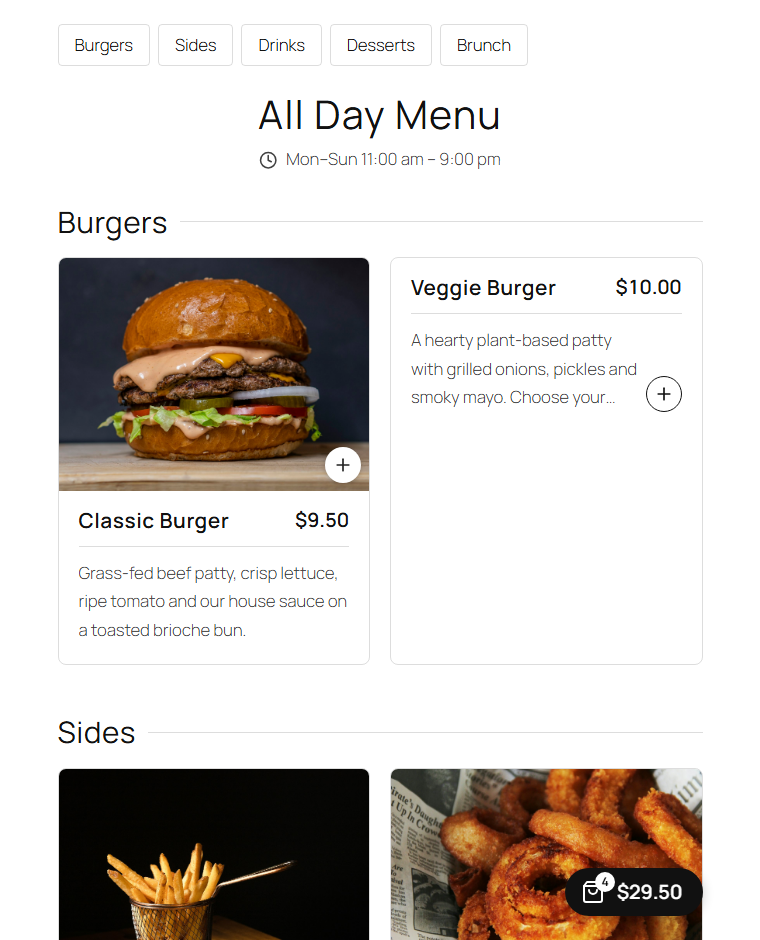
A “+” on each menu card, and a cart button that follows the customer around your site.
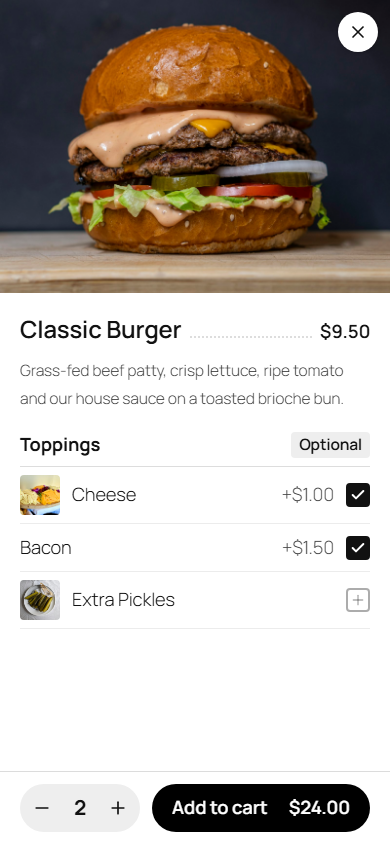
Choose options and quantity, then add to cart.
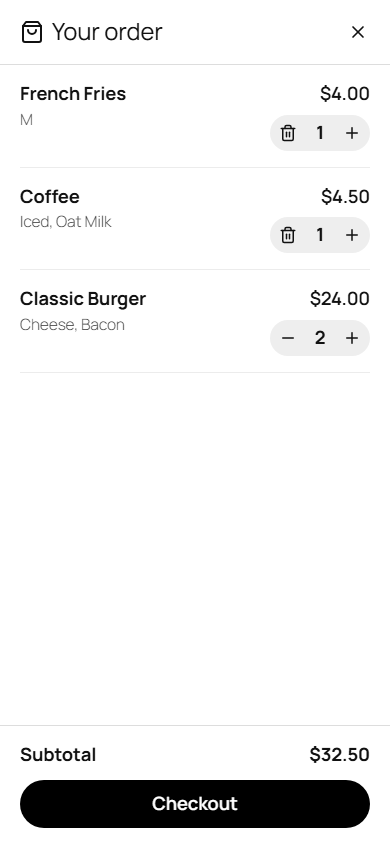
The cart. Tap an item to change its options.
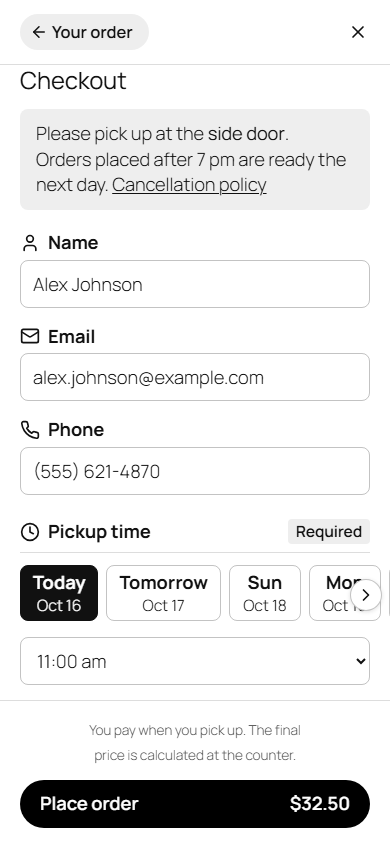
Checkout: name, email, phone and pickup time. No account needed.
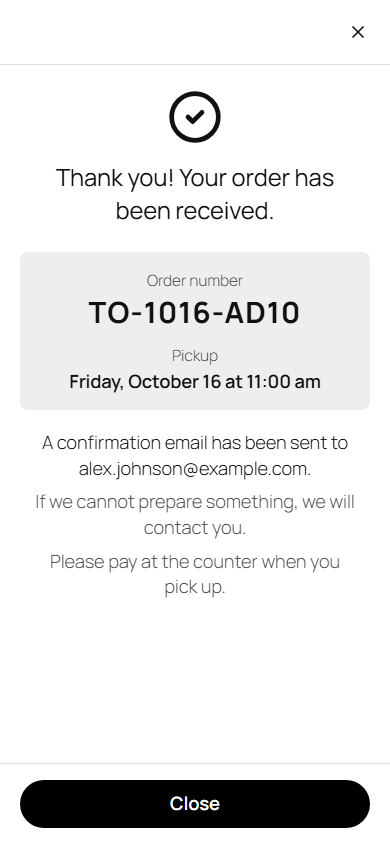
The order is received. The customer and the store both get an email.
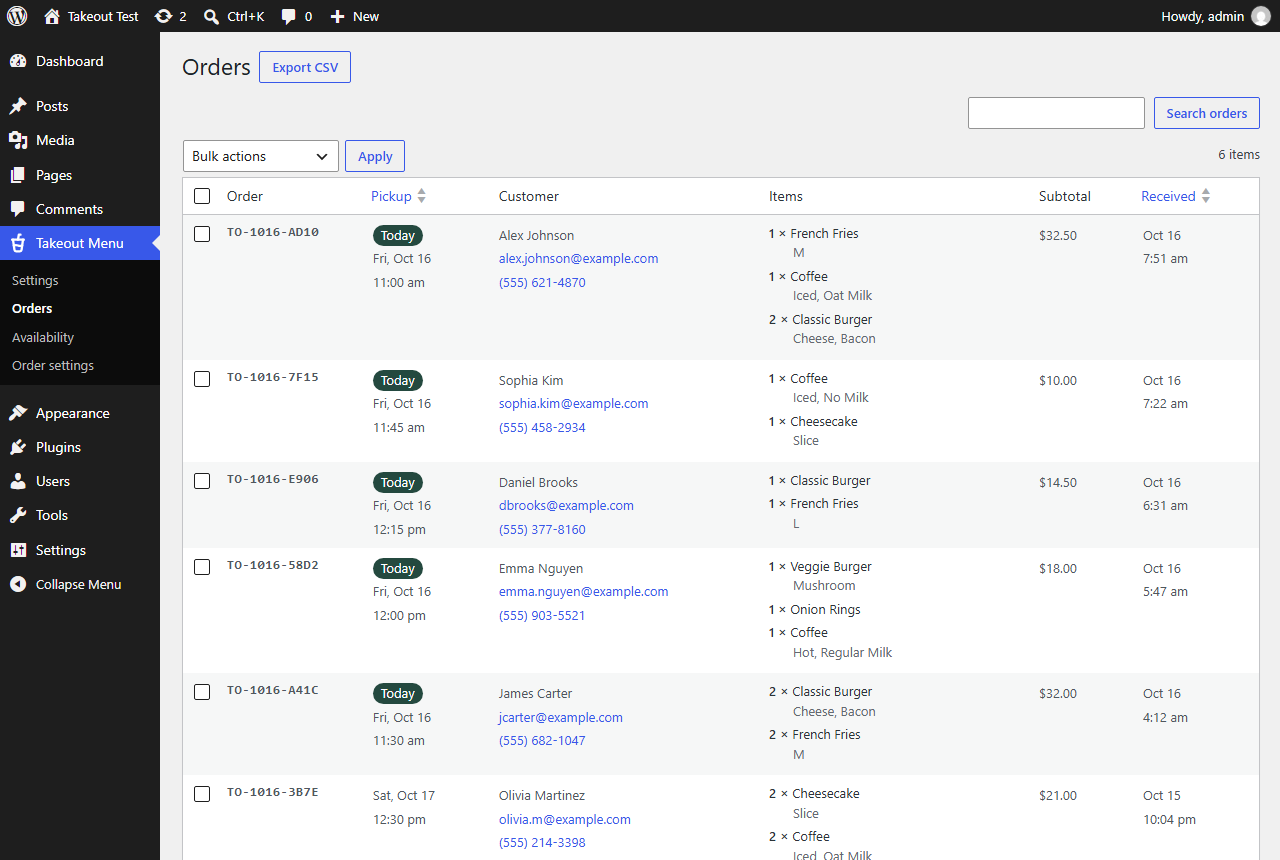
All orders in your WordPress admin: search, sort, delete and export to CSV.
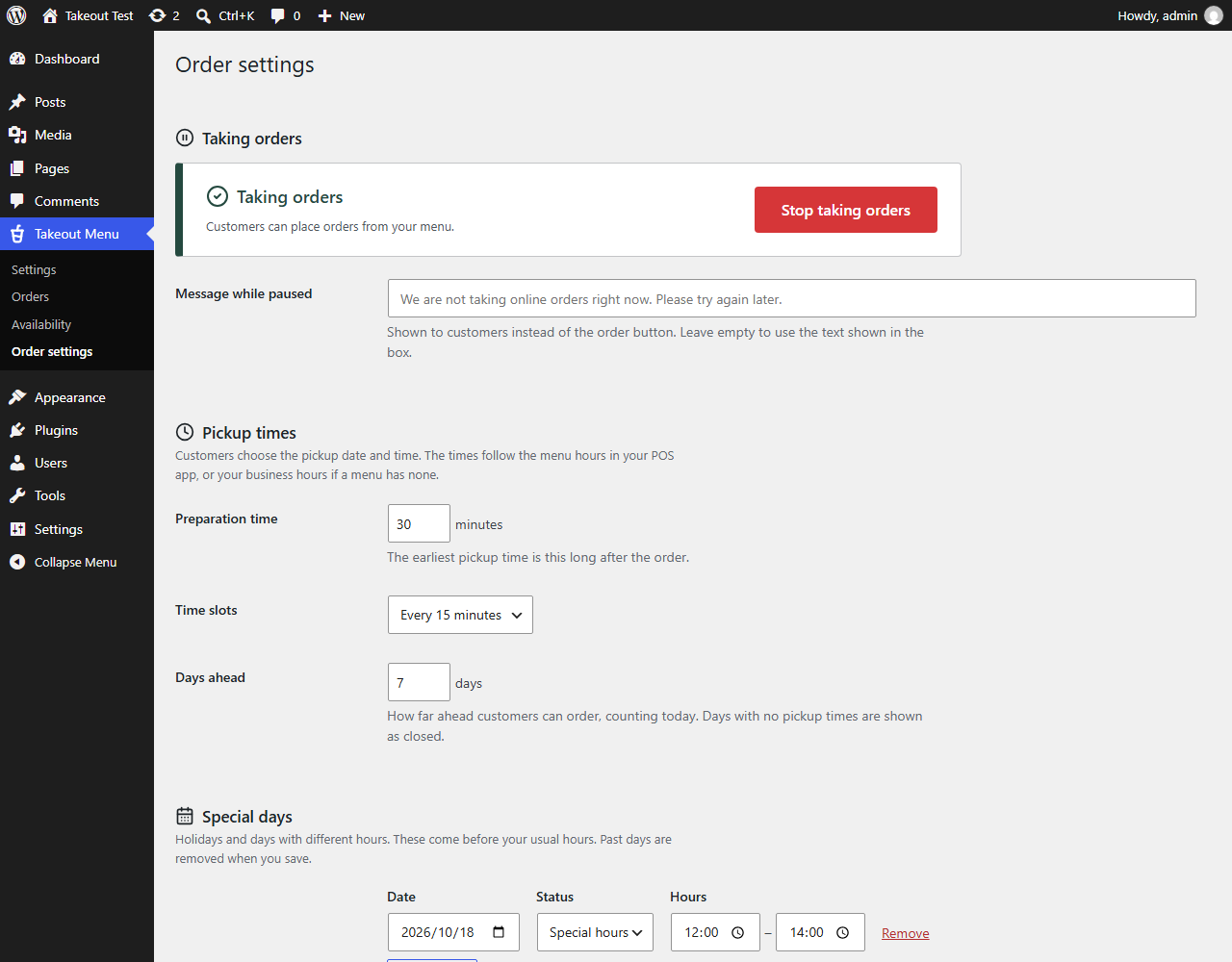
Order settings: stop taking orders with one button, and set pickup times.
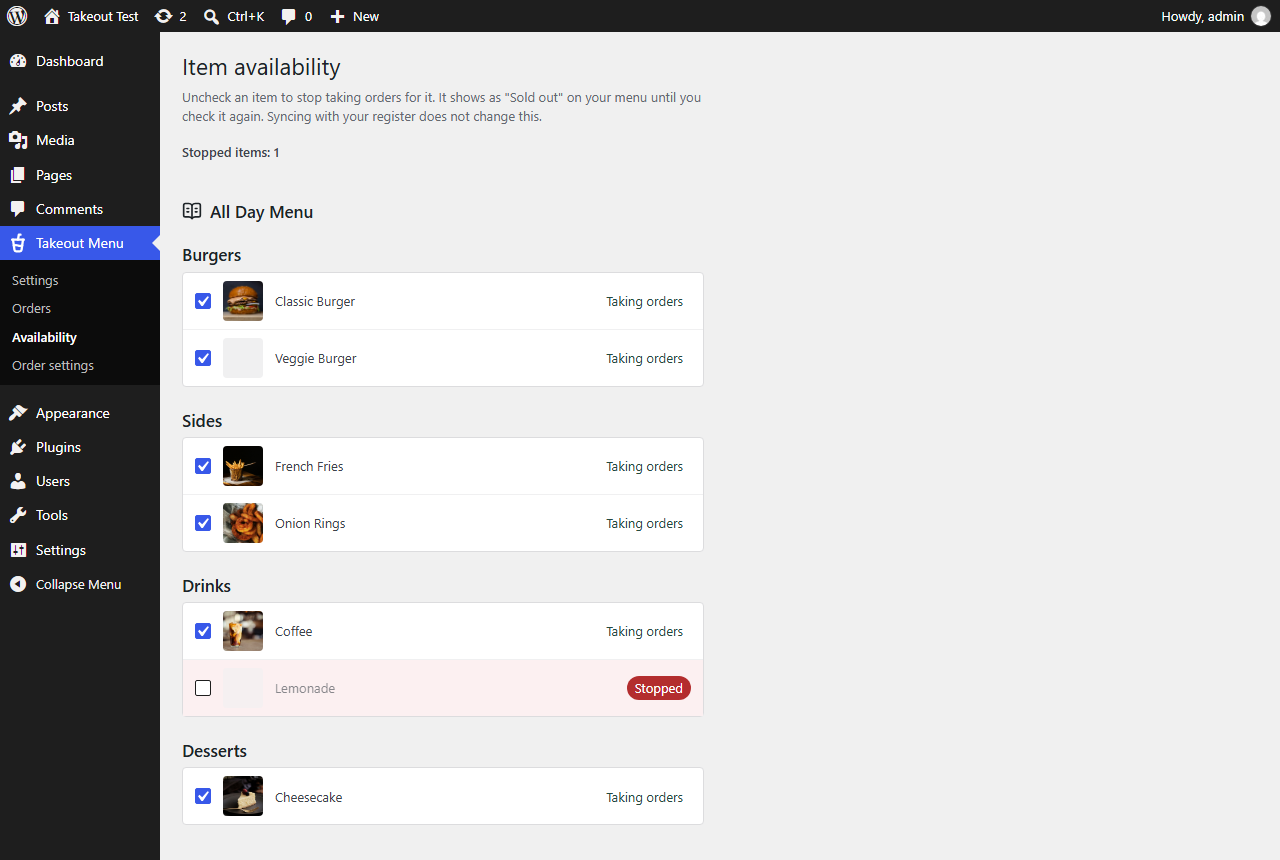
Stop taking orders for a single item when it runs out.