Daily Picks Fee Report For WooCommerce Wordpress Plugin - Rating, Reviews, Demo & Download
Plugin Description
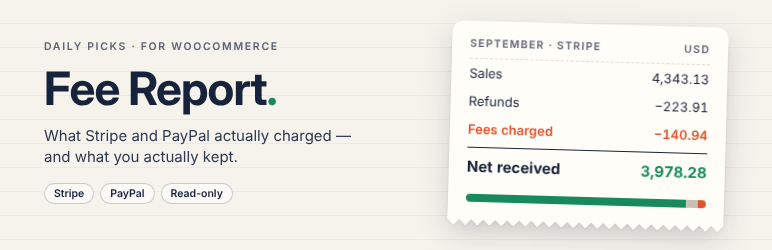
WooCommerce shows what customers paid. It does not show what Stripe and PayPal kept. This plugin does — using the exact amounts the official payment plugins saved on each order, not an estimate.
What you get
- A monthly report of sales, refunds, fees, net received, order count and fee rate, for Stripe and PayPal separately.
- Currencies kept apart. Stripe settles in your balance currency, which can differ from the order currency; each combination gets its own row. Nothing is converted.
- Net after refunds, done right. Stripe adds each refund to the order’s running totals while PayPal re-sums all refunds every time; both are handled so a refund is never subtracted twice.
- PayPal refunds use PayPal’s own numbers: net is the captured net minus the refunded net. The PayPal fee on refunds is shown on its own line for reference and is not used in any total.
- Orders that cannot be trusted are shown, not hidden. Orders whose fee has not been saved yet (unsettled payments, delayed payment methods, older orders) are listed instead of being counted as zero. Orders whose saved numbers do not add up — for example a Stripe charge whose fee was saved twice — are listed with the reason and kept out of the totals.
- Fee and Net columns in the WooCommerce order list.
- Monthly and per-order CSV files that open cleanly in Excel.
- Works with High-Performance Order Storage (HPOS) and with the classic posts storage.
Read-only by design
The plugin only reads what the payment plugins already saved. It never calls Stripe or PayPal, never asks for API keys, and never writes to your orders. (The Stripe plugin’s own helper silently rewrites old meta keys when it reads them; this plugin reads the values directly so that nothing changes.)
Supported payment plugins
- WooCommerce Stripe Payment Gateway (all Stripe payment methods)
- WooCommerce PayPal Payments
Square, Mollie and WooPayments are not included. WooPayments has its own fee report.
Add-on
A paid add-on reconciles Stripe payouts: for each payout it lists the orders, refunds, fees and adjustments it contains and shows any difference from WooCommerce. It also exports accounting CSVs for Xero and QuickBooks. About the add-on
Screenshots
No screenshots provided