
WDF AI Metadata Remover Wordpress Plugin - Rating, Reviews, Demo & Download

Plugin Description
Images carry more than pixels. Cameras embed GPS coordinates and device details, editors embed XMP and IPTC blocks, and AI image tools embed provenance records such as C2PA Content Credentials. None of it is needed to display the image, all of it adds weight, and some of it is personal data you may not want to publish.
This plugin removes that metadata from images you own:
- C2PA Content Credentials and JUMBF (JPEG APP11, PNG caBX, WebP C2PA)
- XMP, including the IPTC “trainedAlgorithmicMedia” AI source flag
- EXIF and IPTC/Photoshop blocks
- PNG text chunks (Stable Diffusion prompts, ComfyUI workflows, Adobe XMP)
- JPEG comments
JPEG, PNG, WebP and AVIF are rewritten at the byte level, so pixels are never re-encoded and quality is untouched. Other formats fall back to Imagick when it is installed.
Runs automatically on upload (original, scaled original and every thumbnail size). For the existing library, Media > WDF AI Metadata Remover gives you a two-step flow: scan everything first (read-only) and get a report of which images carry which metadata, then clean per image or everything flagged in one click. There is also a per-image “Strip AI metadata” row action, a media list column showing scan and clean status, and WP-CLI commands.
About
WDF AI Metadata Remover is a free plugin built and maintained by Web Designer Factory, a web design and digital marketing agency in Dallas, TX. There is no premium version and no upsell. If the plugin helps you, you can enable the optional footer credit link in the settings to support our work.
What is kept
- Pixels, always. Nothing is re-encoded.
- The ICC colour profile (optional, on by default).
- The EXIF Orientation tag on JPEGs, re-written as a minimal block so rotated photos display correctly.
- Your media library titles, captions and alt text, which live in the database.
What is removed: EXIF (camera, GPS, software), XMP, IPTC, C2PA / Content Credentials, JUMBF, PNG text chunks and JPEG comments.
What is not touched: pixels, including any invisible watermark an AI provider may embed in the image itself (such as SynthID). This plugin works on metadata only.
Use it on images you own or are permitted to modify. Removing copyright information from someone else’s work is not what this tool is for.
Usage
- Settings: Media > WDF AI Metadata Remover
- Bulk: same page, “Clean all images”
- CLI:
wp wdfaimr scan --all, thenwp wdfaimr clean --flagged(orclean --all, orclean 123 456)
Screenshots
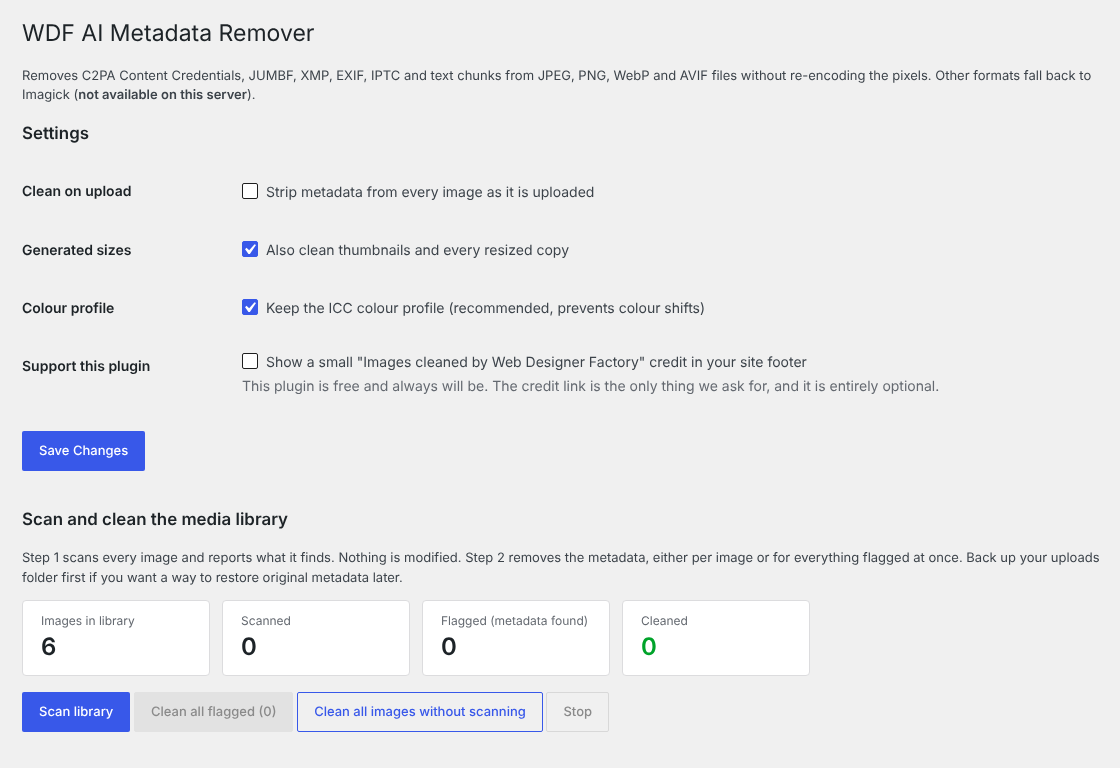
Settings and the scan-then-clean workflow under Media > AI Metadata Remover.
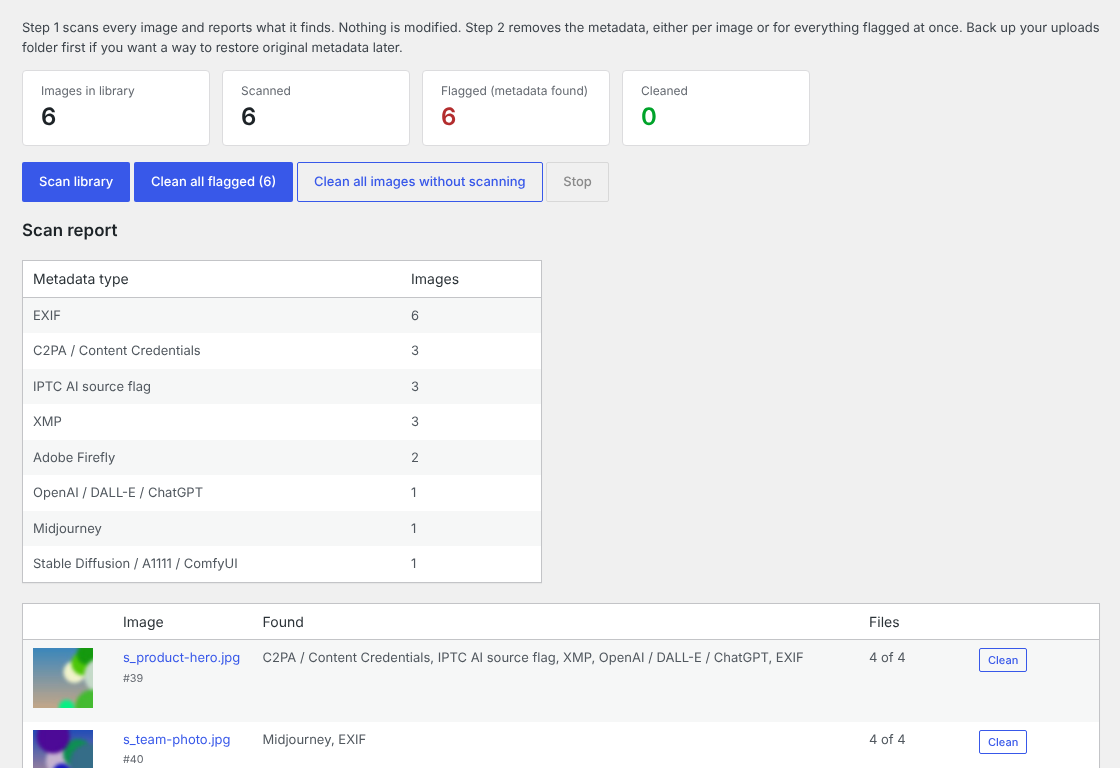
Scan report: metadata found by type, and every flagged image with a one-click Clean button.
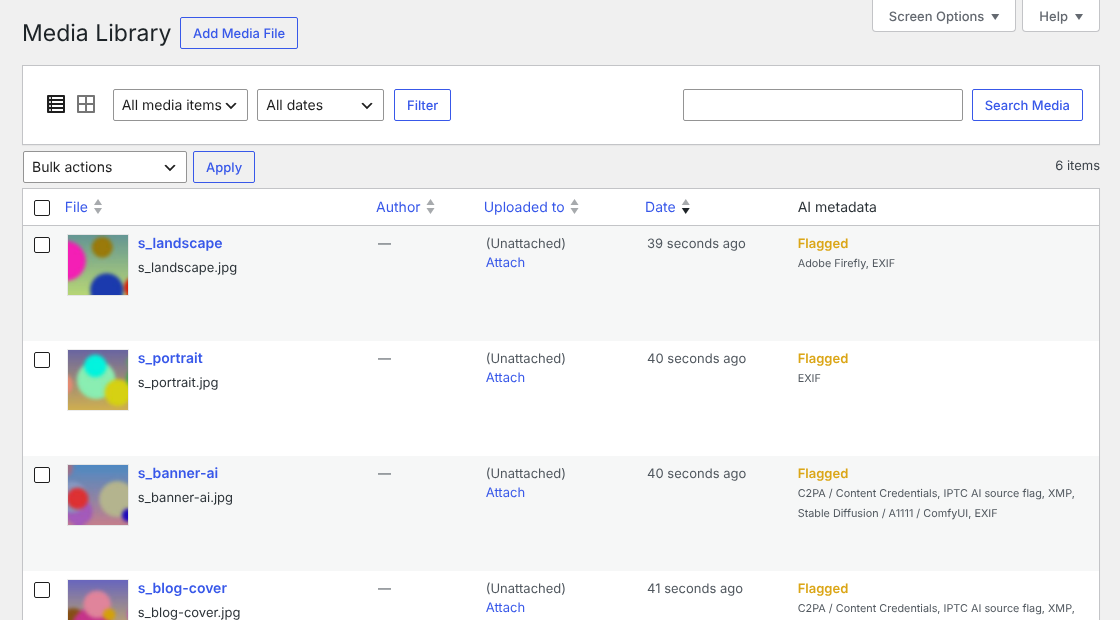
Media library column showing Flagged, Clean or Cleaned status for each image.


