Artbees Request A Quote For WooCommerce Wordpress Plugin - Rating, Reviews, Demo & Download
Plugin Description
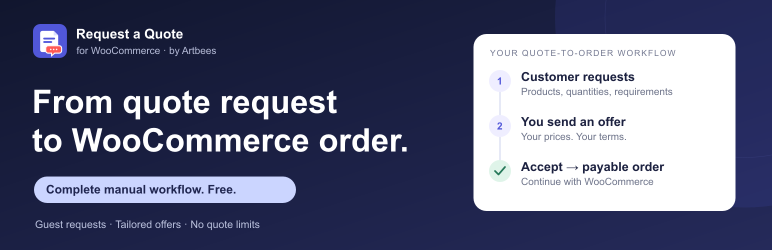
From quote request to WooCommerce order. Free.
Some sales need a conversation before checkout. For bulk purchases, wholesale inquiries, or project orders, let customers request a quote directly from your store.
Artbees Request a Quote lets customers collect products, choose quantities, and send their requirements. You review the request, set your offer, and send it back. When the customer accepts, the plugin creates a payable WooCommerce order with the agreed quote totals.
The complete manual request-to-order workflow is included in Free, with no license key, Artbees account, quote-volume quota, or time limit.
A straightforward workflow for you and your customers
- Request: Customers add products to a quote list, adjust quantities, and submit their details. They can also turn a WooCommerce cart into a quote request.
- Offer: Review requests in your dashboard. Set quantities and prices, enter shipping and tax amounts, add a customer note, and choose an expiry date.
- Accept: Customers review the offer through a private guest link or their My Account area and accept it.
- Order: Acceptance creates a WooCommerce order ready for payment, preserving the sent offer’s prices and totals.
Match the way your store sells
Choose from four built-in sales modes:
- Alongside purchasing: Offer Request a quote alongside Add to cart.
- Quote only: Replace purchasing with quote requests.
- Hide prices: Hide catalog prices and invite customers to request a quote.
- Selected products: Enable quote requests only for the products you choose.
Use these modes for wholesale, B2B, and bulk inquiries. Simple and variable products are supported.
Make requesting a quote easy
- Add quote actions to product pages and shop archives.
- Let customers review items and edit quantities in a quote drawer.
- Accept guest requests without requiring a customer account.
- Collect contact information, company details, and project requirements.
- Customize the request form with text, textarea, select, and checkbox fields.
- Adjust the quote button’s wording, colors, spacing, and appearance.
Keep requests and offers organized
- Search and filter requests in your WooCommerce dashboard.
- Follow each quote’s status and activity history.
- Send customer receipts, merchant notifications, and offer emails through your store’s mail setup.
- Give registered customers access to their quotes in My Account.
- Share private, expiring offer links with guests.
- Provide a printable quote view.
- Carry the accepted offer into a payable order without re-entering it.
Fit quoting into your existing store
Place quote buttons, drawer triggers, and request forms with native Gutenberg blocks, Elementor widgets, or shortcodes. The plugin supports WooCommerce HPOS and Cart/Checkout Blocks.
Built-in honeypot protection and rate limiting help reduce unwanted requests. Optional arithmetic verification works locally; optional Cloudflare Turnstile is available when configured. WordPress personal-data export and erasure tools are supported.
Need more than the manual workflow?
The optional, separately sold Artbees Request a Quote Pro add-on adds customer counteroffers and messaging, offer revisions, PDF quotes, advanced rules and forms, automation, reporting, and adapters for official WooCommerce Product Add-Ons and Product Bundles.
These are Pro features and are not included in this WordPress.org download. All included Free features work without Pro.
Learn about Artbees Request a Quote
Tax handling
Quote taxes are entered manually. Enter amounts excluding tax, then enter the complete tax amount separately, including shipping tax. The plugin does not calculate quote taxes from WooCommerce tax rates or customer location. Review the totals before sending an offer.
External services
Cloudflare Turnstile is optional and disabled by default. When a merchant selects Turnstile and configures its keys, the request form loads Cloudflare’s challenge script from challenges.cloudflare.com. Cloudflare receives browser/network information, including the visitor IP address, to evaluate the challenge. On submission, this plugin sends the challenge response token and configured secret key to https://challenges.cloudflare.com/turnstile/v0/siteverify for verification. Quote items, customer contact fields, and messages are not included in that verification request. Failed verification blocks submission.
Honeypot, arithmetic verification, and rate limiting work locally. The external-provider hook does not contact a service by itself; a separately installed integration must document its own service and data use.
Source code
The package includes readable PHP, JavaScript, CSS, and SVG source. No compilation is needed to run the plugin.
Screenshots
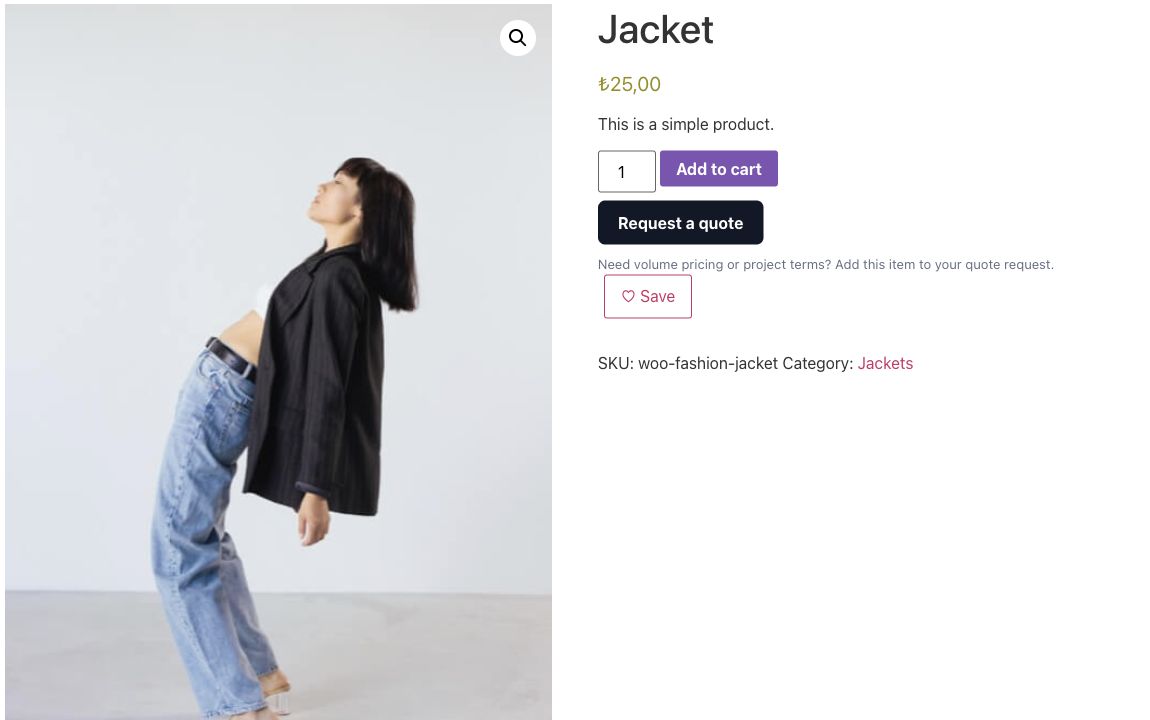
Let shoppers request a quote from a product page while keeping normal purchasing available.
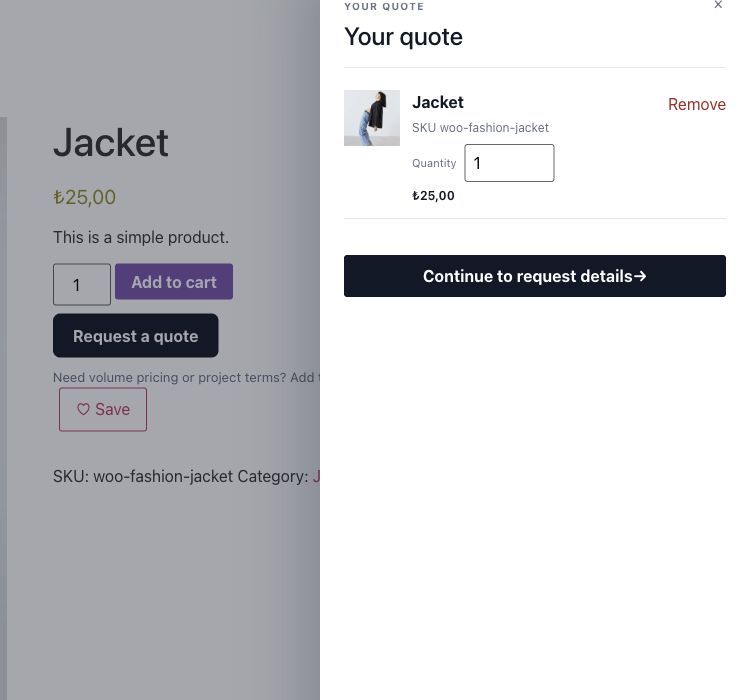
Customers review their quote list and adjust quantities before sending a request.
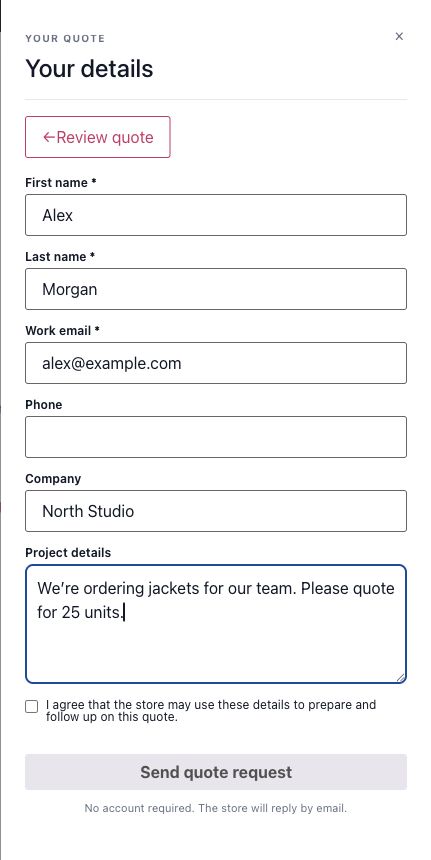
Collect contact information and project requirements without requiring an account.
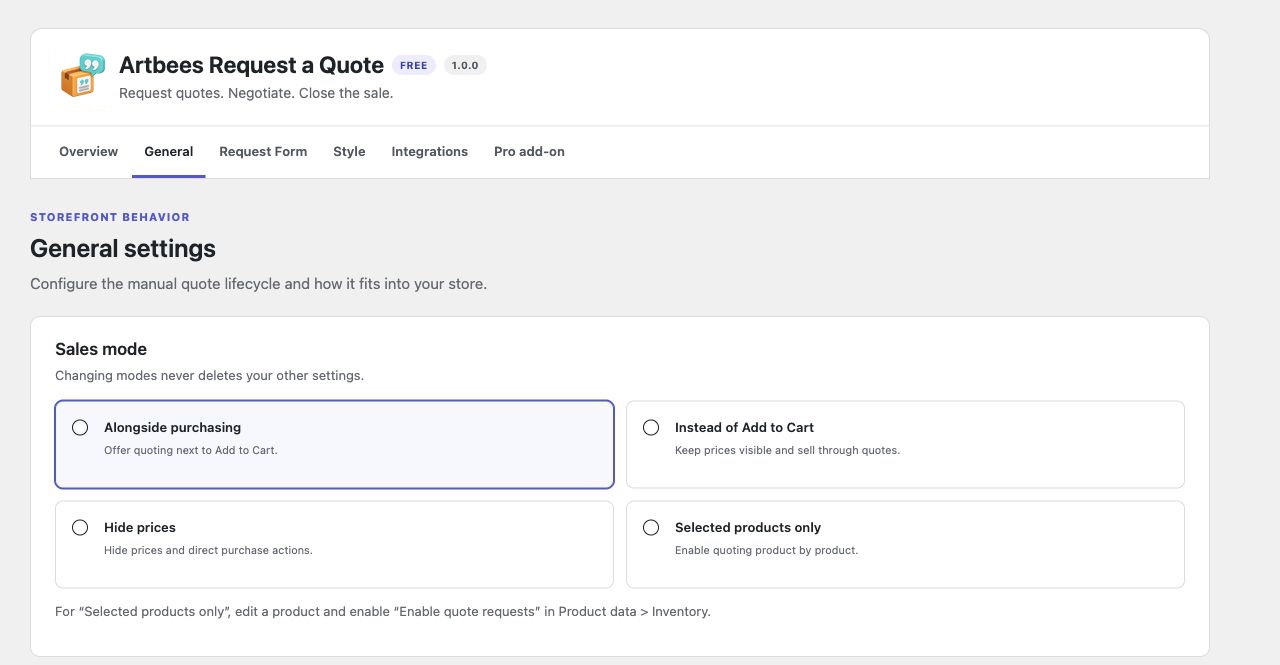
Choose a sales mode: alongside purchasing, quote only, hide prices, or selected products.
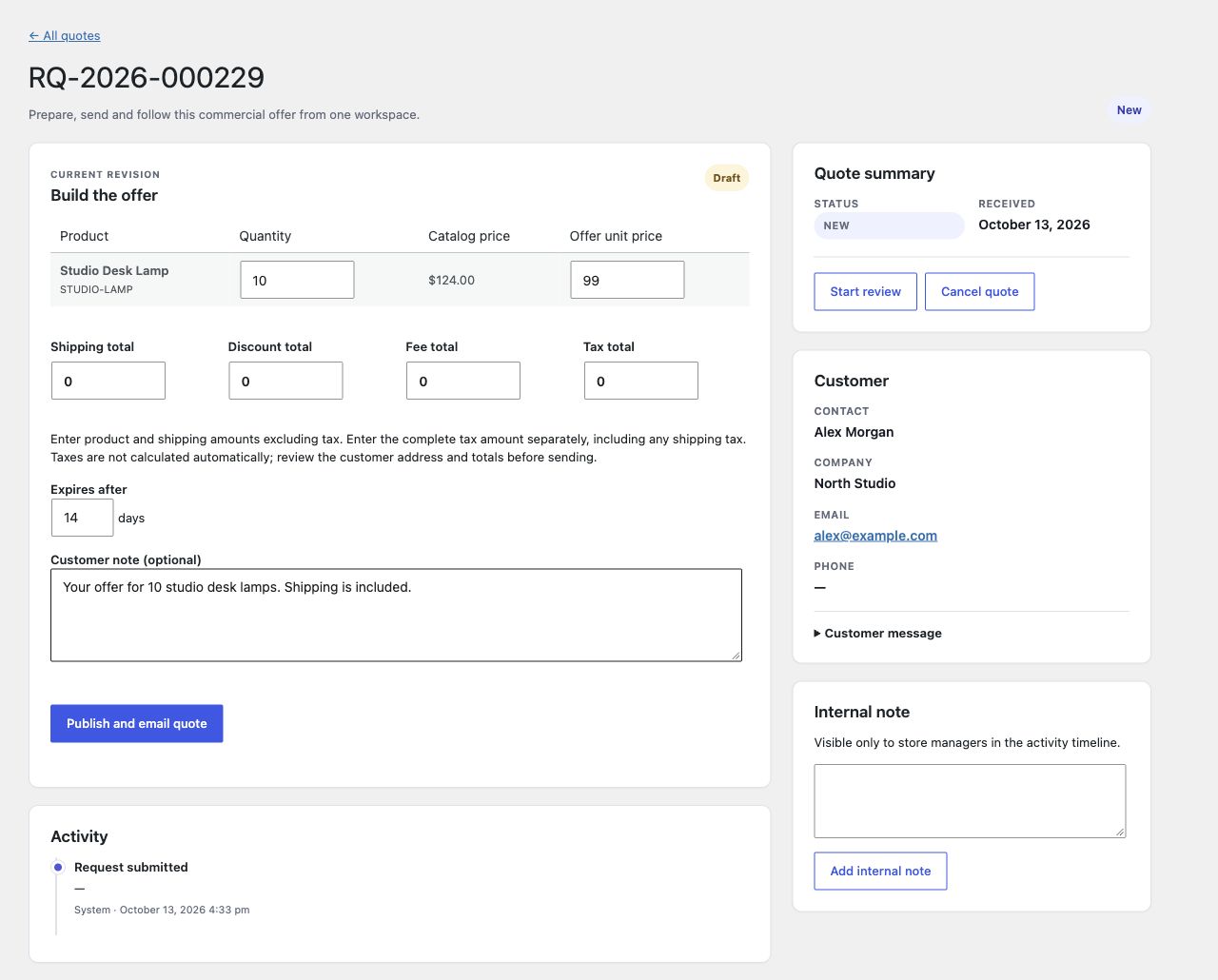
Prepare a customer offer with quantities, prices, shipping, tax, and an expiry date.
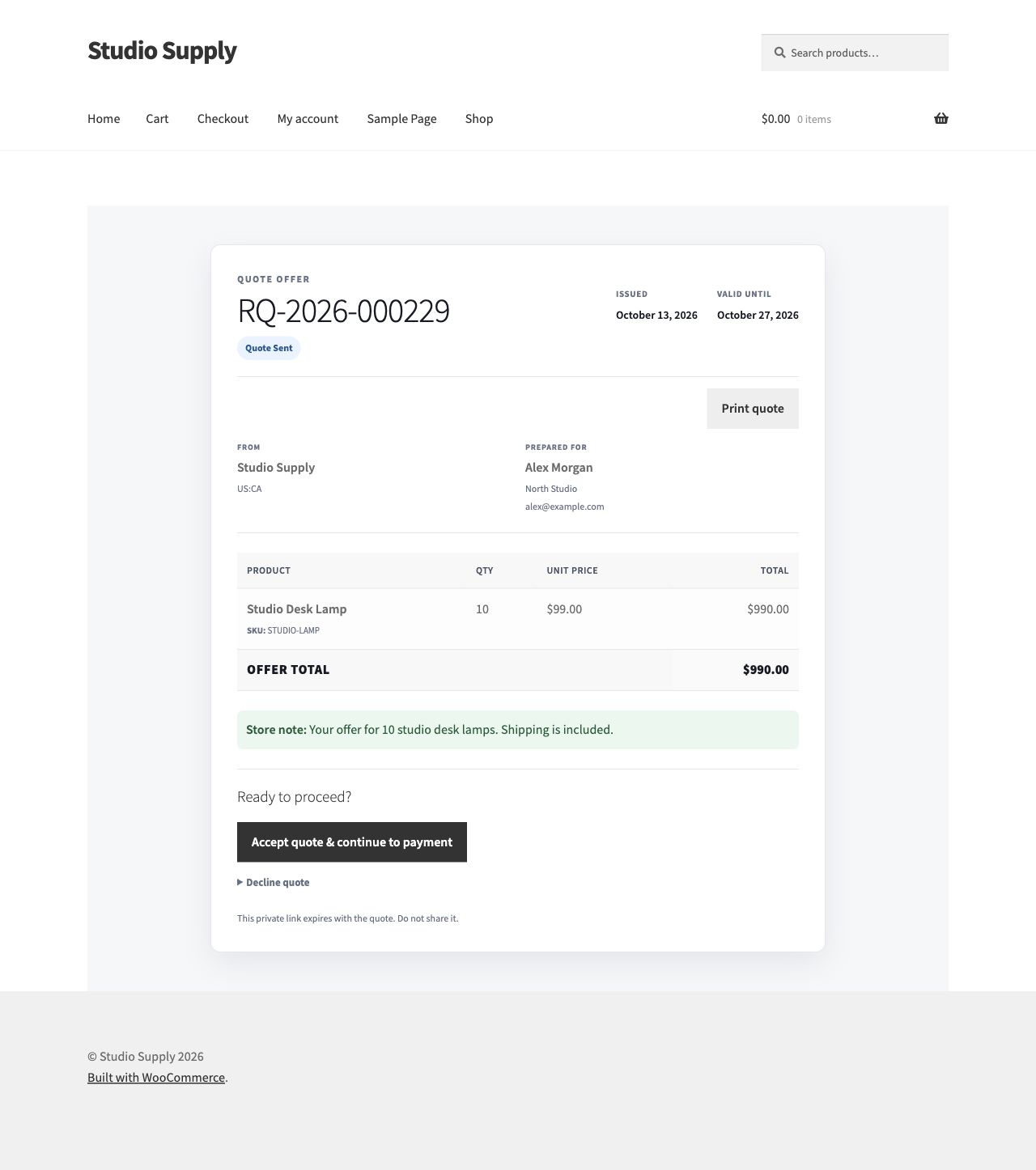
Customers review their offer and accept it to continue to WooCommerce payment.