Accomplice Query Loop Filters Wordpress Plugin - Rating, Reviews, Demo & Download
Plugin Description
Formerly submitted as Filter Query Block; the public Free edition now uses the
distinctive Accomplice name. Existing saved native filters remain compatible.
Accomplice Query Loop Filters adds visitor filters to the WordPress Query Loop. Keep your
post template, pagination and result blocks in WordPress, then add the controls
visitors need to find content.
Included in Free
- Taxonomy choices from categories, tags and registered custom taxonomies available for the selected post type.
- Dropdown, checkbox, radio button and button presentations, with multiple selections where supported.
- Search in post titles, excerpts and content.
- Publication date filters: a range, a single date, on or before, or on or after a date.
- Visitor sorting by publication date or title, ascending or descending.
- Apply and Reset controls, with automatic filtering available.
- Filters above the results, in a left sidebar or in a right sidebar, using real WordPress Groups and Columns.
- A full-screen settings editor with Content, Filters, Design and Advanced sections. Apply commits your draft; Cancel discards it.
- Outlined, Soft, Filled and Unstyled appearances, plus native block Styles controls for supported colors, typography, spacing and borders.
- Six results per page with editable three-column image-and-title starter grids, plus page numbers or a Load more button.
- Global source and term exclusions and an inventory of filter placements in the administration area.
- Filter state in the page URL, so a filtered view can be shared.
Insert Accomplice Query Loop Filters, or open an existing Query Loop and choose Edit Filter
Query. Choose a starter or add individual controls, select their sources, apply
your changes and save the page. Result content remains editable on the canvas.
The Free edition works on its own. It does not require a Pro installation,
license key or hosted filtering service.
Filter Query Block Pro
The separate Filter Query Block Pro plugin adds
custom metadata and supported ACF fields, numeric ranges, modified and custom
field dates, start/end date overlap, additional ordering sources, advanced query
conditions, and support for the product’s older legacy blocks.
Pro replaces Free. Pro 4.0.2 and later recognize the renamed Free plugin and
automatically deactivate it when Pro is activated. With Pro 4.0.1 or earlier,
deactivate Free manually before activating Pro.
To return to Free, deactivate Pro first, then activate Free. Shared content and
native block settings are retained when switching editions.
Reload any open block editor after switching. Pro-only controls and rules need
Pro to run; Free preserves those settings and warns when they are unavailable. See the
FAQ before switching a site that uses Pro features.
Privacy
Configuration is stored in your WordPress database. The Free catalog reads
selected post types and terms used by published content on your own site. Its
editor and filtering requests use your site’s WordPress endpoints. Free does
not require an external filtering, licensing or analytics service and does not
add its own telemetry.
Selected filters and search text can appear in the page URL. They may therefore
be present in browser history, shared links and your site’s ordinary server or
analytics logs. Your site’s other plugins, theme and hosting can have their own
privacy behavior.
Source code and licensing
See SOURCE-BUILD.txt for the included source build instructions. This Free
distribution is licensed under GPLv2 or later; see SOURCE-LICENSE.txt and
COPYING.txt. Bundled third-party components retain their own compatible licenses.
Screenshots
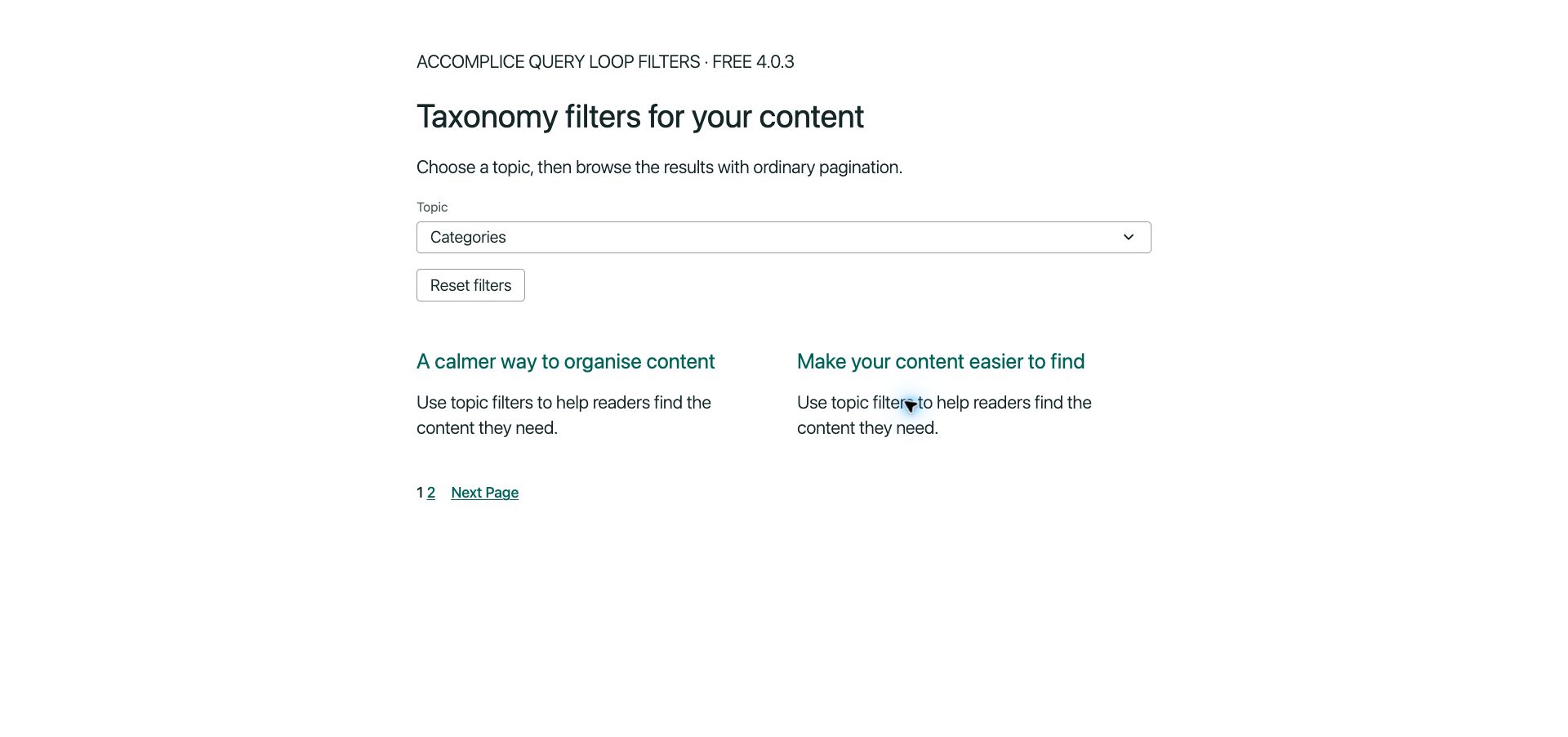
Native visitor filters above a WordPress Query Loop.
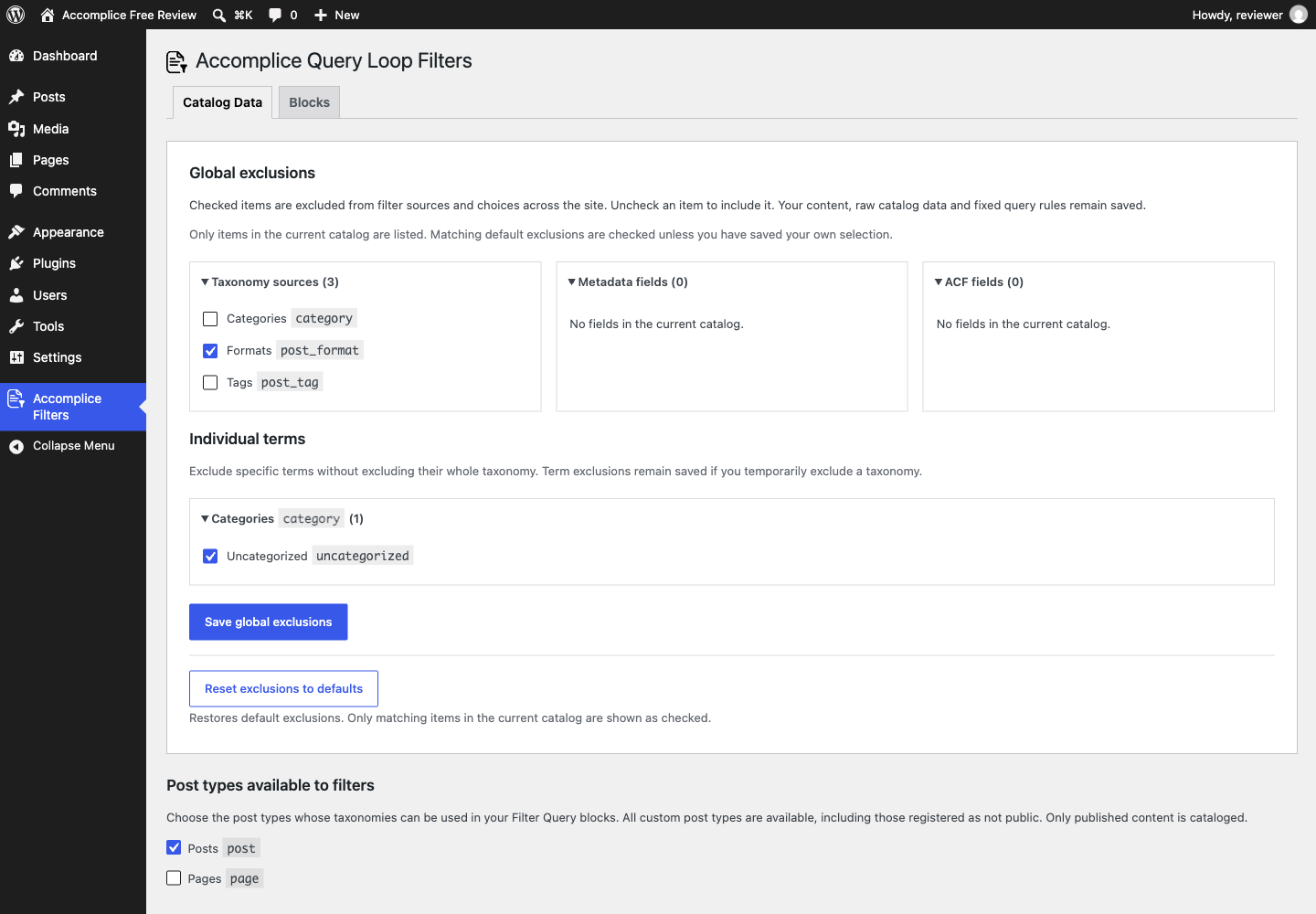
Manage global source and term exclusions in Catalog Data.