Evergreen Deadline By Tofu Labs Wordpress Plugin - Rating, Reviews, Demo & Download
Plugin Description
Evergreen Deadline is a lighter alternative to Deadline Funnel for WordPress. It adds a countdown block and shortcodes. Count down to one date for everyone, or give each subscriber their own deadline that starts when they join. When the time is up, the offer content is hidden or the page sends visitors to the address you choose.
Works on its own, no account:
- A countdown to a fixed date and time, as four boxes or one line of text.
[evergreen_deadline_before]content that WordPress leaves out of the page after the date, and[evergreen_deadline_after]content that appears then.- Close a whole page on a date: visitors are sent to the address you choose (set it in the Evergreen Deadline panel of the page editor’s sidebar).
Per-subscriber (evergreen) deadlines, optional:
Connect a free Evergreen Deadline workspace to give every subscriber their own deadline, for example “20% off for 72 hours after you join my list”.
- The deadline belongs to the subscriber’s email address, so their phone and their laptop show the same time.
- Your emails show it as a countdown image, and your sales and checkout pages show the same time left.
- Reloading the page or opening it on another device doesn’t start the clock again.
- When it passes, your pages send the subscriber to the page you pick, such as your full-price page.
- The Deadline content block (or
[evergreen_deadline_before campaign="c_..."],[evergreen_deadline_after campaign="c_..."]and[evergreen_deadline_none campaign="c_..."]) shows content only while a visitor’s deadline is running, only after it has ended, or only to visitors with no deadline. - Count sales: tick “This is a thank-you page” in the Evergreen Deadline panel of the editor sidebar, or add
[evergreen_deadline_sale campaign="c_..." amount="79"], and see in your dashboard how many people bought before their deadline.
The free plan covers 1 campaign and 50 new deadlines a month, and its page timers show a small “Evergreen Deadline” link. Paid plans start at $29 a month and have no link. The plugin’s own fixed-date timers never show it.
External services
This plugin can connect to Evergreen Deadline (https://tofulabs.app/deadlines), run by Tofu Labs, to show per-subscriber deadlines. Nothing is sent to it unless you connect a workspace key or use a campaign ID.
- On the settings page and in the editor, when a workspace key is saved, your site sends the key to the service to list your campaigns and your plan usage.
- On pages that use a campaign, the visitor’s browser loads the script https://tofulabs.app/deadlines/t.js. It sends the campaign ID, the deadline token saved in the visitor’s browser (if any) and, when they arrive from one of your email links, their email address. The service stores a keyed hash of the email (not the address), a masked hint (like j•••@gmail.com) and the deadline times, so it can show the same deadline on any device.
- On a thank-you page set to count sales, the script sends the campaign ID, the visitor’s deadline token or email address, and the sale amount you set.
- Fixed-date timers, before/after content with an end date, and page closing never contact the service.
Terms of use: https://tofulabs.app/deadlines/terms
Privacy policy: https://tofulabs.app/deadlines/privacy
Screenshots

The countdown block on a sales page.

Block settings: a date, or each subscriber’s own deadline.

The Evergreen Deadline panel in the page editor’s sidebar: a campaign for the page, a countdown bar, and closing the page on a date.
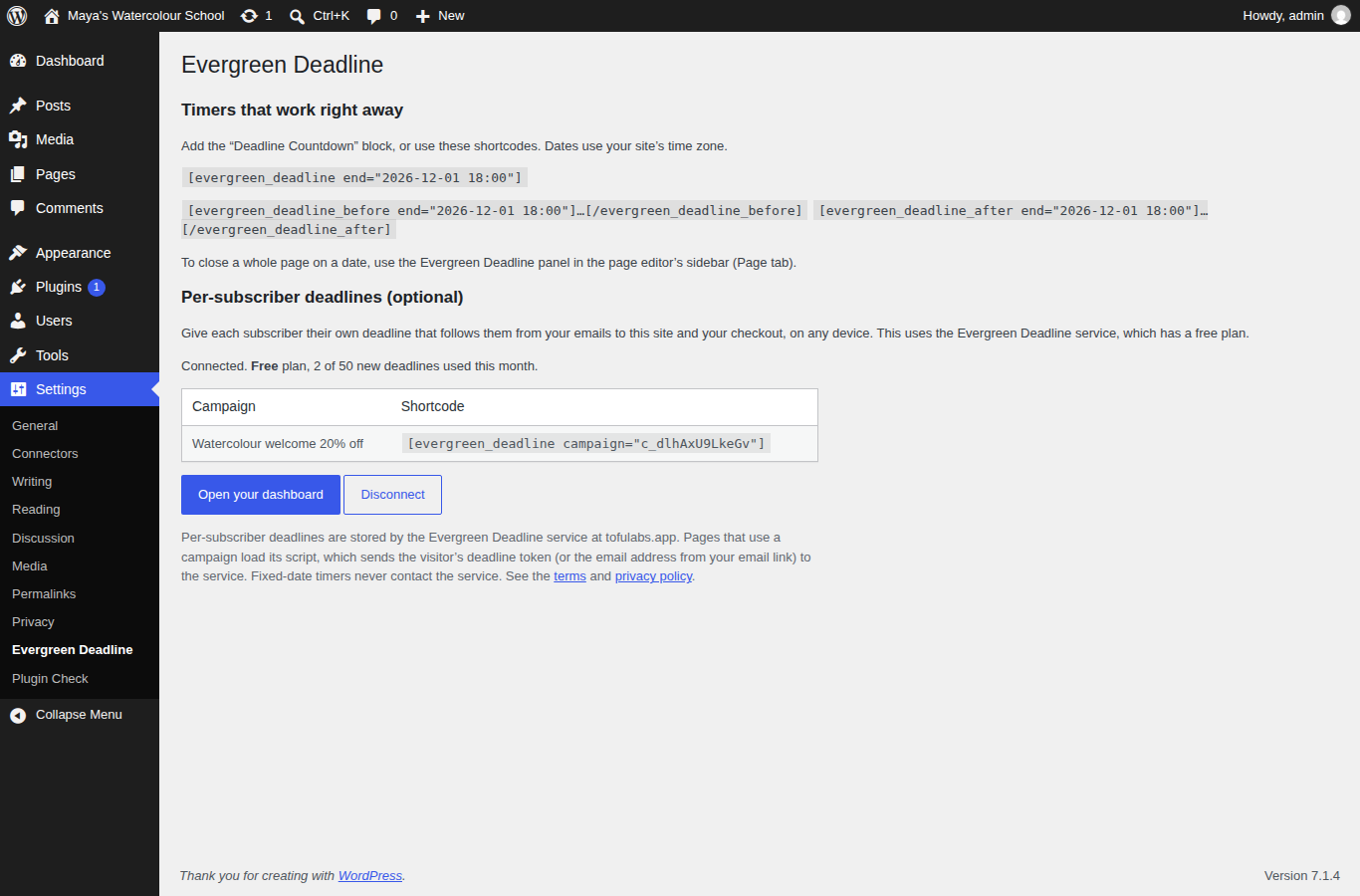
Settings: connect a free Evergreen Deadline workspace.