
Ulcine Timetable Wordpress Plugin - Rating, Reviews, Demo & Download
Plugin Description
Ulcine Timetable shows your weekly classes on your site, and makes the yearly routine easy: prepare next term’s schedule while the current one is still online, switch it on when sign-ups open, and let the old one hide itself when the term ends. Your pages never need to be edited again.
It is made for any school with weekly classes: dance, yoga, Pilates, music, martial arts, fitness, languages.
On your site
- Every visible schedule as tabs (“Current: Sept – Dec”, “From Jan 9: Jan – March”), the current term open first, or the one you choose.
- Week grid that shows parallel classes side by side, one column per room, and a list view.
- Filters by style (Salsa, Yoga, Piano…) and by level, with live counts.
- Class details in a dialog: teachers, room, dates, notes, and a sign-up button to your booking system.
- Style pages:
[ulcine_timetable style="yoga"]shows only that style, with a “By level” view and a small “Which level is right for me?” helper. - Phone friendly: one day at a time on narrow screens and in narrow columns, details as a bottom sheet.
- Accessible: keyboard navigation, real buttons and tabs, screen-reader labels, enough contrast.
- Works with any theme and page builder: a block for the block editor, and a shortcode for Divi, Elementor, Beaver Builder or the classic editor.
For the people who manage it
- One schedule per term, with its own dates, holidays and a “Visible on the site” switch. Schedule it to appear on a date, and to hide itself after its last day.
- New schedule wizard: copy the previous term in one go (teachers, notes, “New” badges optional), with the dates moved for you.
- Fast planner: add a class on several days at once, duplicate, move or copy classes to another schedule, change a teacher or a room for many classes, undo a deletion.
- Reusable catalogue: courses, teachers, styles (with colours), levels (with stages from beginner to advanced) and rooms. A course can belong to several styles.
- Classes on some dates only: a period, or a list of dates (workshops, short series), shown as such on every card. A finished class leaves the site by itself.
- Cancel one date of a weekly class in two clicks: the site announces it and the rest of the term stays as it is.
- A trash for schedules: a deleted schedule stays there with its classes for 30 days, and deleting classes can be undone.
- Things to check on the home screen: a teacher booked twice, two classes in one room, dates outside the term or during the holidays. Mark what is intentional as “Ignore”.
- Import from a spreadsheet (CSV export of Excel, LibreOffice or Google Sheets, or copy and paste the cells): shifted columns, merged cells and free-form dates are understood, with a preview before anything is saved.
- Coming from MotoPress Timetable? A read-only importer brings its events and time slots over, while your current timetable keeps working.
- Sign-up links: one general link, one per course, or one per class (the most specific wins).
- Colours, corner radius and row height are set in the settings; fonts come from your theme.
Privacy
Ulcine Timetable does not contact any external service, does not use cookies and does not track visitors. The only thing it stores in the visitor’s browser is the view they last chose (week or list), so it opens the same way next time.
Screenshots
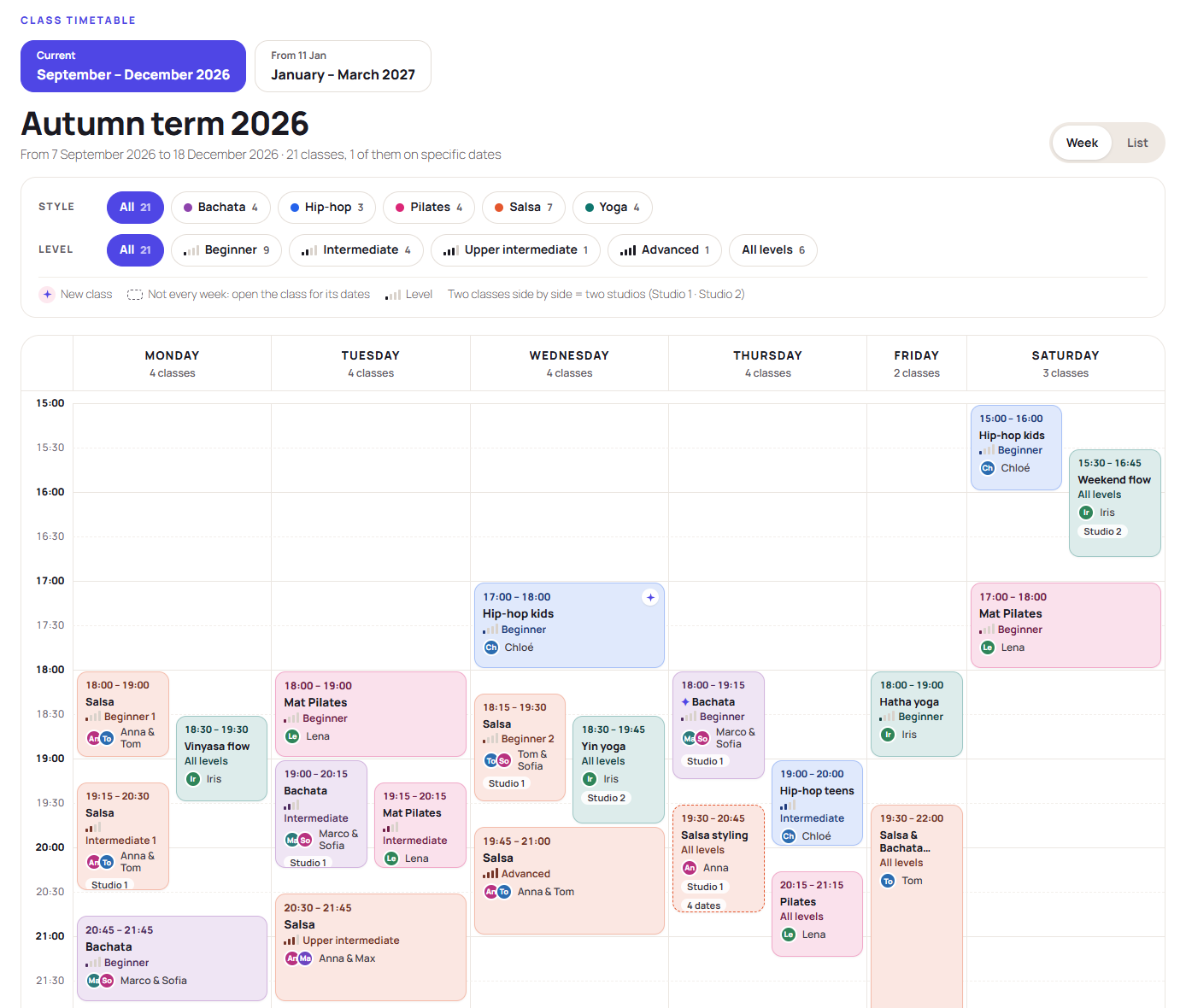
The timetable on a site: every visible schedule as tabs, the week grid with parallel rooms side by side, style and level filters.
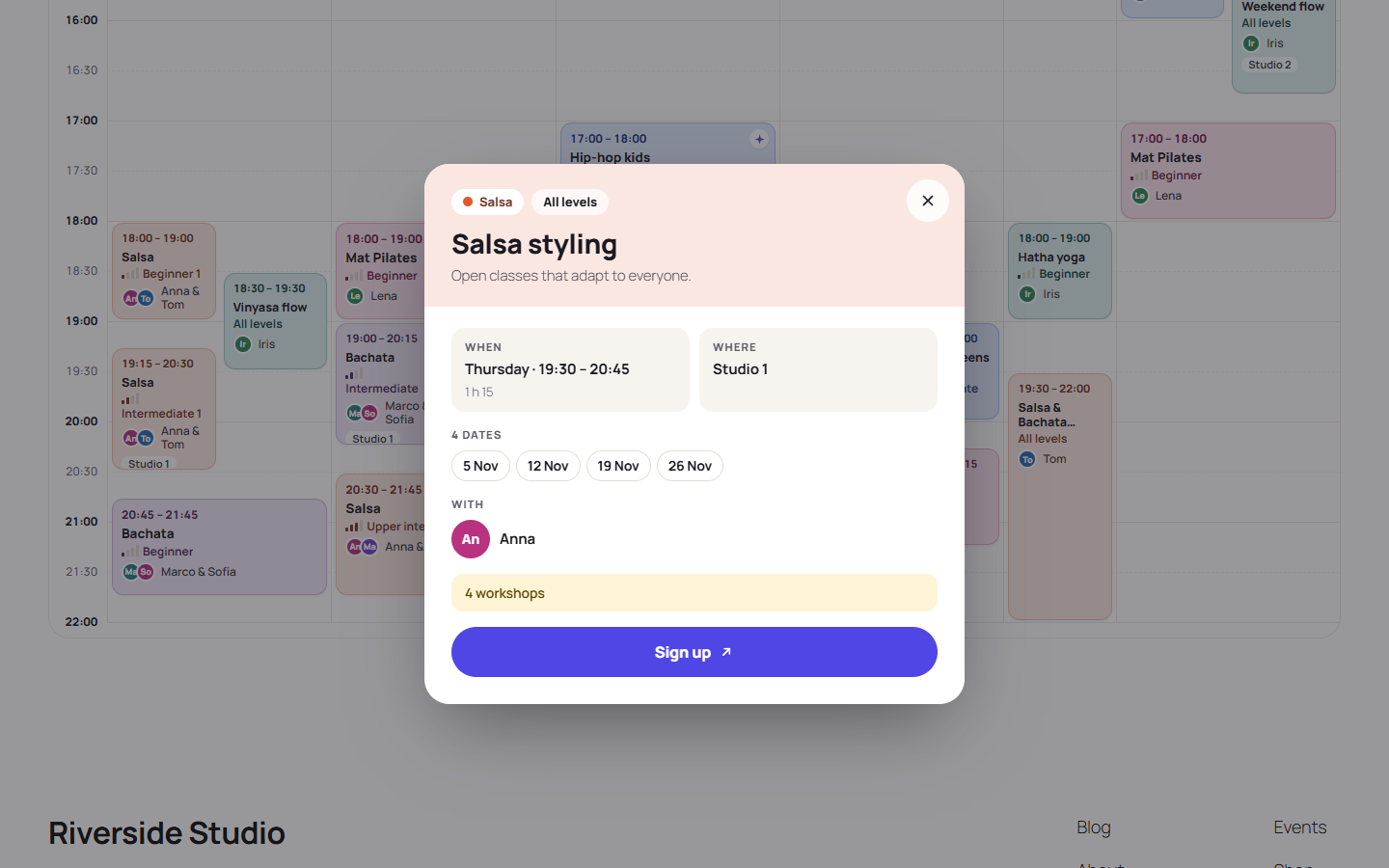
Class details: teachers, room, dates, notes and the sign-up button.

On a phone: one day at a time.

A style page with the “By level” view and the level helper.

Home screen: switch schedules on and off, see what the site shows, and the things to check.

The planner: the week of a schedule, with the class dialog.

The catalogue: courses, styles, levels, teachers and rooms, edited in place.

The Ulcine Timetable block in the editor, with its settings.


