
Sell.AI Stock – Multi-Warehouse & Suppliers For WooCommerce Wordpress Plugin - Rating, Reviews, Demo & Download

Plugin Description
Sell.AI Stock lets a WooCommerce store sell the same product from several warehouses or suppliers. Each warehouse has its own stock and, optionally, its own price.
Store
- Central warehouse registry with name, shipping info, minimum order value and allowed shipping methods.
- “Stock & prices” table: all products and variations in one editable grid (stock and price per warehouse), with search, filters, paging, conflict detection and saving of changed rows only.
- CSV export and import of stock and prices (Excel-friendly), with a preview of every change before it is applied.
- Data exchange log in plain language: what changed, product by product, and what to do about problems.
- “Warehouses” tab in the product editor and a warehouse table in every variation. The WooCommerce stock is kept equal to the sum of the warehouse stocks.
- Warehouse selector on the product page in 5 styles (cards, compact list, buttons, drop-down, minimal), with accent colour and corner settings, plus a warehouse picker for product tiles.
- Automatic warehouse assignment when the customer adds a product without choosing (first warehouse with stock, or the cheapest one).
- The same product from different warehouses becomes separate cart lines with per-warehouse prices. The customer can change the warehouse in the cart.
- One shipping package per warehouse, with per-warehouse shipping methods and minimum order values.
- The warehouse is shown on order lines, in emails and in the admin. Warehouse stock follows the order: placed, cancelled, edited in wp-admin, refunded with restock. You can change the warehouse of a line in the order editor.
- Classic and block cart/checkout. Works with any theme through standard WooCommerce hooks. Compatible with HPOS.
Integrations
- Authenticated REST API (
/wp-json/sell-ai-stock/v1/) with bulk, idempotent upsert of stock and prices by SKU or product ID, dry-run mode and out-of-order protection. - Deny-by-default authentication: hashed API token in a header, or a user / application password with the
manage_woocommercecapability. - Per-warehouse stock in the standard WooCommerce REST API (products, variations, batch, order lines).
- WP-CLI commands (sync from a JSON file, CSV export and import). Filters and actions for custom adapters. The full API reference is in README.md.
Sell.AI Stock Pro (paid add-on)
Everything above is free and complete. The separate Sell.AI Stock Pro add-on (sold on trysellai.com) adds automatic updates from other systems:
- Base (Baselinker) connector: choose the catalog, warehouses and price groups from lists.
- Wholesaler files (XML, CSV, JSON) with field mapping and a schedule.
- Compatibility mode for the official Base integration.
- Signed outgoing webhooks for stock changes and orders.
The “Data sources” tab of this plugin shows what the add-on does when it is not installed. Nothing of the add-on is included in this plugin.
External services
This plugin does not connect to any external service and sends no data anywhere. Other systems can send stock to the shop through its REST API; that happens only when the store administrator creates an API token and gives it to such a system.
The “Data sources” tab links to the page of the Sell.AI Stock Pro add-on on trysellai.com; nothing is loaded from that site.
Screenshots
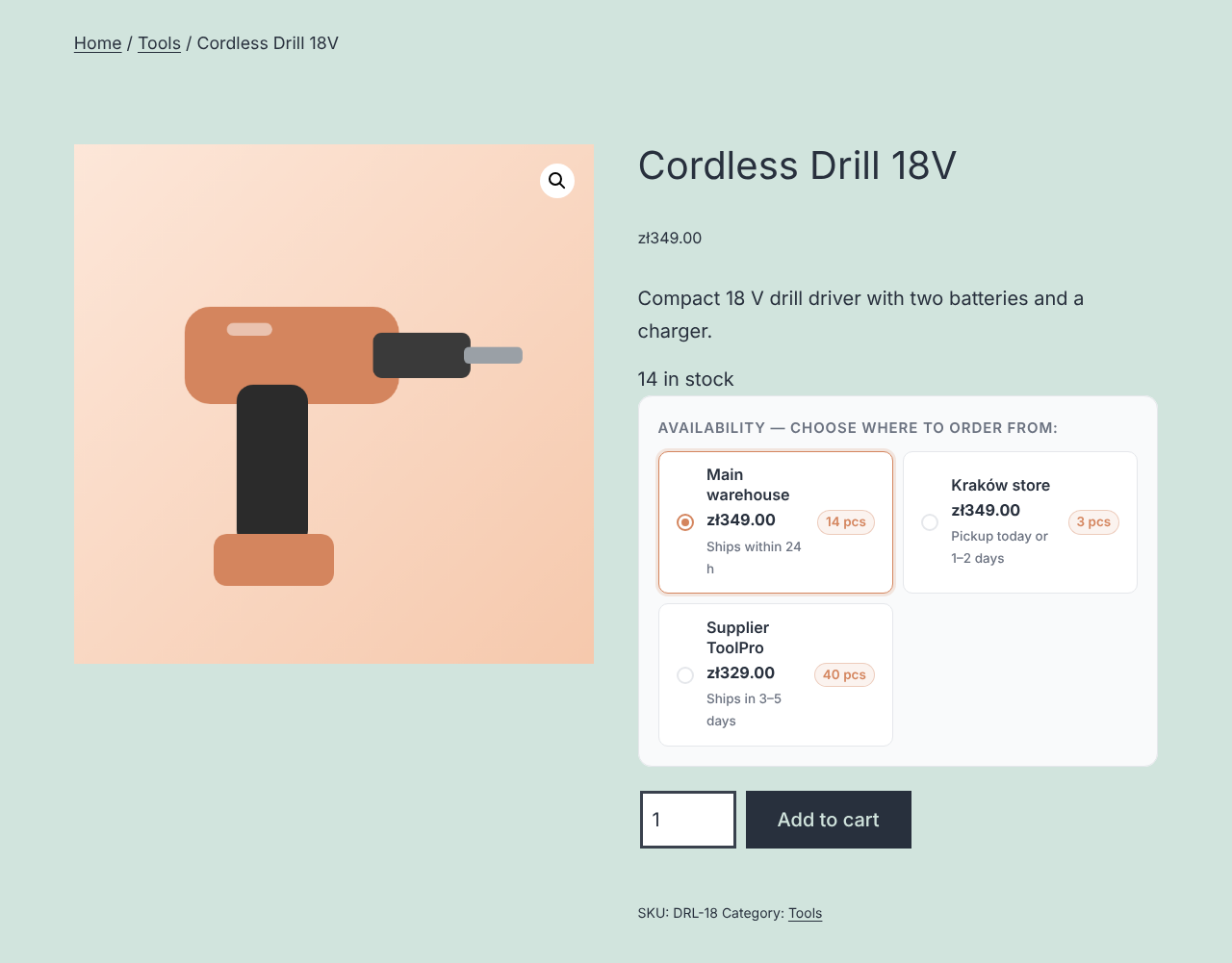
Product page: the customer chooses the warehouse or supplier – each with its own price, stock and shipping time.
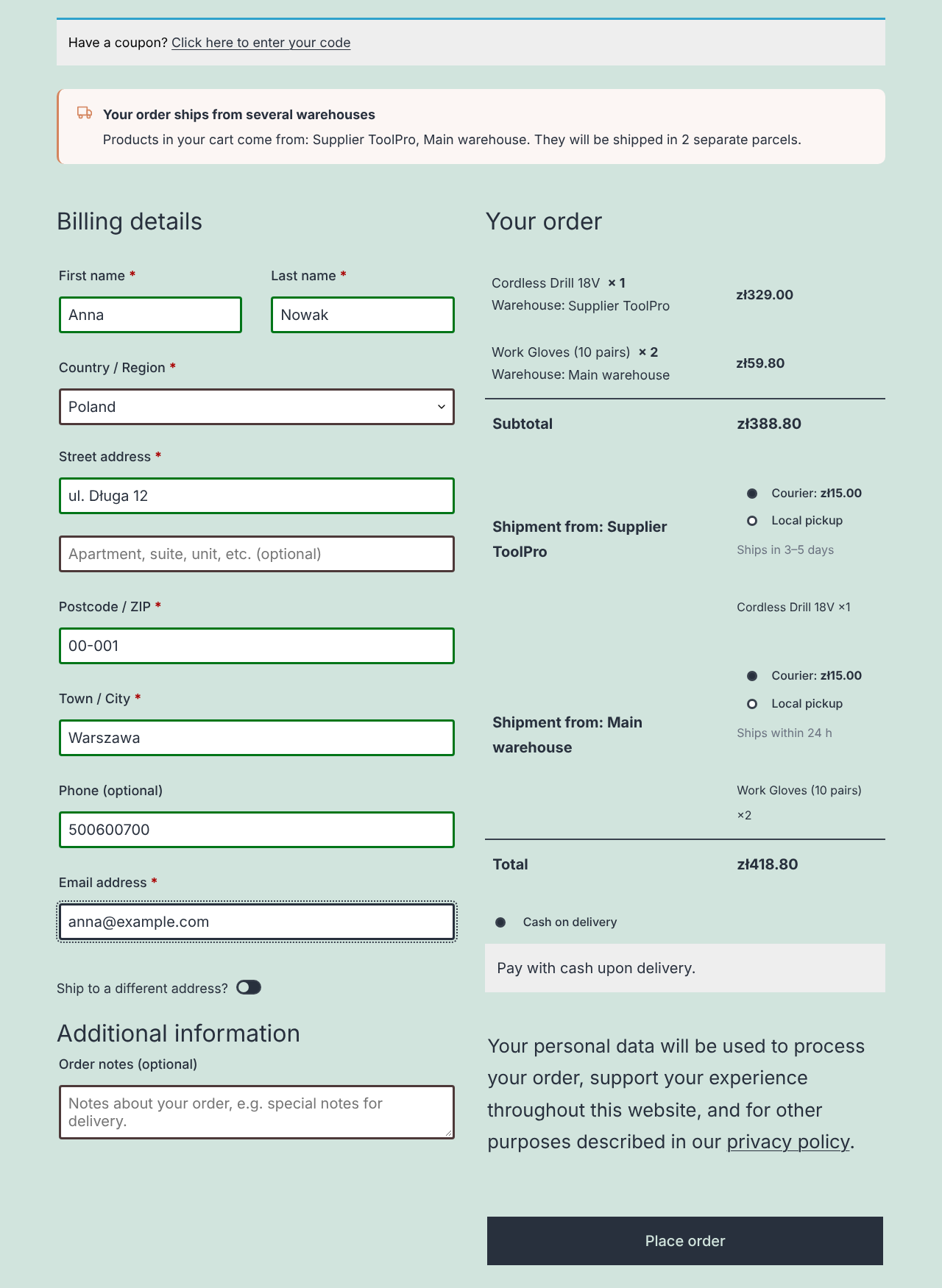
Checkout: products from different warehouses ship as separate parcels, each with its own shipping method.

“Stock & prices”: all products and variations in one editable table, stock and price per warehouse.
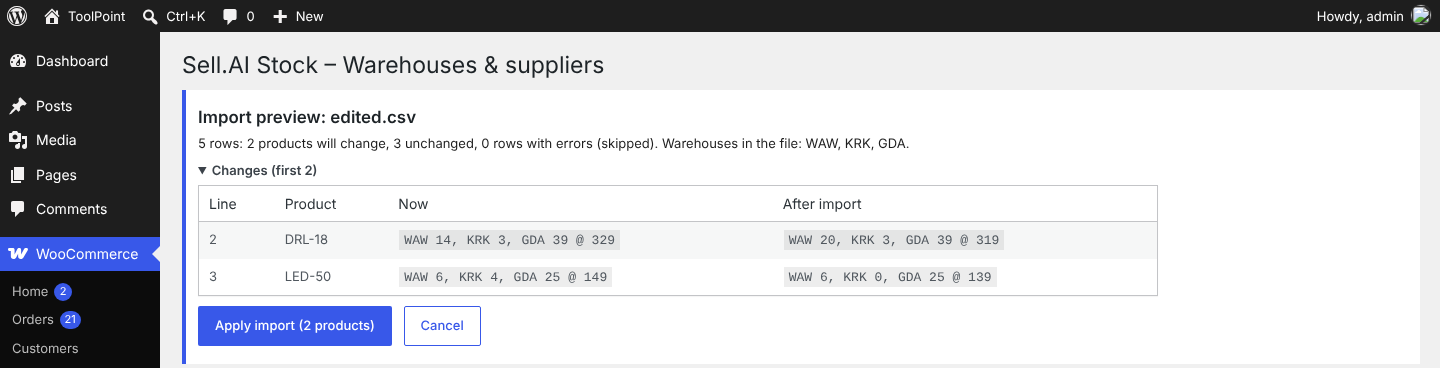
CSV import: every change is shown before it is applied.
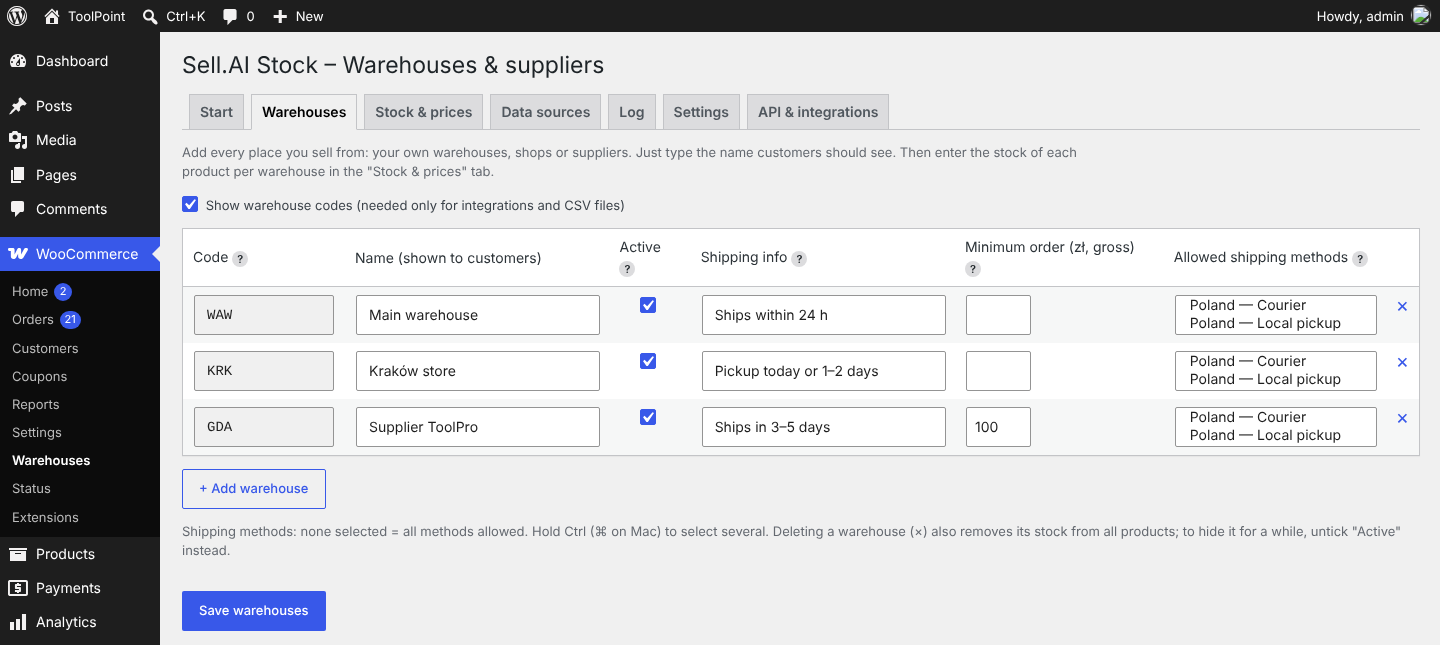
Warehouses: names customers see, shipping info, minimum order value and allowed shipping methods.
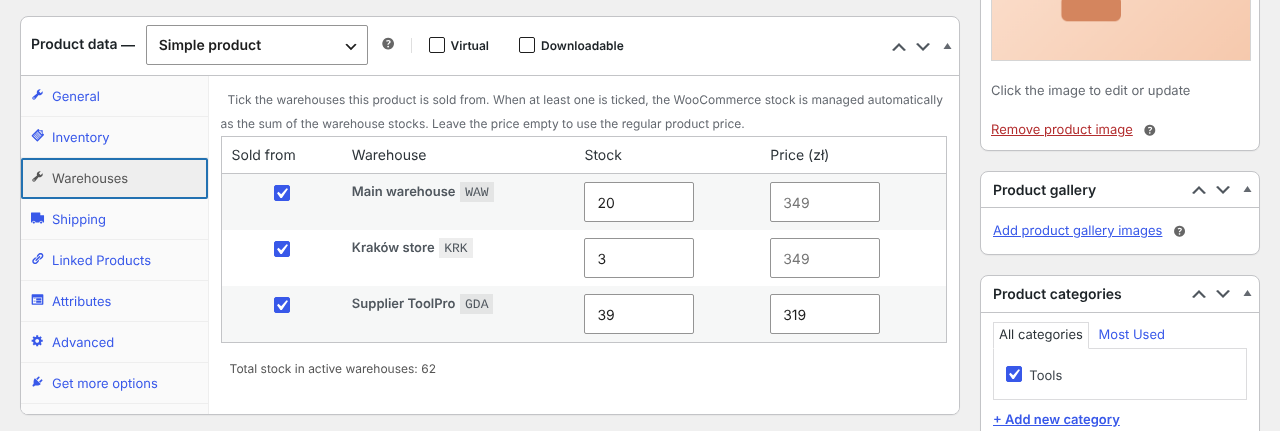
Product editor: the “Warehouses” tab with stock and price per warehouse.

Order: the warehouse of every line and one shipping line per warehouse.

Five styles of the warehouse choice with a live preview.
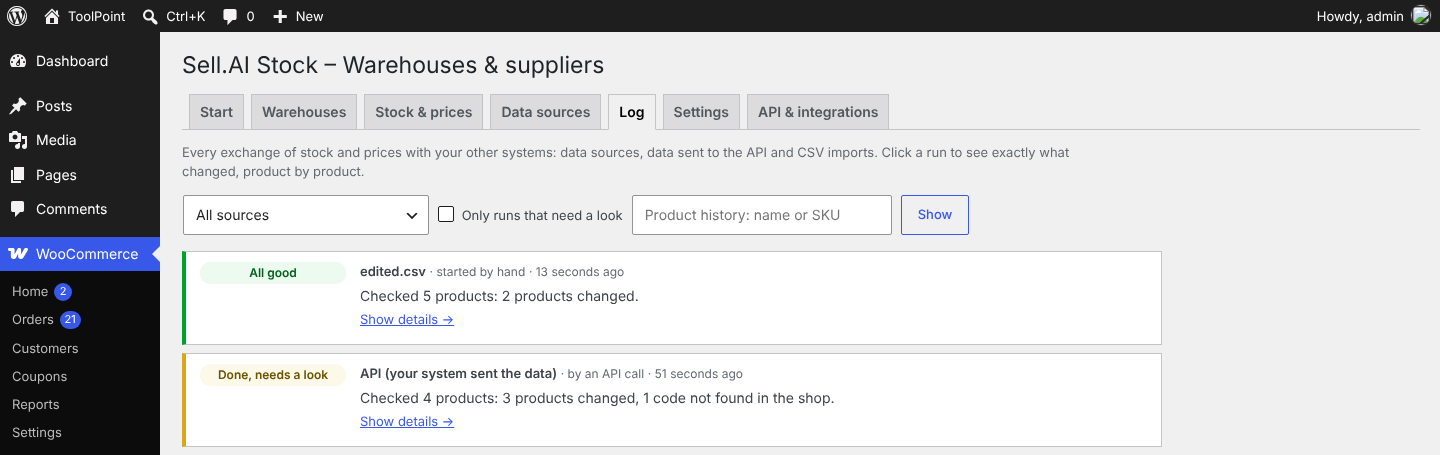
Data exchange log in plain language.
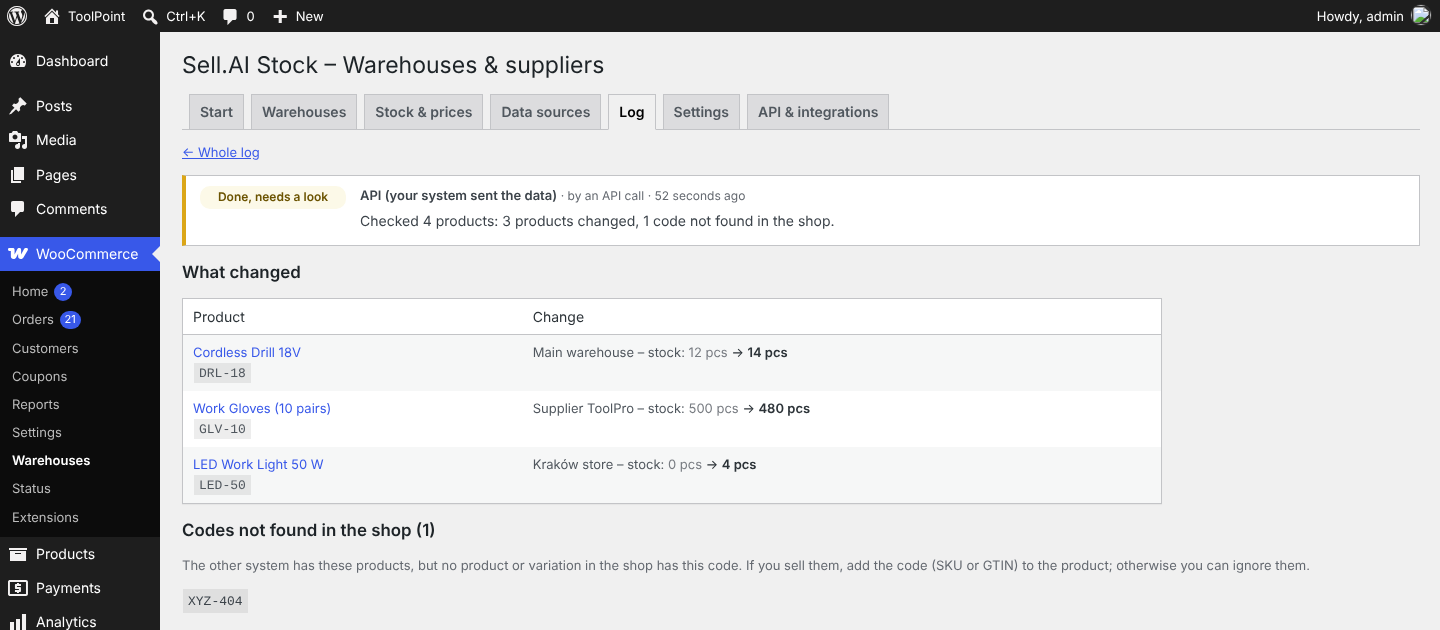
Details of one sync: what changed, product by product, and codes not found in the shop.
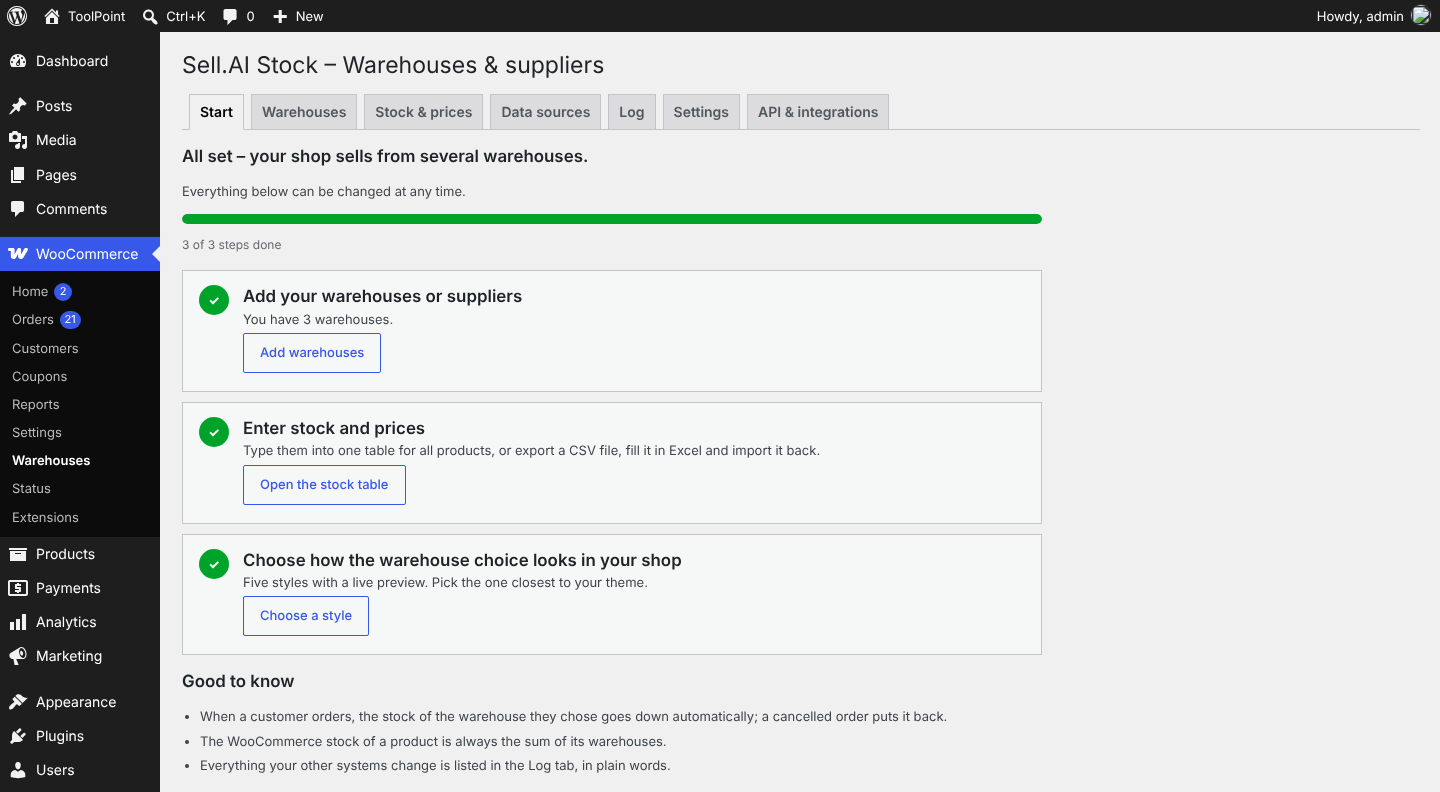
“Start here” checklist that walks a shop owner through the setup.


