
HTforms Builder Wordpress Plugin - Rating, Reviews, Demo & Download

Plugin Description
Build forms in your HTforms dashboard and show them anywhere on WordPress.
HTforms Builder connects WordPress to the hosted HTforms service. An HTforms
account and account API key are required; this is not a standalone local
form builder. HTforms is currently free, without merchant usage caps.
* Published field ordering and custom country/territory lists match HTforms, including cached HTML and Elementor previews.
* Gutenberg block “HTforms” and shortcode [htform id=”FORM-ID”]
* Native Elementor HTforms widget with a published-form picker; other builders work through their shortcode widget
* Submissions are proxied through your site; your API key never reaches the browser
* Spam protection (honeypot + time trap + server rate limits), file uploads, multi-step forms, conditional logic
* WordPress-native email notifications and visitor confirmations, with optional account SMTP routing
* Entry search, repeated-identifier filters, exports and a WordPress Dashboard leads widget
* Optional administrator-configured draft/pending post or consented subscriber actions
No-code builder, templates and AI
Create and edit forms in the hosted HTforms dashboard, then publish them to
WordPress. Drag and drop fields, reorder questions and choices, duplicate fields,
use undo/redo, and test the form without creating entries or sending emails.
Start from the searchable template gallery or describe a form to the AI generator.
AI generation requires the service owner’s configured OpenAI key and uses
gpt-4o-mini; review generated fields and rules before publishing. AI does not run
inside WordPress and is not an independent locally installed template generator.
Set labels, help text, required fields, confirmation fields, country choices,
submit text, form colors and layout. Published updates refresh connected embeds.
Form layouts and advanced fields
- Multi-page and lead forms with page breaks and progress indicators.
- Conversational forms show one question at a time and skip hidden branches.
- Conditional visibility, conditionally required inputs and submission policy locks.
- Live calculations and repeaters with add/remove rows and calculated column totals.
- Coupon codes affect form totals only; there is no payment processing.
- Digital signature pads, uploads with validation, ratings, NPS and Likert questions.
- Scored, weighted and personality quizzes configured in the hosted builder;
accepted answers are scored by the service and results are saved with the entry. - Custom CAPTCHA challenge fields, honeypot, timing checks and submission rules.
This is not a Google reCAPTCHA or Cloudflare Turnstile integration. - Schedules, allowed domains and owner-configured per-visitor submission restrictions.
These form-level rules are not merchant account usage caps.
Entries, client replies and documents
Search answers and recorded visitor metadata, inspect entries, filter repeated
identifiers, change lead stages, add private notes in HTforms and export CSV.
Repeated email, IP or visitor identifiers are evidence, not proof of a person.
The WordPress Entries screen includes a visible Reply to client section with
recipient, subject and message. One final reply is permitted per entry and uses
WordPress wp_mail, including a configured SMTP plugin. Hosted Entries replies
require the merchant’s SMTP connection. Final client replies never use the
HTforms built-in sender. Replies from clients arrive in the configured Reply-To
or sending inbox; incoming mail is not collected in the Entries screen.
Message links can use clickable words. Images use owner-hosted HTTP/HTTPS URLs;
the reply composer does not upload or store image binaries at HTforms.
Download entry PDFs, including signatures, from hosted Entries. PDFs are generated
on the device; this is not a native WordPress PDF-generation settings screen.
Email, analytics and scheduled reports
WordPress form notifications use the site’s mail setup. An existing WordPress SMTP
plugin can deliver wp_mail messages. Alternatively, configure merchant SMTP in
HTforms and test it. HTsend is a suggested provider, not a pre-authorized mail
connection; use only host and credentials actually supplied by your provider.
HTforms analytics show recorded entries, top forms, sources and detected countries.
Coverage notes identify entries without country/source information; missing values
are not invented. Undated views and conversion are lifetime metrics, not dated
conversion comparisons. The WordPress Dashboard leads widget provides a summary.
Configure daily, weekly or monthly performance emails on the hosted Reports page.
Reports rank forms and countries, include source coverage, dashboard links and a
website/preferences/privacy footer. Stop reports at any time. Merchant reports
use saved SMTP when configured, otherwise the service report sender; this is
separate from the strict merchant-mail route for final client replies.
Hosted Email Logs expose recipient, status and recorded failure reason per attempt.
A sent status proves a mail attempt was accepted, not delivery to a client’s inbox.
Consent-based abandonment and journeys
Enable selected safe partial answers and page progress only with visitor consent.
Hosted Journeys shows completed and unfinished sessions, abandonment rates and
an email follow-up link. This link opens the merchant’s mail application; it is
not an automatic abandoned-form email campaign. Visitors can withdraw consent.
Unfinished sessions do not trigger entry emails or WordPress account/post actions.
Progress data expires after 30 days; files and signatures are excluded from capture.
Addons and connection availability
The hosted Addons Center distinguishes native tools from services requiring setup.
Native tools described above include Multi-Page Forms, Lead Forms, Form Landing
Pages, Form Abandonment, Conversational Forms, Spam Protection, VPN & Proxy
Detection, Form Locker, CAPTCHA, Calculations, Conditional Logic, Repeater Fields,
Digital Signatures, Coupons, File Uploads, Surveys and Polls, Geolocation, Quiz
Builder, WordPress Plugin, REST API, Team Members, Entry Exports, PDF Generator,
Form Analytics, User Journey and Scheduled Reports.
SMTP requires configuration and a successful connection test. Webhooks, Zapier,
Make, n8n Cloud, Slack and Notion require owner-authorized destinations and testing;
listing them does not mean they are connected. API keys and service credentials
remain server-held. HTsend Email Marketing is not a verified direct connector.
Direct HubSpot, Salesforce, Pipedrive, Zoho CRM, Google Sheets, Google Drive,
Dropbox, Airtable and Google Calendar connectors are not available natively.
Ranking Fields, Address Autocomplete, Appointment Booking, general visitor
Registration/Login/Password Reset and Customer Portal are not released addons.
Save and Resume and Offline Forms have limited hosted-only support, not full
WordPress parity. Do not rely on them as installed WordPress addons.
WordPress alone supports optional, administrator-mapped draft/pending posts and
consented subscriber creation from accepted entries; no privileged role selection
or automatic visitor login. No payment gateway integrations are included.
Related products (optional, separate services)
HTsend is an email service; SMTP use still requires documented
provider settings and testing. HTchat is a separate chat
product. Jamesinvoicing is a separate Bitcoin
invoicing product, not a payment gateway in HTforms. These products are optional:
none is installed, connected or contacted automatically by this WordPress plugin.
External services and privacy
The administrator explicitly connects the site to HTforms at https://htforms.app
(or their configured HTforms endpoint). After connection, PHP sends the server-held
API key and site URL when fetching published forms, connection status, entries,
reports or performing administrator-requested entry changes.
When a visitor submits a connected form, submitted answers, permitted file uploads,
visitor IP address, user agent, available referring/campaign information and a
browser-stored visitor identifier are sent to HTforms for published-schema
validation, entry storage, spam checks and reporting. Entry search and reporting
return account-scoped data to authorized WordPress administrators.
Optional unfinished-answer and journey capture requires explicit visitor consent;
only owner-selected safe fields and page progress are sent, and withdrawal is
supported. Optional post/subscriber actions use accepted entries locally;
subscriber creation requires explicit consent. Mail uses WordPress wp_mail or
the owner’s configured HTforms SMTP route. No service API key reaches visitors.
HTforms may send an IP address to proxycheck.io, ip-api.com and ipapi.is to check
location and VPN/proxy evidence. Optional owner-authorized automations forward
selected entry data to the connected services. AI builder prompts are processed
by OpenAI in the HTforms dashboard, not by the WordPress plugin.
No remote connection is made before account configuration. Form images selected
by the owner may load from their chosen HTTPS image URL. Site owners must provide
their own privacy notices and obtain any legally required consent.
HTforms privacy notice: https://htforms.app/privacy
HTforms service terms: https://htforms.app/terms
IP provider policies: https://proxycheck.io/privacy/ ; https://ip-api.com/docs/legal ; https://ipapi.is/privacy.html
OpenAI privacy policy: https://openai.com/policies/privacy-policy/
Source and licensing
Plugin code and HTforms artwork: GPL-2.0-or-later (LICENSE.txt).
Signature Pad 5.1.4: MIT, license in licenses/signature-pad-MIT.txt;
readable browser build and original TypeScript source included.
See THIRD-PARTY.md for provenance and upstream build instructions.
Contributors & Developers
HTforms Builder is maintained by the HTforms team. The approved WordPress.org
repository committer is htsend. The Contributors header retains the existing
htsend and htforms accounts; credits do not grant repository access.
The hosted HTforms service provides the builder, published-schema validation,
entry storage and account reports. The WordPress plugin provides local embedding,
private server-to-server API access, WordPress mail and administrator tools.
Plugin code and HTforms artwork are GPL-2.0-or-later. Signature Pad is credited
under its MIT license with readable source and license bundled in the plugin.
Use the WordPress.org support forum for reproducible plugin issues. Include
WordPress/PHP/plugin versions and redacted error details; never publish keys,
SMTP passwords, entry answers or customer data. Integration developers should
use the account-scoped v1 API documented at https://htforms.app/docs.
The shortcode name, stored settings and API identifiers remain compatible with
earlier HTform releases. The directory name/text domain is htforms-builder;
the cloud product name remains HTforms. Contributions should preserve these
identifiers, administrator permissions, consent and merchant email routing.
Screenshots
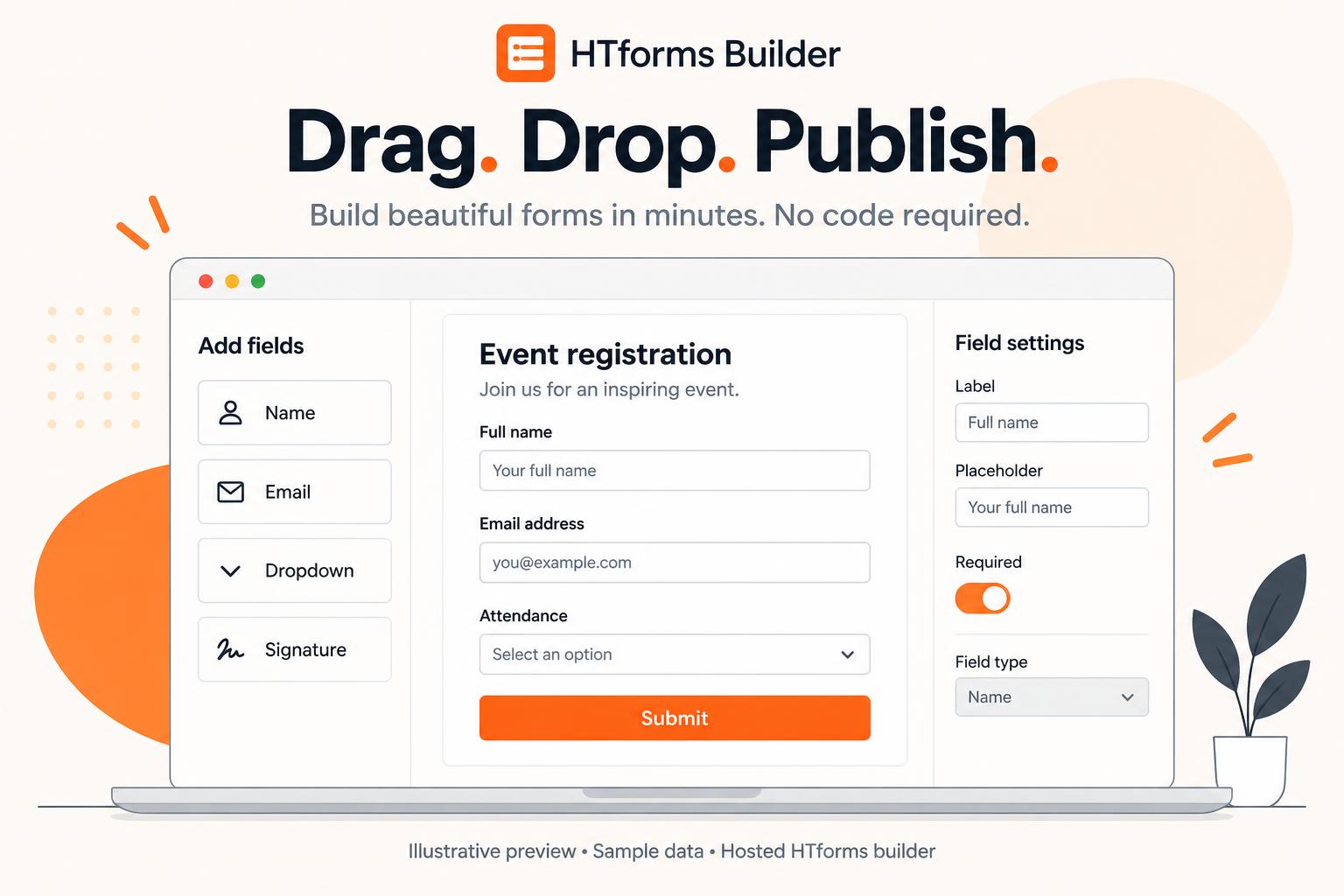
AI-generated illustrative preview: drag-and-drop hosted builder with sample registration fields; not a live screenshot.
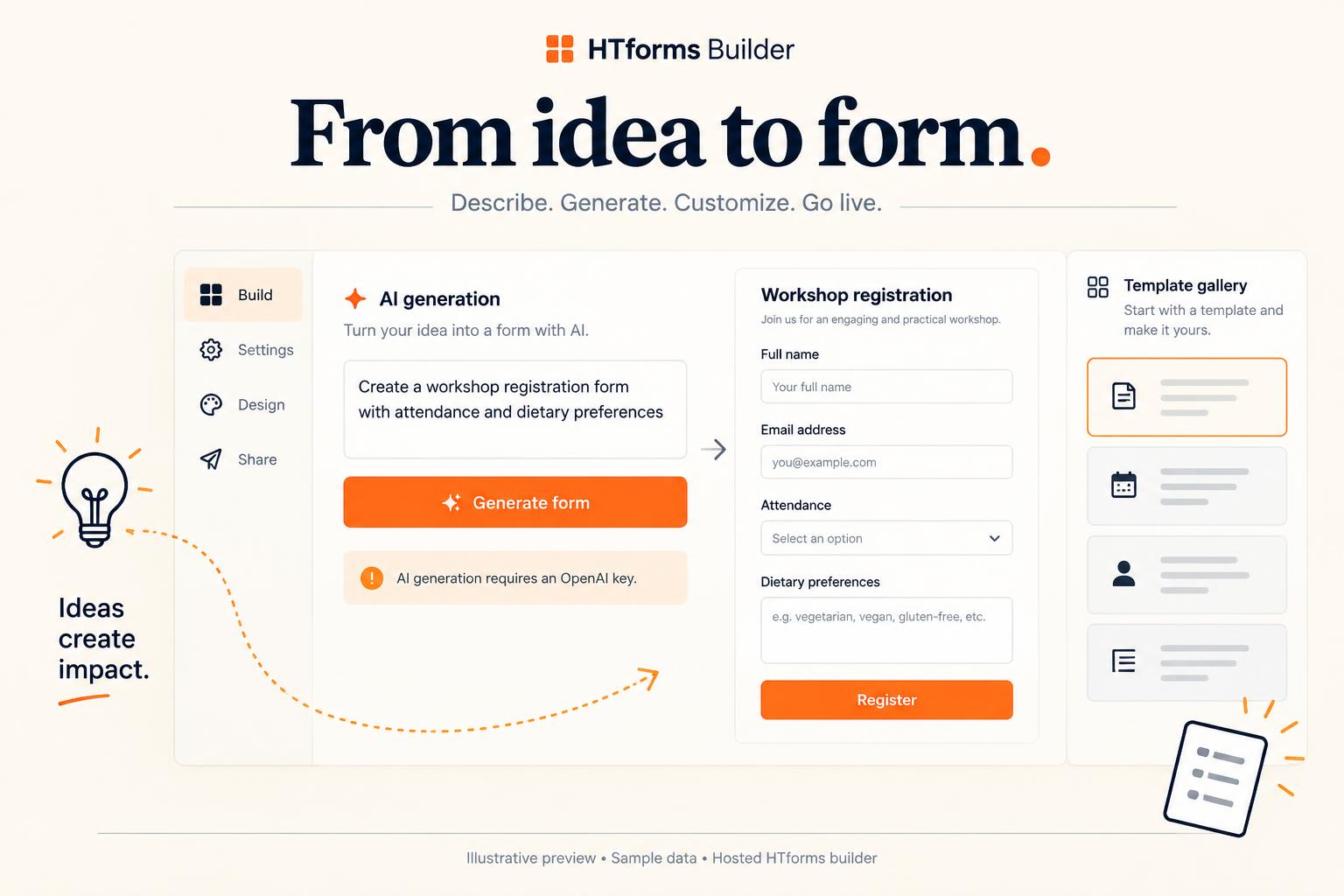
AI-generated illustrative preview: hosted AI form generation and template gallery; OpenAI configuration required.

AI-generated illustrative preview: conversational layout, page navigation and conditional questions with sample content.

AI-generated illustrative preview: WordPress connection, block, Elementor and shortcode choices; masked sample key only.

AI-generated illustrative preview: WordPress mail, merchant SMTP testing and final client reply composer; not a delivered message.

AI-generated illustrative preview: daily/weekly/monthly report preferences and email with synthetic form/country totals; hosted Reports.

AI-generated illustrative preview: sample expense math, invented signature, quiz result and hosted PDF export; no payment processing.

AI-generated illustrative preview: consent-based abandonment/journey report with synthetic sessions and an unconnected automation.


