Horde Handover Wordpress Plugin - Rating, Reviews, Demo & Download
Plugin Description
Most WordPress sites change hands with no documentation. The last developer left, the agency moved on, or whoever built it is long gone. Before you can quote, fix or promise anything, you need to know what’s actually there.
Horde Handover scans the site and writes that documentation for you. Open Tools Handover, click Run scan, and in about a minute you have a report you can read, share or download as Markdown.
What the report covers
- Site basics: WordPress and PHP versions (with when PHP support ends), HTTPS, debug mode, file editing and the time zone
- Plugins: every plugin, must-use plugin and drop-in. Flags updates, inactive plugins, plugins closed in the directory, plugins that look abandoned, two plugins doing the same job, and plugin files that differ from the released version. A colored label shows how recently each one was updated.
- Theme and custom code: the theme and its parent, the child theme’s code, Additional CSS, code-snippet plugins and custom content types
- Forms: every Contact Form 7, WPForms and Gravity Forms form, the pages it’s on, where its emails go and whether entries are saved
- Email: how the site sends mail, and the domain’s SPF, DKIM and DMARC records
- Scheduled jobs: what runs in the background, which jobs are overdue, and jobs left behind by removed plugins
- Users: accounts by role and every administrator, including old accounts, generic login names and application passwords
- Connected services: hosting, analytics and tracking tags, payments, backups and spam protection
- Search settings: search engine visibility, robots.txt, content hidden from search, redirects, and broken shortcodes showing on pages
- Domain and DNS: registrar and expiry date, where DNS is hosted, where the domain’s email goes, and when the SSL certificate expires
Safe to run on any site
- Read-only. Handover never changes a setting, file, user or piece of content.
- Sends no email. All outgoing mail is blocked while a scan runs.
- Safe to share. Email addresses are masked (•••@example.com) and administrator login names are left out of every report. Keys, passwords and tokens are never read into it.
- Administrators only. Only users who can manage options can run a scan or see the report.
External services
Handover connects to the services below only when an administrator clicks Run scan or Scan again. It never connects in the background or for visitors, and it sends no information about you, your users or your content.
- WordPress.org Plugin and Theme Directory (api.wordpress.org). Sent: the folder name (slug) of each installed plugin and theme. Used to report whether each one is listed, closed or out of date, and when it was last updated. Answers are cached for 12 hours. Privacy policy
- WordPress.org downloads (downloads.wordpress.org). Sent: the slug and installed version of each listed plugin. Used to fetch that version’s published file checksums, to find files that were changed. Answers are cached for 12 hours. Privacy policy
- IANA RDAP bootstrap list (data.iana.org), run by IANA, part of ICANN. Nothing is sent: Handover downloads the public list of which registry answers registration lookups for each domain ending. Cached for a day. Terms of service, Privacy policy
- The domain’s registry, at the RDAP address IANA lists for the domain’s ending. Sent: the site’s domain name, when an administrator clicks Run scan. Used to report the registrar and expiry date. RDAP is the public successor to WHOIS, which every registry provides under its agreement with ICANN. For .com and .net domains the registry is Verisign (rdap.verisign.com): Terms of service, Privacy policy. Other endings are answered by their own registry under the same ICANN rules: About RDAP, ICANN terms of service, ICANN privacy policy.
- DNS. Standard DNS lookups for the site’s own domain (name servers, address, mail, SPF, DKIM and DMARC records), through the web server’s own resolver.
- The site itself. Requests to the site’s own home page and robots.txt (as served, and as WordPress generates it), read as a logged-out visitor, and a TLS connection to the site’s own domain to read its certificate’s expiry date.
Screenshots

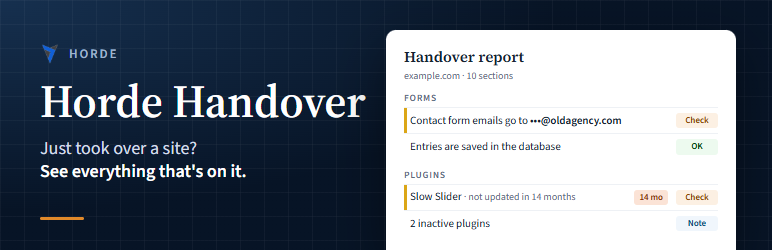
The report: each finding marked OK, Note or Check.

Plugins, with update-age colors and changed files.
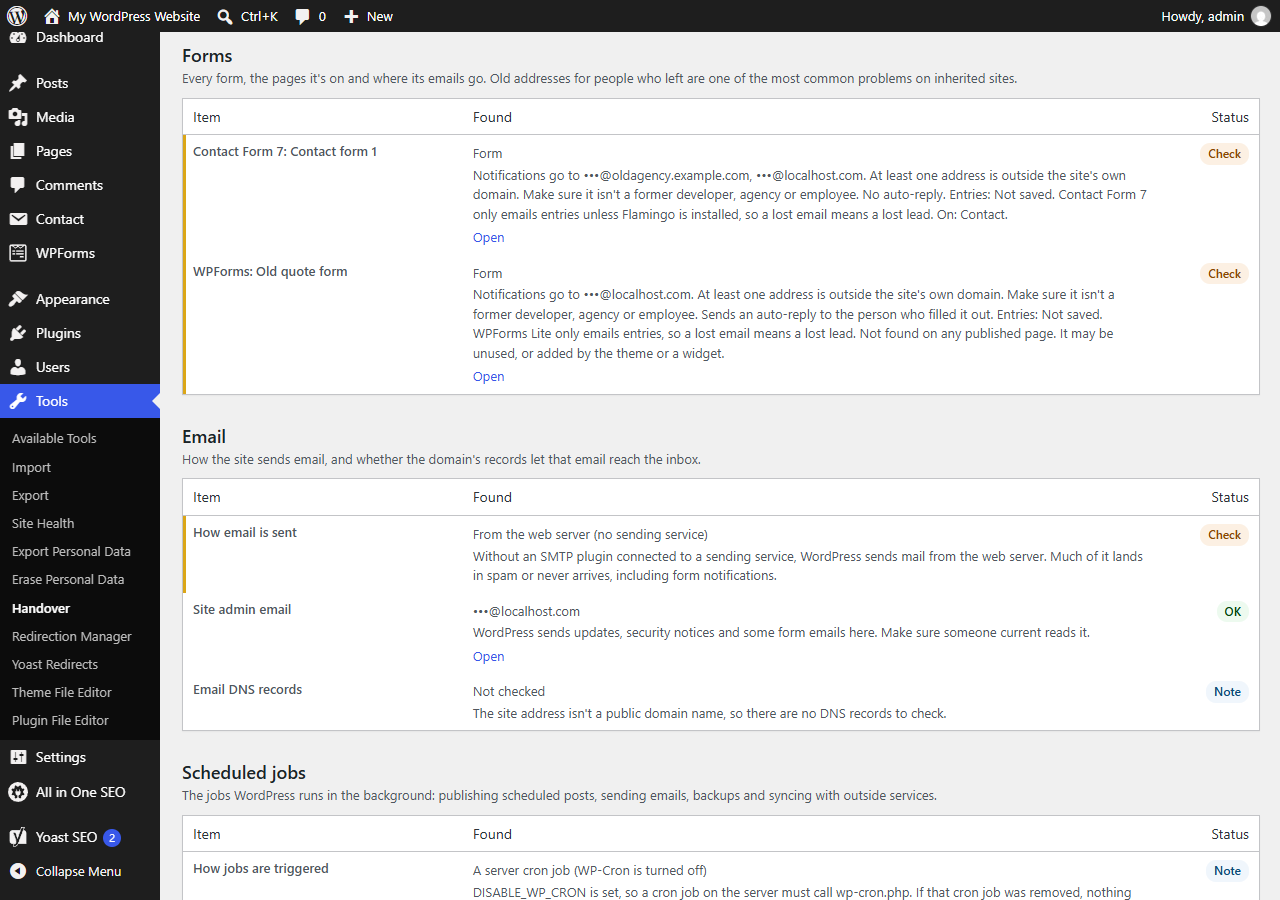
Forms: where each form’s emails go, and whether entries are saved.