Mench Migrate Wordpress Plugin - Rating, Reviews, Demo & Download
Plugin Description
Mench Migrate exports your whole site (database, plugins, themes, uploads and other wp-content files) into one .mmig
backup and imports it on another WordPress install, or restores it on the same one. There is no archive size limit and
no paid step to restore (tested with 500,000 files at a 256 MB PHP memory limit; see Known limitations).
- Any size. Exports, uploads and imports run in short resumable steps, so large sites work on ordinary hosting. An
interrupted job carries on from where it stopped. - Safe imports. A compatibility report comes first. The database is rebuilt in temporary tables from data (no SQL
from the backup is ever run) and switched in one step, and your previous site is kept for a rollback (24 hours by
default). A failed import rolls itself back. - Clean URLs. Old addresses are replaced everywhere, including serialized and JSON data such as Elementor’s, and the
links of the new site are checked after the import. - Encryption. Protect a backup with a password (Argon2id and XChaCha20-Poly1305).
- Import .wpress archives. Mench Migrate imports
.wpressarchives made by All-in-One WP Migration (exported without
encryption and compression). - WP-CLI.
wp mench-migrate export,import,restore,rollback,keep,listanddelete, free. - Private by default. Backups live in a randomly named folder with server guards, only administrators can use the
plugin, and logs never keep passwords, keys or email addresses. - Recovery without WordPress. A free command-line tool from menchplugins.com unpacks a backup when the site is down.
Everything above is free and stays free. Optional paid add-ons, sold on menchplugins.com, add cloud storage
(S3-compatible: Cloudflare R2, AWS S3, Backblaze B2, Wasabi, DigitalOcean Spaces) and scheduled backups with Mench Notify
alerts. The Add-ons tab shows what each one does and links to its page; this plugin never contacts menchplugins.com and
never installs anything by itself. A bought add-on is a normal plugin ZIP that you upload under Plugins Add New.
Single-site WordPress with MySQL or MariaDB. Multisite and SQLite are not supported in this version.
Screenshots

The dashboard: last backup, storage used, quick actions and add-on status.

An export with live progress: file counts, megabytes, speed and time left.
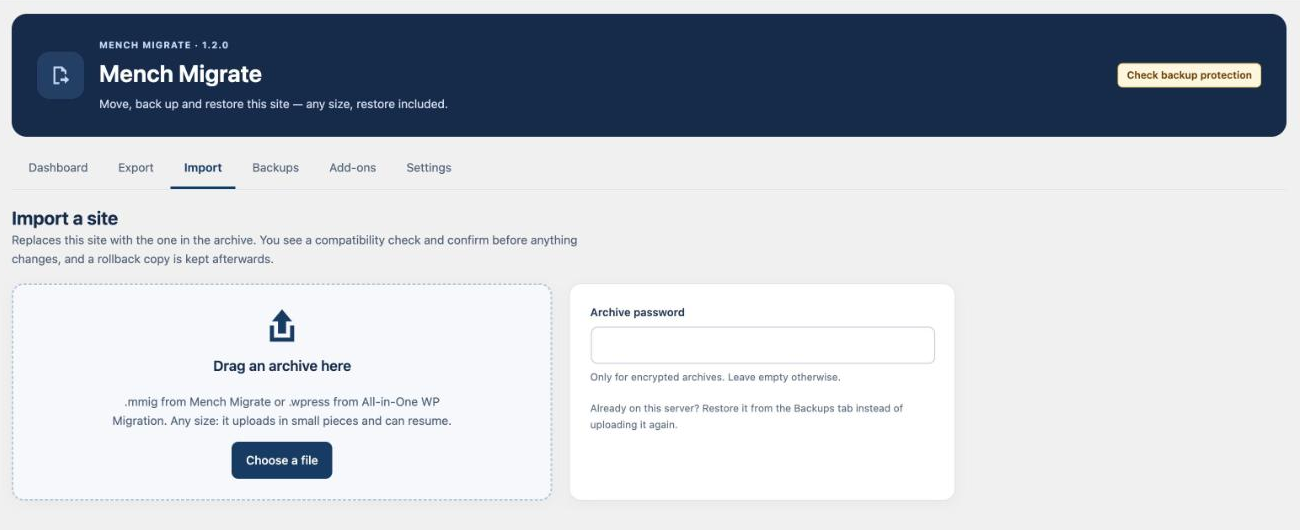
Import a .mmig or .wpress file of any size; the upload resumes after a dropped connection.

The compatibility report, shown before anything on the site changes.

Backups: restore, download or delete; a rollback copy is kept after every restore.

The Add-ons tab: optional cloud storage and schedules from menchplugins.com.