Size Chart And Fit Calculator For WooCommerce Wordpress Plugin - Rating, Reviews, Demo & Download
Plugin Description
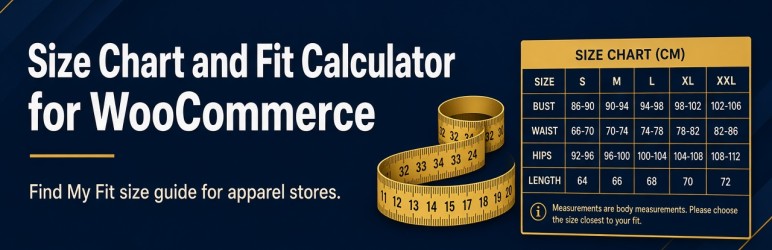
Wrong-size returns cost apparel stores money and trust. Size Chart and Fit Calculator for WooCommerce turns a basic size table into a shopper-friendly size guide: interactive charts, a Find My Fit recommender, one-click size selection on variable products, and an optional Made-to-Measure fee.
Whether you sell t-shirts, hoodies, or custom-fit apparel, this WooCommerce size chart plugin helps customers pick the right size with confidence—and helps you reduce support tickets about sizing.
Why use a WooCommerce size chart with Find My Fit?
- Clear size guide on the product page instead of a buried PDF
- Find My Fit recommends a size from chest, waist, and optional hip measurements
- Use this size applies the recommended size to the product variation
- Live inches cm conversion on every chart
- Optional Made-to-Measure upsell with a fee saved on the order line item
- Modern Chart Table admin: products, categories, tags, countries, colors, and exclusions
Size chart and size guide features
- Unlimited Chart Table rules with On/Off control
- Assign charts to products, categories, or product tags
- Per-rule appearance: popup, inline, or tab; button placement; table colors
- Country targeting so the right chart shows for the shopper’s store country
- Custom chart columns beyond the default size / chest / waist set
- Exclusions to hide the size guide on selected products
- Shortcode
[csfw_size_guide]and a Size Guide block for block themes - Deep link
?csfw_open=1to open the guide on page load - Export / import chart tables and CSV tools for chart rows
- Compatible with WooCommerce HPOS and Cart / Checkout Blocks
How Find My Fit works
- Shopper opens the Size Guide on a product page.
- They enter measurements and choose a fit preference (snug / regular / relaxed).
- The fit calculator highlights the best matching size on your chart.
- Use this size selects the matching variation when available.
Made-to-Measure upsell
Offer custom measurements for a fixed fee. When shoppers opt in, fields appear on the product page and the fee and measurements are stored with the cart and order—useful for tailors and premium apparel brands.
Compatibility
- Requires WooCommerce
- Works with classic themes such as Storefront and Astra
- Shortcode and block support for block themes and page builders
- High-Performance Order Storage (HPOS) compatible
- Cart and Checkout Blocks compatible
Development
Admin screens are a React app. Source is in src/. From the plugin directory, run npm install and then npm run build. Built files are written to build/.
Screenshots

Product page with the Size Guide button near Add to cart

Size chart popup with Inches / CM toggle

Find My Fit recommending a size with Use this size

Made-to-Measure upsell fields on the product page

Chart Table list in the admin