
Kavchat Wordpress Plugin - Rating, Reviews, Demo & Download
Plugin Description
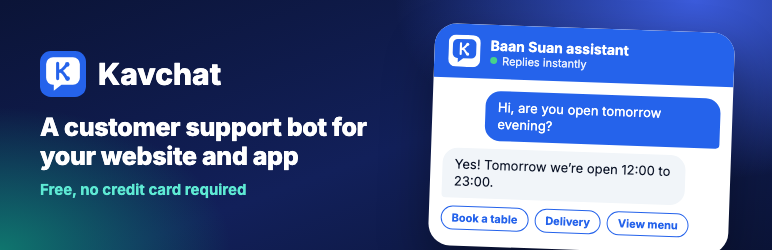
Kavchat adds a support chat to every page of your site. You build the conversation in Kavchat using buttons, steps and keywords, so customers always get the answers you wrote. When the bot can’t help, customers can chat live with your team or submit a ticket.
- Scripted bot: answers come from scripts you write, not a language model, so they are predictable, cost nothing per message and are ready instantly.
- Live chat with your team: agents reply from their browser during the hours you set.
- Contact forms and tickets: customers leave their details, and you reply from Kavchat or by email.
- WooCommerce customer identification: signed-in customers are identified automatically. Agents can see their name, email and phone number from their billing details.
- 11 languages: English, Hebrew, Arabic, Spanish, French, German, Italian, Portuguese, Russian, Thai and Turkish. The chat uses your site’s language.
- Compatible with strict security settings: no inline scripts or styles. The widget loads a single fixed version, verified with a security hash, and works with a strict Content Security Policy.
You need a Kavchat account. You can start for free.
External services
This plugin relies on Kavchat, an external service operated by maxsave. Kavchat runs the chat, stores conversations and sends them to your team. The plugin cannot work without it. Nothing is sent until you save a public key in Settings > Kavchat.
1. Chat widget, on every page of your site
- What and why: the visitor’s browser loads the widget script from
https://cdn.kavchat.comto display the chat. The widget then connects tohttps://api.kavchat.comto retrieve your bot’s answers and send messages to your team. - When: the script loads on every page view after you save a public key. Messages are sent only when the visitor uses the chat.
- What data: your public key, the visitor’s language, the messages they type, the buttons they select and any details they enter in a contact form (such as their name, email or phone number). Contact forms and live chat also send the current page’s address. As with any web request, requests include the visitor’s IP address and browser user agent. The widget saves the conversation in the browser’s local storage so it can continue on the next page.
- Signed-in customers (optional): if you enable customer identification and save the secret key, your server signs a short-lived token for each signed-in user. The token contains an ID (
wp-followed by the WordPress user ID), the account email, the name (from WooCommerce billing details or the display name) and the WooCommerce billing phone number, if available. The widget sends the token tohttps://api.kavchat.comso your team knows who they are talking to. The secret key itself never leaves your server. - Images (optional): bot and agent photos you upload in Kavchat are loaded from
https://media.kavchat.com.
2. Widget updates, from your server once a day
- What and why: your server downloads
https://cdn.kavchat.com/v1/latest.jsonto check for a newer widget version and its security hash. - When: once a day and when you click the update button. You can turn off automatic updates in Settings > Kavchat.
- What data: no data about your site or its visitors. Only a standard request from your server’s IP address.
3. Key check, from your server when you save settings
- What and why: your server sends the keys to
https://api.kavchat.comto check that they are valid and belong to the same workspace. - When: only when you save settings.
- What data: the public key in the request address, and the secret key (if you entered one) in an authorization header. Both are sent over HTTPS.
Kavchat terms of service and privacy policy.
Screenshots

The chat on a store page.

Settings > Kavchat.


