
WeblyMCP Connect Wordpress Plugin - Rating, Reviews, Demo & Download
Plugin Description
Drafts should land on the site, not in a paste buffer.
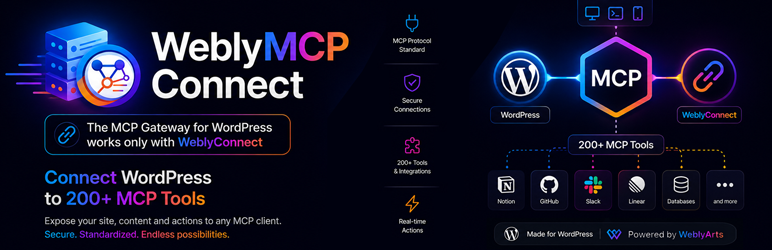
WeblyMCP Connect is the content layer agents use on WordPress. They can list and update posts, pages and media, moderate comments, read Contact Form 7, and work with WooCommerce when that plugin is active. You decide what they may change.
This is not the chat widget. Visitor chat is WeblyAgent Connect. This plugin does not install other plugins, manage users, or call arbitrary WordPress REST routes.
What agents can do here
- Publish and update posts, pages and media you approve
- Read and moderate comments
- Use WooCommerce products, orders and reviews when WooCommerce is active
- Read Contact Form 7 forms and the submissions you already store
- Use the cloud tools you connect in WeblySuite (calendar, mail, Jira, GitHub, Stripe and the rest of your plan). Those tools are not inside this zip.
Install it with the family
All three plugins are in the Plugin Directory.
- WeblyConnect is required
- WeblyAgent Connect if you also want the visitor chat widget
- This plugin, when agents should touch content
Requirements
- WeblyConnect (required;
Requires Plugins: weblyconnect) - A WeblySuite account
- WeblyAgent Connect if you want the visitor chat widget (optional)
WeblyConnect stores the WeblyToken. Extra integration seats come from your plan. WeblySuite enforces those seats on the service. This zip does not hide PHP files behind a license key.
WeblySuite ecosystem
- WeblyConnect (required)
- WeblyAgent Connect (visitor chat)
- WeblyMCP Connect (this plugin)
Product page: https://suite.weblyarts.com/weblymcp-connect/
WeblySuite: https://suite.weblyarts.com/
Terms of Service: https://suite.weblyarts.com/terms-of-service/
Terms of Service (EN): https://suite.weblyarts.com/terms-of-service-en/
Privacy Policy: https://weblyarts.com/en/privacy
Bundled libraries
Runtime PHP libraries live in vendor/ (including mcp/sdk). They are shipped in the plugin zip. Site owners do not run Composer.
vendor/phpstan/phpdoc-parser is a runtime dependency of `phpdocumentor/reflection-docblock` used by `mcp/sdk`. It is not the PHPStan analyser.
External services
This plugin talks to WeblyArts and, only after you connect them, to Google.
WeblySuite / WeblyMCP
Used to run AI agents and inbound MCP against this site after you connect a WeblyToken in WeblyConnect.
Data sent: tool calls you enable, site name, plan snapshot, OAuth connection status for tools you choose to link. Sent when you connect the account and when an agent uses a granted handler.
Service: https://suite.weblyarts.com/
Terms: https://suite.weblyarts.com/terms-of-service-en/
Privacy: https://weblyarts.com/en/privacy
Google (Calendar OAuth)
Used only if you connect Google Calendar from this plugin (OAuth authorization code exchange).
Data sent: OAuth client id, client secret, redirect URI, and the authorization code Google returns. Sent when you complete the Connect Google Calendar flow.
Service: Google Identity / Google Calendar
Terms: https://policies.google.com/terms
Privacy: https://policies.google.com/privacy
Other cloud tools (Gmail, Jira, GitHub, Stripe, and similar) are connected through WeblySuite, not directly from this zip. Their terms apply on the WeblySuite console when you link them.
Privacy
After you connect a tenant token in WeblyConnect, this site may send to WeblyArts:
- Tool calls you enable (MCP handlers and granted REST routes)
- Site name and billing snapshot requests (via WeblySuite)
- OAuth connection status for cloud tools you choose to link
See https://weblyarts.com/en/privacy and https://suite.weblyarts.com/terms-of-service-en/
Screenshots
No screenshots provided


