
Sincrion Sync For Mercado Libre Wordpress Plugin - Rating, Reviews, Demo & Download
Plugin Description
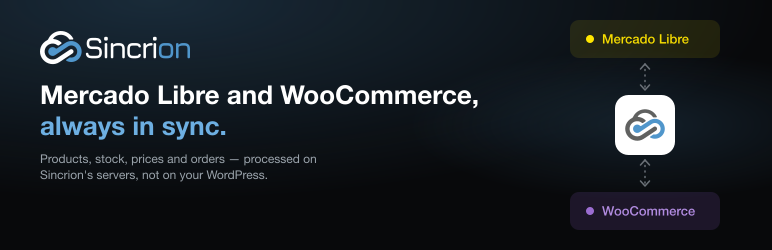
Sincrion keeps your WooCommerce store and your Mercado Libre account in sync, so you stop copying stock, prices and orders by hand — and stop overselling.
Start from whichever side you already sell on. If your catalog lives in Mercado Libre, Sincrion imports your listings and publishes them as WooCommerce products. If it lives in WooCommerce, you choose which products to publish on Mercado Libre. From then on, every change travels on its own.
This plugin connects your store to Sincrion in one step: paste a code, and you are done. No API keys to copy and no webhooks to configure.
How it works
- Create a Sincrion account at sincrion.com and authorize your Mercado Libre account (official OAuth: Sincrion never sees your password).
- Install this plugin, go to WooCommerce Sincrion and paste the connection code from the Sincrion dashboard.
- Create a connection between the store and the Mercado Libre account: direction, frequency, price rule and image settings.
- Import, link and publish. Bring in what you already have, link products that already exist on both sides, map categories and switch to automatic.
Sync, your way
- Three directions: Mercado Libre WooCommerce, WooCommerce Mercado Libre, or both ways.
- Choose what travels: stock, price, title, description and images, each one on or off per connection. Keep stock automatic and prices manual if you prefer.
- Choose when: manually, every 5, 15, 30 or 60 minutes, or in real time.
- Real time with a safety net: changes are pushed as they happen, and a scheduled reconciliation checks that nothing was left out of sync.
- No bounce loops in two-way sync: Sincrion recognizes its own writes and does not process them again as if they were someone else’s changes.
Catalog
- Batch import of your Mercado Libre listings into WooCommerce.
- Selective publishing: filter, select and publish only what you want — the page you are viewing or the whole filtered result, up to 1,000 products at a time.
- Variations done right: a variable WooCommerce product becomes one Mercado Libre listing with variations, each with its own stock, price and photo. Mercado Libre “family” listings (one listing per size) are merged back into a single variable product.
- Links that do not depend on SKU: each product and listing pair is stored with the IDs of both sides. Publishing again updates the existing listing instead of creating a duplicate.
Orders
- Every Mercado Libre sale becomes a WooCommerce order, with buyer, items, shipping and status.
- Created when the sale is paid or as soon as it exists — your choice.
- Historical import by date range, so your store history does not start the day you connected.
- A scheduled reconciliation picks up any sale whose notification was lost.
Prices, images and categories
- Price rules: percentage markup, fixed amount or multiplier, with rounding. Several rules can coexist; each connection uses its own, with per-product overrides.
- Image settings: resolution and format (JPEG or WebP) requested from Mercado Libre’s CDN, gallery limit, photos per variation and which one is the main image.
- Category mapping: Sincrion suggests the Mercado Libre category for each WooCommerce category using Mercado Libre’s own classifier, with a confidence score so you review the doubtful ones first.
Built for Latin America
Works with the eight Mercado Libre sites: Argentina, Brazil, Mexico, Chile, Colombia, Uruguay, Peru and Venezuela. One Sincrion account can manage several WooCommerce stores and several Mercado Libre accounts, paired however you need.
The Sincrion dashboard is in Spanish. Translations of the plugin itself are contributed through translate.wordpress.org.
What Sincrion does not do
Being clear about this saves you time:
- It does not create Mercado Libre sales from WooCommerce orders. A sale in your store is not a Mercado Libre sale, and creating one would distort your metrics and reputation. What does travel in that direction is stock, which is what prevents overselling.
- It does not answer Mercado Libre questions or messages. Those are still handled from Mercado Libre.
- It does not print labels or manage Mercado Envíos shipments. The order reaches WooCommerce with its shipping method and cost.
- It does not invent required attributes. If a Mercado Libre category requires data your product does not have, you are told instead of the listing being filled with made-up values.
What this plugin adds to your store
- Connect with a code: the plugin creates the WooCommerce REST API key Sincrion needs and hands it over securely. Disconnecting revokes it.
- Real-time store changes: product, price and stock changes — including stock sold at checkout — are sent to Sincrion as they happen, with automatic retries if Sincrion cannot be reached. Changes made by Sincrion itself are not sent back.
- Status at a glance under WooCommerce Sincrion: connection, plan, sync connections and pending changes.
- Lightweight: all sync logic runs on Sincrion’s servers, not in your WordPress. The plugin only stores the connection and a small queue of pending changes.
Plans
A Sincrion account is required. Plans are monthly and include a free plan with a small catalog. No plan limits the number of syncs. See plans and pricing.
External services
This plugin connects to the Sincrion service, operated by SkynetCom at https://app.sincrion.com, to synchronize this store with Mercado Libre. It does not work without it. The plugin itself does not contact Mercado Libre: Sincrion does, using the Mercado Libre account you authorize in the Sincrion dashboard.
What is sent, and when:
- When you click Connect (never before): the connection code you pasted, this site’s URL and name, the plugin version, and a read/write WooCommerce REST API key created for Sincrion. Sincrion then uses that key to read and update products and orders in this store.
- While connected, whenever a product changes in this store: product ID, SKU, regular price, price, stock quantity, stock management flag and status.
- While connected, periodically (about every 12 hours) and when you open the settings page: a status request, which identifies the store and the plugin version.
- When you disconnect or delete the plugin: a disconnect notice. The API key is revoked in your store in any case.
This plugin does not send customer personal data. Orders from Mercado Libre are created in your store by Sincrion through the REST API.
- Terms of service: https://sincrion.com/legales/terminos
- Privacy policy: https://sincrion.com/legales/privacidad
Screenshots
No screenshots provided


