
PJ PageNotes Wordpress Plugin - Rating, Reviews, Demo & Download
Plugin Description
PJ PageNotes turns a development site into a review space. Invite your client with a private link, and they can click (or tap) any heading, photo or button and leave a sticky note right on it. You see every note in one dashboard, reply in the same thread, and mark each one in progress or resolved.
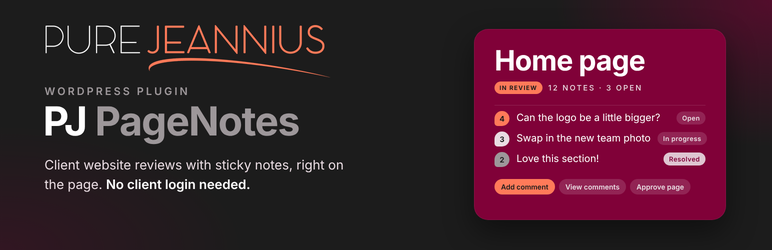
For your client, it is three buttons: Add comment, View comments, Approve page. No WordPress account, no dashboard, no learning curve — and it works on a phone.
For you:
- Click-to-comment sticky notes. Notes look like colorful Post-its and sit right on the element they’re about.
- Notes stick to the element, not the screen position. Each note remembers the element itself (its place in the page, its text, image file, ID and classes). If you move a section, resize a heading or rebuild the layout, the note follows the element. If the element is gone, the note stays near its old spot and says so.
- Whole-page notes for feedback that isn’t about one thing (“the page feels too long”).
- Conversations. Reply on the page or from the dashboard; clients see your answers on the note. Authors can edit their own notes and replies (marked “edited”), and delete them until someone answers.
- Status tracking. Open, In progress, Resolved — clients can reopen a note that isn’t done yet.
- Page approval. Clients approve a page when they’re happy. If you edit the page afterwards, the approval is flagged “page edited since”.
- One dashboard for all feedback across the site, filterable by status, page and reviewer, with bulk actions.
- Tell clients apart. Every reviewer gets their own note color; designer replies are tagged.
- Version awareness. Each note records the page address, the time, the screen width it was left on and the page’s version, so you can tell when feedback predates your changes.
- Mobile feedback. Tap to place a note; notes and the comment list open as bottom sheets.
- Branded HTML emails — a friendly invitation with a “Start reviewing” button and an optional personal message (with preview), plus notifications for new notes, replies and approvals, throttled so a burst of ten notes is one email.
- Work mode. Hide the notes while you work, show them again in one click from the admin bar.
Private by design
- Review links contain a random secret; only a keyed fingerprint is stored (the full link is kept for 15 minutes after you create it, so you can copy or email it). Links can expire, be replaced or be turned off at any time.
- Opening a link sets a secure, HttpOnly cookie and immediately removes the secret from the address bar.
- Notes are only ever sent to designers and valid reviewers, with
no-storeheaders, so caches and CDNs never keep them. - Optional private review site: only designers and reviewers can see the website; everyone else gets a short “coming soon” message, search engines are asked to stay away, and the public REST API and feeds stay closed.
Works with page caching. The review script is part of the page for every visitor, and starts only for reviewers, so cached pages (WP Fastest Cache, WP Super Cache, W3 Total Cache, WP Rocket, CDNs) still work. Caches are purged automatically when you open or close a page for review.
PJ PageNotes adds nothing to your site’s front end for regular visitors beyond one small script and stylesheet on the pages you open for review.
Screenshots

A client leaving sticky notes on a page.

A note with a conversation between client and designer.

View comments: whole-page notes, notes on the page, and other pages to review.

The Feedback dashboard with filters and an expanded conversation.


