
Perkbase For WooCommerce Wordpress Plugin - Rating, Reviews, Demo & Download
Plugin Description
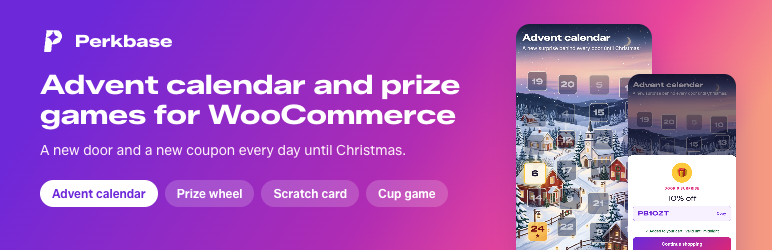
Perkbase adds an advent calendar to your WooCommerce store: shoppers open a new door every day until Christmas, and behind each door is a single-use coupon. Outside the holidays, run a prize wheel, scratch card or cup game. You design and publish them right in wp-admin, under the Perkbase menu.
Advent calendar
- 24 or 25 doors from the start date you choose. A new door opens every day at midnight in your time zone.
- Shoppers enter their email to open today’s door and get a single-use coupon, valid until midnight and applied to their cart.
- The pop-up opens by itself until today’s door is opened; closing it leaves a small badge in the corner. Missed days can’t be opened later.
- Pick the Winter village, Christmas tree or Classic design, or upload your own image.
Every activation
- Show an activation as a pop-up (on page load, after a delay or, on desktop, on exit intent), or embed it in any page with the “Perkbase activation” block.
- Winners get a single-use WooCommerce coupon with an expiry, applied to their cart automatically.
- Orders placed with those coupons are attributed to the activation, so you see the revenue it brought in.
- Optional email capture with a marketing consent checkbox. Emails appear in WooCommerce › Customers, and on paid plans shoppers who opted in can go straight to Klaviyo or Mailchimp.
- Pop-ups fill the whole screen on phones and show as a card on tablets and desktops.
Perkbase is a hosted service
The plugin connects your store to the Perkbase service (run by Cultmetrics Oy, the authors of this plugin), where activations are designed, played and reported. A Perkbase account is created when you connect the store.
- The Free plan costs nothing: one live activation and 30 actions (plays) a month.
- Paid plans (Basic, Pro, Business) add more actions a month, the scratch card, cup game and advent calendar and email integrations; Pro and Business also run several activations at once. They start with a 7-day free trial and are billed monthly or yearly by Cultmetrics through Stripe. See perkbase.app for current prices.
External services
This plugin relies on the Perkbase service, provided by Cultmetrics Oy (Finland) at woo.perkbase.app. Without it the plugin does nothing. It is contacted only after a store administrator clicks Connect:
- Connecting the store (when an administrator clicks Connect): the store URL, store name, admin email address, currency and, if typed, the subscription code are sent to Perkbase, which creates the account. WooCommerce then asks the administrator to approve a REST API key and an order webhook for Perkbase.
- The Perkbase menu in wp-admin (Activations, Analytics, Integrations, Plans) runs the Perkbase admin, which is bundled with the plugin (its source is in the plugin’s
sourcefolder). When a Perkbase page opens, the plugin signs a short-lived, single-use request with the site ID and the WordPress user’s ID and display name. The admin exchanges it at Perkbase for a 15-minute access token, kept in memory only. It then loads and saves the store’s activations, analytics, integration settings and plan through the Perkbase API. Images uploaded to activations and fonts chosen for them are served by Perkbase; Google Fonts are fetched through Perkbase, so the browser does not contact Google. Klaviyo and Mailchimp API keys typed under Integrations are sent to Perkbase, which uses them to add subscribers. Choosing a paid plan opens Stripe Checkout or the Stripe billing portal in the same tab; Stripe then returns to Perkbase › Plans. - On the storefront, while the store is connected, the pop-up script loads the store’s published activations from Perkbase and shows them in a frame served by Perkbase. If the shopper is signed in to the store, their first name and email address are passed to the activation so they need not type them. When a shopper plays, Perkbase stores the play, the prize, any discount code and – if the shopper gives it – the email address and marketing consent, plus the IP address and browser user agent for abuse prevention.
- The “Perkbase activation” block fetches the store’s activation list from Perkbase in the editor and embeds the chosen activation as a frame on the page, with the same data as the pop-up.
- Through the WooCommerce REST API Perkbase creates single-use coupons for winners, receives order webhooks (order number, total, currency and discount codes used) to attribute revenue, and adds shoppers’ emails to WooCommerce › Customers as guest customers.
- Disconnecting or deleting the plugin tells Perkbase the store disconnected (signed site ID only).
Service terms: Terms of Service. Privacy: Privacy Policy and Data Processing Agreement. Paid plans are billed by Cultmetrics through Stripe on perkbase.app; the plugin itself never handles payment details.
Screenshots

The advent calendar: shoppers pick today’s door, enter their email and get a single-use coupon that is added to their cart.

The advent calendar pop-up on a WooCommerce store.

Calendar designs: Christmas tree and Classic doors in your brand colours, next to the Winter village. You can also upload your own image.

On a phone the activation opens full screen.

Prize wheel, scratch card and cup game for the rest of the year.

The “Perkbase activation” block embeds an activation inside any page.


