NACSTech Role-Based Pricing For WooCommerce Wordpress Plugin - Rating, Reviews, Demo & Download
Plugin Description
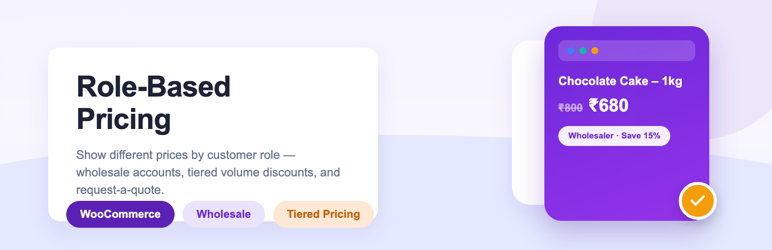
NACSTech Role-Based Pricing for WooCommerce lets you show different prices to different customers — wholesalers, VIP accounts, specific individuals, or anyone with a given role — without creating a separate store, and adds the wholesale/B2B tools that normally come bundled across several separate plugins.
Pricing rules
- Create custom customer roles (e.g. Wholesaler, VIP) right from the plugin, based on an existing role’s capabilities
- Role-based, specific-customer, or “everyone” pricing: fixed price, percentage discount/markup, or fixed-amount discount/markup
- Product-level pricing rules, with category-level bulk rules as a fallback
- Minimum/maximum quantity per rule, so a price only applies within a quantity range
- Works on the product page, shop/category loop, cart, and checkout (prices recalculate by actual cart quantity)
Volume / tiered pricing
- Automatic “Buy More, Save More” table on the product page, built from your existing pricing rules
- 6 display formats: table, cards/blocks, dropdown, horizontal table, plain text, or tooltip
- Optional savings-percentage display and a custom label per tier (e.g. “Best Value”)
Visibility & tax
- Hide price and Add to Cart for guests and/or specific roles, with a customizable message and call-to-action button/link
- Mark selected roles as tax-exempt storewide, using WooCommerce’s own VAT-exempt handling
Cart rules
- Per-role minimum order amount and/or minimum quantity, enforced at checkout
- Per-role restriction of payment methods and shipping methods
Wholesale registration
- A
[nacs_rbp_wholesale_form]shortcode for visitors to apply for a wholesale account - Admin approval screen; approving an application assigns the role you choose and emails the customer
Request a Quote
- Replaces Add to Cart with a quote request flow for the roles you choose
- Customers build a quote list and submit it with a note via the
[nacs_rbp_quote_cart]shortcode - Admin sets an offered price per line item and converts the request directly into a WooCommerce order
Import / Export
- Download every product- and category-level pricing rule as a single CSV file
- Re-upload a CSV to bulk-update rules across many products/categories at once
Compatibility
- Compatible with HPOS and the WooCommerce Cart/Checkout blocks
- Built-in Documentation tab (in both English and Hindi) covering every feature
Recommended setup
- Go to WooCommerce > Role-Based Pricing.
- Optionally create any custom customer roles you need under the Roles tab.
- Edit a product (or a product category) and add pricing rules under the “Role-Based Pricing” tab.
- Under General settings, optionally enable the volume pricing table, hide-price-for-guests, tax exemption, wholesale registration, and request-a-quote as needed.
- Add the
[nacs_rbp_wholesale_form]and/or[nacs_rbp_quote_cart]shortcodes to dedicated pages if you use those features.
External services
This plugin can connect to an external service in the following case:
- Deactivation feedback email to NACSTech
When the plugin is deactivated, the plugins screen can show an optional feedback form. If the admin chooses “Submit & Deactivate”, the plugin sends a feedback email to NACSTech.
What the service is used for:
To collect optional product feedback and troubleshooting context when a site admin deactivates the plugin.
What data is sent and when:
The feedback request is sent only when the admin manually chooses “Submit & Deactivate” in the deactivation feedback form. It sends the selected reason, optional details entered by the admin, site name, site URL, admin email, WordPress version, and WooCommerce version to NACSTech support using your site’s WordPress mail configuration.
Service provider:
NACSTech
Links: Support page | Terms of service | Privacy policy
All other emails this plugin sends — wholesale application notifications/approvals, and quote-request notifications/offers — go directly from your own site to your own admin email or your customers’ email addresses, using your site’s normal WordPress mail configuration. No other external service is contacted.
Screenshots

Product-level pricing rules

Volume/tiered pricing table on the product page

Wholesale application review screen

Quote request management screen