
Zorem AI Agent Connector Wordpress Plugin - Rating, Reviews, Demo & Download
Plugin Description
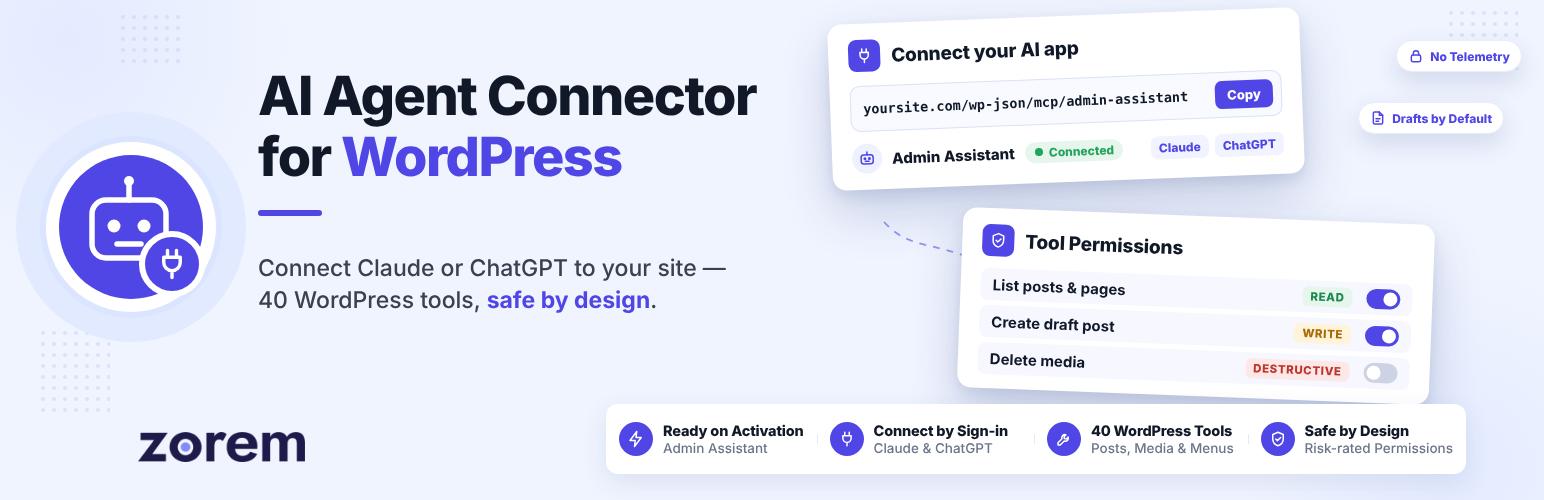
Zorem AI Agent Connector lets an AI app such as Claude, ChatGPT or Codex work on your WordPress site through an agent with its own identity and its own safety switches. The AI app never logs in as you: it connects to the agent’s private MCP address, sees only the tools the agent is allowed, and anything else it asks for is refused.
The plugin sets up an Admin Assistant agent the moment you activate it. You decide which of its tools it may use, issue or replace its credentials, and switch it off whenever you want. Paste its address into your AI app, approve one sign-in screen, and you are connected — no token to copy, no file to edit. It is built on the WordPress Abilities API and the official MCP Adapter.
Built on the WordPress Abilities API · Works without WooCommerce · Free & Open Source
How It Works
- Activate the plugin. Your Admin Assistant agent is set up, holding the WordPress tools this plugin adds, with delete tools switched off.
- Copy the agent’s MCP address from its Connection tab and add it to your AI app as a custom connector.
- Approve the sign-in on your site as an administrator. The agent’s tools appear in your chats, and you ask in plain words: “Draft a post about our summer sale”, “Reply to the newest comment”, “Add the About page to the main menu”.
Every request goes through the agent. It runs as its own hidden WordPress account, is lent only the capabilities a tool needs for that one call, and never the ones that change users, plugins or site code.
What’s Included
- Ready on activation — Your Admin Assistant agent is set up for you. There is nothing to configure before you connect.
- Connect by signing in — Add the agent’s address to claude.ai, Claude Desktop, ChatGPT or any client with an “add custom connector” box, then approve one screen. No token is copied by hand.
- Token for apps that cannot sign in — Codex and similar apps connect with a token you issue on the agent’s Connection tab. It is shown once and stored only as a hash.
- 43 WordPress tools — Posts, pages, categories and tags; comments; the media library; the user list (read only); navigation menus; custom post types and their terms; and site tools such as statistics, post meta, active plugins, search and replace, and clearing the cache.
- Exact permissions per tool — Choose None, Read or Write for every tool, with Grant all, All read and Revoke for a whole section at once.
- Automatic risk ratings — Every tool is rated Read, Write or Destructive, so you can see at a glance what each one can do.
- Destructive switch — Tools that move content to the trash work only after you turn on the agent’s own destructive switch. It is off by default.
- Personal-data masking — Names, emails, phone numbers and addresses are replaced with [masked] when the agent does not act for the administrator.
- Safe defaults — New content is saved as a draft unless the agent asks to publish, and deleting only moves to the trash.
- Status screen — Versions, database tables, the MCP Adapter and anything that needs a look, with diagnostics you can copy into a support ticket.
- Private by default — No tracking, no telemetry and no call to a Zorem server.
What It Keeps Safe
Connecting an AI app with an administrator’s password gives it everything. Zorem AI Agent Connector gives it only what it needs:
- No shared passwords — the AI app connects as the agent, through its own address, never as you.
- No access to users, plugins or site code — those capabilities are never lent to the agent, and there is no tool that changes the agent’s own permissions.
- No surprise deletions — destructive tools stay off until you switch them on, and deleting only moves to the trash.
- No accidental publishing — new posts and pages are saved as drafts unless the agent asks to publish.
- No customer data where it does not belong — personal data is masked when the agent does not act for the administrator.
- One click to stop it — revoke the agent and its token and sign-ins stop working at once; its permissions are kept so you can reactivate it.
Works With
- Claude — claude.ai and Claude Desktop, by signing in
- ChatGPT — with developer mode turned on, by signing in
- Codex — with the agent’s token
- Cursor, VS Code, Claude Code and other MCP clients — by signing in, or with the agent’s token
Signing in needs your site to be served over HTTPS. Without it, connect with the agent’s token.
Documentation & Support
Bundled third-party code
This plugin bundles the WordPress MCP Adapter, which serves the agent’s MCP address on top of the WordPress Abilities API. It is copyright the WordPress contributors and licensed GPL-2.0-or-later, the same licence as this plugin; the full text ships with it in vendor-bundled/mcp-adapter/LICENSE.md. It is bundled rather than required as a separate plugin so this one works on activation.
The admin screens use Zorem’s own ZUI component library (assets/zui/), also GPL-2.0-or-later.
Privacy
This plugin sends no data anywhere by default.
The agent you connect. The agent reaches your site only through its MCP address, after you approve its sign-in or with the token you issued. What it receives is exactly what its permissions allow, and it goes to the app the agent runs in, such as Claude Desktop, and to that app’s AI provider. Names, emails, phone numbers and addresses are masked when the agent does not act for the administrator, unless you turn masking off. Revoke the agent and nothing more is sent. The plugin keeps no log of the agent’s calls.
External services
An MCP client’s own address (only while a client is signing in). When a client starts connecting by sign-in and identifies itself by a web address (a “client ID metadata document”, as claude.ai does), the site fetches that one document, over https only, to learn the client’s name and where to send the person back; nothing about your site or its users is sent, and private, local and non-standard addresses are refused. The sign-in itself only works on an https site.
That document belongs to the AI app’s own publisher, not to Zorem, so the terms that apply to it are theirs.
No other external service is contacted. There is no tracking and no telemetry, and no call to a Zorem server.
The agent you connect is not an external service of this plugin: it calls your site, with the sign-in you approved or the token you issued, and receives only what you allowed.




