Toolszu PDF Embedder & Viewer Wordpress Plugin - Rating, Reviews, Demo & Download
Plugin Description
Toolszu PDF Embedder & Viewer shows any PDF right inside your pages, so visitors can read it without downloading anything. It works on phones, tablets and computers, and it is completely free: no paid version, no locked features and no account.
The viewer
- Smooth scrolling through every page, sharp on high-resolution screens.
- Search inside the PDF, with highlighted matches and next/previous.
- Zoom: automatic, page width, whole page, or 25% to 400%.
- Page thumbnails in a side panel.
- Full screen, including on iPhone.
- Download, print and open in a new tab buttons. Turn any of them off.
- Selectable text and working links inside the PDF, including links to other pages of the same PDF.
- Password-protected PDFs ask for the password.
- Light, dark or automatic theme, plus your own accent color.
- Keyboard shortcuts: Page Up / Page Down, + and -, Ctrl+F to search.
Three ways to add a PDF
- Block editor: add the “PDF Viewer” block and choose a file from the Media Library, upload one, or paste a link.
- Any editor: paste a link to a PDF on its own line. It turns into a viewer automatically.
- Shortcode:
[toolszu_pdf id="123"]or[toolszu_pdf url="https://example.com/file.pdf"]. Every PDF in the Media Library shows its ready-to-copy shortcode.
Save as PDF for your articles
Add a “Save as PDF” button to your posts. It opens a clean copy of the article, with the title, featured image, content and a link to the original, without menus, sidebars or ads, and the browser’s print window, where readers choose “Save as PDF”. Great for recipes, guides, tutorials and documentation.
* Add it automatically to posts, pages or any public content type, before or after the content.
* Or place it yourself with the “Save as PDF Button” block or the [toolszu_save_pdf] shortcode.
* The print copy is hidden from search engines, so it never competes with your article.
Fast and private
- The viewer loads only on pages that show a PDF, and the PDF engine loads only when the viewer scrolls into view.
- Long PDFs stay light: only the pages near the screen are drawn.
- No external services, no tracking and no cookies. PDFs are opened directly from your site.
Built on PDF.js
The viewer uses PDF.js by Mozilla, the same PDF engine used in Firefox, included in the plugin.
Source code
The PDF engine is PDF.js 6.5.438 by Mozilla, licensed under the Apache License 2.0, included unminified in vendor/pdfjs/ with its JavaScript image decoders. Fonts that are not embedded in a PDF are shown with the visitor’s system fonts. Source: https://github.com/mozilla/pdf.js
Screenshots

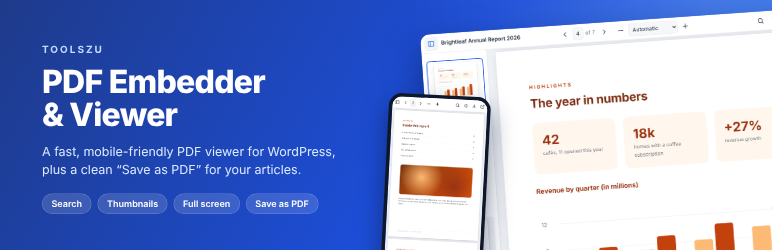
The PDF viewer with page thumbnails.

Search inside a PDF with highlighted matches.

The viewer on a phone.

The PDF Viewer block in the editor.

The clean print copy used by “Save as PDF”.

Settings.