
TallOrder Reservations Wordpress Plugin - Rating, Reviews, Demo & Download
Plugin Description
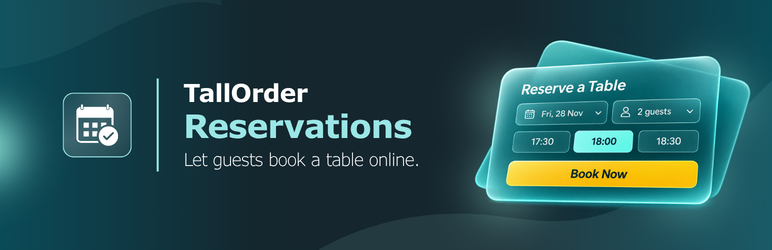
For restaurants, cafés and bars that use TallOrder Reservations. Add a “Book a table” button that opens a booking pop-up, or put the booking form in the page. Guests see your real availability, pick a time and book. The booking lands in your Reservations Console at once, marked as booked through your website.
- A block and a shortcode. The “TallOrder booking” block in the editor, or
[tallorder_booking]anywhere else: classic editor, page builders, widgets. - Your colours. The button uses your venue’s brand colour from TallOrder, or one you choose.
- See where bookings come from. Give each button a source tag (say
menu-pageorfooter) and it shows on the booking in the Console. - Your venue’s rules. Party limits, lead times, the booking window, deposits and closed days all come from your TallOrder settings. Nothing to set up twice.
- Light. The booking script loads only on pages that show the widget.
- Measurable. With Google Tag Manager on your site, every completed booking pushes
tallorder_booking_completedto the dataLayer, with the reference and party size and never the guest’s details.
You need a TallOrder account with Reservations switched on for your location. Your location ID is in the TallOrder portal under Brand & venue › Website & social.
Shortcode
[tallorder_booking] uses the location ID from Settings › TallOrder Reservations. Options:
mode:popup(a button, the default) orinline(the form in the page)label: the button text, e.g.label="Reserve now"color: button and accent colour, e.g.color="#2ba7b8"source: the source tag, e.g.source="menu-page"(defaultwebsite)party,date: start with a party size, or a date (YYYY-MM-DD)service: start on one service, e.g.service="dinner"location: another location’s ID, for a group with several venues
Example: [tallorder_booking mode="inline" source="contact-page"]
External services
This plugin relies on two services run by TallOrder, the provider of TallOrder Reservations. It can’t take bookings without them. Nothing is sent to TallOrder until you enter a location ID, and nothing is sent from pages that don’t show the widget.
1. The TallOrder booking widget (menu.tallorder.app and book.tallorder.app)
What it does: shows the booking form, checks your venue’s live availability, and makes the booking in your TallOrder Reservations Console.
When and what it sends:
- When a page that shows the widget loads, the visitor’s browser downloads the widget script from
https://menu.tallorder.app/v1/embed.js. (One script serves TallOrder’s booking and menu widgets.) Like any file a browser downloads, the request carries the visitor’s IP address, browser type and the address of your site. - When the booking form appears (when a guest clicks the “Book a table” button, or straight away for the in-page form), the visitor’s browser loads it from
https://book.tallorder.appin a frame. The request carries the location ID and the widget’s settings for that button (source tag, colour, and any starting party size, date or service), plus the same browser details. - When a guest books, what they enter (name, mobile number, email address, party size, date and time, and any notes) is sent from their browser to TallOrder to make the booking, send the guest their confirmation and let them manage it. These details go straight to TallOrder from inside the frame. They never pass through your site, and your site doesn’t store them.
2. The TallOrder configuration API (https://book.tallorder.app/api/config/{location ID})
What it does: returns your venue’s public details (name, brand colour and services) so the plugin can confirm your location ID and colour the button.
When and what it sends:
- Your site’s server asks for it when you save or open the plugin’s settings page, and when a widget without its own colour is shown on a page. The answer is cached for 12 hours (5 minutes if the lookup fails), so most page views send nothing. The request carries the location ID and WordPress’s standard request header, which includes your site’s address. It carries nothing about your visitors.
- In the block editor, your editor’s browser asks for the same details to preview the block. That request carries the location ID and the browser details described above.
TallOrder’s terms and conditions: https://www.tallorderpos.com/terms-and-conditions/
TallOrder’s privacy policy: https://www.tallorderpos.com/privacy-policy/
Screenshots
No screenshots provided


