
Pedal CMS Wordpress Plugin - Rating, Reviews, Demo & Download
Plugin Description
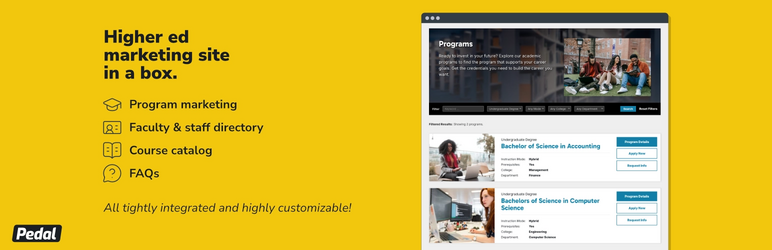
Pedal CMS turns WordPress into a program marketing site for colleges, universities, schools and training providers. It gives prospective students one place to find everything about a program: what it covers, what it costs, who teaches it and how to apply.
Everything is managed from the familiar WordPress dashboard. You don’t need any other plugins, page builders, or custom code.
Program Listings
- A searchable, filterable program finder. Visitors can filter by keyword, program type, instruction mode (online, hybrid, in-person), college and department.
- Detailed program pages with an overview, prerequisites and clear “Request Info”, “Apply Now” and “Contact Us” buttons.
- Application deadlines (Fall, Spring, etc.) that can be set site-wide or for each program.
- Related contacts so visitors know who to reach out to.
Program Subpages
Each program gets its own set of tabbed subpages. Turn them on site-wide and hide any of them on individual programs:
- Curriculum: organize courses into sections, with optional credit counts.
- Careers: highlight where the program can lead.
- Faculty & Staff: show the people behind the program, optionally grouped by category.
- Cost: share estimated costs and tuition details.
- How to Apply: walk applicants through the process.
- FAQs: answer common questions, grouped by category if you like.
- News: keep program news in one place.
You can rename every subpage’s title and tab label to match your institution’s language.
Course Catalog
- A searchable course catalog with its own filters.
- Course pages with a short description, course code, credits, instructors and a “Register” button that links to your registration system.
- Organize courses by subject and session.
- Rename labels such as “Credits” and “Instructors” to suit your terminology.
Faculty & Staff Directory
- A browsable, filterable directory of the people at your institution.
- Profile pages with photo, job title, phone, email and office location.
- Group people by category, college and department.
- Connect people to the courses they teach. The link shows up on both the profile and the course page.
Organize Your Way
Programs, courses and people can be organized by College, Department, Program Type, Instruction Mode, Subject, Session and Personnel Category. You can switch each grouping on or off and rename it to match your institution (for example “School” instead of “College”), and give each one its own archive page.
These taxonomies can be used to filter your content on the front end.
Looks Good With Your Theme
Pick how much styling Pedal CMS adds:
- Tuxedo: a polished, ready-to-use look. Recommended for most sites.
- Stealth: just enough styling for the layout, so it blends in with your theme.
- Ghost: no styling at all, for full control.
Set your brand’s accent color, choose the header image size, and turn breadcrumbs on or off.
Note: to make sure breadcrumbs are consistent across your entire site, Pedal CMS does not include breadcrumb functionality. Instead, it supports the following third party plugins:
- Breadcrumb NavXT
- Yoast SEO
- All in One SEO
- RankMath
Screenshots
No screenshots provided


