
A Ripple Song Wordpress Plugin - Rating, Reviews, Demo & Download
Plugin Description
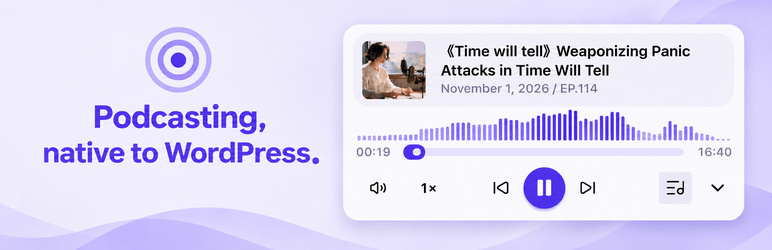
A Ripple Song turns a WordPress site into a podcast site. Publish episodes with their audio and podcast metadata, submit one RSS feed to Apple Podcasts, Spotify and other directories, and let visitors listen through a player bar that stays at the bottom of every page.
It works with any theme. The A Ripple Song podcast themes are designed around it, with episode cards, show pages and a matching player style.
Documentation: https://aripplesong.com/
Episodes
- An
Episodespost type (URLs under/podcasts/) with tags and hierarchical episode categories (/podcast-category/); categories can have an image and an icon. - Duration, file size and MIME type are filled in automatically when an episode is saved, for audio in the media library or elsewhere on this site.
- Per-episode metadata: cover, episode type (full / trailer / bonus), episode and season numbers, explicit flag, iTunes block, iTunes title, author override, subtitle and summary.
- Podcasting 2.0 fields: transcript, chapters, soundbites and a custom GUID.
- Hosts and guests chosen from the site’s users.
- A banner image and a “Featured” switch for themes, also switchable from the episode list.
.m4a/.m4buploads are stored asaudio/x-m4a, the type Apple Podcasts expects, and.jsonuploads are allowed for chapters and transcripts.
Podcast RSS feed
- Served at
/feed/podcast/(also/podcast/feed/and?feed=podcast) with the latest 100 episodes. - iTunes tags: show and episode artwork, categories, owner, author, explicit, type, block, complete, title and new-feed-url.
- Podcasting 2.0 tags: locked, guid, funding, person, transcript, chapters, soundbite and updateFrequency.
- Cover images are checked against Apple’s artwork rules (square JPG/PNG, 1400-3000 px, at most 512 KB, no transparency).
- Feed fixes: non-ASCII file names are percent-encoded, short descriptions are padded for validators, and plain text summaries are built from excerpts.
Global player
- A player bar at the bottom of every front-end page, with a playlist and a full-screen “Now Playing” panel. With a theme that uses swup, playback continues across pages.
- 15 player styles, each with a light and a dark variant; colors can follow the theme, the visitor’s system, or stay light or dark.
- Progress shown as a plain bar, a bar with a live spectrum, or a waveform of the whole episode.
- A play / favorite / play count bar on single episode pages, placed before or after the content.
- The playback position and playlist are saved in the visitor’s browser and restored on the next visit.
Statistics
- Plays are counted through the REST API; repeat plays from the same visitor within 30 minutes are counted once.
- A dashboard with play totals, a daily trend, top episodes for the period and of all time, monthly releases and episode types, for the last 7, 30, 90 or 365 days.
- Health checks list show settings and episodes that miss what podcast directories need, such as a cover, a category, audio or a duration.
- The play count of each episode is shown in its edit screen.
More
- Subscription links for 30+ platforms (Apple Podcasts, Spotify, YouTube Music, Pocket Casts, Overcast, Xiaoyuzhou, Ximalaya and more) for themes to display.
- A release schedule (daily, weekly, every other week or monthly) for themes and the feed.
- Translations: English and Simplified Chinese.
Privacy
- Play counting stores a salted hash of the visitor’s IP address in a transient for 30 minutes; the raw IP address is never stored. Daily play totals per episode are kept in the
{prefix}ars_play_statstable. - The player saves the playback position, playlist, volume, speed and favorite episodes, plus cached waveforms, in the visitor’s browser (localStorage); none of it is sent to the server.
External services
Chapters and transcript files: when a theme shows an episode’s chapters or transcript (see the FAQ), files in the media library are read from disk. A file the editor linked from another site is downloaded by this site’s server from that URL and cached for 12 hours. The request goes only to the address the editor entered and carries no visitor data.
Cover images: when a show or episode cover is saved, the plugin checks it against Apple’s artwork rules (type, file size and transparency). A cover from the media library is read from disk. A cover the editor linked from another site is checked by this site’s server, which requests the first 64 KB of the file from that URL. The request goes only to the address the editor entered, happens only when the setting is saved, and carries no visitor data.
The player uses fonts available on the visitor’s device and does not download fonts.
Third-party libraries
The plugin bundles the following open-source code. Full license texts are in THIRD-PARTY-LICENSES.txt.
- Howler.js – (c) 2013-2020 James Simpson and GoldFire Studios, Inc. – MIT License – https://howlerjs.com/
- wavesurfer.js – (c) 2012-2023 katspaugh and contributors – BSD 3-Clause License – https://wavesurfer.xyz/
- Tailwind CSS – (c) Tailwind Labs, Inc. – MIT License – https://tailwindcss.com/
- daisyUI – (c) 2020 Pouya Saadeghi – MIT License – https://daisyui.com/
- Lucide icons – (c) 2026 Lucide Icons and Contributors – ISC License – https://lucide.dev/
Source code
The files in public/dist/ are built and minified. Their sources are in resources/assets/, and the full development repository, with the build configuration, is at https://github.com/jiejia/a-ripple-song.
To build the assets yourself, install Node.js, then run in the plugin folder:
npm installnpm run build– compiles the player script, the waveform script and the player style sheets intopublic/dist/.
Screenshots

A Ripple Song->Dashboardwith play statistics and health checks
A Ripple Song->Podcast Settings
Episode details on the
Episodesedit screen
The global player bar and its “Now Playing” panel

/feed/podcast/RSS output




