
Joo FAQ Advanced Wordpress Plugin - Rating, Reviews, Demo & Download
Plugin Description
🚀 Go PRO | 📘 Documentation | ❤️ Donate
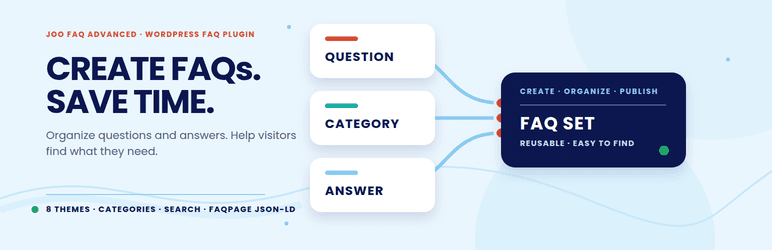
Joo FAQ Advanced helps you publish clear, organized FAQ sections for product pages, services, support areas and documentation. Create separate FAQ sets for different topics, manage their questions and answers in WordPress, and place them wherever visitors need help.
Create as many independent FAQ sets as you need, with up to 500 questions in each set. Every set has its own questions, categories and display settings. Reuse a set on multiple pages with a shortcode such as [faq_advanced id=”123″]; update it once and the new content appears everywhere that shortcode is used.
Organize questions with category tabs or a dropdown, optional counts and filtering. Visitors can search questions and answers, see matching terms highlighted, expand or collapse answers, and share direct links to individual questions.
Choose from eight responsive themes: Standard, Minimal, Cards, Dark, Large, Clean, Clean – Border and Joothemes. Built-in appearance controls let you adjust colors, typography, width, alignment, spacing and question padding. Joothemes is the default theme for new FAQ sets.
FREE generates FAQPage JSON-LD structured data on public pages. Search engines decide independently whether to show enhanced results; structured data does not guarantee a rich result or a particular ranking.
The frontend is responsive, supports keyboard navigation and respects reduced-motion preferences. It does not depend on Bootstrap, jQuery or external CDN assets. Interface translations are included in the package. The plugin has no built-in AI generator and does not connect to an AI service; you can prepare content elsewhere and paste it into the editor.
Features
- Create independent FAQ sets with their own questions, categories and display settings; there is no fixed limit on the number of sets.
- Add up to 500 questions to each FAQ set.
- Choose eight themes: Standard, Minimal, Cards, Dark, Large, Clean, Clean – Border and Joothemes.
- Organize questions with category tabs or a dropdown, optional counts and category filtering.
- Search questions and answers with partial- or whole-word matching and highlighted results.
- Configure single-open behavior, the initially opened question, and expand/collapse controls.
- Share direct links to individual questions using stable question aliases.
- Customize colors, typography, width, alignment, spacing and question padding.
- Publish FAQ sets with the [faq_advanced id=”123″] shortcode.
- Generate FAQPage JSON-LD structured data on public pages.
- Use responsive, keyboard-accessible frontend controls with reduced-motion support.
Optional PRO upgrade
FREE includes the tools needed to create, organize, customize and publish FAQ sets. The separately distributed Joo FAQ Advanced PRO edition adds:
- JSON import and export for FAQ sets.
- Import questions into an existing FAQ set or replace its question list.
- Full backup and restore of FAQ sets and settings.
- Schema.org file export.
The public FAQPage JSON-LD output is already included in FREE. PRO’s Schema.org file export is a separate feature.
Learn more about Joo FAQ Advanced PRO.
PRO is optional. FREE works independently and does not require a PRO license or account. To upgrade, upload the PRO ZIP and choose WordPress’ option to replace the installed plugin. Do not delete FREE first. Both editions use the same plugin identity and database storage, so FAQ sets, questions, answers, settings and shortcodes remain in place.
Languages
The plugin interface is available in English. Translation catalogs included in the package cover:
- Polish.
- German (Germany, Austria and Switzerland, including formal and informal variants).
- Spanish (Spain).
- French (France).
- Italian (Italy).
- Japanese.
- Dutch (Netherlands).
- Portuguese (Brazil and Portugal).
Privacy
FAQ sets, questions, answers and settings are stored in the site’s WordPress database. The FREE edition does not transmit FAQ question or answer content to Joothemes and does not connect to an AI service. The administration area contains an optional link to the PRO product page; an external website is opened only when an administrator follows that link.
Screenshots

Animated frontend demo: searching FAQ content, highlighting matching terms and expanding answers.

PRO edition: editing an FAQ set, with question, answer, category and stable alias fields; JSON import/export and Schema.org export controls are PRO features.

FAQ set behavior settings, including single-open behavior, direct question links and FAQPage JSON-LD.

PRO edition: appearance controls, including theme, colors, typography, spacing and custom CSS.

Search settings for matching questions and answers, highlighting results and filtering by category.

PRO edition: FAQ set overview showing publication status and shortcodes.

Frontend FAQ example with search, category filtering and an expanded answer.

Frontend FAQ example showing matching terms highlighted in search results.

Frontend FAQ example with an expanded answer in a clean bordered layout.

Frontend FAQ example with search, category selection and an expanded answer.


