
Tinwell – Charity Donation Platform Wordpress Plugin - Rating, Reviews, Demo & Download
Plugin Description
Tinwell is a donation platform for charities. Build donation forms, take one-off and regular card gifts through your own Stripe account, run campaigns with live totals, and keep every Gift Aid declaration HMRC asks you to hold — without paying a platform fee on any donation.
Tinwell is built for UK charities. For now it takes donations in pounds sterling (GBP, £) only, and its Gift Aid features follow HMRC’s rules.
Tinwell treats donor data as something to protect, not a feature to sell. Everything that keeps it safe is included in the free plugin.
Taking donations
- Donation form block and shortcode, built in a drag-and-drop Form Builder. Unlimited forms, your colours, preview and duplicate.
- Stripe with your own keys: one-off and regular card gifts. Money goes straight to your Stripe account.
- Testing mode to rehearse with keys from a Stripe sandbox before going live.
- Card-testing defences, submission checks and rate limits, so your form is never a tool for fraudsters.
- Refunds and disputes reflected in your totals and receipts automatically.
Running your fundraising
- Dashboard with headline figures and recent gifts.
- Dark mode for the whole admin, switched from the top bar.
- Analytics for any date range: headline figures, giving over time, payment methods, gift sizes, one-off against regular giving, Gift Aid and your top donors.
- Donations and donors: search, detail, resend receipts, cancel regular gifts and consent status.
- Campaigns with goals and live raised totals, plus a Progress Bar block.
- Emails in your own voice: thank-you, receipt, refund and new-donation emails, with an editor.
- Gift Aid declarations captured on the form and recorded against every gift, and a Gift Aid page listing every declaration with totals, search, filters and which gifts are claimed.
Protecting donor data (all included)
- Encryption of donor details at rest, with key rotation.
- Roles and step-up authentication for sensitive actions.
- A security onboarding wizard that must be completed before going live.
- Tamper-evident access and audit logs, an incident kill switch, a self-integrity check and security headers.
- Anonymisation and erasure, wired into the WordPress personal data exporter and eraser.
Tinwell Pro
Growing charities can add Tinwell Pro: Direct Debit through GoCardless, CRM sync with Donorfy, Beacon and Salesforce, email marketing with Mailchimp and EmailOctopus, a donor portal (a passwordless page where donors see their giving history, download receipts, manage regular gifts and change their contact preferences), CSV exports of donations and donors, fund pots within campaigns, the Gift Aid claims workflow (exporting the HMRC claim schedule, for all donors or one, and marking gifts as claimed), more analytics (period comparison with a PDF report, smart insights, campaign performance, form conversion, giving by hour and an activity heatmap), donation maps, donor retention tools, campaign scheduling by start and end date, more campaign components (Donate Buttons and Totaliser among them), gifts on behalf of a company with a Companies page, donation comments, Donor Access (hand donor data to a named Donation Manager, who approves time-limited access for the rest of your team), tribute gifts, an impact thank-you email, an address lookup field, campaign components from your theme’s tinwell-blocks folder, API tokens and headless mode. Tinwell works fully without it.
External services
Tinwell connects to Stripe, and to GoCardless only when Tinwell Pro is installed and its Direct Debit is switched on. It contacts no service run by Tinwell or its developer, and sends nothing else anywhere.
Stripe — card payments.
Stripe.js is loaded from js.stripe.com on pages that show a donation form, and card details go from the donor’s browser straight to Stripe; they never touch your server. When a donor gives, your site calls the Stripe API (api.stripe.com) with your own secret key to create the payment or regular gift, to check its state when Stripe reports a change to it, and to refund or cancel one. Stripe sends your site webhooks about those payments. The data sent is what the payment needs, such as the amount, currency, the donor’s name and email address, and references back to the donation.
Stripe terms: https://stripe.com/legal/ssa — privacy policy: https://stripe.com/privacy
GoCardless — Direct Debit, only with Tinwell Pro.
When Tinwell Pro is installed and Direct Debit is switched on, a donor who chooses Direct Debit is sent from the form to GoCardless’s own page (pay.gocardless.com, or pay-sandbox.gocardless.com in test mode) to set up the mandate, and your site calls the GoCardless API (api.gocardless.com, or api-sandbox.gocardless.com in test mode) with your own access token to create and manage the mandate, its payments and the regular gift. GoCardless sends your site webhooks about them. The data sent is what the Direct Debit needs: the amount, the donor’s name, email and address, and references back to the donation; bank details go from the donor straight to GoCardless. Without Tinwell Pro, Tinwell never contacts GoCardless.
GoCardless terms: https://gocardless.com/legal/merchants — privacy policy: https://gocardless.com/privacy/payers
REST API
Tinwell exposes REST endpoints under /wp-json/tinwell/v1.
Authentication
* Admin endpoints require a logged-in WordPress user with the right Tinwell capability (cookie and REST nonce in wp-admin).
* The free plugin accepts no API tokens or other server-to-server credentials. API tokens are part of Tinwell Pro.
* The public endpoints are the donation form’s own (submitting a gift and its checks, rate limited) and the payment providers’ webhooks, which are verified by their signature.
Error Responses
* 401 Unauthorized: missing or invalid credentials
* 403 Forbidden: authenticated but lacks permission
* 429 Too Many Requests: rate limit reached
* Responses include X-Correlation-Id for troubleshooting
Source code
The JavaScript and CSS in the build folder are compiled. Their uncompiled source ships with the plugin, in the src folder, together with the build tools: package.json lists them (the build runs on @wordpress/scripts) and webpack.config.js configures them. To rebuild from the plugin folder:
npm installnpm run buildfor the blocks, thennpm run build:adminfor the admin app.
Screenshots

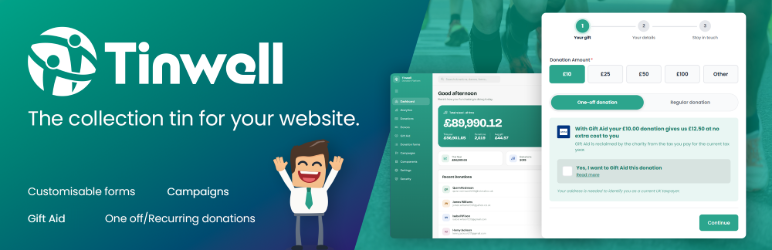
Dashboard: a quick overview of your fundraising.

Donation form: one-off and regular gifts with Gift Aid, on your own site. The totaliser, countdown and donate buttons beside it come with Tinwell Pro.

On a phone: the same form, made for small screens.

Form Builder: drag-and-drop donation forms. Some fields, such as fund pots, come with Tinwell Pro.

Campaigns: goals, dates and live totals. Fund pots and the Donorfy sync come with Tinwell Pro.

Gift Aid: every declaration in one place. The HMRC claim export comes with Tinwell Pro.

Analytics: your fundraising over any date range. Period comparison and smart insights come with Tinwell Pro.

Campaign components: the progress bar is included. The other components come with Tinwell Pro.

Companies, with Tinwell Pro: gifts made on behalf of a company.

Donor portal, with Tinwell Pro: donors see their giving history and download receipts.

Regular gifts in the donor portal, with Tinwell Pro: donors change or cancel a regular gift themselves.

Try it: the interactive demo is at tinwell.org.


