
Biklo For WooCommerce Wordpress Plugin - Rating, Reviews, Demo & Download
Plugin Description
Biklo is a marketplace for bikes and everything around them, in 30 European countries.
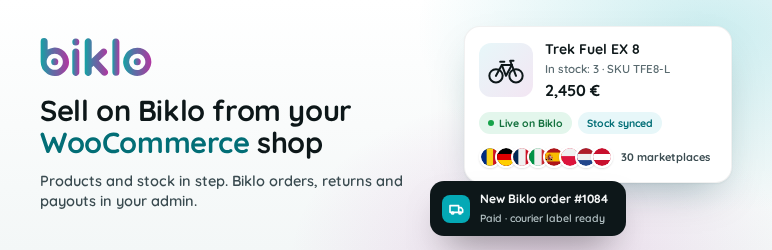
This plugin connects your WooCommerce shop to your Biklo company account, so you sell
there without typing your catalogue in twice.
- Your products on Biklo, kept in step. Map your categories, brands and condition to
Biklo’s once; the Readiness screen says exactly what to fix before a product can go.
Then stock, prices and changes are sent as they happen. - Biklo orders in WooCommerce. They arrive paid, with the stock taken. Accept them,
print the Biklo courier label and follow the tracking from the order screen. - Returns decided in your shop. When a returned parcel is back with you, accept or
reject the return on the order; what Biklo refunds is recorded as a WooCommerce refund. - Payouts. See your Biklo balance and withdraw it from your admin.
- Try everything first. A
bk_test_key connects to the Biklo sandbox, where nothing
is real: no buyers, no payments, no couriers.
You need a Biklo company account and a shop in the same currency as your Biklo account.
The step-by-step guide, with screenshots from install to returns:
apps.biklo.com/woocommerce.
External services
This plugin connects your shop to Biklo, an online marketplace run by BIKLO MARKET SRL
(Brașov, Romania). Biklo is the only external service it uses, and it is needed for
everything the plugin does: without a Biklo API key the plugin sends nothing.
1. The Biklo Partner API – to list your products on Biklo and handle the orders Biklo’s
buyers place with you. The plugin talks to https://api.biklo.com with a live key
(bk_live_), or to https://sandbox-api.biklo.com with a test key (bk_test_).
What is sent, and when:
- With every request: your Biklo API key (to identify your account) and the versions of
the plugin, WooCommerce and WordPress. - When you test or save your key, and when a Biklo screen opens: nothing else – Biklo
answers with your account’s details, catalogue, balance and orders. - When the sync runs (when products, stock or prices change, and on a schedule): your
products’ titles, descriptions, photo addresses, prices, stock, SKU, categories, brands,
attributes and parcel sizes. Products you exclude are never sent. - When the sync starts: your site’s address, once, so Biklo can notify your shop of
new orders. - When you handle a Biklo order: accepting or rejecting it, the pieces you send, the
address it leaves from, the number and size of the parcels, invoice links you attach, and
your decision on a return with your reason. - When you withdraw money on the Payouts screen: the amount and currency.
- Only when you press Get help and send: your message, subject, the reply e-mail you
type, your WordPress display name, your site’s address and a support report you can read
before sending – versions, settings, your API key masked, the state of the sync and
orders, recent activity and the list of active plugins.
Biklo sends your shop the orders its buyers place with you (with the buyer’s delivery
details, to ship them), courier labels, tracking, return statuses and payouts.
2. Links to your account on the Biklo website – some screens link to pages of your
Biklo account (orders, delivery settings, company data, wallet), on the Biklo site of your
company’s country, for example https://www.biklo.ro (or https://sandbox.biklo.ro with a
test key). They are ordinary links: nothing is sent until you click one, and then your
browser simply opens that page.
- Terms of use: https://apps.biklo.com/terms/
- Privacy policy: https://apps.biklo.com/privacy/
Screenshots

Connect: paste your Biklo key and test the connection.

Map your shop’s categories to Biklo’s.

Readiness: every product that cannot go to Biklo yet, and why.

Sync: what was sent, what is waiting, and the checks.

A Biklo order in WooCommerce, handled from its Biklo box.

Payouts: your balance on Biklo, withdrawn from your admin.


