
SpotDrop Booking Wordpress Plugin - Rating, Reviews, Demo & Download
Plugin Description
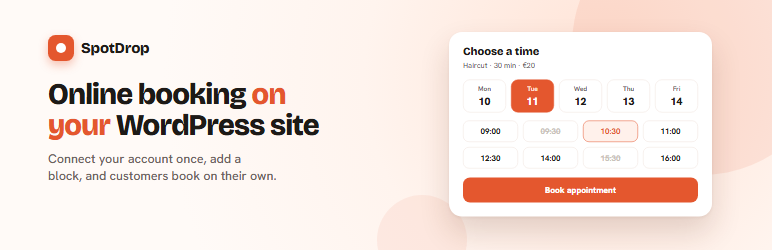
SpotDrop is an online booking system for salons, sports venues and other service businesses. This plugin shows your SpotDrop booking form on your own pages.
- Connect your SpotDrop account with one click. You sign in on spotdrop.si and approve the connection.
- Your site is added to the websites allowed to show your booking automatically. No codes to copy.
- Add the “SpotDrop booking” block in the block editor, or use the
[spotdrop slug="your-spot"]shortcode in Elementor, Divi or the classic editor. - The booking adjusts its height to its content, on phones and computers.
You need a SpotDrop account with an active spot. The plugin itself is free.
What the connection allows
The connection only lets this site see the list of your spots and add or remove this site’s own domain from the websites allowed to show your booking. It cannot see your customers, appointments or revenue, change your settings, or allow any other website.
External services
This plugin connects to SpotDrop (https://www.spotdrop.si), the booking service it embeds.
- When you click “Connect to SpotDrop”, your site registers itself with SpotDrop (it sends the address of its settings page) and opens the SpotDrop sign-in page in your browser. After you approve, your site exchanges a one-time code for access tokens. The tokens are stored in your WordPress database and are only sent to SpotDrop.
- While connected, the settings page and the block editor load the list of your spots from SpotDrop, and the “Allow on this site” button sends this site’s domain to SpotDrop.
- Pages with the block or shortcode show the SpotDrop booking page in an iframe. Your visitors’ browsers then load that page from spotdrop.si, and the booking data they enter is sent to SpotDrop.
- Disconnecting or deleting the plugin removes this site from your spots and revokes the tokens.
SpotDrop terms of use: https://www.spotdrop.si/terms
SpotDrop privacy policy: https://www.spotdrop.si/privacy
Screenshots

Settings → SpotDrop: connect once, then choose which spots appear on this site.

The “SpotDrop booking” block in the editor.

The booking form on a published page.

The same page on a phone. The height follows the form.


