Register.Domains Domain Check Wordpress Plugin - Rating, Reviews, Demo & Download
Plugin Description
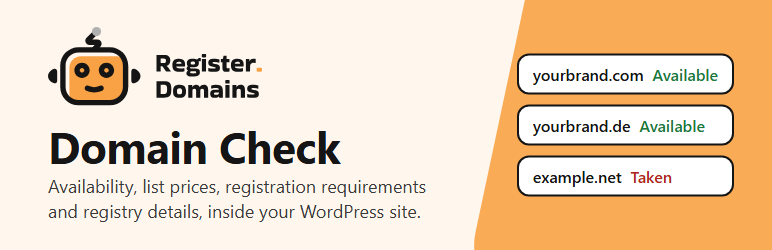
Domain Check adds a block and a shortcode that answer, inside your site, the questions people have about a domain name:
- Is it available? The answer shows when it was checked, and it never says “Taken” unless that is confirmed.
- What does it cost? First-year and renewal list prices in USD, side by side, and the minimum registration period.
- What does the registry ask for? Local presence, documents, and whether a Trustee (local contact) service exists and its price. What has not been verified says “Not verified”.
- If it is taken, who has it? On request: registrar, dates, statuses, name servers and DNSSEC. Never registrant contacts.
Links to Register.Domains are off by default. Without them the block is purely informative.
Searches run only when a visitor presses the button. Nothing is searched when a page loads or while typing.
The plugin gets its site key from Register.Domains when you connect it: there is nothing to request or wait for. A site can use the service without being an affiliate.
External services
This is the official plugin of Register.Domains (https://register.domains), a domain registrar, and it is published by Register.Domains LLC. It relies on one external service: the Register.Domains REST API at https://rest.register.domains, operated by Register.Domains LLC. The plugin uses it to look up domain names and to obtain list prices and registration requirements. It sends nothing until the site administrator ticks “Connect to Register.Domains” and saves the settings.
What is sent, and when
- When the administrator saves with “Connect to Register.Domains” ticked and the site has no key yet: the address of the site (its Site Address, as in Settings > General) and the version of the plugin. Register.Domains answers with a key for this site and a site id. It keeps the address, the version, the date and a hash of the key; not the key itself. The request comes from the server of your site, and Register.Domains uses its IP address, in memory only, to limit how many keys and searches one server gets.
- When the administrator ticks “Disconnect” and saves: the site key, so that Register.Domains disables it. The key is removed from your site even if that request fails.
- When a visitor submits the form: the domain name, with the site key that identifies your site.
- When a visitor presses “See registry details”: the domain name, with the site key.
- When the search limit of the site is spent: the extension of the name, to keep showing its prices. The site key goes with it.
- When the administrator presses “Test connection”: a request for the price of .com, with the site key.
Visitor IP addresses, cookies, page addresses and the affiliate code are not sent. The browser of the visitor talks only to your site, and your site calls the service.
Why
To look up the name in the registries and to answer with the list prices and requirements of Register.Domains. To answer, the name reaches the availability and registry sources that Register.Domains queries.
Retention
Register.Domains keeps checked names in a short cache: 10 minutes for available names and for registry details, one hour for taken names. Its usage logs do not contain the names.
On your site, names and their results are cached for 3 minutes and extension data for 6 hours. For the limit per visitor, the site keeps a keyed hash of the IP address for one hour. The plugin never stores the IP address in clear. WordPress deletes expired entries in its daily cleanup.
Terms
- Privacy Policy: https://register.domains/en/terms/privacy-policy
- Terms and Conditions: https://register.domains/en/terms/terms-and-conditions
Affiliate links
The affiliate code is optional and empty by default. If the administrator turns on the links and enters a code issued by Register.Domains, ?ref=<code> is added to the links to a domain name and to an extension page on register.domains. It is not added to privacy, terms or support links, it is not sent to the API and it is not logged. These links carry rel="sponsored".
With a code, the block always shows this notice to visitors: “This site may earn a commission from Register.Domains when you register a domain through these links.” It cannot be turned off. The plugin loads no tracking script.
Screenshots
No screenshots provided