
Weble MCP Wordpress Plugin - Rating, Reviews, Demo & Download
Plugin Description
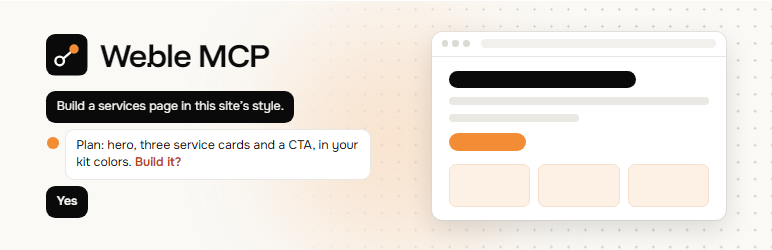
Describe a page, or hand over a design, and your AI agent builds it as real Elementor containers and widgets that you can keep editing by hand. Before it builds, it measures your existing pages (spacing, type scale, colors, classes) and follows them, with colors and fonts from your Elementor kit.
Weble MCP serves the Model Context Protocol straight from the WordPress REST API. There is no Node bridge and nothing to host.
Elementor
- Pages, sections and saved templates, built through your kit’s global colors and fonts
- Theme builder: headers, footers, single and archive templates, loop grids and display conditions (Elementor Pro)
- Dynamic content from ACF and other sources through dynamic tags (Elementor Pro)
- Custom CSS where it belongs: the page’s Advanced > Custom CSS with Elementor Pro, or a block of Additional CSS limited to that page without it
- Phone and tablet values on every layout, checked by a built-in linter, then screenshots at three widths
- Every Elementor write can be undone
Also
- A site brief first: setup, content model, theme builder map, design system and the house style measured from your existing pages
- Posts of any type, with custom fields (ACF), terms, featured images and media
- Menus and site settings
- lint its own work (rows that never stack on phones, off-palette colors, low contrast, heading order, missing alt text) and screenshot it through signed preview links
- run a read-only site audit when you plan a migration
Safety
- Connection passwords only work on the MCP endpoint, not the rest of the REST API or XML-RPC.
- There are no tools that change plugins, themes, users or files.
- Scripts, iframes and forms are rejected unless an admin switches custom code on.
- New posts are drafts, deletes go to the trash, and every Elementor write can be undone.
- Every call is checked against the connected user’s WordPress capabilities.
- The agent is told to describe each change and wait for your yes, unless you tell it to work on its own.
Third-party software
The admin screen bundles React (MIT) and the Onest and Funnel Display fonts (SIL Open Font License 1.1). Full license texts are in THIRD-PARTY-LICENSES.txt.
Screenshots

Generate a connection and paste one prompt into Claude Code, Codex, Cursor, VS Code, Gemini CLI or any MCP client.

Overview: connections, custom code, Elementor and house rules at a glance, plus site readiness checks.

Tools: every tool an agent can call, grouped, with what reads and what changes.

House rules: standing design and content rules sent with every site brief.

Connections: each agent has its own Application Password, revocable on its own.

Settings: custom code switch, endpoint, uninstall behaviour and what is never possible.


