
Torly Booking Wordpress Plugin - Rating, Reviews, Demo & Download
Plugin Description
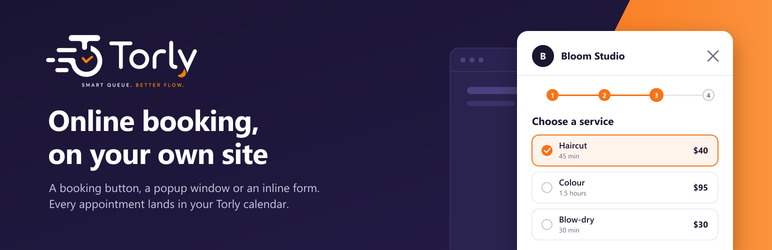
Torly is an appointment scheduling system for small businesses. This plugin puts the booking page of your Torly business on your WordPress site, so your visitors book an appointment without leaving it.
You need a Torly account with a published booking page. Paste the address of your booking page in the plugin’s settings and choose how to show it:
- A button that opens a window over the page with your booking page in it.
- The booking page inside the page, at the place you choose. Its height follows its content.
- A button that opens the booking page in a new tab.
- A floating button in the corner of every page, or of the home page only.
Add it with the “Torly Booking” block, or with the shortcode [torly_booking].
The booking itself is made by Torly: your services, staff, working hours, booking rules and messages are the ones you set in Torly, and every appointment appears in your Torly calendar. The plugin stores no customer data on your site.
The booking page is available in Hebrew, English, Arabic, Russian, Georgian, Turkish, Dutch and Spanish. It follows the language of your site, or the language you choose.
The shortcode
[torly_booking]— a button that opens the booking page in a window over the page.[torly_booking mode="inline"]— the booking page inside the page.[torly_booking mode="link"]— a button that opens the booking page in a new tab.
Options: text (the button’s text), lang (he, en, ar, ru, ka, tr, nl, es), height (the inline frame’s height in pixels before the page loads), slug (the address of another Torly business, for a site that shows more than one).
Without JavaScript
Every button is a plain link to your booking page, so a visitor whose browser runs no JavaScript still reaches it.
For developers
- The
torly_booking_show_floating_buttonfilter decides, page by page, whether the floating button is shown. - When an appointment is booked, the page receives a
torly:bookedevent ondocument. It carries no detail about the booking.
External services
This plugin connects to Torly (https://torly.cc), the service that holds your booking page. It cannot work without it.
- When you save the plugin’s settings, your site’s server asks Torly whether the business address you typed exists (
https://torly.cc/api/public/business/{address}). Only that address is sent. The answer (the business’s name and whether its booking page is published) is kept on your site for an hour. - When a visitor opens the booking window or a page with the inline booking form, the visitor’s browser loads your Torly booking page (
https://torly.cc/{address}) in a frame. As with any web page, Torly receives the visitor’s IP address and browser details, and whatever the visitor types into the booking form (for example a name, a phone number and an e-mail address) goes to Torly and to your business’s Torly account. The booking page may also use Google Analytics, as described in Torly’s privacy policy.
The plugin loads no script from Torly into your site’s pages; the booking page runs inside its own frame.
Torly’s terms of use: https://torly.cc/terms
Torly’s privacy policy: https://torly.cc/privacy
Screenshots

The settings: the address of your booking page, the language and the floating button.

The “Torly Booking” block in the editor.

The booking window on a phone.

The booking page inside a page.


