
Lungeo AI Redaktion Wordpress Plugin - Rating, Reviews, Demo & Download
Plugin Description
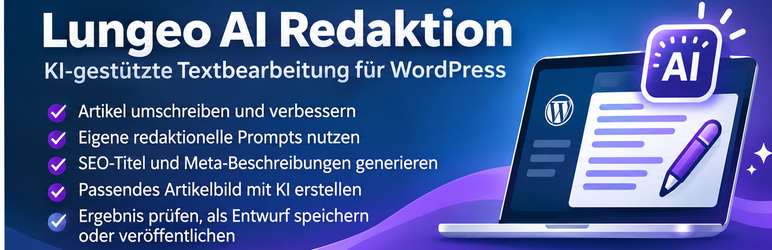
Lungeo AI Redaktion is an editorial assistant for WordPress. It helps an editor prepare a revised version of an article and review the result before saving it.
The plugin does not overwrite the selected source post. It presents the generated text for review and lets the user save it as a new draft or publish it after a separate confirmation.
Features:
- Paste source text or select an existing WordPress post.
- Choose a built-in prompt or create and manage custom prompts.
- Generate an optional featured image on request or automatically after text generation, depending on the setting.
- Review and edit the article title, SEO title, and meta description before saving.
- Save the result as a new draft or publish it after explicit confirmation.
- Use the WordPress AI Client exclusively for text and image generation.
- Configure the AI provider centrally in WordPress under Settings > Connectors.
- Manage custom prompts in the WordPress database.
- German source interface, ready for WordPress.org language packs.
AI-generated content can be inaccurate or incomplete. Editors are responsible for checking facts, names, dates, figures, quotations, copyright, and other rights before publication. The plugin does not guarantee factual accuracy, search ranking, or legal compliance.
The plugin does not include an API key or AI service account. The site owner must configure a supported provider and is responsible for any provider charges and applicable terms. AI text and image generation are disabled until a site administrator explicitly enables the external AI processing consent checkbox in the plugin settings. The checkbox is off by default and can be revoked at any time by unchecking it and saving the settings.
AI provider
Lungeo AI Redaktion uses the WordPress AI Client exclusively. It does not connect directly to an AI provider and does not request or store provider API keys. The site administrator configures a compatible provider under Settings > Connectors. WordPress 7.0 or newer is required. The configured provider must support the requested capability; text and image generation support are checked separately.
External Services
This plugin sends content to an external AI service only when an authorized user actively starts text generation or image generation and the administrator has enabled the consent checkbox in the plugin settings.
Provider configured through the WordPress AI Client
The plugin sends the source article text and editorial prompt to the provider configured by the site administrator under Settings > Connectors for text generation. For image generation, it sends the article title and a text excerpt as an image prompt. The WordPress AI Client routes each request to that configured provider. The provider receives the submitted content and processes it under its own terms and privacy policy. The provider may be OpenAI or another compatible service.
WordPress AI Client documentation: https://developer.wordpress.org/apis/ai/ai-client/
The site administrator must review the configured provider’s terms and privacy policy before enabling consent. The provider configured in Settings > Connectors may be operated by a third party.
Consent and data sent
The consent checkbox is unchecked by default. Until a site administrator checks it and saves the settings, the plugin blocks text and image generation requests. By enabling it, the administrator authorizes the plugin to send the article title and article text, the selected editorial instructions (including custom prompts), and, for image generation, an image prompt containing the title and an excerpt of the article to the provider configured through the WordPress AI Client. The administrator can revoke this authorization by unchecking the box and saving the settings. No AI request is sent by the plugin merely by activating it or opening its admin pages.
Privacy
AI text and image generation are blocked until a site administrator explicitly opts in through the consent checkbox in the plugin settings. The checkbox is unchecked by default. The administrator can revoke consent at any time by unchecking it and saving. The plugin does not send article content to an AI provider on activation or during ordinary page views.
The plugin stores its settings and custom prompts in the WordPress database of the site where it is installed. Provider credentials are managed by WordPress and the configured provider integration. The plugin does not send settings or prompts to the plugin author.
When consent has been enabled and an editor actively requests text or image generation, the relevant article content, prompt instructions, and image prompt details are sent from the site’s server to the selected AI provider. The provider and applicable privacy terms depend on the provider configured under WordPress Settings > Connectors. See the External Services section above.
Site owners should disclose this processing in their privacy policy and ensure they have an appropriate legal basis before sending personal data or other protected content to an AI provider.



