
ChurnAnchor Wordpress Plugin - Rating, Reviews, Demo & Download
Plugin Description
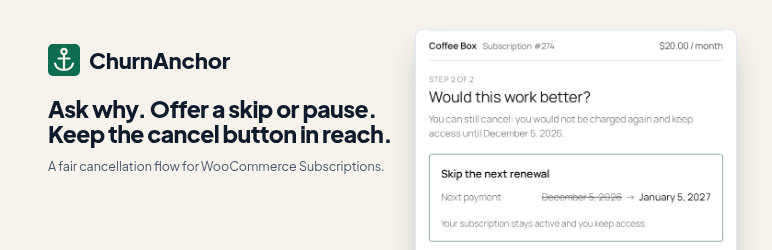
When a customer clicks Cancel on a subscription, ChurnAnchor shows a short, honest flow instead of an instant cancel:
- Why are you leaving? One question with reasons you control (plus an optional comment).
- One matching offer, only if it makes sense: skip the next renewal or pause for 1–3 months. The subscription stays active, nothing is suspended, and the customer keeps access.
- A cancel button on every step. No mazes, no hidden links, no guilt trips.
Then see what happened on the dashboard (WooCommerce ChurnAnchor): how many customers started to cancel, how many accepted an offer, the top reasons, and the monthly revenue kept.
Honest numbers
A save is only counted as verified after the customer pays the next renewal. If they cancel first, it is shown as lost later. Customers can accept one offer per paid renewal, and cancelling after a skip or pause still ends access when the period they paid for ends. Amounts exclude tax and shipping, are normalised to one month and are shown per currency.
Requirements
- WooCommerce and WooCommerce Subscriptions
- Works with classic and block themes and HPOS (custom order tables)
Offers only appear when the subscription’s payment method supports changing payment dates, so renewals never break.
Privacy
ChurnAnchor makes no external requests and sends no data anywhere. Reasons and comments are stored in your own database and are included in WordPress personal data export and erasure tools.
ChurnAnchor Pro
An optional paid add-on, ChurnAnchor Pro, adds a one-time renewal discount, a longer pause, an “ask the store to fix it” option, up to two offers per reason, category rules, win-back and renewal reminder emails, and per-offer reports. The free plugin is complete on its own and does not need Pro.
Not legal advice
ChurnAnchor is designed to keep cancelling easy (for example, the cancel button is always visible). Laws such as California’s automatic renewal law or the UK’s subscription contract rules have their own requirements; check what applies to your store.
Screenshots

Step 1: the subscriber is asked why they are cancelling (optional). The cancel button is always on the screen.

Step 2: an offer that fits the reason, such as skipping the next renewal. They can still cancel from here.

The dashboard (sample data): cancellation attempts, saves counted only after a paid renewal, and top reasons.


