Product Addons & Fields For WooCommerce Wordpress Plugin - Rating, Reviews, Demo & Download
Plugin Description
PPOM (Product Addons for WooCommerce) lets add extra custom fields and addons on your product pages. Adding extra options like sizes, colors with PPOM is so simple with drag and drop form builder.
How it works?
- Create PPOM fields with drag & drag form builder from
WooCommerce->PPOM Fields - Go to product edit page and select PPOM fields group created in above step and click update.
- That’s all
Input Types in Free Version
- Text – Demo
- Textarea – Demo
- Select Options (with price) – Demo
- Radio Options (with price) – Demo
- Checkbox Options (with price) – Demo
- Date – Demo
- Email – Demo
- Number – Demo
- Hidden – (Hidden input with a default value) – Demo
Features in Free Version
- Prices can be added with options
- Conditional logic – display fields based on conditions
- Fields classes – CSS classes can be added for each input
- Fields grid – Control field layout with simple grid options in columns
- Min/Max length – Set min/max text or number inputs
- Masking – Set input masking for text input
- Placeholder – Set placeholder input for
text, textarea, number etc - Fields validation – Mark fields as required
- Error message – Set custom error message for required fields
- Field description – Set fields description using HTML tags
- Price display – Flexible option to display extra prices e.g hide, only total or itemized prices
- Apply via category – Apply/attach PPOM to whole category instead single product
- Compatible with Advanced Order Export For WooCommerce
- Multi-language ready – WPML/Polylang supported
Security is Priority
All inputs are sanitized and escaped
PPOM PRO Inputs
- Measure Input – Set prices for measure units like milk, cloths & frames, etc
- Color Picker – Allow customer to select any colors and save Hex value
- Color Palette – Allow customer to select color(s) from a pre defined set of colors by admin
- Date Range – Select two dates between from and to
- Images Options – Allow customer to select image(s) from a pre defined images by admin
- Audio/Video – Allow customer to select audio/video from a pre defined audios/videos by admin
- File Upload – Allow customers to upload files. Admin can set filetypes, and filesize. Progressbar, thumb display, and responsive uploader
- Image Cropper – Allow users to upload and crop images
- Variation Quantities – Allow customers to order different quantities for different options like Sizes or colors
- Price Matrix with Discount – Set tiered or discount prices on bulk purchase
- Timezone – Select timezone from pre defined list of timezone. Exclude/include timezones
- HTML Content – Add HTML tags, like
porh1tags to add more details for your extra fields - Bulk Quantity – Bulk Quantity allows the store admin to set discount prices for each option.
- Chained Input – PPOM renders chained input in the dropdown.
- Collapse Input – This is a special input that acts like a parent block…
- Conditional Images Input – This input allows you to display different info based on the chosen images.
- Basic Date Range Input – Allows selecting date ranges.
- Divider Input
- Domain Input Web domain availability
- Email Input
- Emojis Input
- Fixed Price Input Fixed Price Input with Add Option / First Option
- Fonts Picker
- Image Dropdown Input
- Images Options Input
- Phone Input
- Quantities Pack Input
- Quantity Option Input
- Radio Switcher Input
- Select Option Quantity Input
- Superlist Input
- Text Counter
- Texter Input
- Variation Matrix Input
PPOM PRO Features
- Tooltip Tooltip feature to show description
- Fields privacy – Set fields visibility options by roles, member id guest etc
- Weight options – Weight can be assgined for options
- Multiple Meta – Assign multiple metas groups to single product
- Options prices taxable
- Client-side validation – No page refresh on error.
- Compatible with WooCommerce Currency Switcher
- Compatible with WPML Currency Switcher
- Compatible with WholeSale Plugin
- Compatible with all WooCommerce themes.
Video Guide
PPOM Add-ons
If you feels that PPOM Free or PPOM PRO versions are not enough for your needs, please see our 30+ PPOM Add-ons and coming more.
Screenshots

“Select” field sample settings

“Select” field on the product

“Text” field sample settings

“Text” field on the product
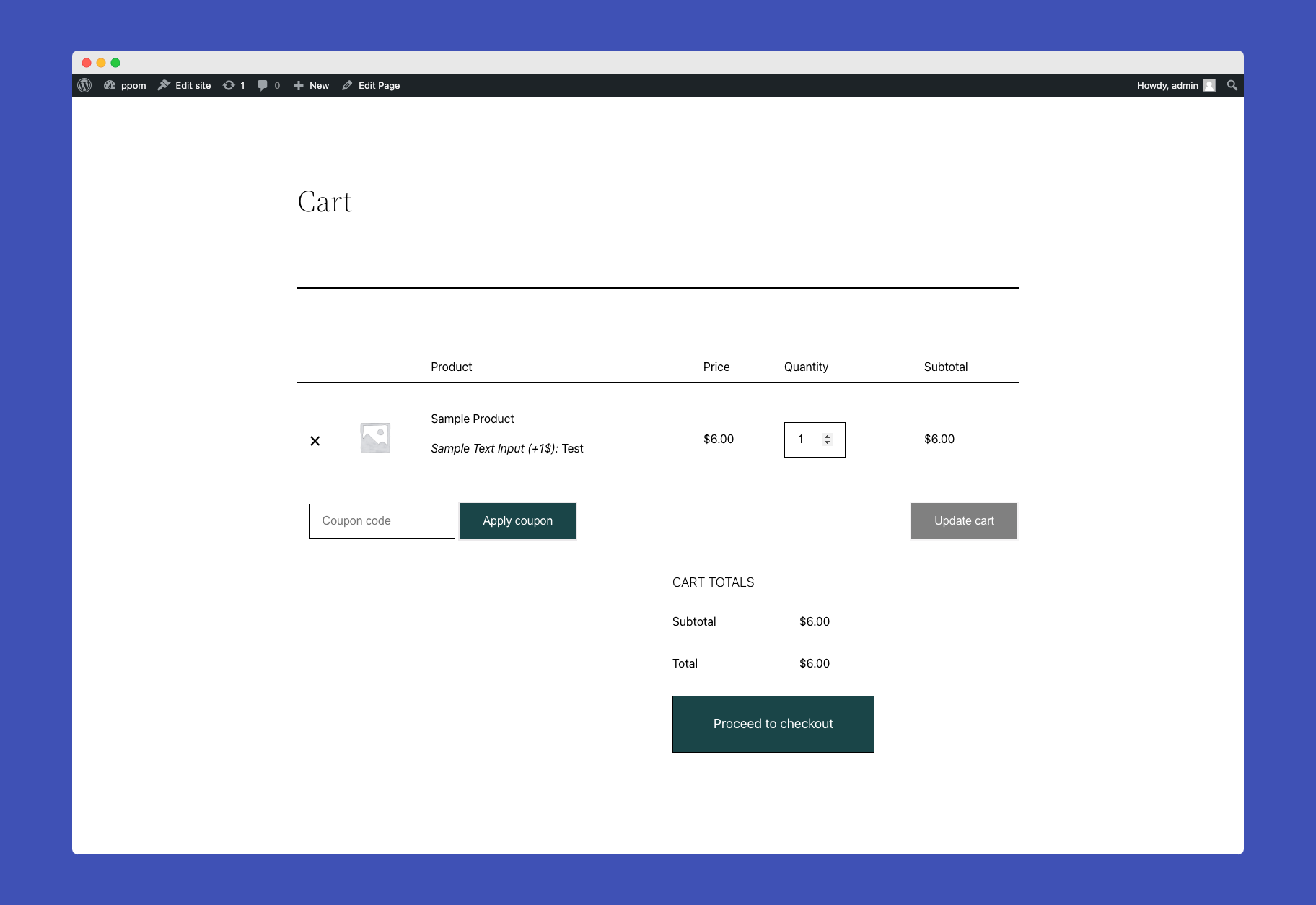
Inputs attached to the cart page
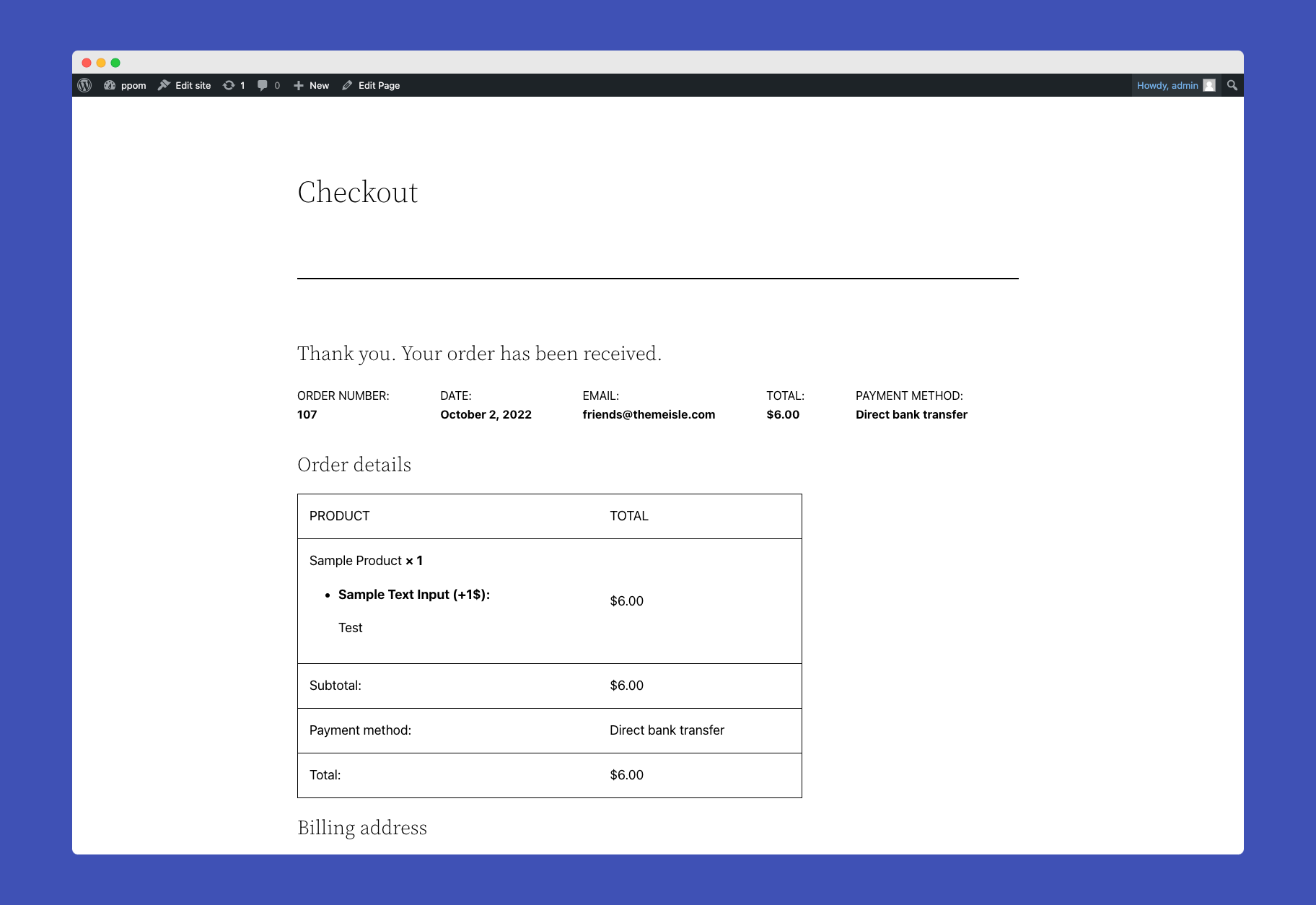
Inputs attached to the checkout page
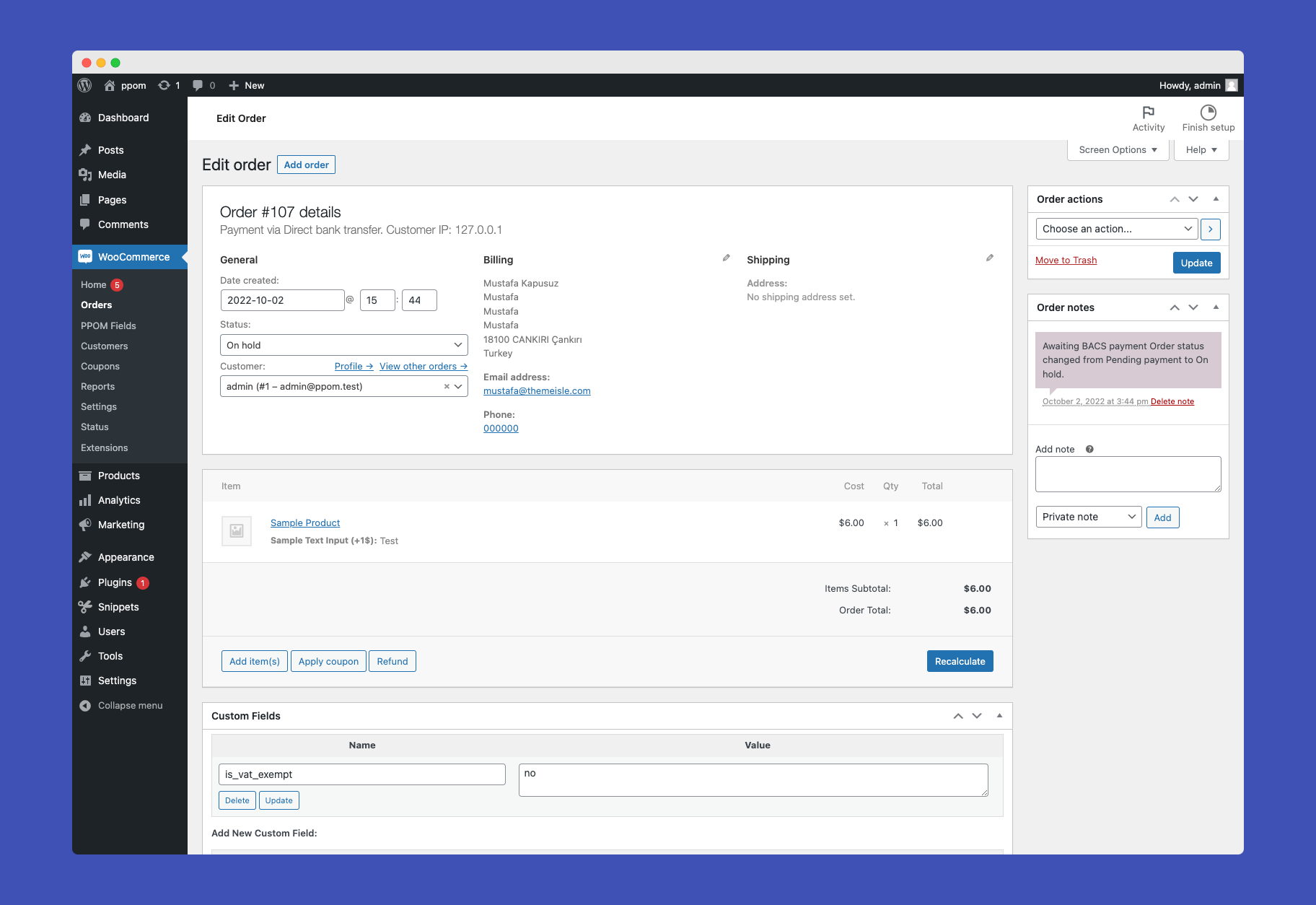
Finally admin can see all attached inputs in orders panel
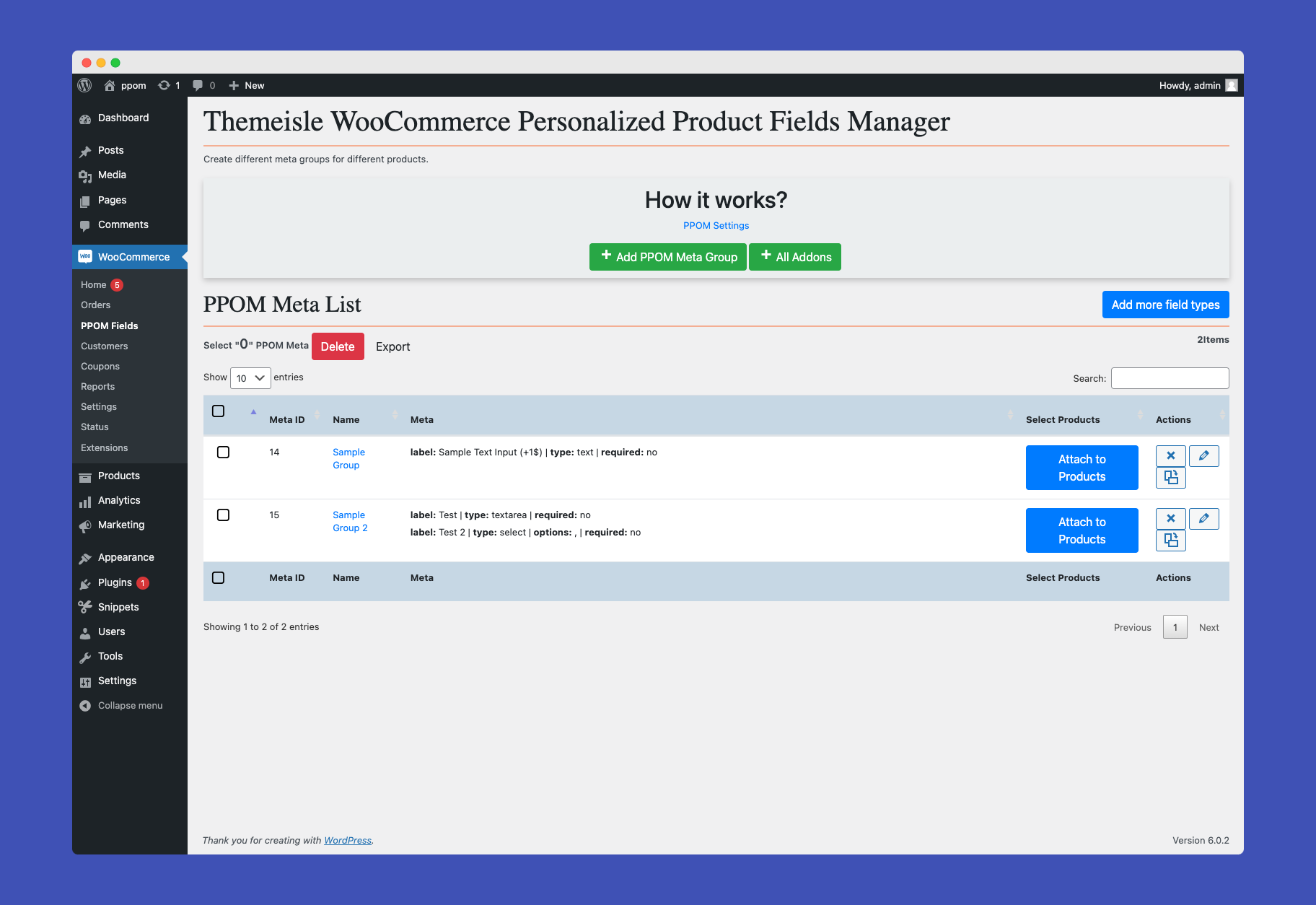
Managing PPOM Field Groups
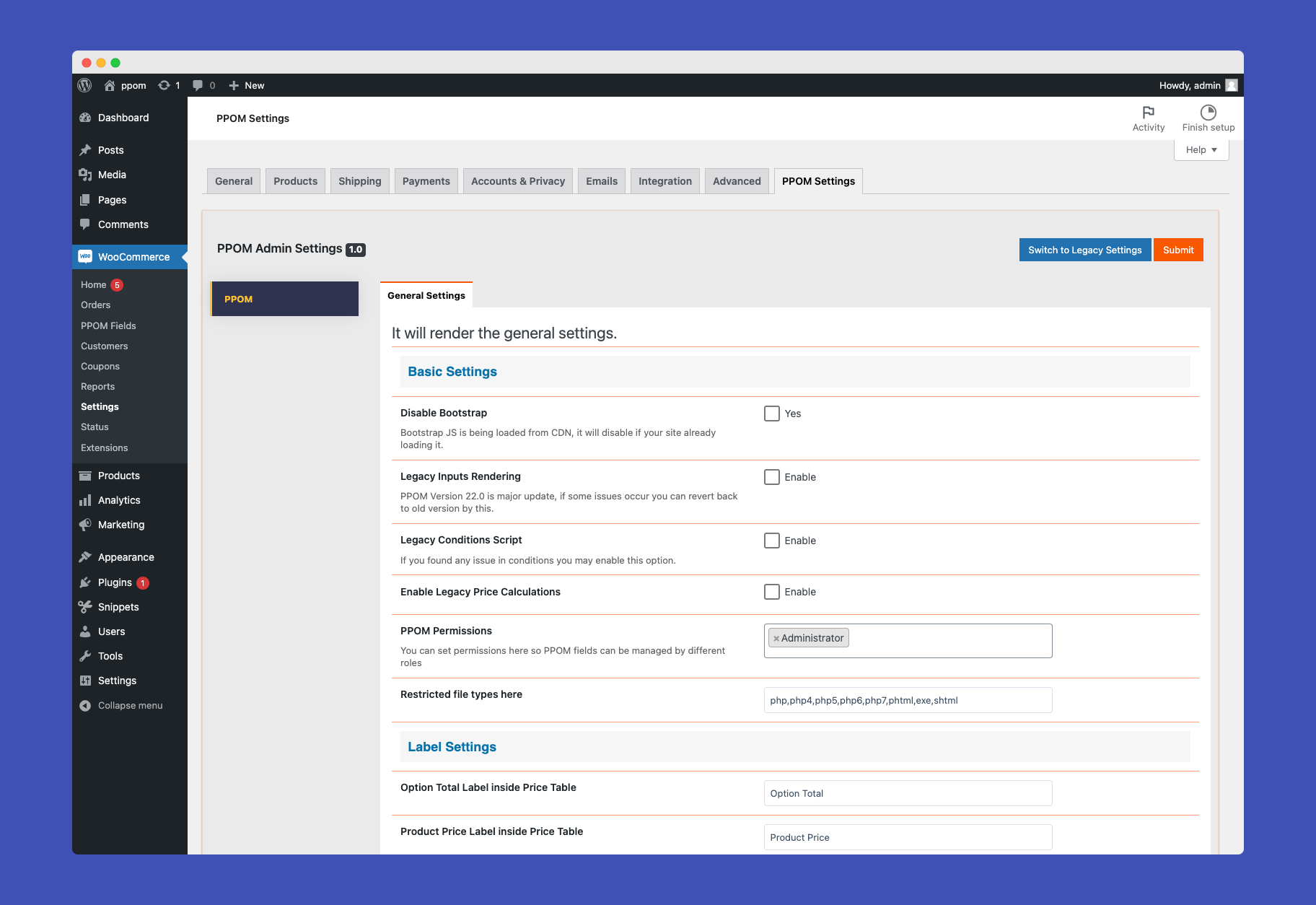
PPOM General Settings