Lumino Dark Mode Wordpress Plugin - Rating, Reviews, Demo & Download
Plugin Description
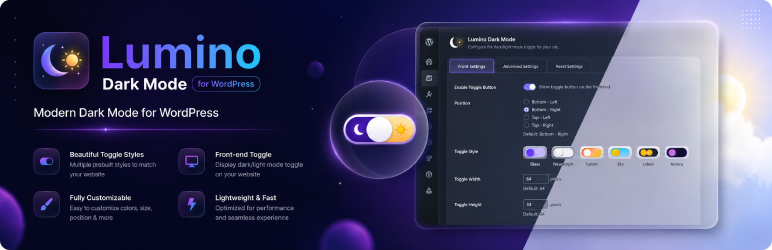
Lumino Dark Mode adds a stylish floating toggle button that lets your visitors switch between dark and light mode with a single click. It works on any WordPress theme without touching your theme files.
How it works:
Lumino uses a smart CSS filter technique (invert + hue-rotate) applied to the entire page — not just specific elements. This means every part of your site — text, backgrounds, borders, menus, sidebars, widgets — all switch perfectly. Images and videos are automatically re-corrected so they always look natural.
Features:
- Works with any WordPress theme — no CSS class knowledge needed
- 5 beautiful toggle button styles (Classic, Night, Gradient, Outlined, Sunset)
- Choose toggle position: Bottom-Right, Bottom-Left, Top-Right, Top-Left
- Custom offset position (pixels from edge)
- Adjustable toggle width, height, and border radius
- Smart base theme auto-detection (light or dark)
- User preference saved in localStorage — persists across pages and sessions
- Respects OS-level dark mode preference (prefers-color-scheme)
- Flash prevention — correct mode applied before first paint
- Keyboard accessible (Tab + Enter/Space)
- Lightweight — pure vanilla JavaScript, zero dependencies
- Fully translatable (text domain: lumino-dark-mode)
Privacy Policy
Lumino Dark Mode stores the visitor’s dark/light mode preference locally in the browser’s localStorage under the key lumino_mode. This data never leaves the visitor’s browser and is never sent to any server, including the website owner’s server or any third-party service. No personal data is collected or processed by this plugin.
Screenshots
No screenshots provided