
Ariham SEOAgent Wordpress Plugin - Rating, Reviews, Demo & Download
Plugin Description
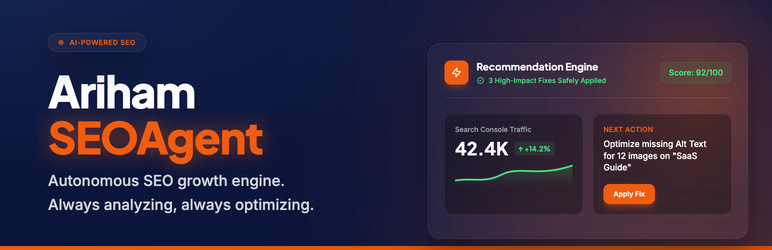
Ariham SEOAgent is a hands-free SEO growth engine for WordPress. It connects to Google Search Console and Google Analytics 4 to read real traffic and ranking data for every post on your site, then uses that data — optionally combined with Gemini or OpenAI — to detect problems, generate prioritised recommendations, and apply safe fixes automatically.
Unlike traditional SEO plugins that show you a checklist to fill in, Ariham SEOAgent acts like a background analyst that never sleeps: it scores every page on a 0–100 SEO scale, surfaces the highest-impact opportunities first, and can apply safe metadata updates for you on a schedule — with full rollback if anything looks wrong.
Connect your existing tools — Ariham SEOAgent enhances what you already have:
Ariham SEOAgent reads and writes to the SEO plugins you already use. It does not replace them.
- Google Search Console — pulls real queries, impressions, clicks, average position, and CTR per post so recommendations are based on actual search performance, not guesses.
- Google Analytics 4 — pulls sessions, engagement rate, and average time-on-page to identify pages losing traffic or readers leaving quickly.
- Google Site Kit — if Site Kit is already installed and authorised, Ariham SEOAgent uses its connection bridge to access Search Console data without requiring a separate OAuth setup.
- Yoast SEO — reads and writes meta titles, descriptions, and focus keywords to Yoast’s fields.
- Rank Math — reads and writes meta and focus keywords to Rank Math’s meta keys.
- SmartCrawl — integrates with SmartCrawl’s redirect manager and meta fields.
- The SEO Framework — reads and writes to TSF’s post meta.
- AIOSEO & SEOPress — meta write support included.
- Redirection plugin — can create and manage 301 redirects through Redirection’s database when it is active.
What it does on a daily basis:
- Fetches fresh Search Console and GA4 data for all published posts.
- Scores each post across seven SEO dimensions: metadata completeness, title/description optimisation opportunity, content depth, content freshness, search-intent alignment, internal linking, and image alt text.
- Detects six signals per post: missing meta, optimisation opportunity, thin content, content refresh needed, intent mismatch, and declining performance.
- Builds a prioritised queue of recommendations — each with a confidence score, a “safe vs risky” classification, and a before/after preview.
- In manual mode: presents the queue in the Pending Approvals admin screen for you to approve or dismiss one by one.
- In Autopilot mode: automatically applies recommendations classified as “safe” above a confidence threshold you configure, capped at a daily limit.
- Every applied change is logged with full before/after values and is one-click reversible from the Rollback Center.
Core features:
- Real-data scoring — every decision is backed by actual Search Console and GA4 numbers, not keyword-density calculations.
- AI-powered suggestions — optional Gemini (Google AI) and OpenAI/OpenAI-compatible integrations generate keyword-rich meta titles, meta descriptions, and focus-keyword suggestions tuned to your existing ranking data.
- Autopilot with guardrails — safe-only auto-apply mode, configurable confidence floor, daily change limit, and instant rollback. You stay in control.
- Full audit trail — every recommendation, every applied fix, and every rollback is recorded in the Activity Log with timestamps, before/after values, confidence scores, and what triggered the change.
- Internal link engine — detects orphan pages and inserts contextual internal links to help distribute PageRank and reduce crawl depth.
- Schema injection — auto-injects Article, BlogPosting, FAQPage, HowTo, and BreadcrumbList JSON-LD structured data via
wp_head. - 404 monitoring and redirect management — logs 404s and creates 301 redirects through whichever redirect plugin you already have active.
- WP-CLI suite — 10 CLI subcommands for power users:
analyze,optimize,report,rollback,fetch-gsc,fetch-ga4,score,opportunities,status,logs. - Clean uninstall — removes every custom table, option, post meta key, transient, and scheduled event when uninstalled.
Privacy and data handling:
No data leaves your server until you explicitly connect a Google account. No remote call is made on activation. OAuth tokens and API keys are stored encrypted (AES-256-CBC) in your WordPress database.
External Services
This plugin communicates with the following third-party services only after you provide credentials and authorise the connection. No external call is made on plugin activation or on the front-end.
Google APIs (required for core functionality)
After you complete the Google OAuth flow, the plugin communicates with:
accounts.google.com— OAuth 2.0 authorisation and token exchangeoauth2.googleapis.com— Access-token refreshsearchconsole.googleapis.com— Search Console query data (impressions, clicks, position, CTR) for your verified propertyanalyticsdata.googleapis.com— GA4 sessions, engagement rate, and time-on-pageanalyticsadmin.googleapis.com— Listing your GA4 properties
Google Privacy Policy | Google Terms of Service
Google PageSpeed Insights (optional, opt-in)
Disabled by default. When you turn on “Fetch Core Web Vitals” under Ariham SEOAgent Settings, a weekly background job sends your published post URLs to www.googleapis.com/pagespeedonline to retrieve Core Web Vitals and Lighthouse scores. No PageSpeed request is ever made unless you explicitly enable this option.
Google Privacy Policy | PageSpeed Insights API Terms
Google Gemini AI (optional)
When you save a Gemini API key, AI-generated meta suggestions are fetched from generativelanguage.googleapis.com.
OpenAI / OpenAI-compatible endpoint (optional)
When you configure an OpenAI API key, meta suggestions are fetched from api.openai.com (or a custom base URL you specify). This can point to any OpenAI-compatible provider.
OpenAI Privacy Policy | OpenAI Terms of Use
No user data is sent to any third-party service until you explicitly configure and activate that integration.
Screenshots
No screenshots provided


