PrintPrice — STL & 3MF Price Calculator For WooCommerce Wordpress Plugin - Rating, Reviews, Demo & Download

Plugin Description
Requires WooCommerce. PrintPrice is a WooCommerce add-on — the WooCommerce plugin must be installed and active for PrintPrice to do anything. If WooCommerce isn’t present, PrintPrice will refuse to activate.
PrintPrice turns any WooCommerce store into a 3D-print quote shop. Customers upload an STL or 3MF file, choose material / colour / infill, and get an instant price based on your own material costs and profit-margin tiers. The price becomes a regular WooCommerce cart item — they check out the same way they would any other product.
This plugin is a thin client to the PrintPrice Cloud service at https://wp.printprice.one. The cloud service does the heavy lifting: parsing the mesh, computing volume / mass / print time, applying your pricing rules, and storing the uploaded file so you can download it from the order detail in WordPress admin. No 3D-printing background needed — sensible defaults work out of the box, then you tune materials and margins to match your shop.
The free tier (5 paid orders per month) is unlocked the moment you activate the plugin — no opt-in, no signup form, no credit card. Paid tiers (50 / 100 / 300 orders per month) unlock through a Freemius checkout from the admin Upgrade menu when you’re ready.
Features
- STL and 3MF upload with a 3D preview in the browser, on any WooCommerce product page
- Multi-color 3MF detection — recognises sliced files with multiple filaments and adds a “Multi-color” badge plus a configurable purge-waste allowance to the quote
- Print-time estimation — pulled directly from sliced 3MF gcode where available, or estimated from filament mass when not
- Material catalogue you control — name, colour, price per kg, density, currency — used directly in price calculations
- Profit-margin tiers — different multipliers for different cost bands (e.g. higher margin on small prints, lower on bulk)
- Bulk pricing — automatic per-unit discount above a quantity threshold you set
- Multi-file orders — customers upload several files in one transaction with per-file quantities
- Order admin block — every order’s admin detail page shows uploaded files (downloadable), material, infill, print status, multi-color badge, and per-file colour list
- Customisable widget — colours, button labels, fonts, and uploader styling configurable from a hosted React dashboard
- Gutenberg block — drag “PrintPrice Calculator” straight into any page; also works as the legacy
[print_price_widget]shortcode
External services
This plugin connects to PrintPrice Cloud (https://wp.printprice.one), operated by PrintPrice, to provide the STL/3MF upload, price calculation, and quote-product creation that customers see on your storefront.
Customer data is processed by this third party. Specifically:
Data sent to PrintPrice Cloud on each customer interaction:
- The STL or 3MF file the customer uploads (uploaded directly from the customer’s browser; the file never touches your WordPress server)
- Material / colour / infill selections and quantity
- Your store domain
- Your PrintPrice plugin identifier (a random ID generated locally on first activation, plus — for paid subscribers — a Freemius license key)
Data sent during plugin setup (one-time):
- Your WooCommerce REST API consumer key + secret, used by PrintPrice Cloud to create the quoted “product” in your WooCommerce catalogue and add it to the customer’s cart
Data sent on payment (paid subscribers only):
- Your email and chosen plan are processed by Freemius (https://freemius.com), our billing provider, to issue and validate paid licenses. Freemius’s terms apply: https://freemius.com/terms/
Nothing is transmitted until the plugin is activated. Uploaded files are stored on AWS S3 in the Frankfurt region (eu-central-1), encrypted in transit (HTTPS) and at rest. Files associated with deleted orders are removed within 7 days. The full data flow and retention policy is documented in our Privacy Policy.
- Terms of Service: https://printprice.one/terms
- Privacy Policy: https://printprice.one/privacy
- Refund Policy: https://printprice.one/terms#refund
Screenshots
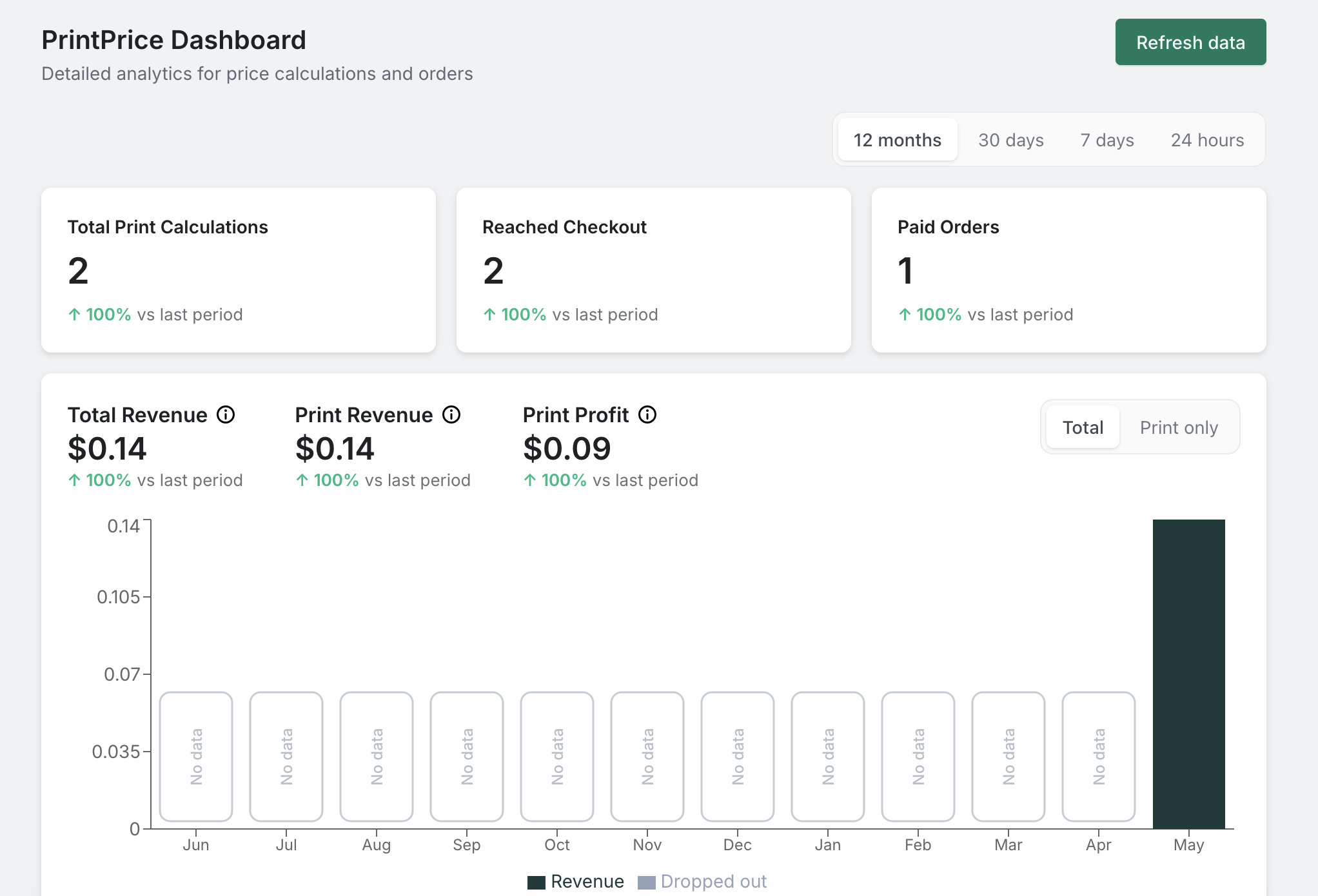
PrintPrice merchant dashboard — total print calculations, paid orders, total / print / profit revenue, with a per-period chart.
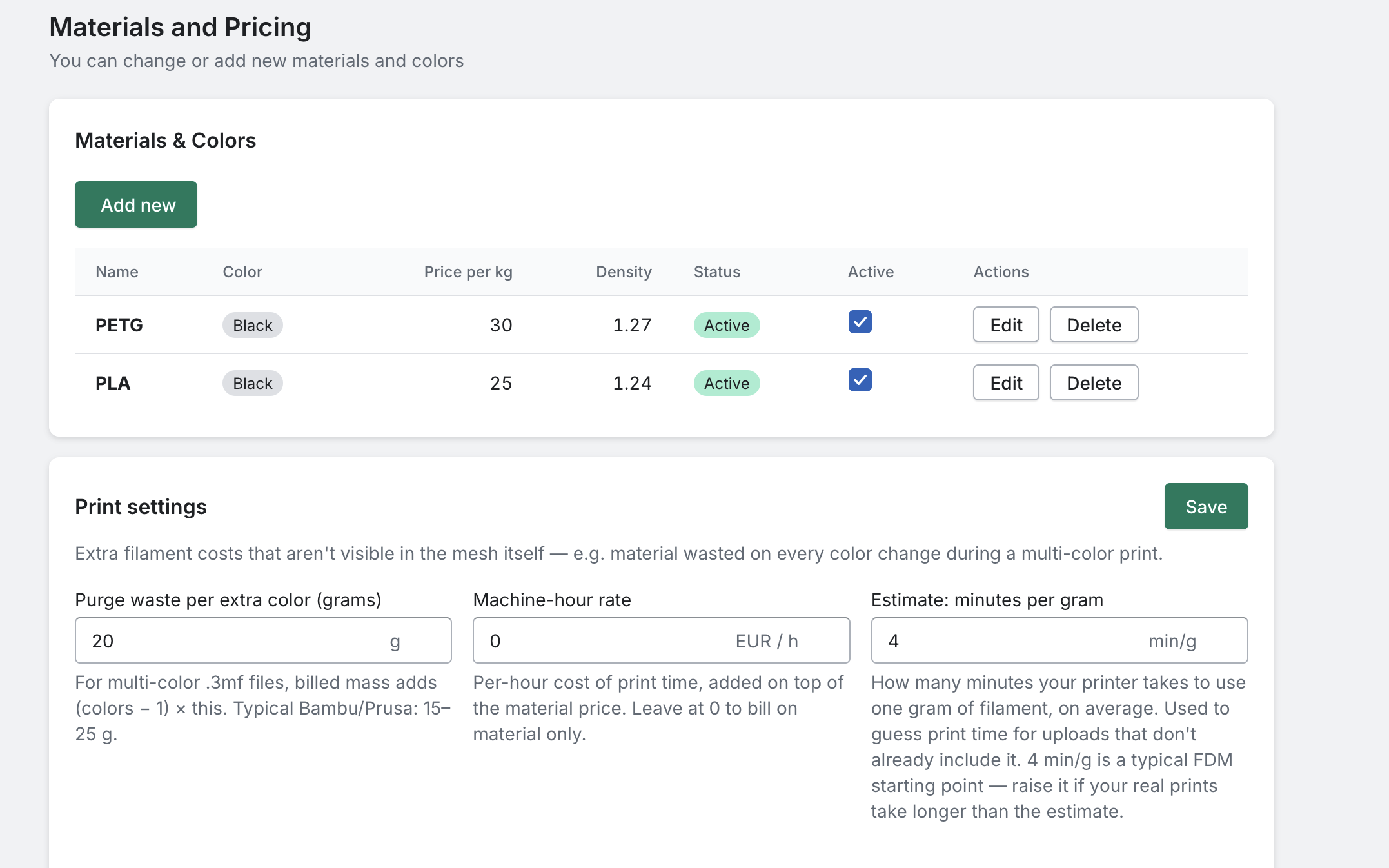
Materials and Pricing — your filament catalogue (name, colour, price per kg, density) plus per-shop print settings (purge waste, machine-hour rate, minutes per gram).
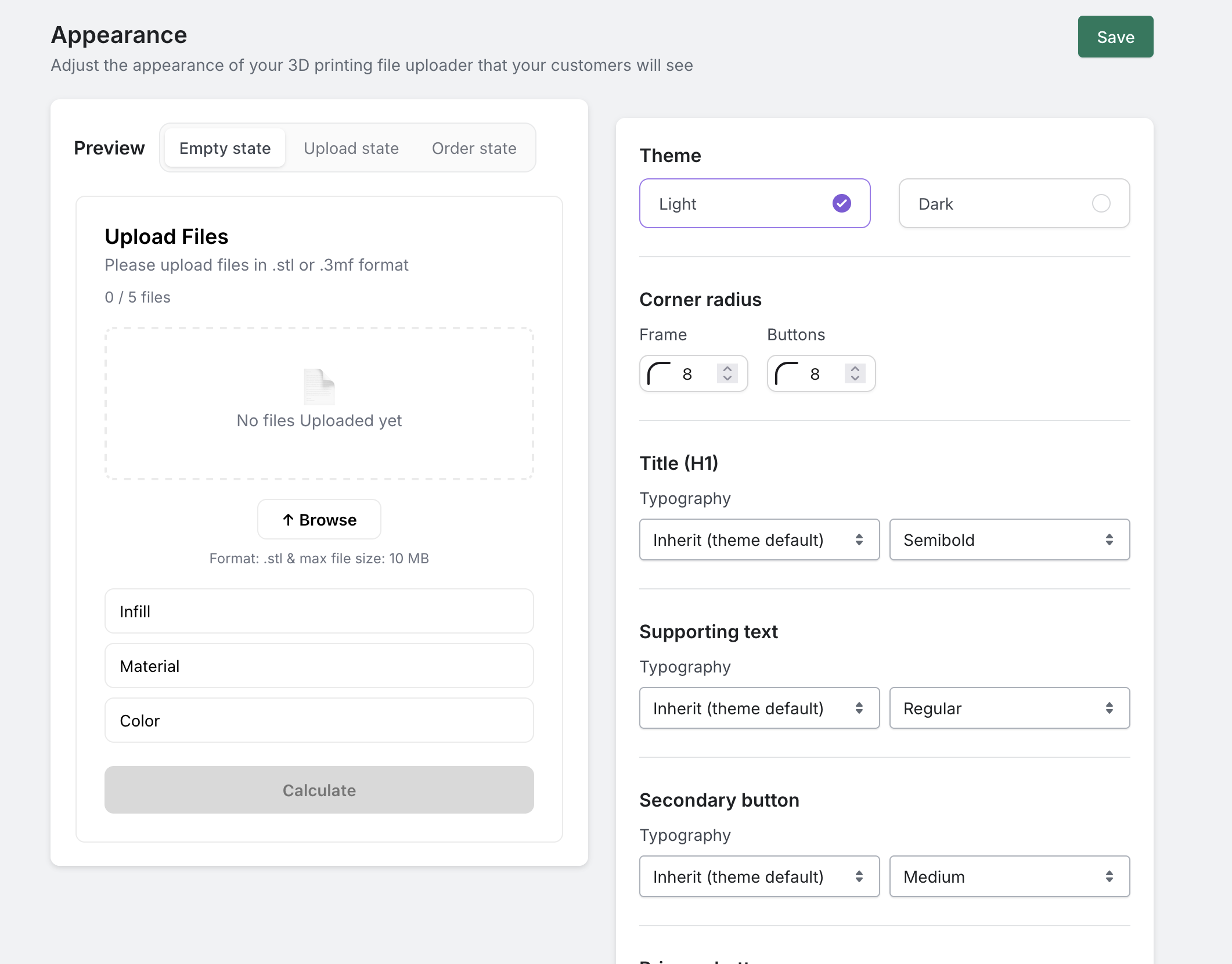
Appearance customiser — live preview of the storefront calculator on the left with theme, corner radius and typography controls on the right.
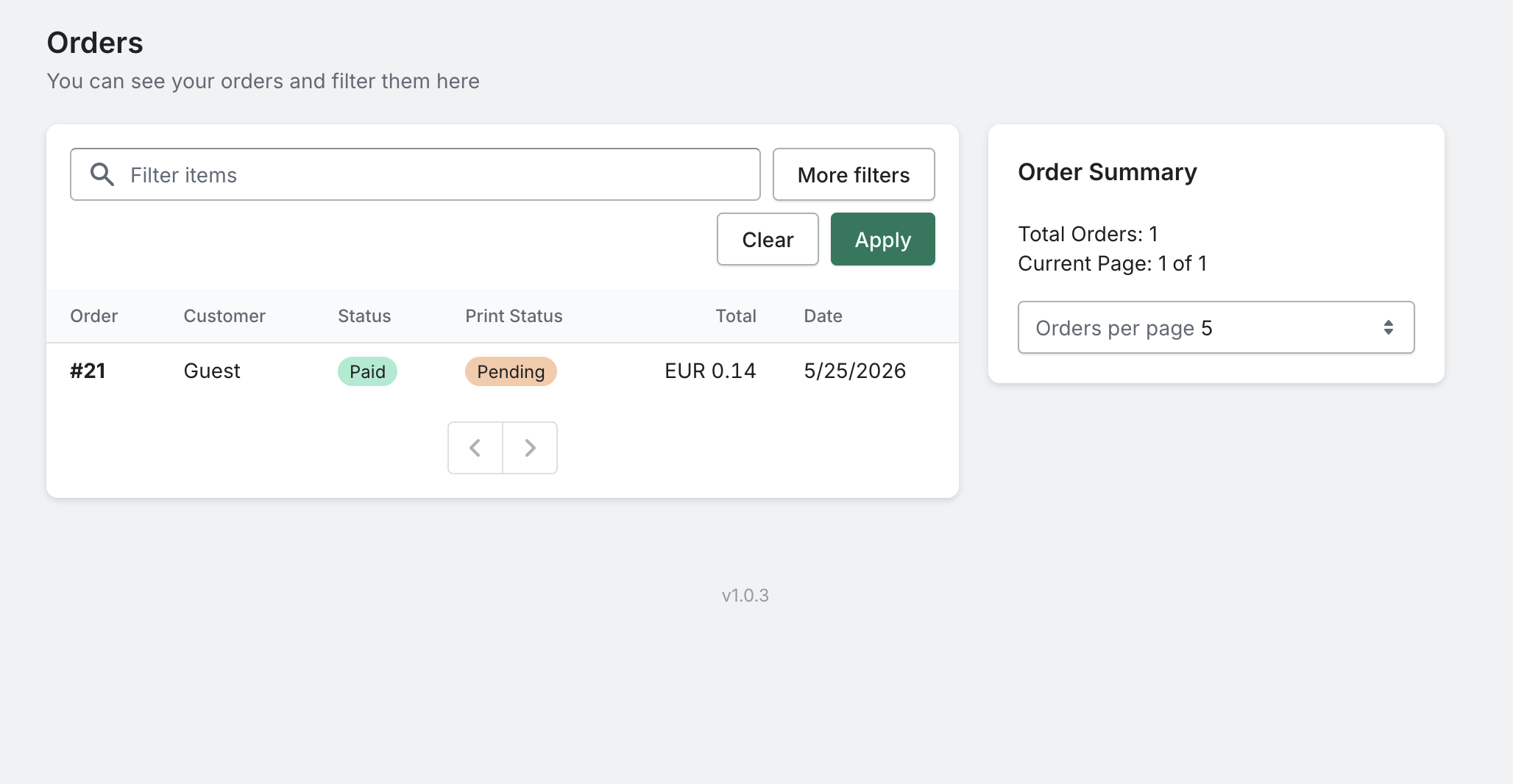
Orders list — every customer print order, filterable by status, with totals and print-status badges.
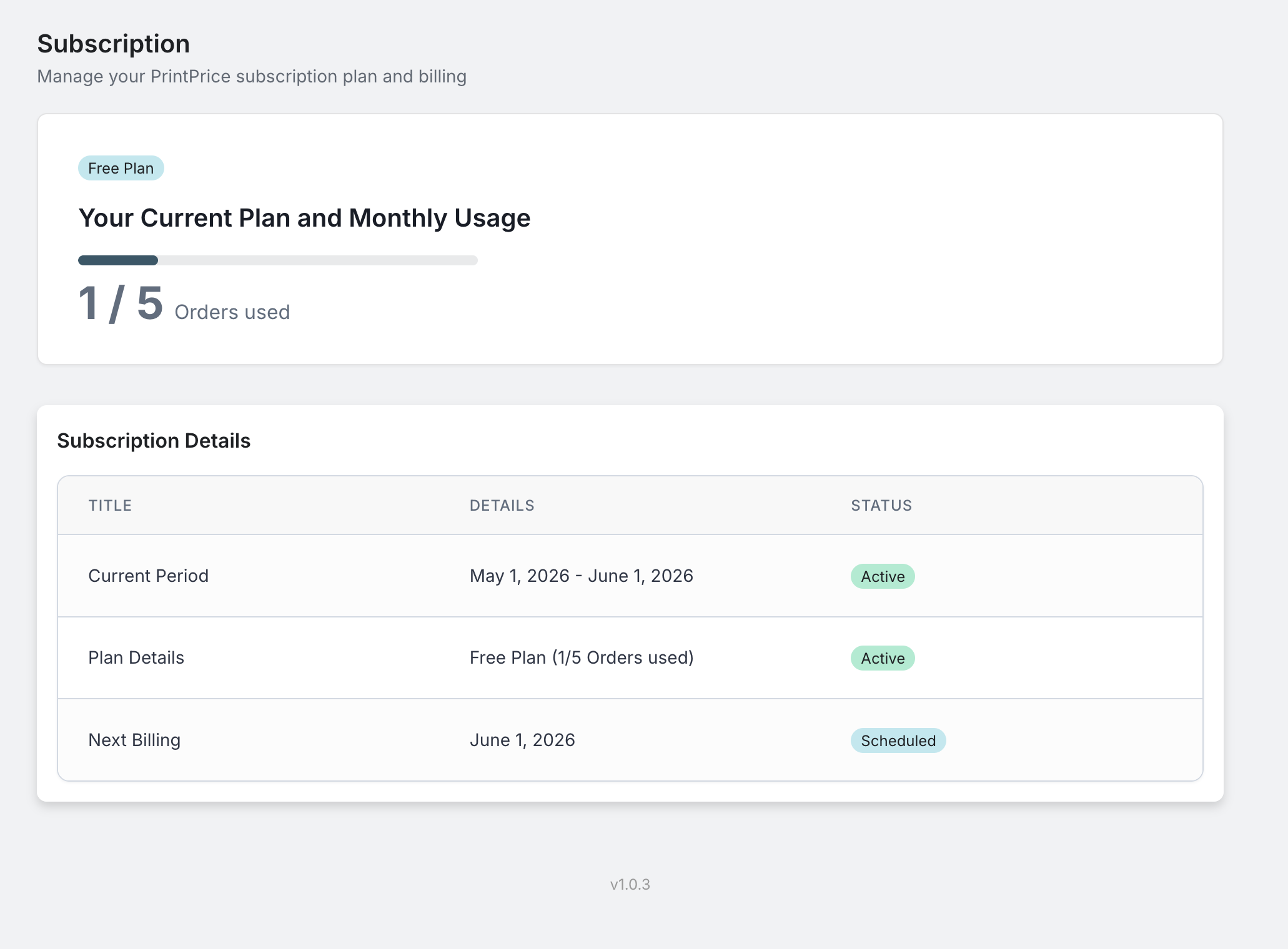
Subscription details — current plan, usage this period, and a one-click upgrade path through Freemius.
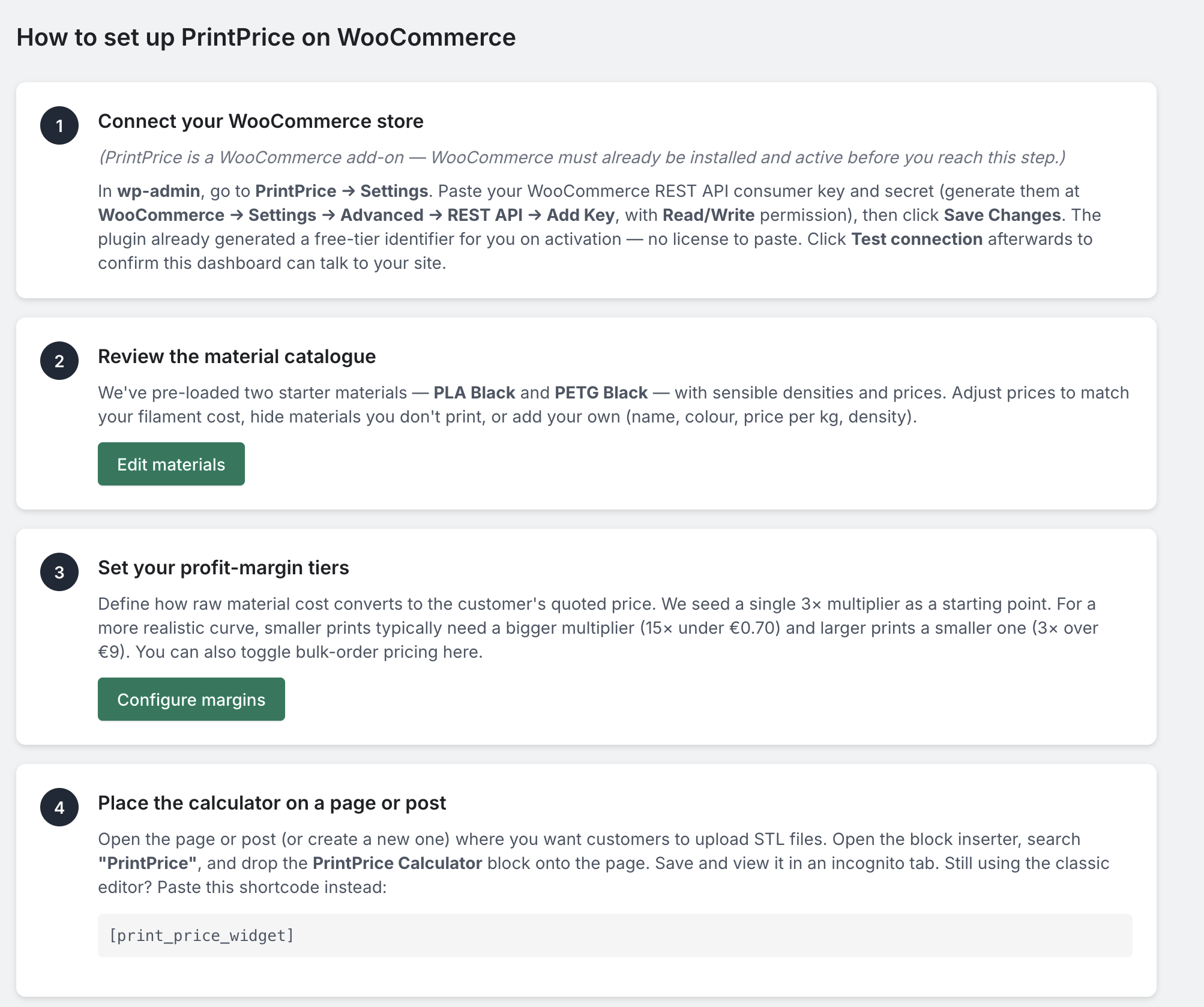
“How to Setup” walkthrough — in-admin onboarding that walks new merchants through WooCommerce REST keys, materials, profit margins, and the PrintPrice Calculator block.