Webcasata Filter Gallery Wordpress Plugin - Rating, Reviews, Demo & Download

Plugin Description
Webcasata Filter Gallery lets you build stunning, responsive image galleries where visitors can instantly filter images using custom dropdown menus — all without any page reload.
Key Features
- Multi-group dropdown filtering — Create filter groups (e.g. “Country”, “Room Type”). Each becomes a styled dropdown on the front end.
- AND logic across groups, OR within a group — Country=India AND Room=Kitchen; image can belong to multiple countries.
- Custom styled dropdowns — Single-select, closes on pick, with active pill indicators.
- Real-time title search — Search box with 220ms debounce filters images as you type.
- Equal Grid & Masonry layouts — Choose your preferred display style.
- Configurable columns — 1 to 6 columns with automatic responsive breakpoints.
- Slide / Fade / None animations — Smooth transitions when switching filters.
- Load More pagination — Shows a configurable number of images on load; load more on click. Set to -1 to show all.
- Built-in Lightbox — Full-screen image viewer with prev/next, keyboard support, and optional Visit Link button.
- Image URL link — Assign an external URL to any image, with optional new tab.
- Image Title & Caption — Display below each image. Title hideable via shortcode.
- Filter labels on image cards — Show assigned filter values as badge labels or ribbons.
- Template override system — WooCommerce-style. Copy templates to your theme to customise layout completely.
- Shortcode —
[wbfg_gallery id="X"]with full inline attribute overrides. - Gutenberg Block — Live preview block with full sidebar controls.
- Per-gallery custom CSS — Fine-tune each gallery independently.
- Global settings — Control defaults for all galleries from one Settings page.
- Accessibility — ARIA roles, keyboard-navigable dropdowns, focus management.
- Fully responsive — Mobile-first CSS with sensible breakpoints.
Template Override System
Copy templates to your active theme to customise the output:
your-theme/webcasata-filter-gallery/image-card.php
your-theme/webcasata-filter-gallery/gallery-template.php
All image variables are available in image-card.php: $image, $title, $caption, $link_url, $link_new_tab, $filters, $lightbox, $show_title, $index, $gallery_id.
Shortcode Parameters
[wbfg_gallery id="X" columns="3" show_all="yes" per_page="6" loadmore="6" layout="grid" lightbox="yes" animation="slide" title="show"]
Parameter
Values
Default
id
Gallery post ID
(required)
columns
1–6
3
show_all
yes / no
yes
per_page
number or -1
6
loadmore
number
6
layout
grid / masonry
grid
lightbox
yes / no
yes
animation
slide / fade / none
slide
title
show / hide
show
Credits
Developed by Vishal Singh at Webcasata.
Screenshots
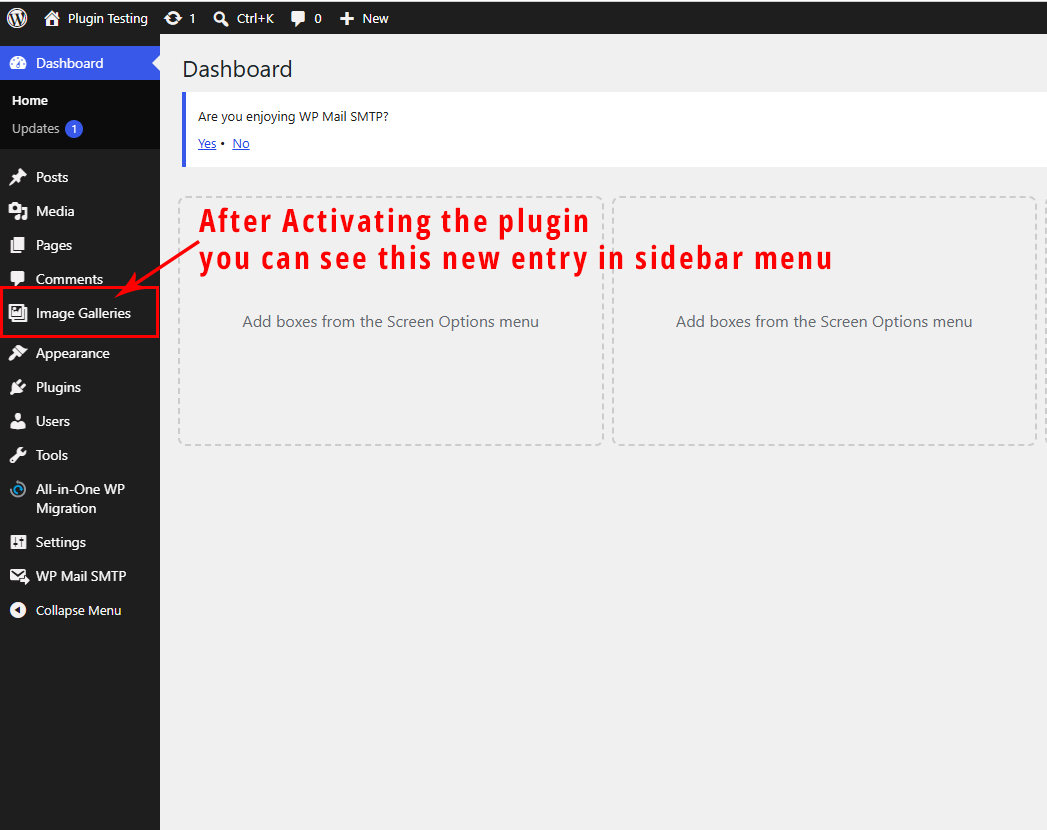
After activation you can find in the sidebar menu
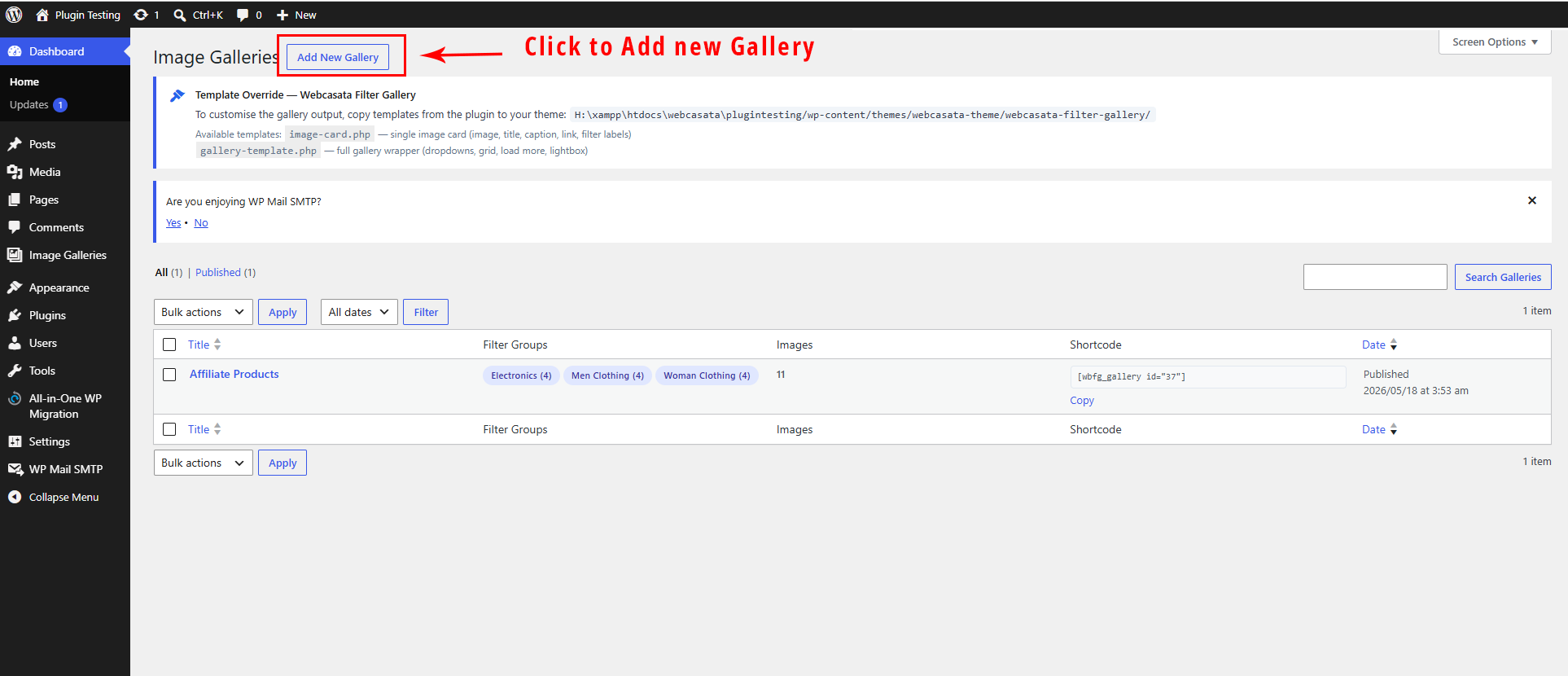
Add New Gallery
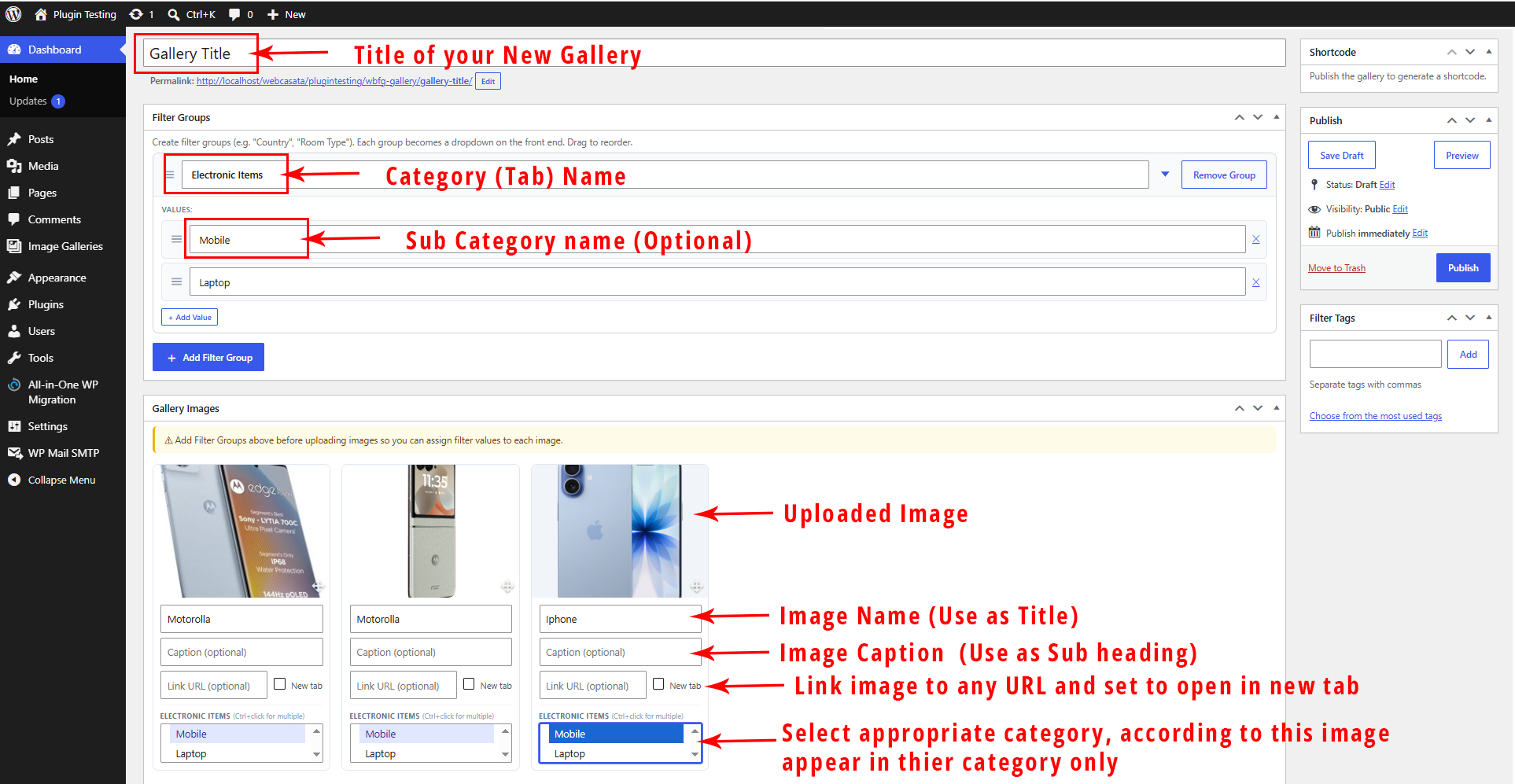
Explained each fields
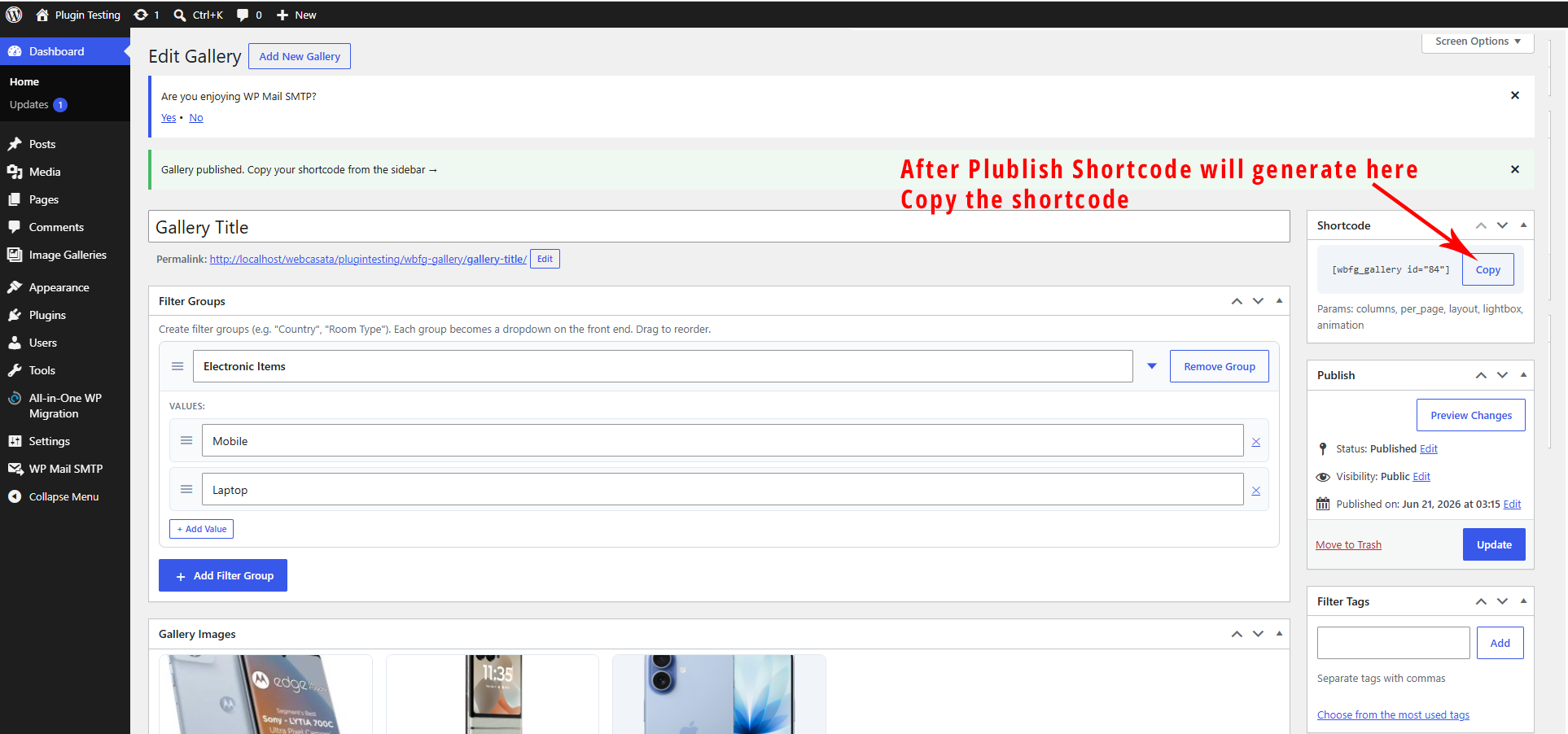
Copy the Shortcode
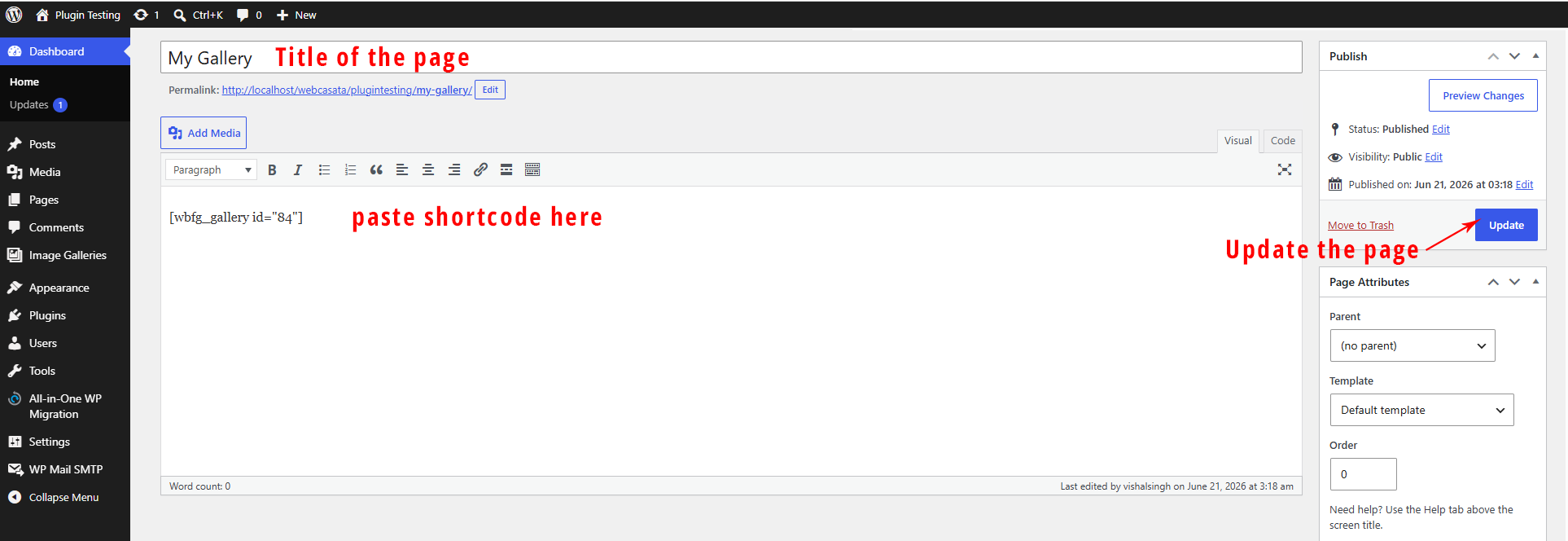
Create new page/post and paste the shortcode.
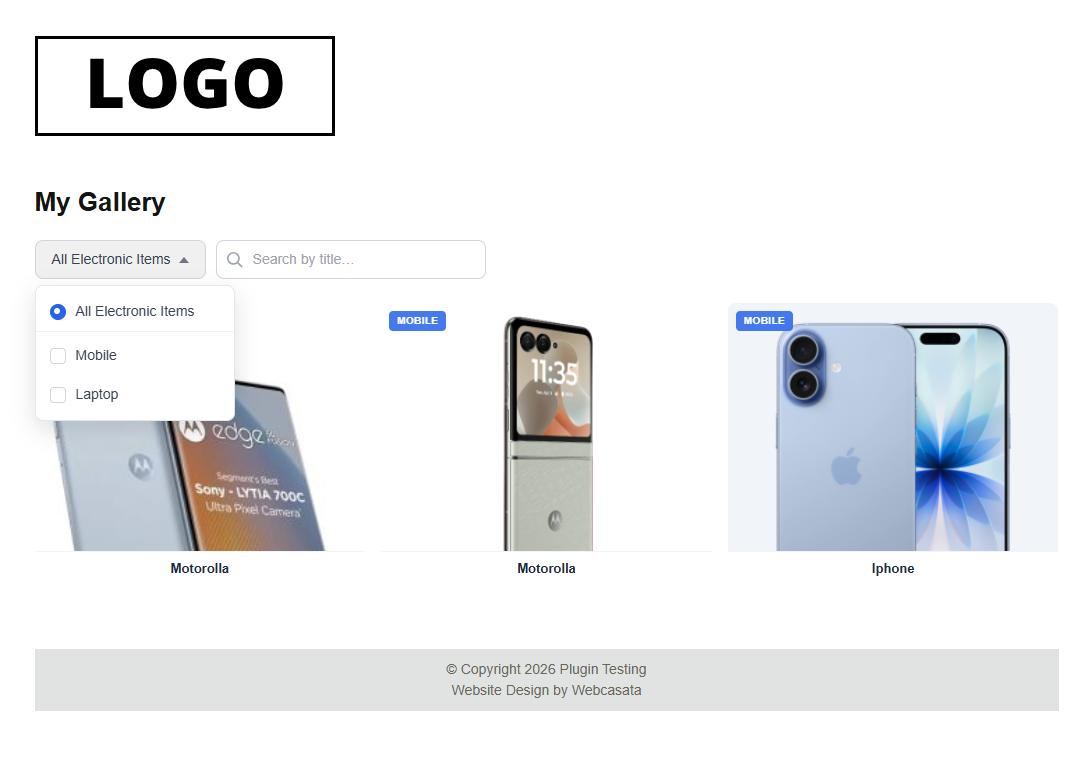
Front end view