
MaslBound — COD Manager For WooCommerce Wordpress Plugin - Rating, Reviews, Demo & Download

Plugin Description
MaslBound is a COD order operations & risk-control suite — not a shipping-rate or carrier plugin. It solves the hardest part of Cash on Delivery: proving the order is real before you pay to ship it, then showing your return (RTO) rate at a glance.
Other plugins quote checkout shipping rates or connect carriers. MaslBound does the part they skip — confirm the buyer, reduce failed deliveries, and surface the COD analytics that actually move your margin. It runs on top of any shipping plugin you already use.
Before you ship, MaslBound Pro sends a WhatsApp message with Confirm/Cancel buttons. One tap to confirm. No reply within 24h? Flagged as suspicious for manual review.
What MaslBound is (and isn’t)
- Is: A COD risk-control layer — order confirmation, 10-status tracking, RTO analytics, multi-channel alerts.
- Isn’t: A shipping-rate quoter or carrier aggregator. It does not replace your shipping plugin; it manages the COD order lifecycle on top of it.
Features
Pre-Ship WhatsApp Confirmation (Pro)
Automatically verify COD orders via WhatsApp before shipping. Customers confirm with one tap. Unconfirmed orders are flagged for review.
10-Status COD Order Tracking
Track every COD order through 10 custom statuses beyond WooCommerce’s basic “processing / completed”:
– Pending Confirmation — order placed, awaiting customer confirmation
– Flagged Suspicious — no confirmation within timeout, needs review
– Confirmed — customer confirmed, ready to ship
– Processing — being prepared
– Shipped — handed to carrier
– Out for Delivery — on the delivery route
– Delivery Attempted — first delivery attempt failed
– Delivered — signed and received
– Returned — returned to origin (RTO)
– Cancelled — cancelled by customer or admin
COD Fee Rules
Add COD handling fees based on country, cart total, shipping method, or user role. Three fee types: fixed, percentage, or fixed+percentage.
Analytics Dashboard
View COD order statistics: total orders, confirmation rates, delivery success rates, RTO rates, and fee revenue — updated in real-time without cron delays.
Multi-Channel Notifications
Email, Web Push, and WhatsApp (Twilio) notifications for every status change. The “Out for Delivery” notification reminds customers to prepare cash. WhatsApp Order Confirmation and Meta Cloud API are available in Pro.
Carrier Integration
17TRACK API integration for universal tracking. Speedaf plugin bridge (zero-invasion). J&T Express and Speedaf pre-configured.
Southeast Asia Support
Built for ID, TH, VN, MY, PH markets. Multi-currency fees, local phone number formatting, and 10-language support (Vietnamese, Thai, Indonesian, Malay, Arabic, Khmer, Lao, Burmese, Filipino, Chinese).
Free vs Pro
Feature
Free
Pro
COD Fee Rules
✅
✅
Fee Conditions (Country, Cart Total, Shipping Method, User Role)
✅
✅
COD Order Management
✅
✅
Analytics Dashboard
✅
✅
Email Notifications
✅
✅
Web Push Notifications
✅
✅
WhatsApp via Twilio
✅
✅
17TRACK Integration
✅
✅
Self-Service Tracking Page
✅
✅
Speedaf Bridge
✅
✅
Multi-Language (10 languages)
✅
✅
WhatsApp via Meta Cloud API
❌
✅
WhatsApp Order Confirmation
❌
✅
Suspicious Order Detection
❌
✅
Advanced Conditions (Product, Category, Weight, Zip, City)
❌
✅
Auto-Cancel Timeout Orders
❌
✅
Priority Support
❌
✅
How WhatsApp Confirmation Works (Pro)
- Customer places a COD order Status: Pending Confirmation
- MaslBound sends a WhatsApp message with “Confirm” / “Cancel” buttons
- Customer taps Confirm Status: Confirmed Ready to ship
- Customer taps Cancel Status: Cancelled
- No reply within 24 hours Status: Flagged Suspicious Manual review
Supported Carriers
- J&T Express — ID, MY, PH, TH, VN (via 17TRACK)
- Speedaf — Direct plugin bridge, zero-invasion
- Any carrier — Via 17TRACK universal tracking API
WhatsApp Provider Options
- Twilio (Free & Pro) — Pay-per-use. No business verification needed. Quick setup with Sandbox.
- Meta Cloud API (Pro only) — Direct from Meta. No monthly fee. Requires business verification.
License
This plugin is licensed under the GPLv2 or later.
External Services
This plugin optionally connects to third-party services for messaging and tracking functionality. These services are not required for the plugin to function — they are only used when you explicitly configure them in the plugin settings.
Twilio (WhatsApp Messaging)
When you configure a Twilio Account SID and Auth Token in the plugin settings, the plugin sends WhatsApp messages via the Twilio API.
- What data is sent: The recipient’s phone number, message body, and your Twilio credentials (SID and Auth Token stored in your WordPress database).
- When it is sent: When a COD order status changes and WhatsApp notifications are enabled.
- Terms of Service: https://www.twilio.com/legal/tos
- Privacy Policy: https://www.twilio.com/legal/privacy
17TRACK (Shipment Tracking)
When you configure a 17TRACK API key in the plugin settings, the plugin sends tracking numbers to the 17TRACK API to retrieve shipment status updates.
- What data is sent: Tracking numbers and carrier codes for orders you choose to track.
- When it is sent: When tracking information is requested for an order, or when the scheduled tracking sync runs.
- Terms of Service: https://www.17track.net/en/about/licensing
- Privacy Policy: https://www.17track.net/en/about/privacy
Screenshots
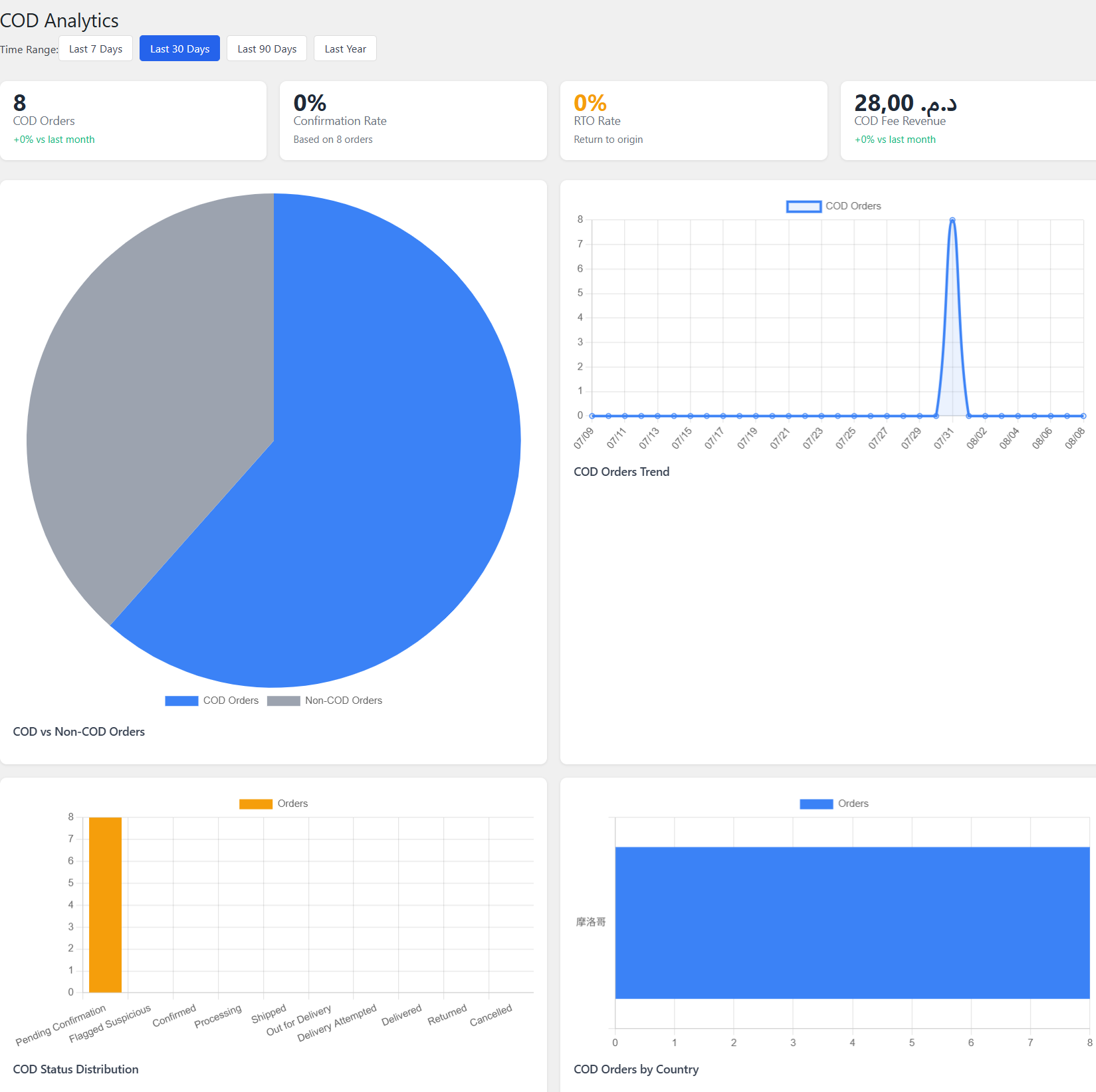
Analytics Dashboard — COD statistics, charts, and trends

COD Fee Rules — Create rules by country, cart total, shipping method, or user role
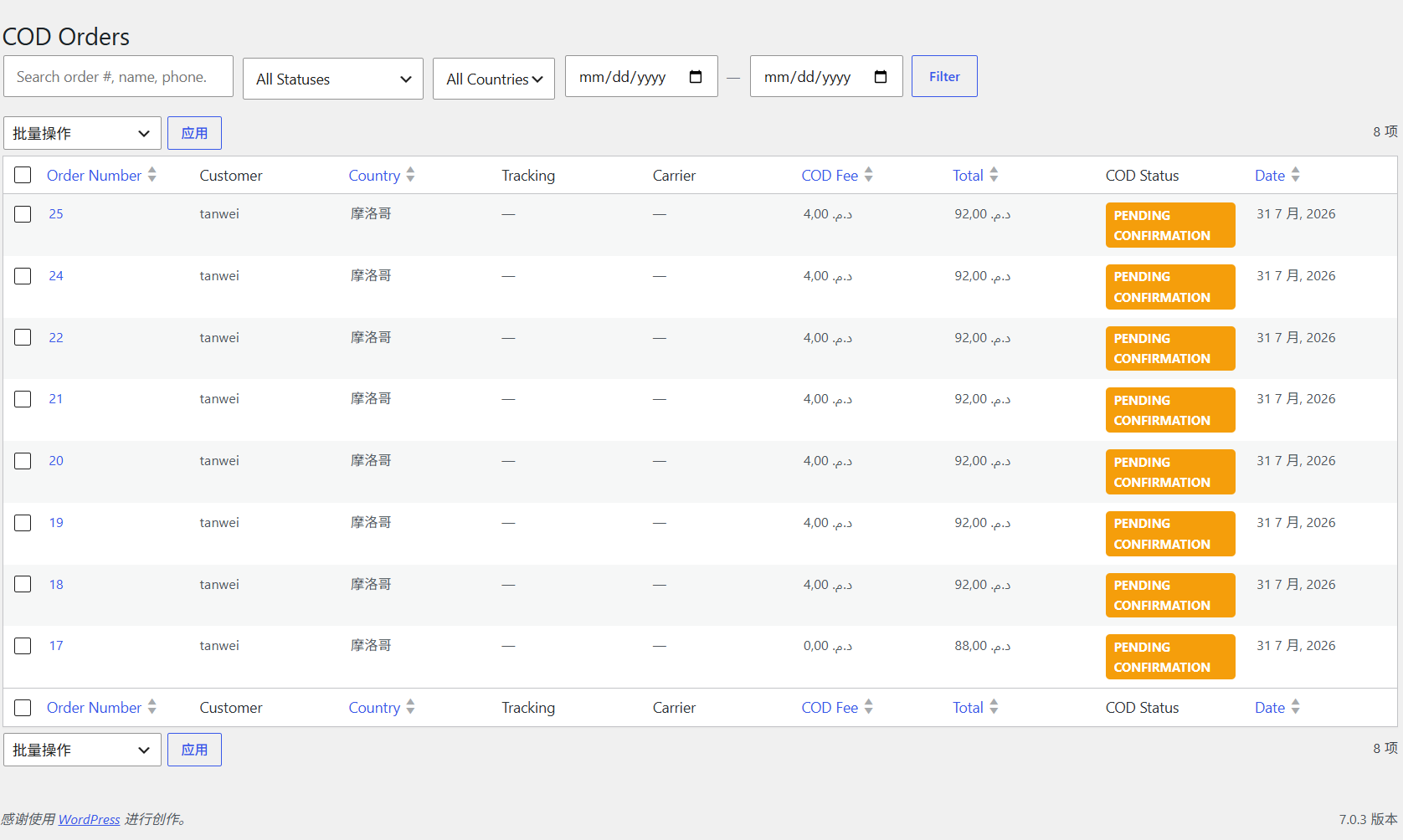
COD Order List — Status filters, search, bulk operations, and CSV export
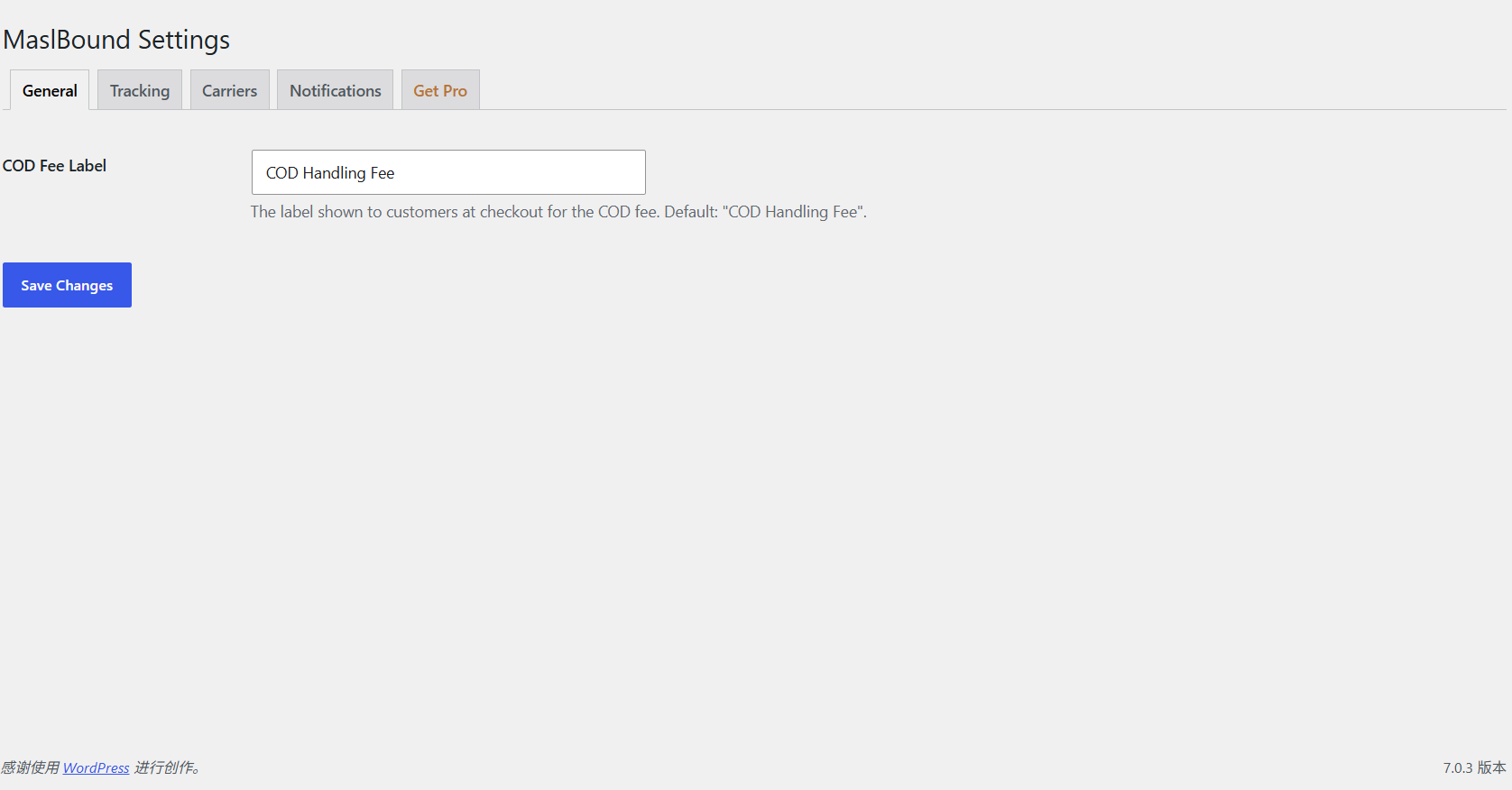
Settings — General — Configure the COD fee label and other defaults
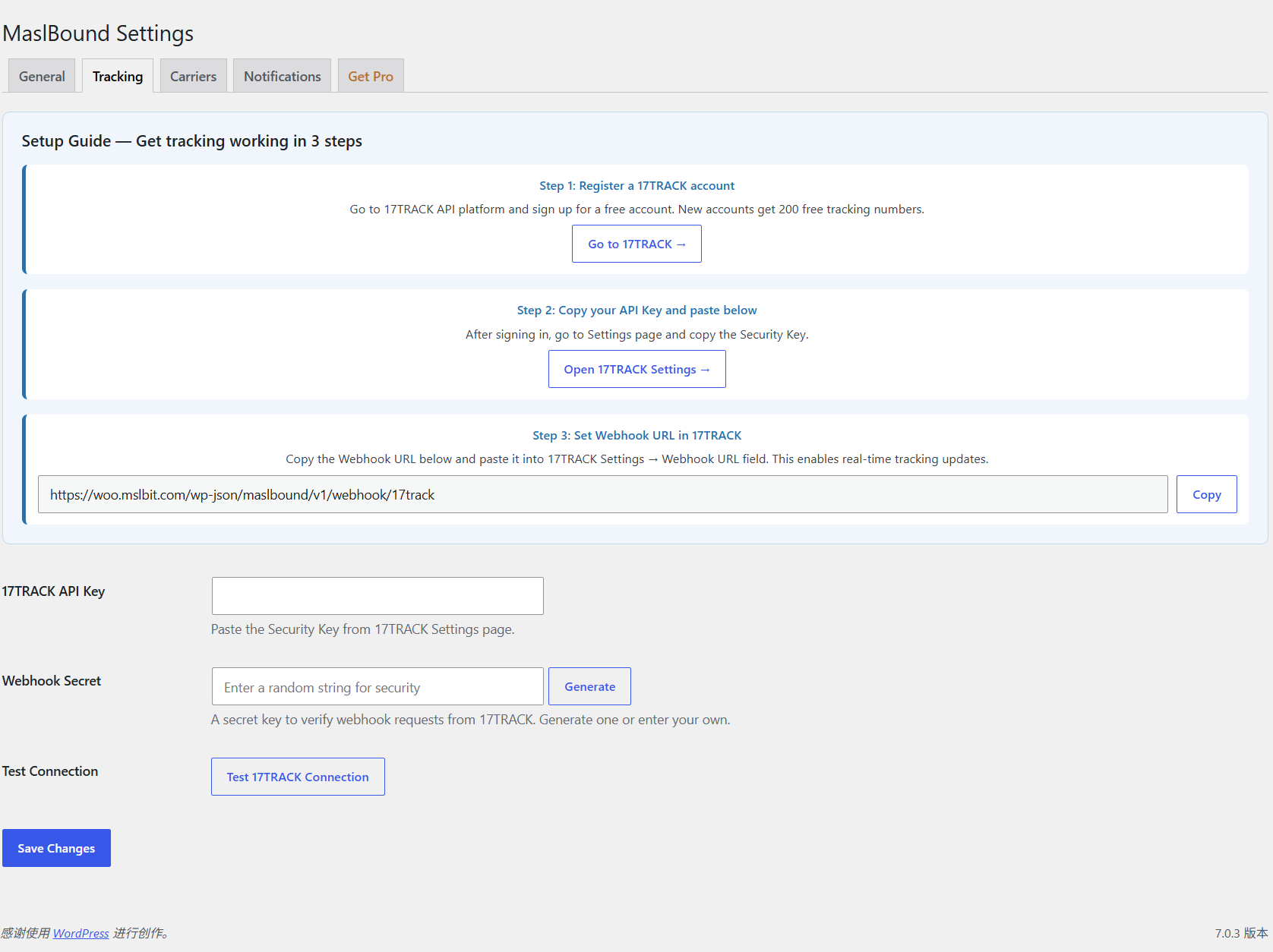
Settings — Tracking — Connect 17TRACK for automated tracking updates via webhook
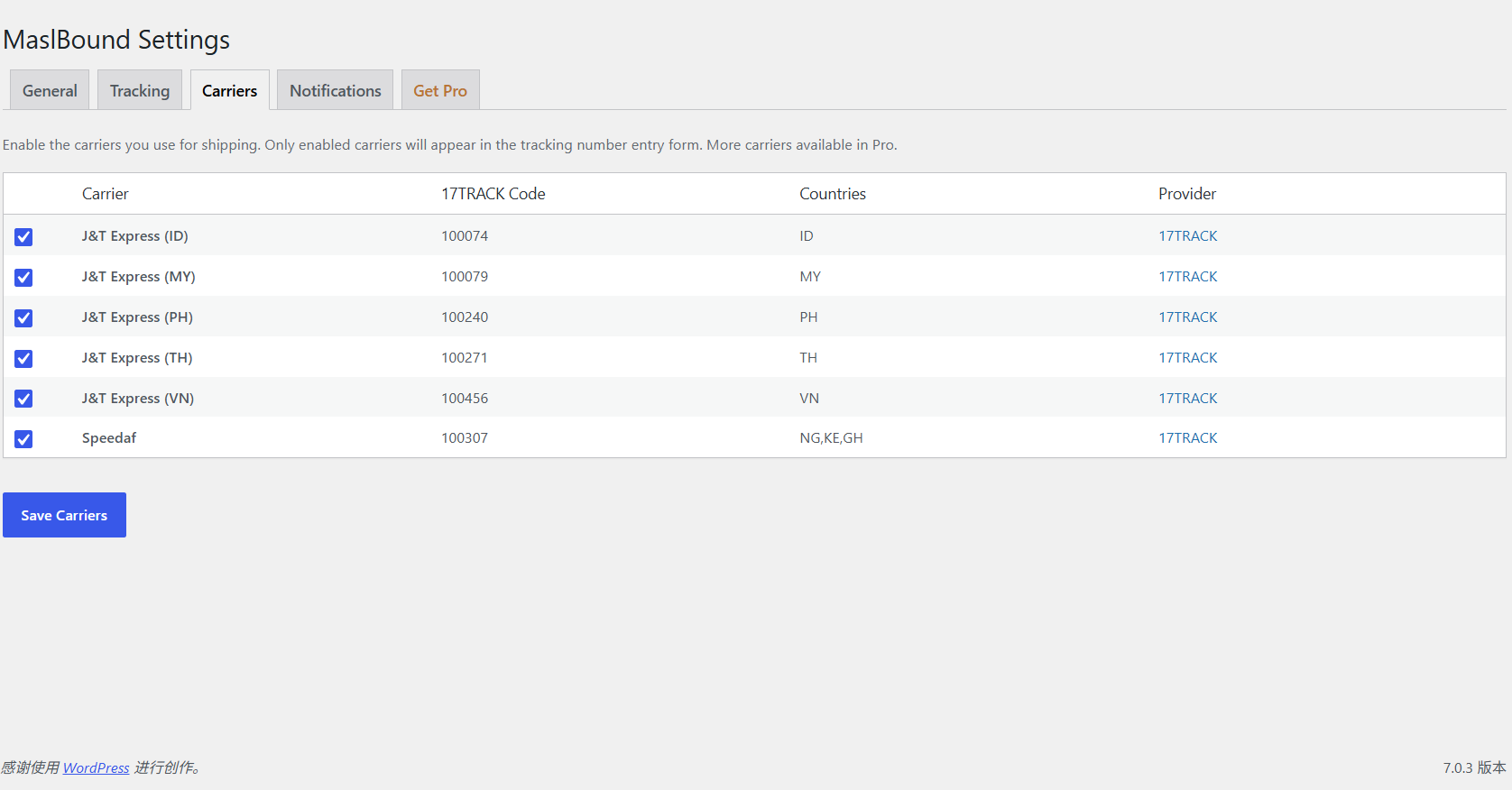
Settings — Carriers — Enable carriers per country for tracking number entry
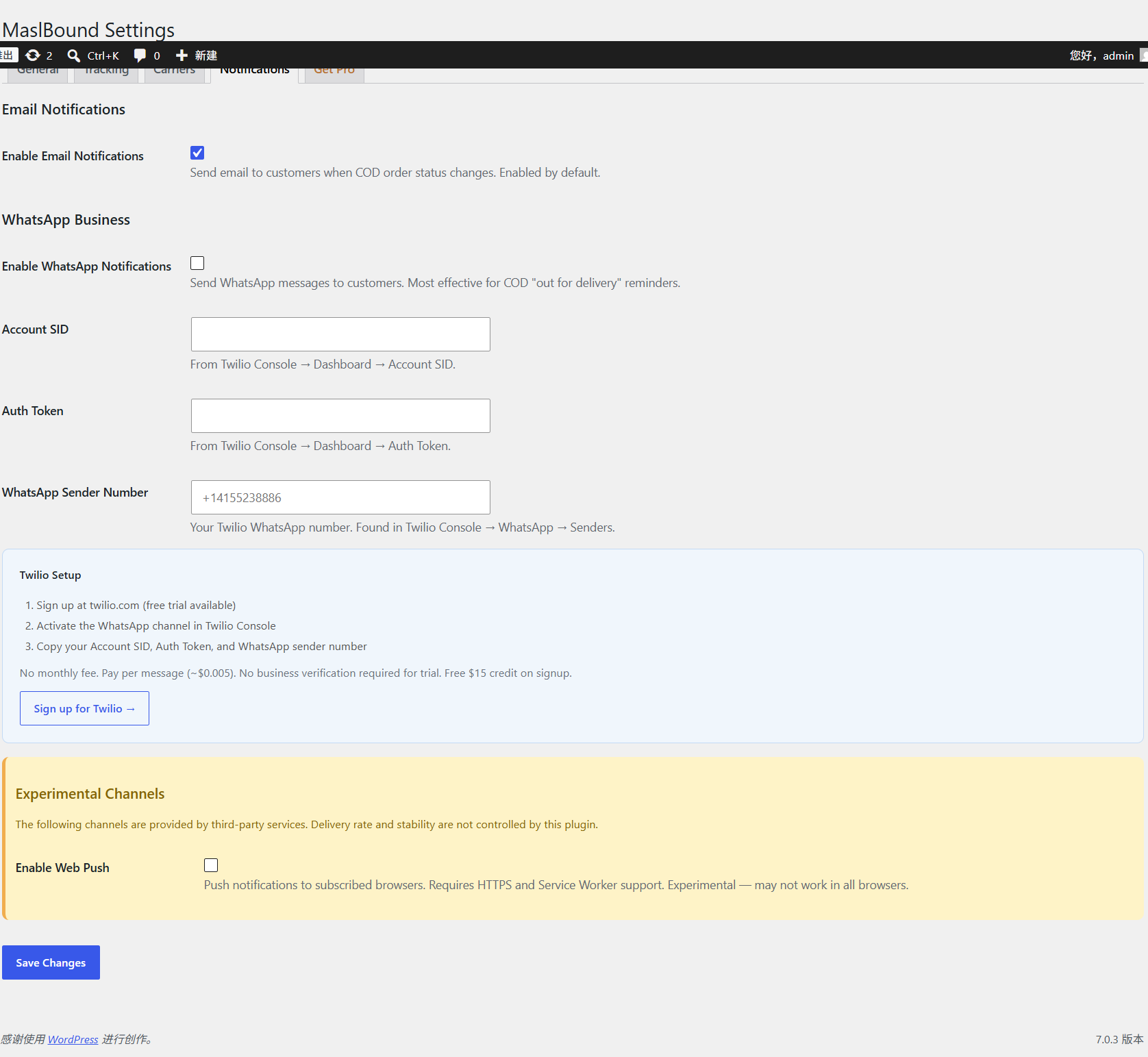
Settings — Notifications — Configure Email, Web Push, and WhatsApp (Twilio) notifications — Meta Cloud API and Order Confirmation are Pro
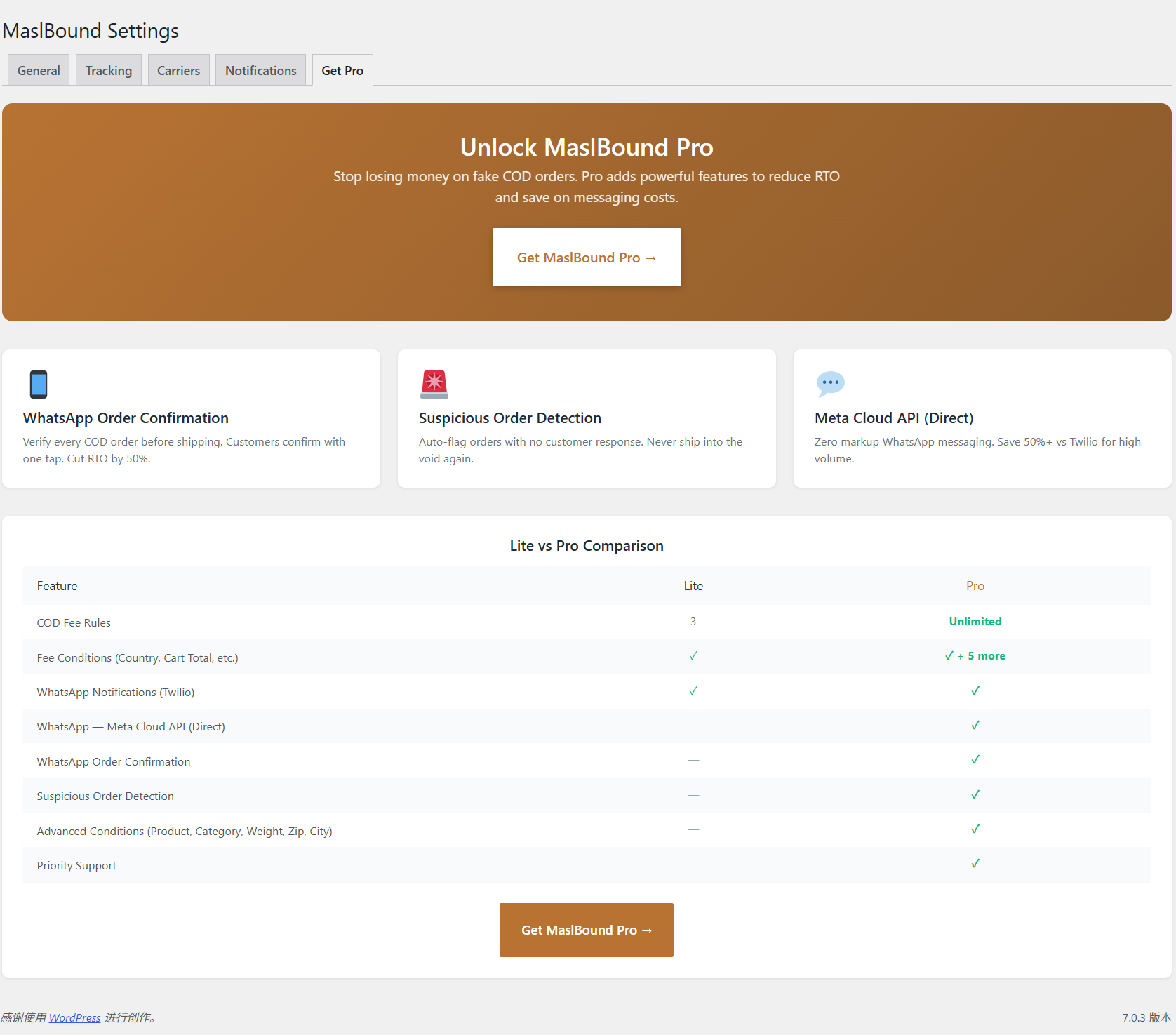
Get Pro — Free vs Pro comparison and upgrade information
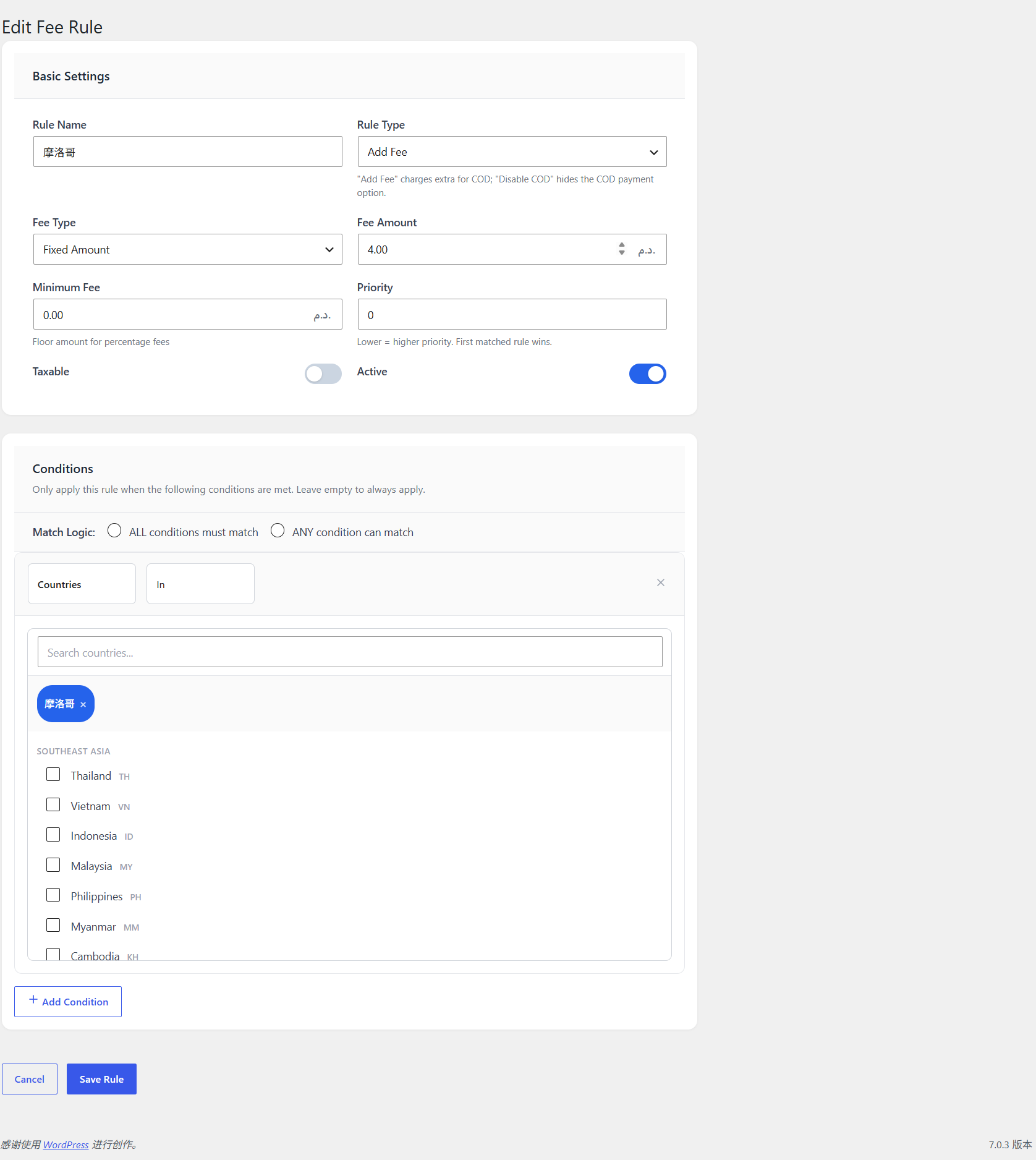
Edit Fee Rule — Full rule editor with country conditions, fee type, and priority


