
Pressria For WooCommerce Wordpress Plugin - Rating, Reviews, Demo & Download
Plugin Description
This plugin connects your WooCommerce store to Pressria, enabling web-to-print
product customization for your customers.
Customers open a design editor from the product page, personalize the product,
and their finished design is shown in the cart, at checkout, and on the order.
When an order is paid, the design references are sent to Pressria so the item
can be produced.
Use of this plugin requires a Pressria account, which is created from the
plugin settings screen.
Pressria charges a usage-based fee for completed designs. A monthly free
allowance of completed designs (production PDFs) is included; beyond it, each
additional completed design is charged as a percentage of the customized line
item’s sale amount, with a small per-item minimum (defined per currency). If an
order is cancelled or refunded, the percentage sales fee is waived and only the
per-item minimum applies, since the production file has already been generated.
Usage and estimated charges are aggregated per calendar month (UTC) and can be
reviewed at any time in the Pressria admin under Usage & Billing.
External Services
This plugin relies on Pressria (https://pressria.com) to provide web-to-print
functionality. It cannot work without this service. Data is transmitted in the
following situations:
-
On plugin activation — to register this installation.
Sent to https://pod.pressria.com: site URL, a randomly generated install token. -
When you connect your shop (from the plugin settings screen).
Sent to https://pod.pressria.com: shop name, shop administrator email address,
shop logo URL, language, site URL, install token. -
When a product is created, updated, deleted, or synced.
Sent to https://pod.pressria.com: product ID, product name, product status,
product type, product thumbnail URL, product categories, product permalink,
site URL. For a variable product, the names of the options used for its
variations and their available values are also sent (for example
“Colour: White, Black”), so that the correct design template can be matched
to the option the customer selects. No prices, stock levels or customer data
are sent. -
When a product page is viewed — to check whether the product is customizable.
Sent to https://pod.pressria.com: product ID, site URL. -
When a customer opens the design editor on a product page.
The editor is loaded from https://pod.pressria.com in a frame, and receives
the site URL, a timestamp, a signature, and the product ID. Any content the
customer adds to their design (for example uploaded images or text) is sent
to and stored by Pressria in order to produce the item.If your Pressria account is configured with a custom editor domain, Pressria
returns that domain when the plugin checks the product (item 4 above) and the
editor is loaded from it instead. That domain is one you or Pressria set up
for your own shop; no third party is involved, and the data sent is the same
as described above. -
When an order reaches a paid status (processing or completed).
Sent to https://pod.pressria.com: order ID, order number, order status,
currency, order total, payment date, site URL, and for each line item the
item ID, product ID, variation ID, product name, quantity, line total, and
the design references (design code and design image key).Line item amounts are the sale amounts actually paid in your shop (after
discounts, excluding tax). They are transmitted for two purposes: to display
your orders in the Pressria order console, and to calculate Pressria’s
usage-based fee, which is billed as a percentage of the customized line
item’s sale amount beyond the monthly free allowance. Your usage and
estimated charges are shown in the Pressria admin under Usage & Billing.Customer personal data (name, email address, phone number and shipping
address) is NOT transmitted. -
When a previously transmitted order is cancelled or refunded.
Sent to https://pod.pressria.com: order ID, order number, new order status,
site URL. This adjusts the usage-based fee for that order: the percentage
sales fee is waived and only the per-item minimum applies. The same is sent
when such an order is later restored to an active status, which reinstates
the fee.When individual line items are refunded (a partial refund), the order status
does not change, so the design codes of the fully refunded line items are
sent instead: order ID, order number, the design codes currently in a
refunded state, and site URL. The fee is waived per design code rather than
for the whole order.
Refunding part of a line item’s quantity, or refunding an amount without
reducing the quantity, does not waive the fee — the design was still
produced. -
Finished design images are served from https://cdn.pressria.com. Your
visitors’ browsers request these images directly when a design thumbnail is
displayed in the cart, at checkout, on order pages, in order emails, and in
the WordPress admin order screen.
Terms of Service: https://goods.pressria.com/terms/
Privacy Policy: https://goods.pressria.com/privacy/
Screenshots
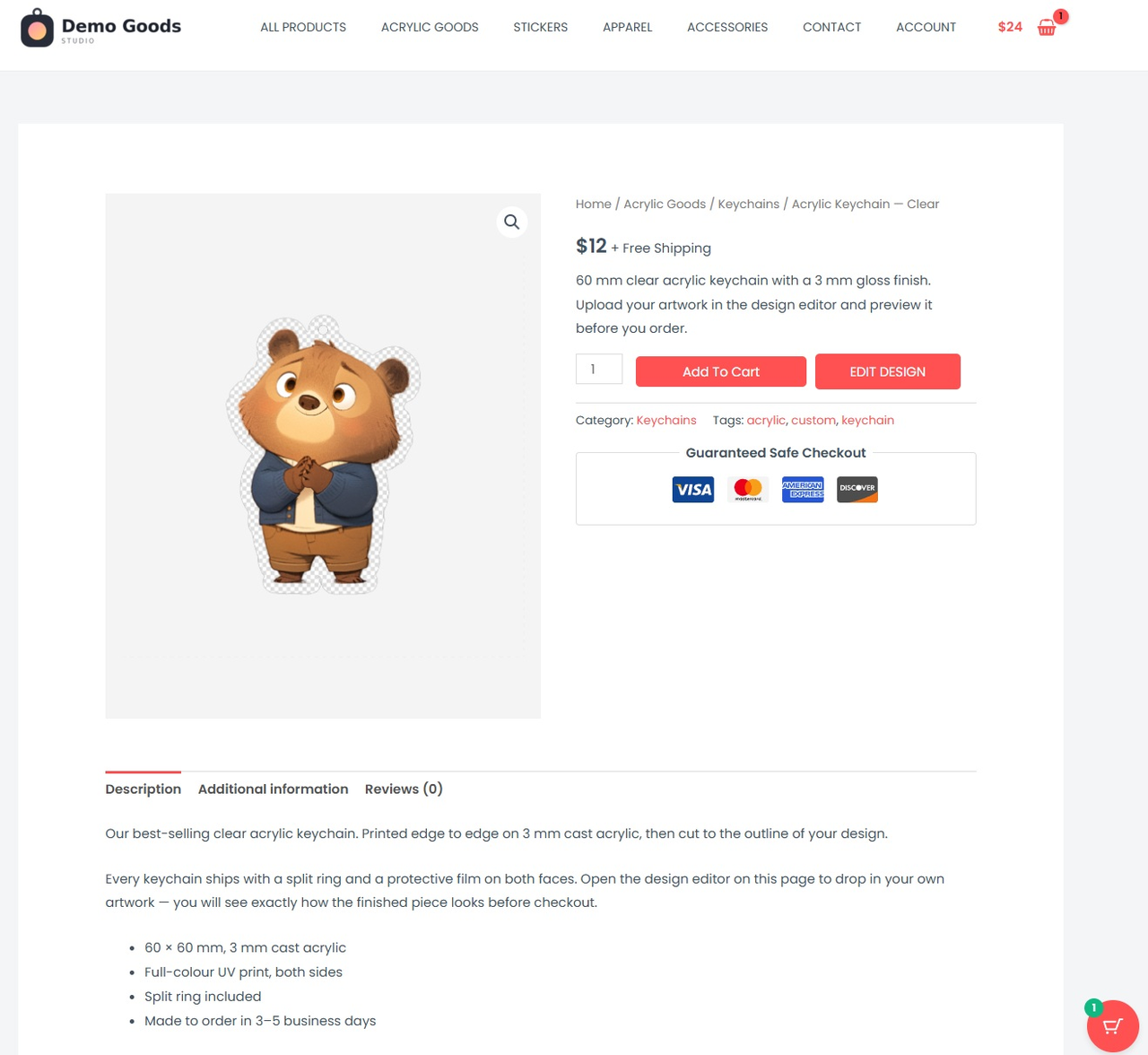
Your WooCommerce product page gets an Edit Design button next to Add to Cart.
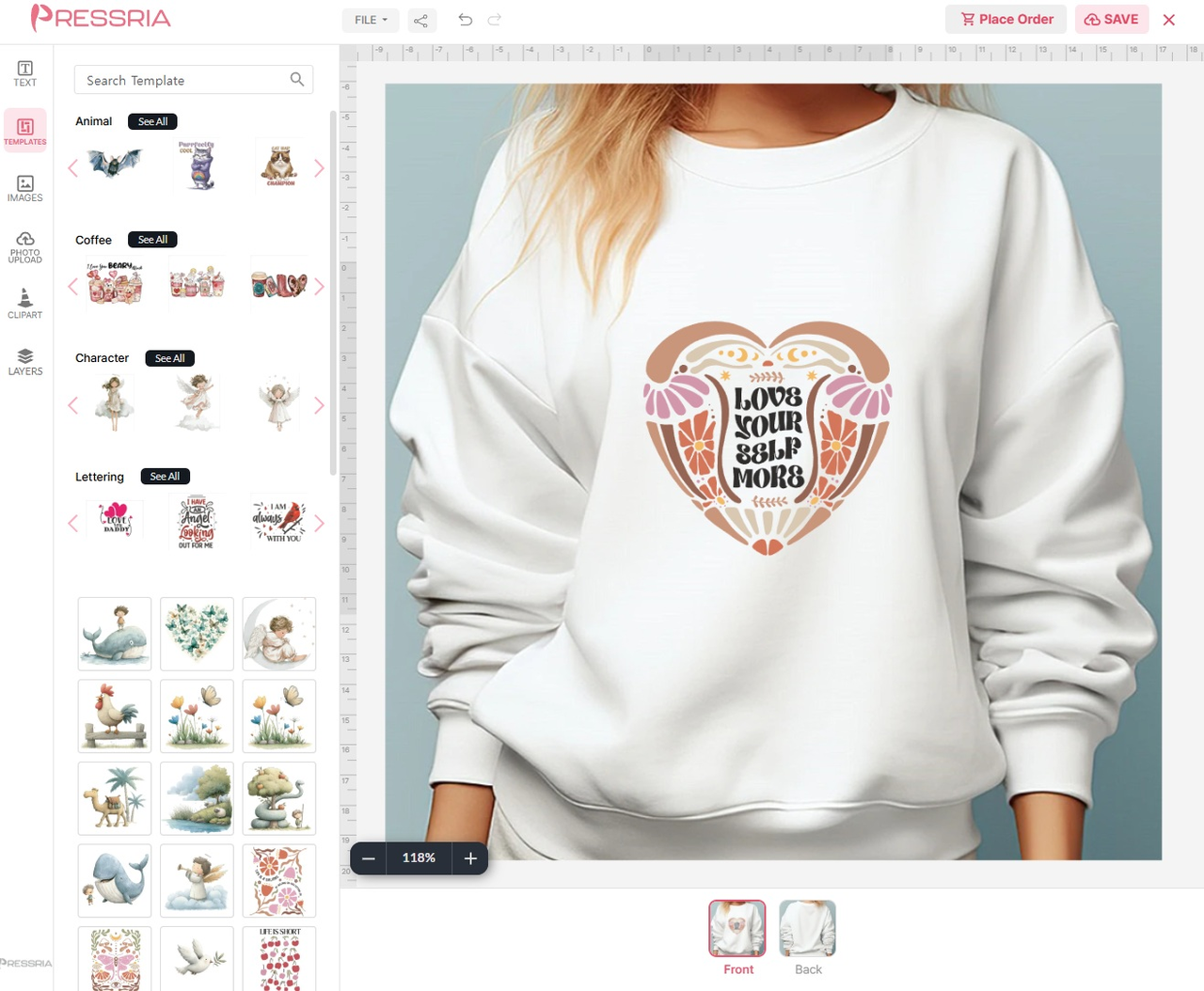
Apparel – the customer places a design and previews it on a product
mockup, front and back.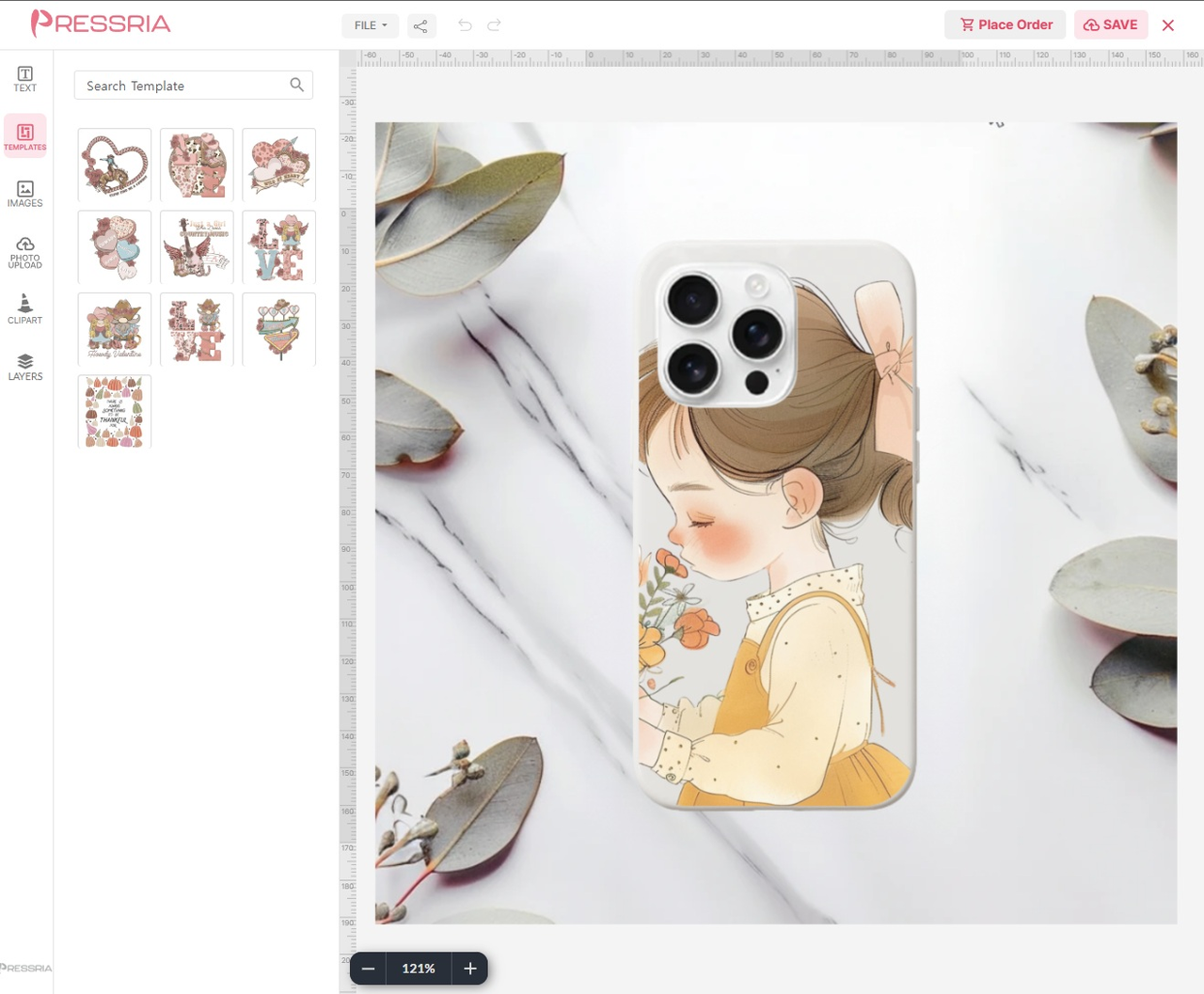
Phone case – the same editor adapts to each product, with that product’s
own mockup.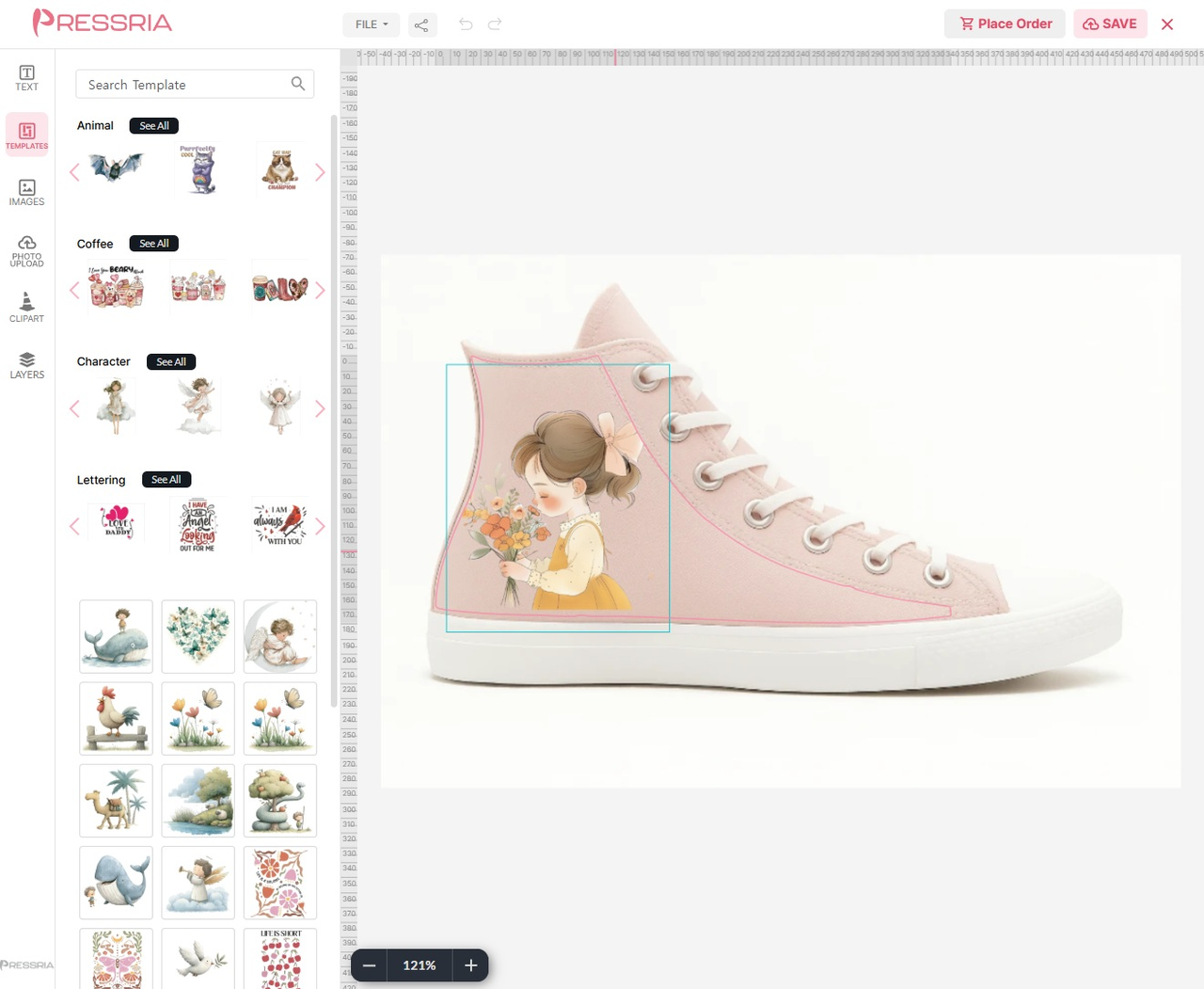
Footwear – print guides keep the artwork inside the printable area of the
product.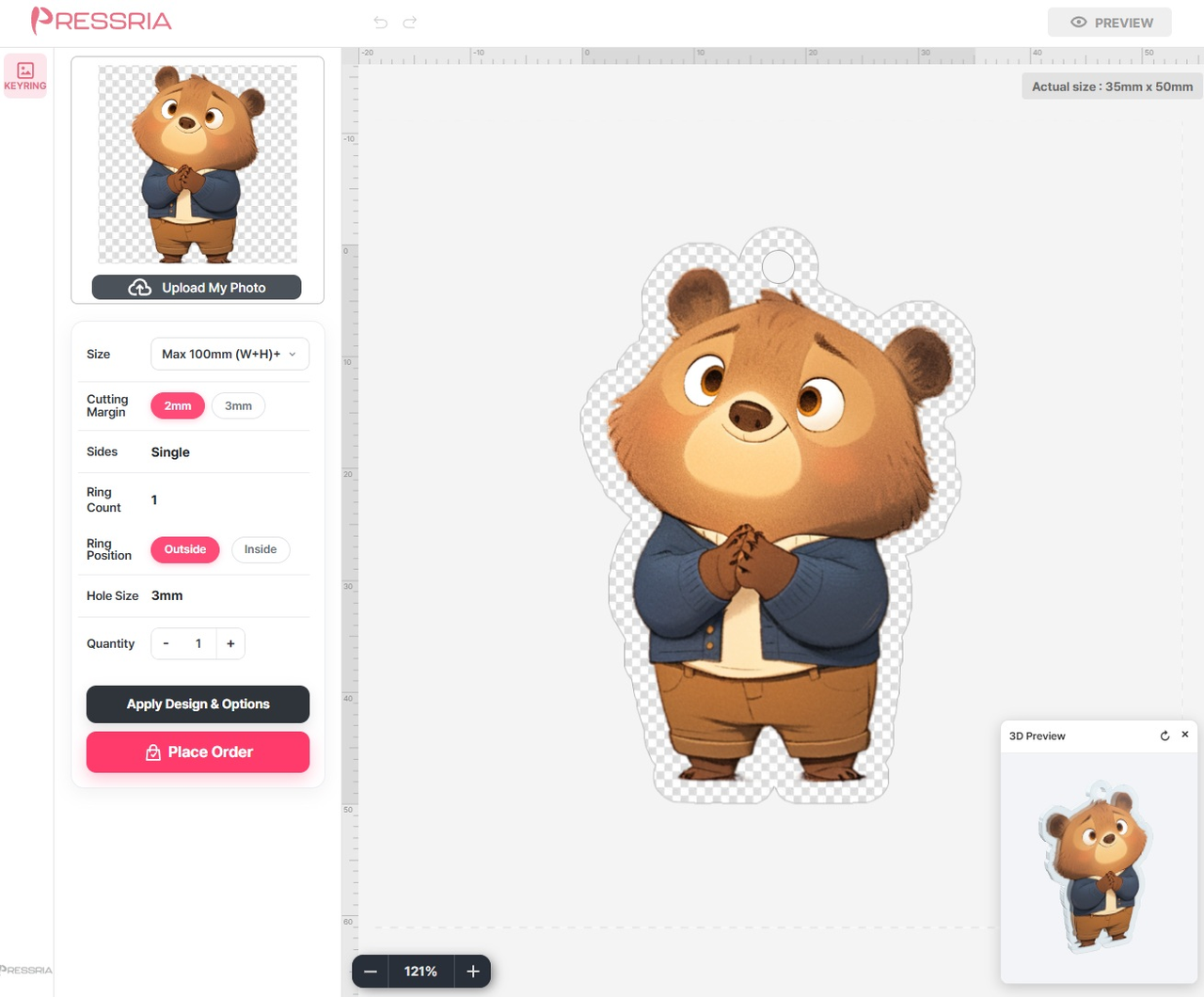
Keyring – production options such as size, cutting margin, ring position
and hole size, with a 3D preview.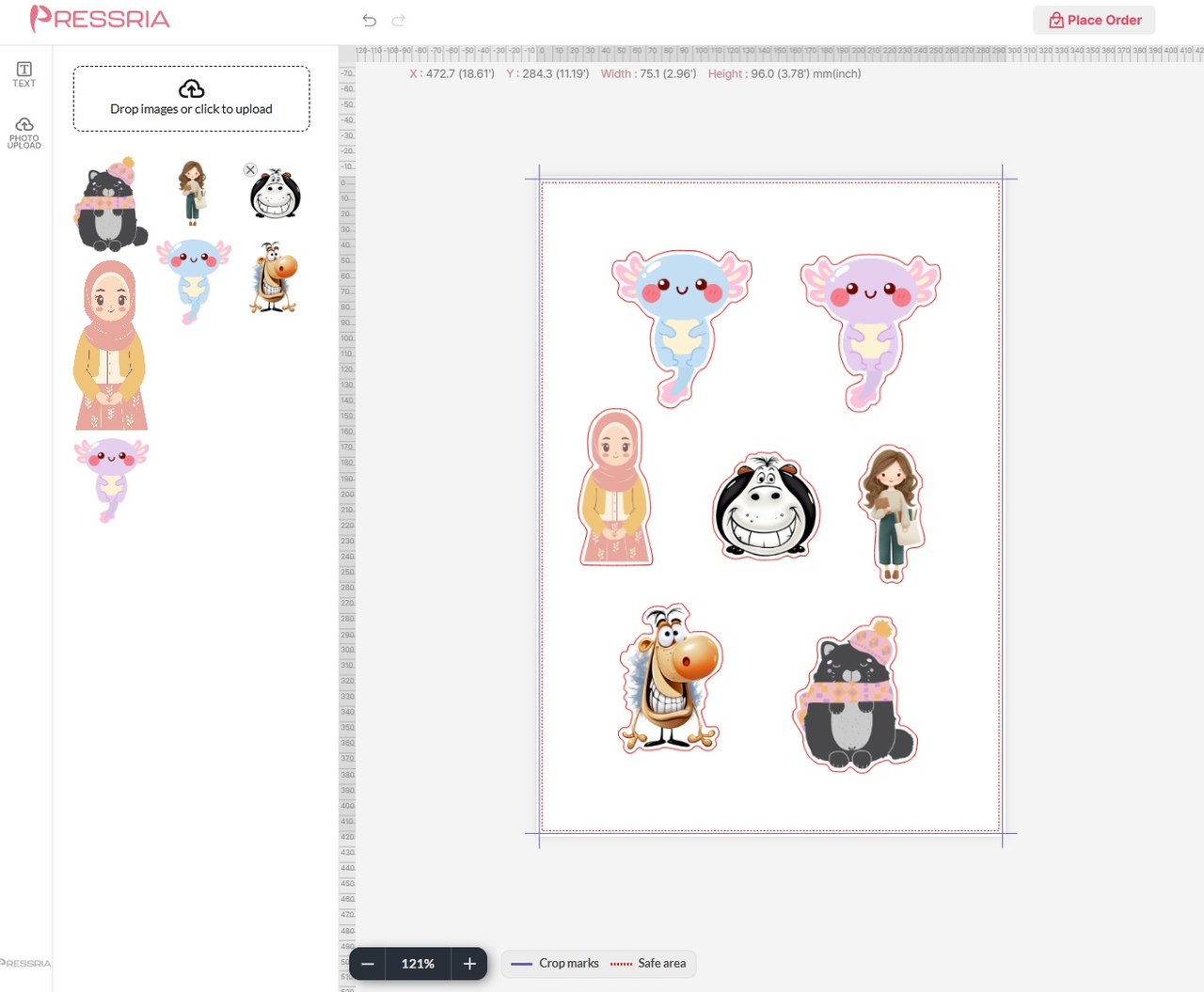
Sticker sheet – die-cut layout with crop marks and a safe area.
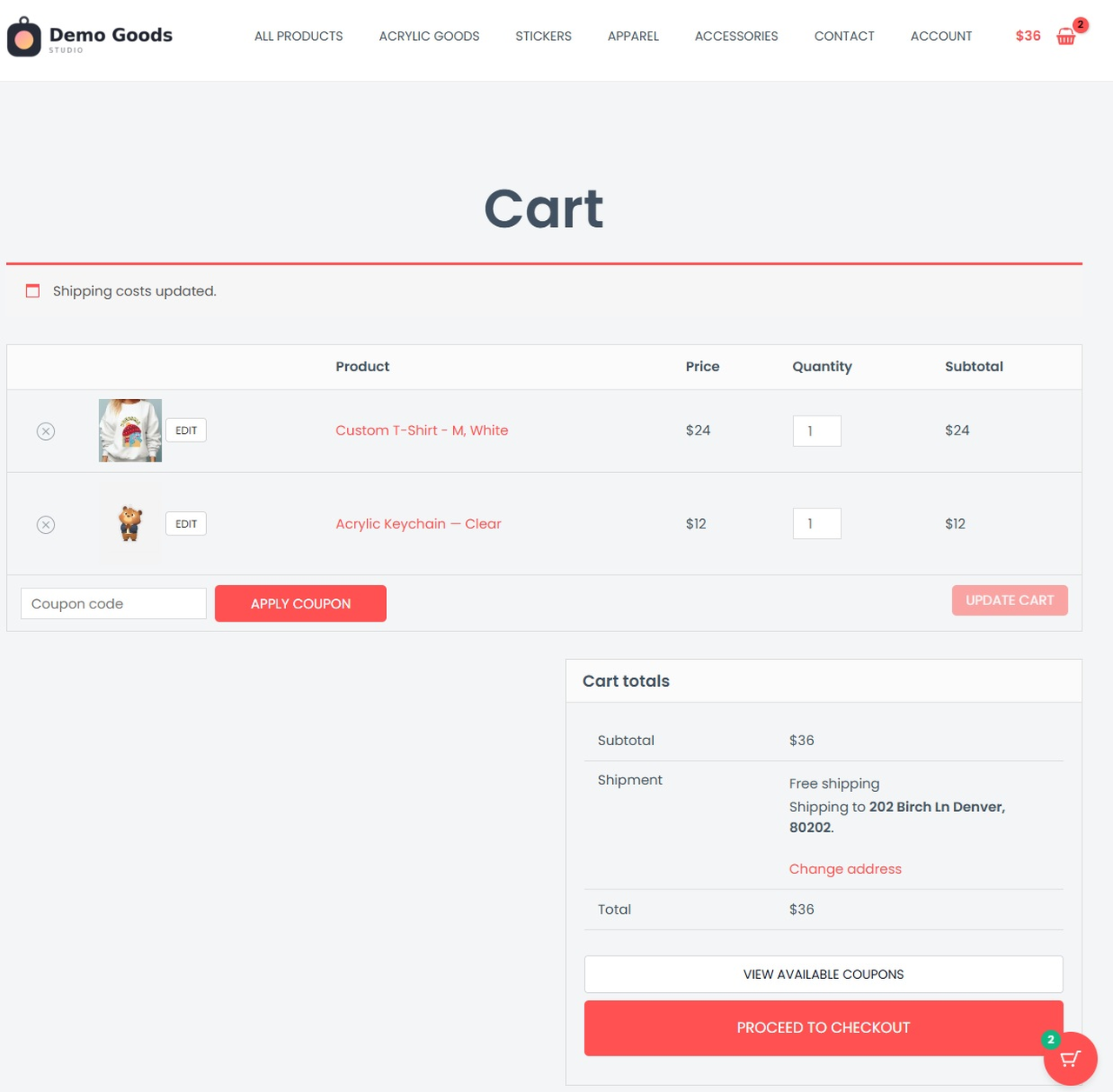
The finished design travels with the line item into the cart, and can be
reopened from there.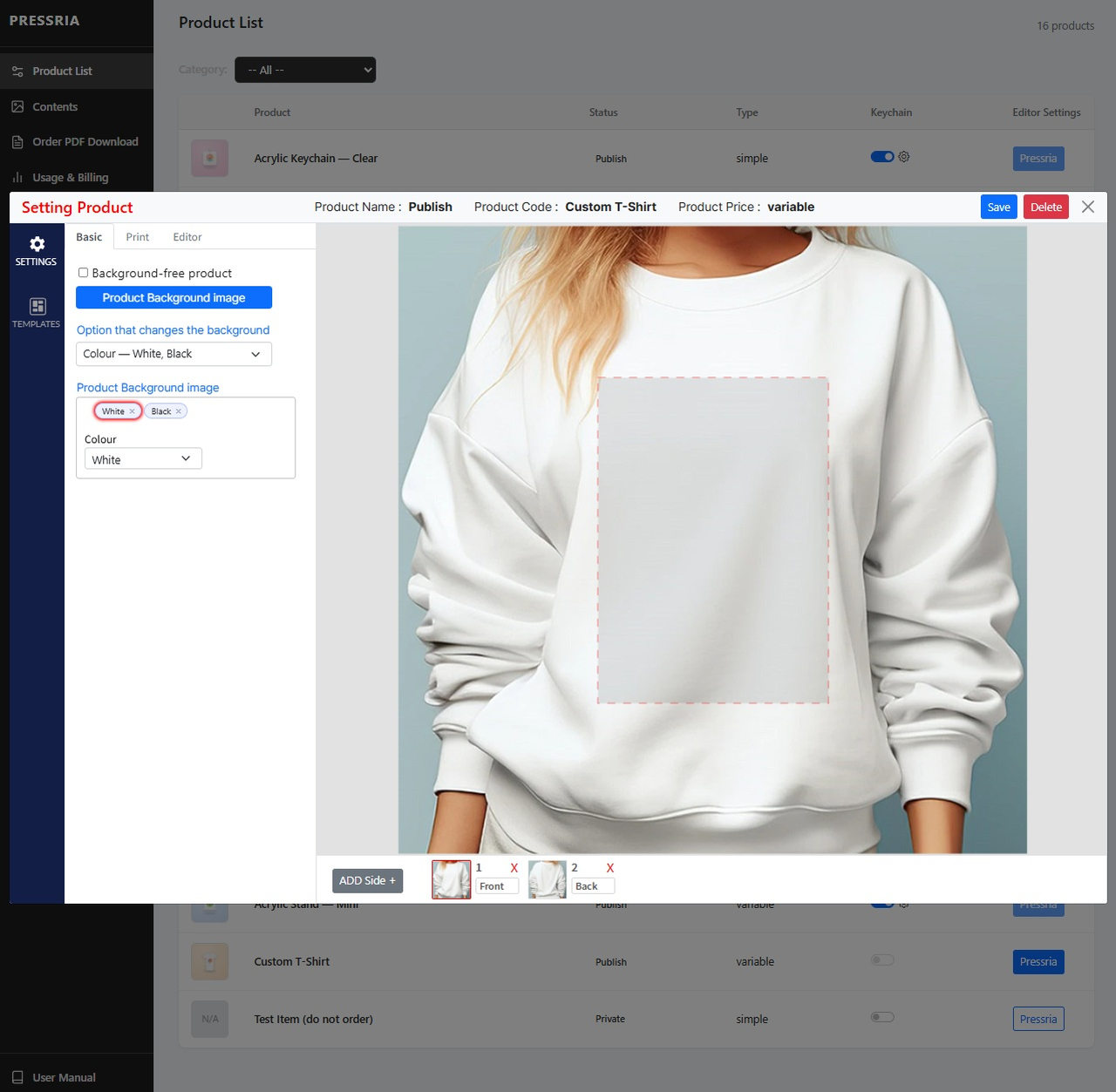
Plugin settings in the WordPress admin – connection status, product sync
and the product manager.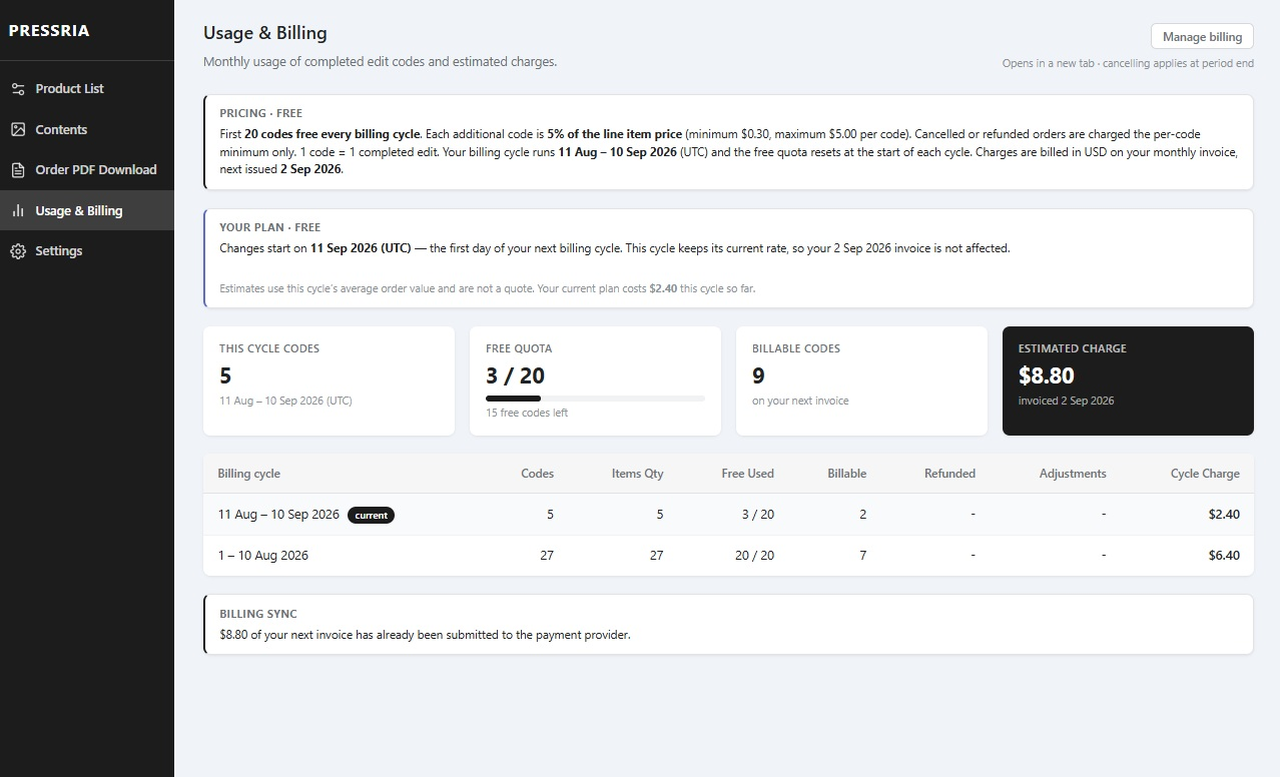
Usage & Billing – free allowance, per-code charges and the estimated
amount on your next invoice.


