
CarbonGuru Merchant Offset Wordpress Plugin - Rating, Reviews, Demo & Download

Plugin Description
CarbonGuru Merchant Offset connects your WooCommerce store to your CarbonGuru account (Plus plan or higher required):
- Per-product carbon footprints displayed on your product pages — from actual analysis of your products, not order-level estimates.
- Automatic offsetting of every paid order — merchant-settled: your shoppers are never charged and never see a payment surface. Your checkout is never modified.
- No code: the plugin places the display card and reports paid orders for you. Products, offsets, payment, and consent are managed in your CarbonGuru panel.
How it works
- One-click connect: sign in to CarbonGuru, accept the merchant terms, and your keys are provisioned automatically — nothing to copy or paste.
- Your product catalog is analyzed for carbon footprints (within your plan’s allowance; nothing is analyzed or charged without your confirmation).
- You review each footprint and switch on the products you want live — from your WooCommerce Products list or your CarbonGuru panel.
- The footprint card appears on your product pages automatically.
- When an order is paid, the plugin reports its line items; with automatic offsetting on, the order’s carbon is offset and billed to the payment method saved in your CarbonGuru account.
External service disclosure: this plugin communicates with carbonguru.io. Terms of service: https://carbonguru.io/merchant-terms/ — Privacy policy: https://carbonguru.io/privacy/
- Product pages load the CarbonGuru display card script. The card sends only your embed key and the product page address — never anything your customer types, and no cookies are set.
- When an order is paid, the plugin sends the order’s line items (product identifiers and quantities) and an order reference to your CarbonGuru merchant account — no customer names, emails, or addresses.
- Offset purchases are billed to the payment method saved in your CarbonGuru account. Retired carbon cannot be un-retired — offset purchases are non-refundable.
Screenshots
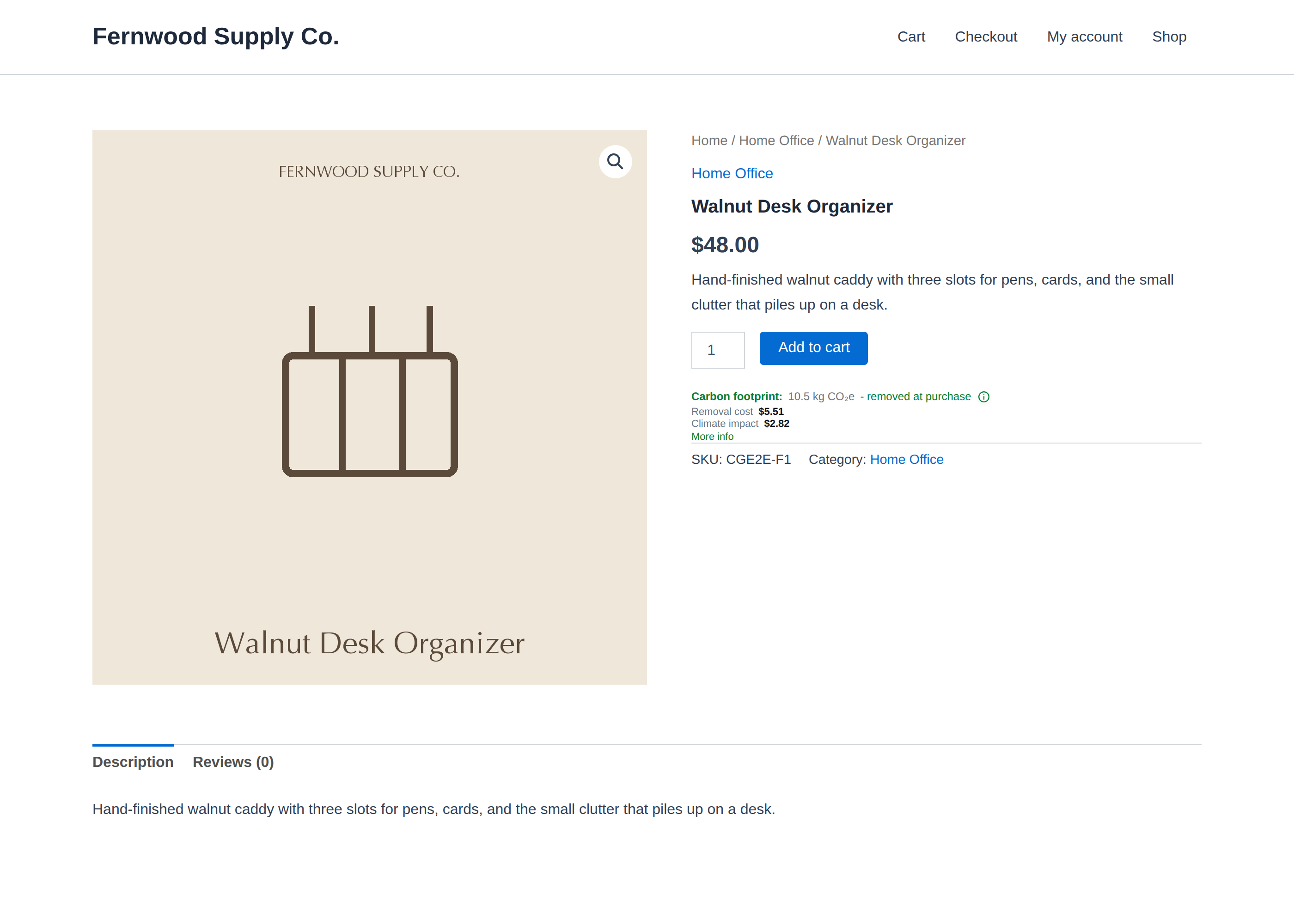
The carbon footprint card on your product pages — shown to shoppers, offset at purchase.
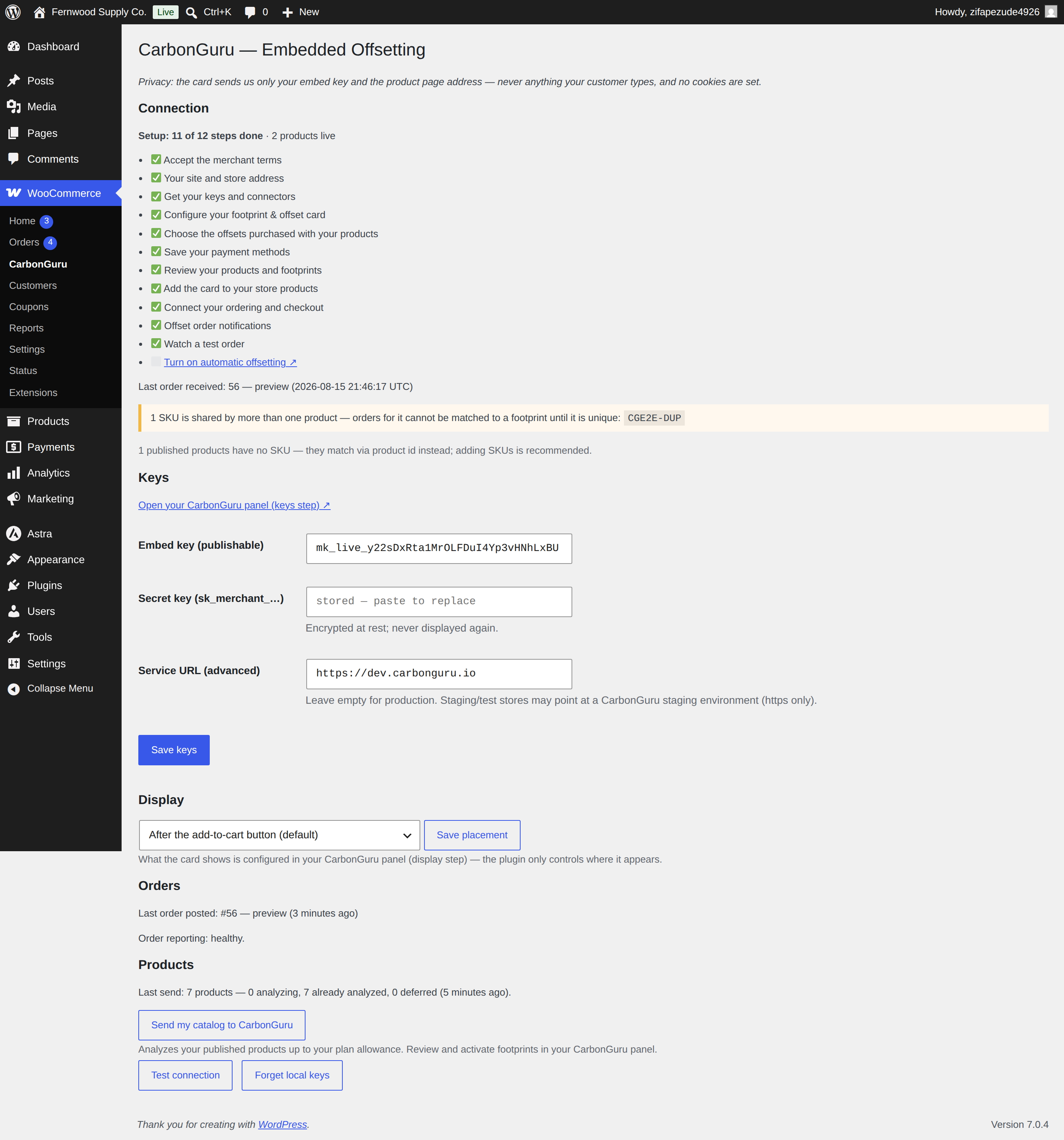
One-click setup: connect your CarbonGuru account; keys and card placement are managed for you.
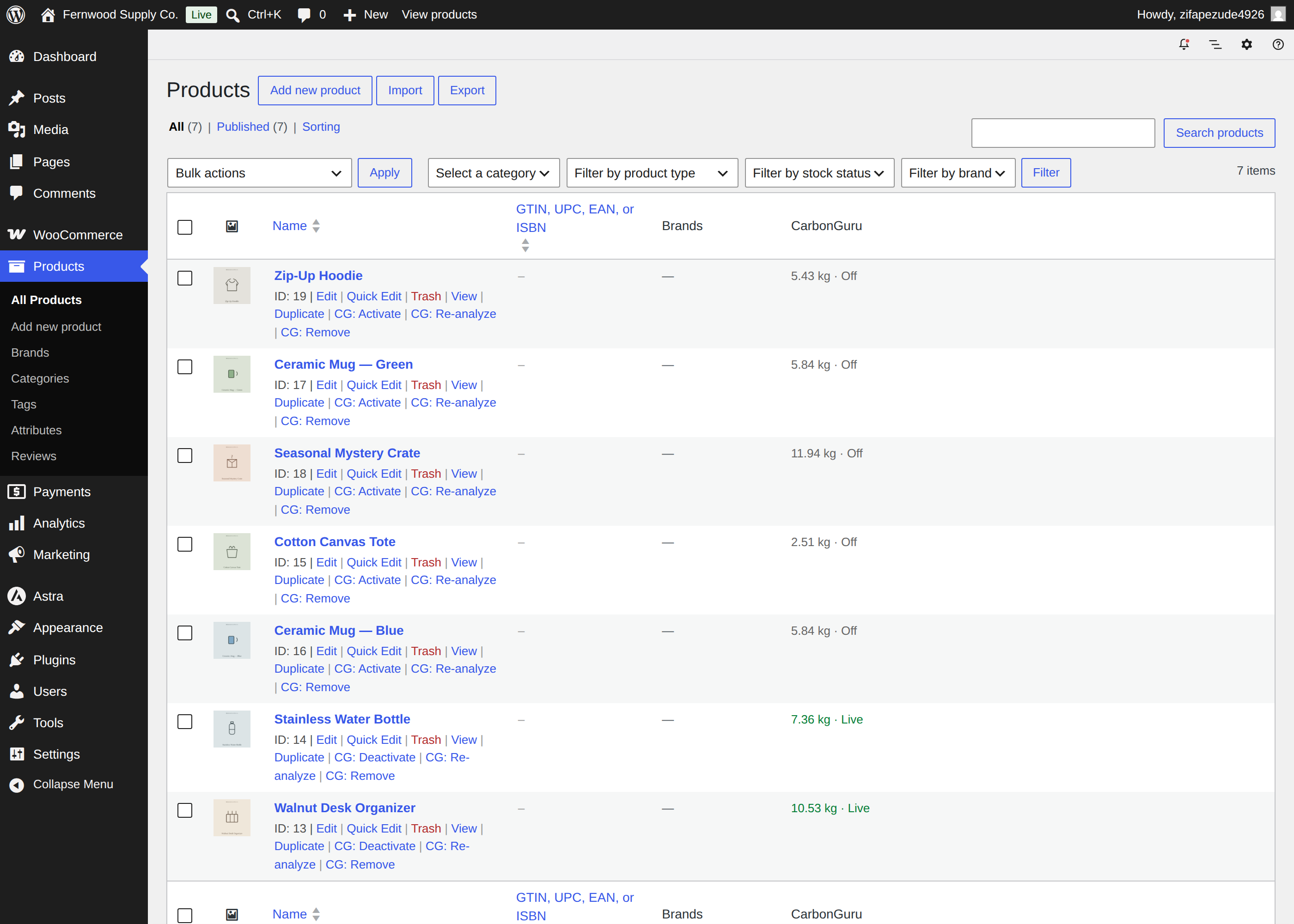
Manage every footprint from your Products list: per-product Activate / Deactivate / Re-analyze / Remove row actions, live/off state, and bulk actions.
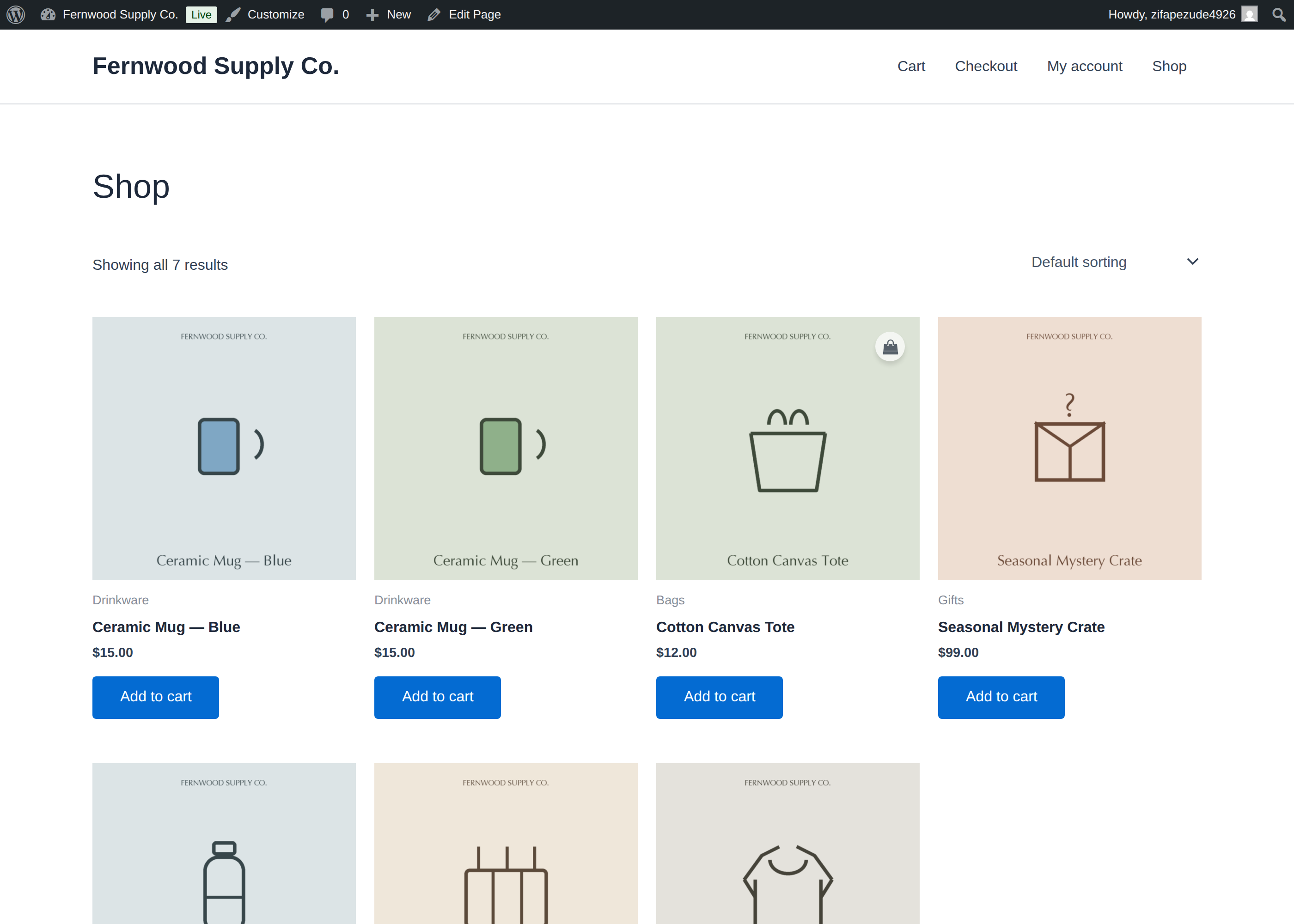
Your storefront — Embedded Offsetting runs quietly across your whole catalog.
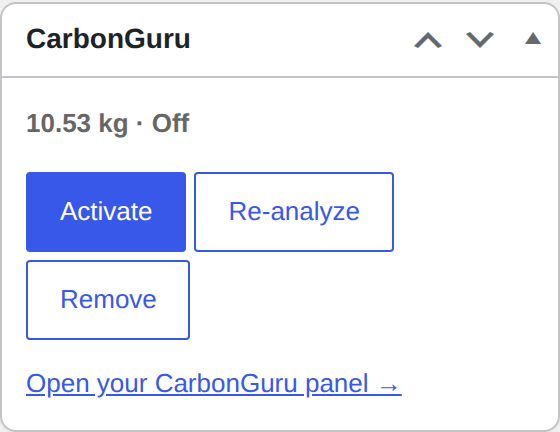
The CarbonGuru meta box on the product editor — per-product footprint, live/off state, and quick actions.


