TimAddons – Submission Log & Automation For Contact Form 7 Wordpress Plugin - Rating, Reviews, Demo & Download

Plugin Description
Contact Form 7 is an incredible tool, but by default it does not store form submissions in the WordPress database. If an email delivery issue occurs, valuable leads and form submissions may be lost.
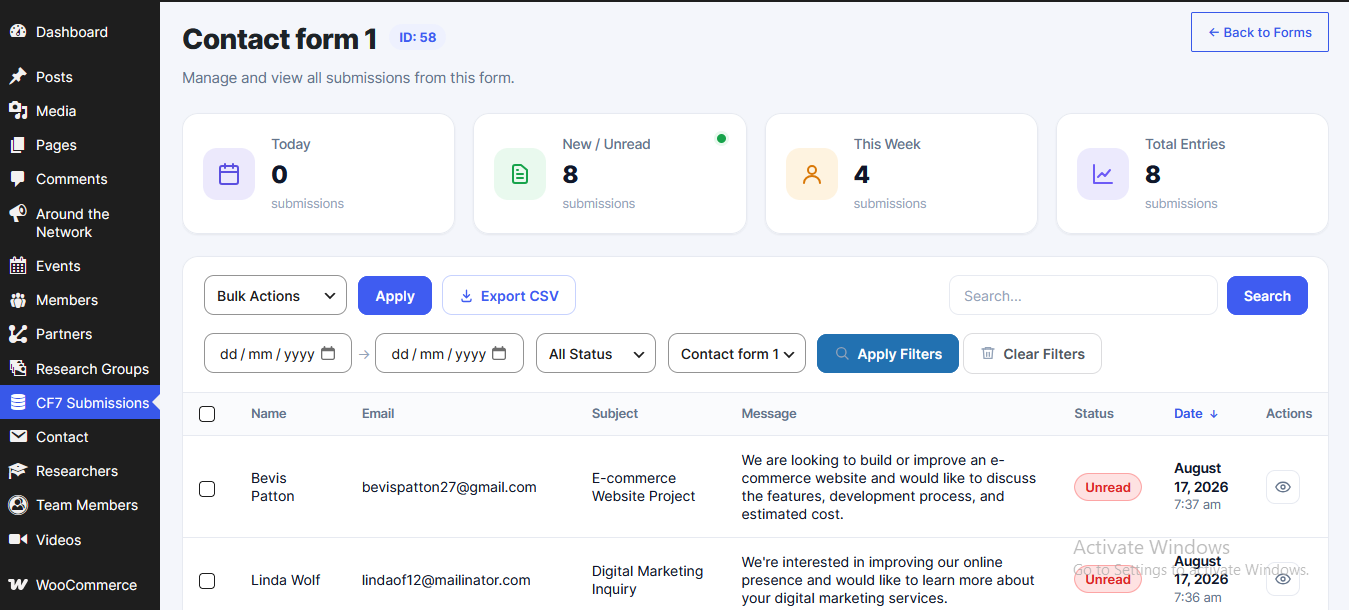
TimAddons – Submission Log & Automation for Contact Form 7 addresses this by automatically logging form submissions into a dedicated, secure custom MySQL database table. It also provides a modern WordPress admin dashboard using jQuery DataTables to search, sort, filter, and manage submitted data efficiently.
This plugin is an independent extension for Contact Form 7 and is not affiliated with or endorsed by the Contact Form 7 project.
Free Features
- Automatic Database Logging: Captures Contact Form 7 submissions and stores them in a dedicated database table.
- Modern Admin Dashboard: View, search, filter, sort, and paginate submissions using an integrated jQuery DataTables interface.
- Lightweight Footprint: Uses a dedicated custom MySQL table instead of storing submission data in
wp_postmeta. - Developer Friendly: Built using native WordPress functions and hooks.
Premium Features (Upgrade Available)
- Asynchronous API Syncing: Offload external API synchronization to background queues using Action Scheduler so external API requests do not block form submissions.
- Google Sheets API Integration: Automatically synchronize form submission data with Google Sheets.
- OAuth Account Connection: Securely authenticate and authorize Google accounts from your WordPress dashboard.
- Automated Failure Recovery: Background workers can automatically retry failed API synchronization attempts when external services are temporarily unavailable.
Screenshots
The CF7 Submissions dashboard for viewing, searching, sorting, and managing form entries.
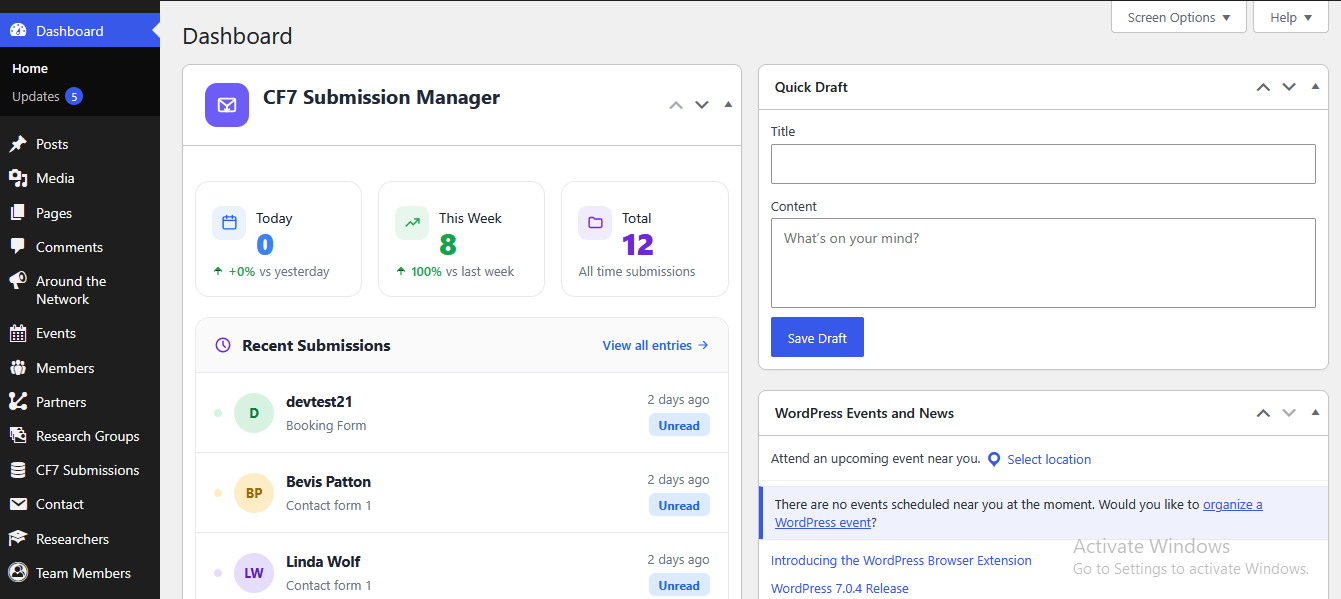
WP Dashboard Widget for quick view of submissions