
ViewMend Site Tracker Wordpress Plugin - Rating, Reviews, Demo & Download

Plugin Description
ViewMend Site Tracker for WordPress connects confirmed CMS changes to ViewMend Site Tracker. It records events locally and delivers compact metadata through a durable background queue, so normal WordPress requests do not wait for the external service.
Use the connector to add publication, plugin, theme, WordPress core, and WP Rocket cache context to a website change tracking workflow. When WordPress can identify the affected public page, the event includes its exact URL. ViewMend may match already tracked pages and queue a check when auto-check, page scope, credits, and queue state allow.
Timeline events and completed ViewMend checks help administrators investigate what happened around a release or content update. This plugin is an event connector, not a standalone crawler, rank tracker, backup tool, or replacement for ViewMend’s page comparison and website change monitoring service.
Supported WordPress changes
- Public posts, pages, and products when they are published, meaningfully updated, or permanently deleted.
- Plugin installation, activation, deactivation, update, and deletion.
- Theme installation, activation, update, and deletion.
- Completed WordPress core updates.
- Confirmed full-domain and exact-URL WP Rocket cache purges.
- An explicit administrator connection test.
Autosaves, revisions, drafts, trash moves, comments, users, orders, customer records, media churn, and arbitrary option changes do not create events.
How website change tracking works
- WordPress confirms an enabled content, plugin, theme, core, or supported cache action.
- The plugin creates one stable event ID and stores the compact event in its local queue.
- A background worker delivers the event to ViewMend without delaying the originating WordPress request.
- ViewMend records the Timeline context and returns delivery, matched-page, and queue status.
- When the ViewMend integration permits it, selected tracked pages can be checked and the completed evidence reviewed in ViewMend.
For the wider release-verification workflow, see post-deployment website monitoring.
Native WordPress controls and durable delivery
The settings area separates Overview, Connection, Event rules, and Activity. Each event category explains what is reported, what is excluded, what happens when it is disabled, and which exact actions can be selected. For example, plugin events can be limited to completed updates only.
ViewMend owns server-side event deduplication, tracked-page selection, queue ordering, credit checks, Tracker checks, Timeline markers, and before/after comparisons. This plugin does not reproduce those services inside WordPress.
The API token is stored separately with autoload disabled and is never displayed after saving. The plugin does not send post bodies, customer/order data, usernames, emails, cookies, IP addresses, or arbitrary settings.
ViewMend Site Tracker is a service connector. A ViewMend account and an existing Site Tracker integration are required before events can be delivered. See the External service section for exactly when the plugin contacts ViewMend and which data is sent.
External service
This plugin connects to ViewMend Site Tracker to deliver site-change events to the integration selected by the administrator. It does not contact ViewMend until an administrator explicitly configures a ViewMend endpoint, integration ID, and API token. After configuration, a request is made when the administrator queues a connection test or when an enabled, supported WordPress action creates an event and the background queue processes it.
Requests contain a stable event ID, event type and time, a short change title and description, the configured public site URL and environment, exact affected public page URLs when WordPress can determine them, and minimal operational metadata such as WordPress/plugin/theme versions, public content type and numeric object ID, or the confirmed operation name. A WordPress administrative edit URL can be included as a reference for a public content event. The API token is sent only in the Authorization header. The plugin does not send post bodies, excerpts, usernames, email addresses, customer or order data, cookies, IP addresses, or arbitrary settings.
ViewMend receives and processes this information to record the event, match already tracked pages, conditionally queue Tracker checks, and return delivery and queue status. An accepted event does not guarantee that a check starts or completes. Use of the service is subject to the ViewMend Terms of Service and ViewMend Privacy Policy.
Privacy
The plugin sends public site and affected-page URLs, event timestamps/types/titles, field categories, and minimal WordPress/plugin/theme version or object identifiers. It excludes post bodies, excerpts, protected content, user/customer/order records, emails, cookies, IP addresses, and arbitrary option values.
The local queue stores the event payload, delivery state, attempts, selected redacted errors, HTTP status, and ViewMend response identifiers/state. Completed and failed history is bounded. The API token is stored in a separate non-autoloaded option and never stored in queue rows.
Screenshots
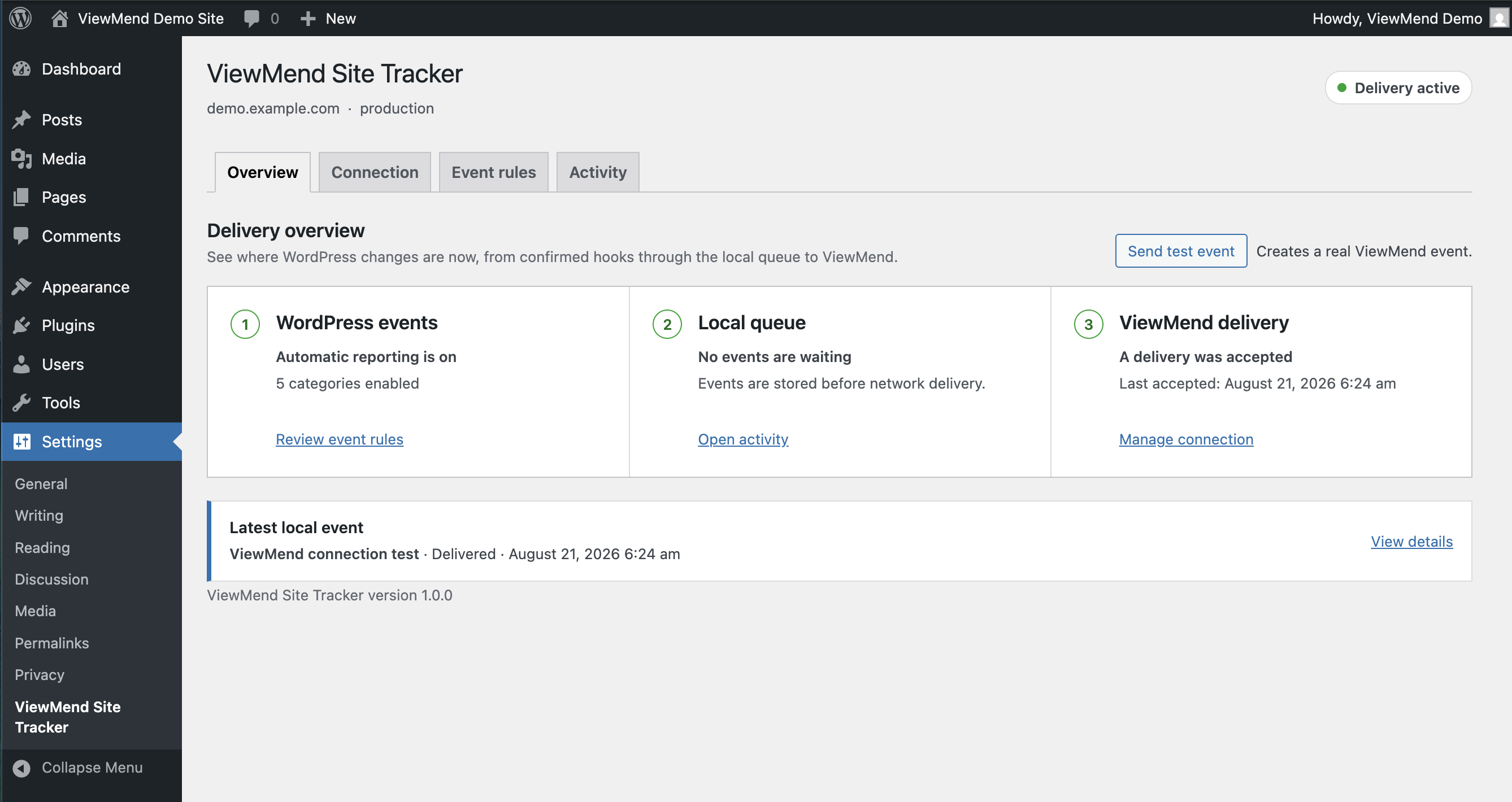
The Overview shows active event reporting, durable local queue health, and the latest delivery accepted by ViewMend.
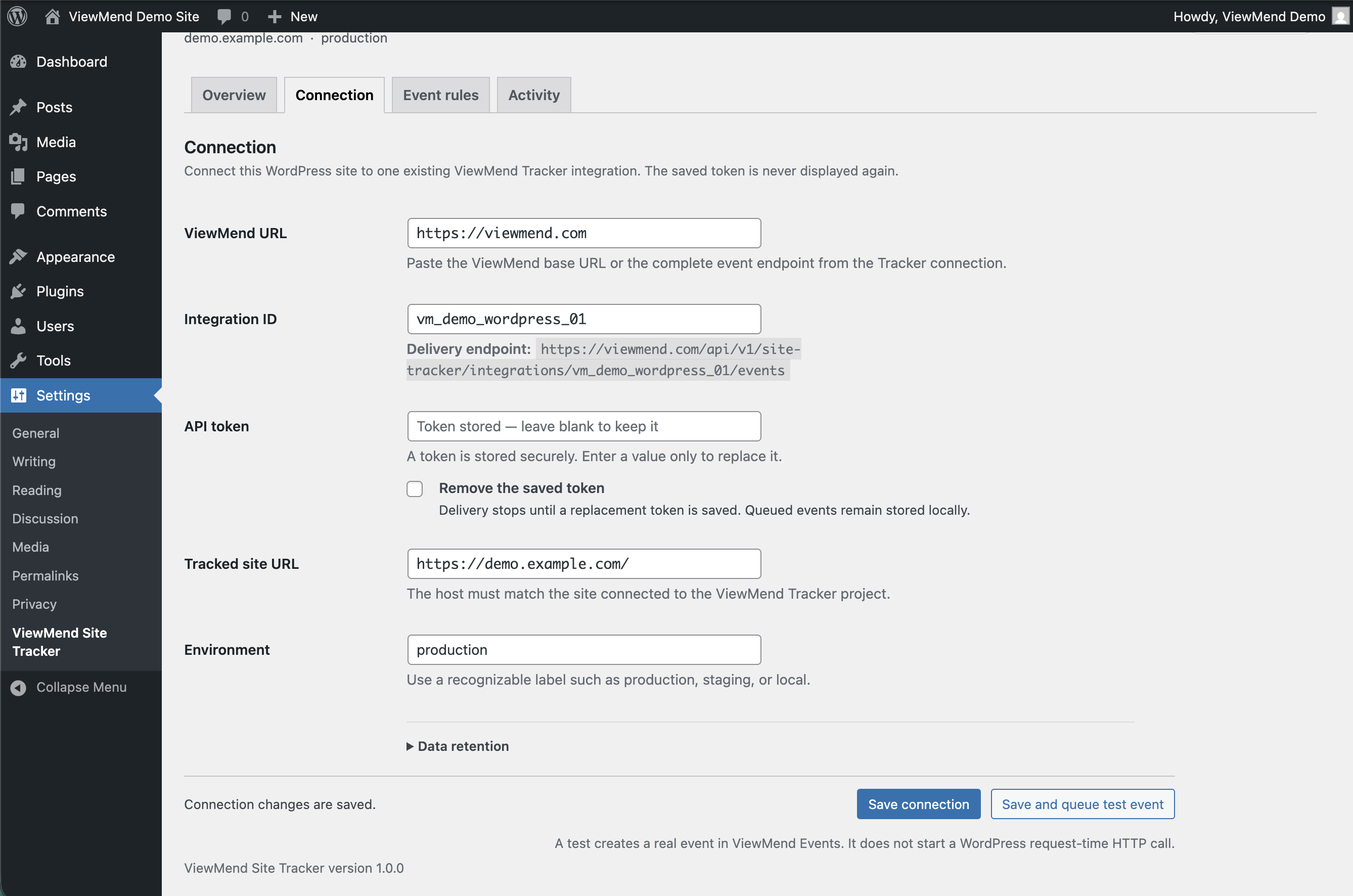
Connection settings keep the saved API token hidden while showing the exact delivery endpoint, tracked site, and environment.
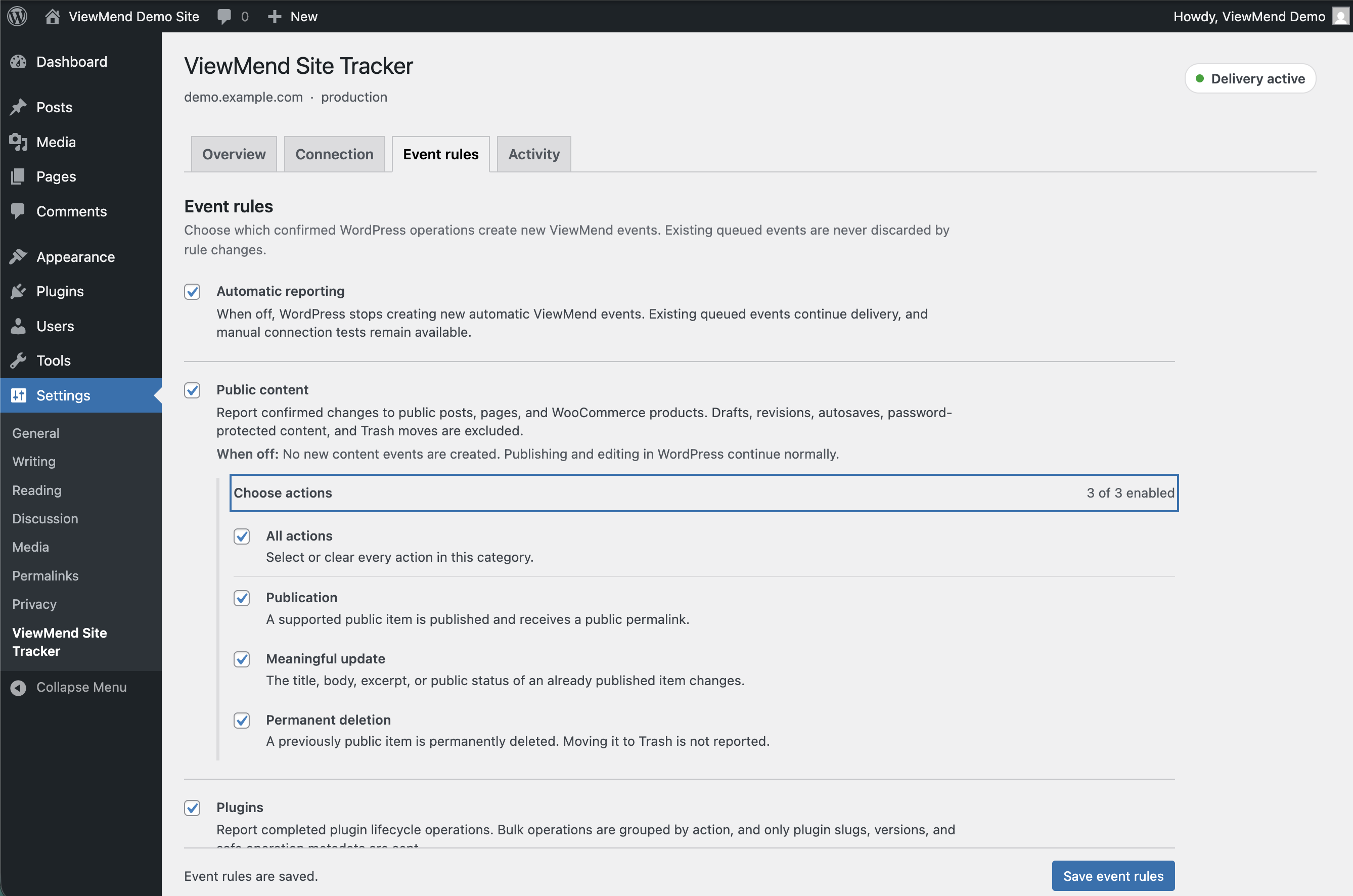
Event rules explain every confirmed WordPress action and let administrators choose publication, meaningful update, and permanent deletion events individually.
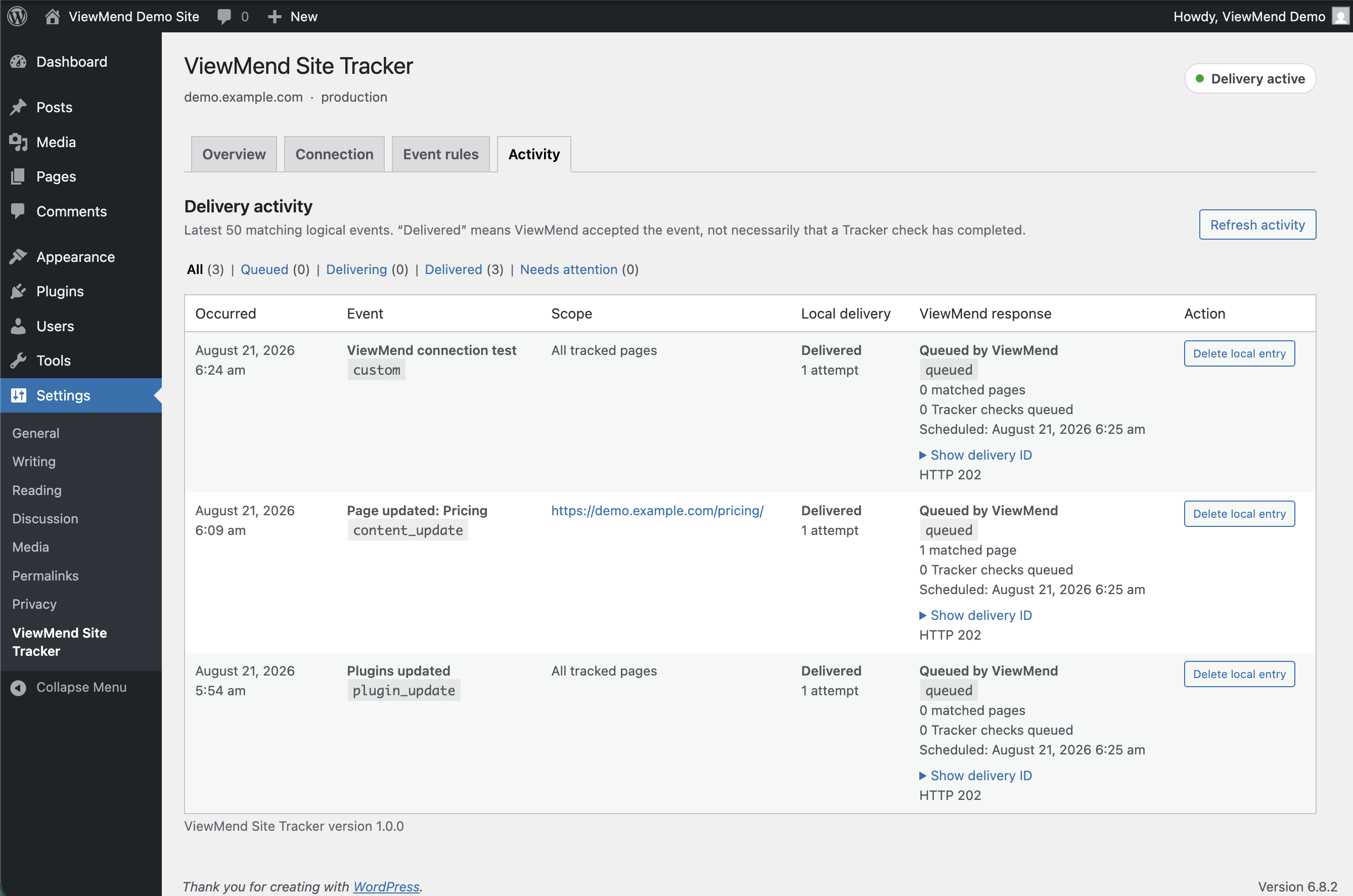
Activity separates local delivery status from the queue state and matched-page response returned by ViewMend.


