
Pihlfelt Cost & Margin Pricing For WooCommerce Wordpress Plugin - Rating, Reviews, Demo & Download
Plugin Description
Set your margin once. Import your supplier’s price list. Get finished, well-rounded prices.
Cost & Margin Pricing calculates sale prices from your purchase prices — with support for purchase prices in foreign currencies, daily exchange rates, margin or markup rules, psychological price rounding and a recurring supplier price list import with a full change preview.
Built on WooCommerce core fields: the selected purchase cost is always written back to WooCommerce’s own Cost of Goods Sold (COGS) field, so Woo’s reports, exports and every third-party COGS integration keep working. No parallel cost fields, ever.
Safe by design
- Nothing is ever applied without a preview — you always see the change diff first
- Every run is journaled and can be undone with one click
- Manually adjusted prices are detected and never silently overwritten
- Locked products are always skipped
EU Omnibus ready
Marketing a price cut in the EU requires showing the product’s lowest price of the last 30 days — data WooCommerce does not keep. This plugin does: every price change is logged (including ones made outside the plugin), and each product’s 30-day lowest price is computed for you. Show it to customers with the [pihlcmp_lowest_price] shortcode — a discreet, theme-friendly line like “Lowest price last 30 days: 199 kr” with CSS classes for styling, and a label attribute to change or remove the text. Nothing is ever added to your storefront unless you place it yourself.
Free version
- One supplier per product with purchase price in any major currency
- Supplier column (toggle via Screen Options) and supplier filter in the products list
- Daily exchange rates (ECB reference rates, with automatic fallback)
- One global margin/markup rule with price rounding
- CSV price list import/export with change preview
- Write-back to WooCommerce core COGS
- Change journal with one-click undo
- Price change log — also records price/cost edits made outside the plugin (who, when, what)
- Margin health warnings: products selling below real cost and sales priced below cost
- Lowest price last 30 days per product — the EU Omnibus reference for sale marketing
- Optional scheduled runs (monthly) — explicit opt-in, fully journaled and undoable
Everything above is included and fully functional — nothing here is locked, limited or time-restricted.
A separate commercial plugin, Pihlfelt Cost & Margin Pricing Pro, is available from pihlfelt.se for stores that need more: several suppliers per product with a cost strategy, master-list and Excel import, rules per category/supplier/product, margin-based sale prices, a margin floor, extra scheduling intervals with email reports, and margin/supplier reports. It is a different plugin with its own code — it is not unlocked from within this one.
External Services
This plugin fetches currency exchange rates from two services: on a daily schedule, when a new currency first needs a rate (e.g. during an import preview), and when you click “Fetch rates now” — and only when you use purchase prices in a currency other than your store currency.
European Central Bank (ECB) reference rates — the primary source. The plugin requests the public daily reference rate file. No personal data and no data about your store is sent; it is a plain file download. Terms: https://www.ecb.europa.eu/services/disclaimer/html/index.en.html
ExchangeRate-API open endpoint (open.er-api.com) — used as fallback when the ECB feed is unavailable, and for currencies the ECB does not publish. The request URL contains only your store’s base currency code; no personal data and no other data about your store is sent. Terms: https://www.exchangerate-api.com/terms — attribution is shown on the plugin’s settings page as required.
Rates are indicative reference rates intended for price calculation suggestions, not for payment processing.
Screenshots
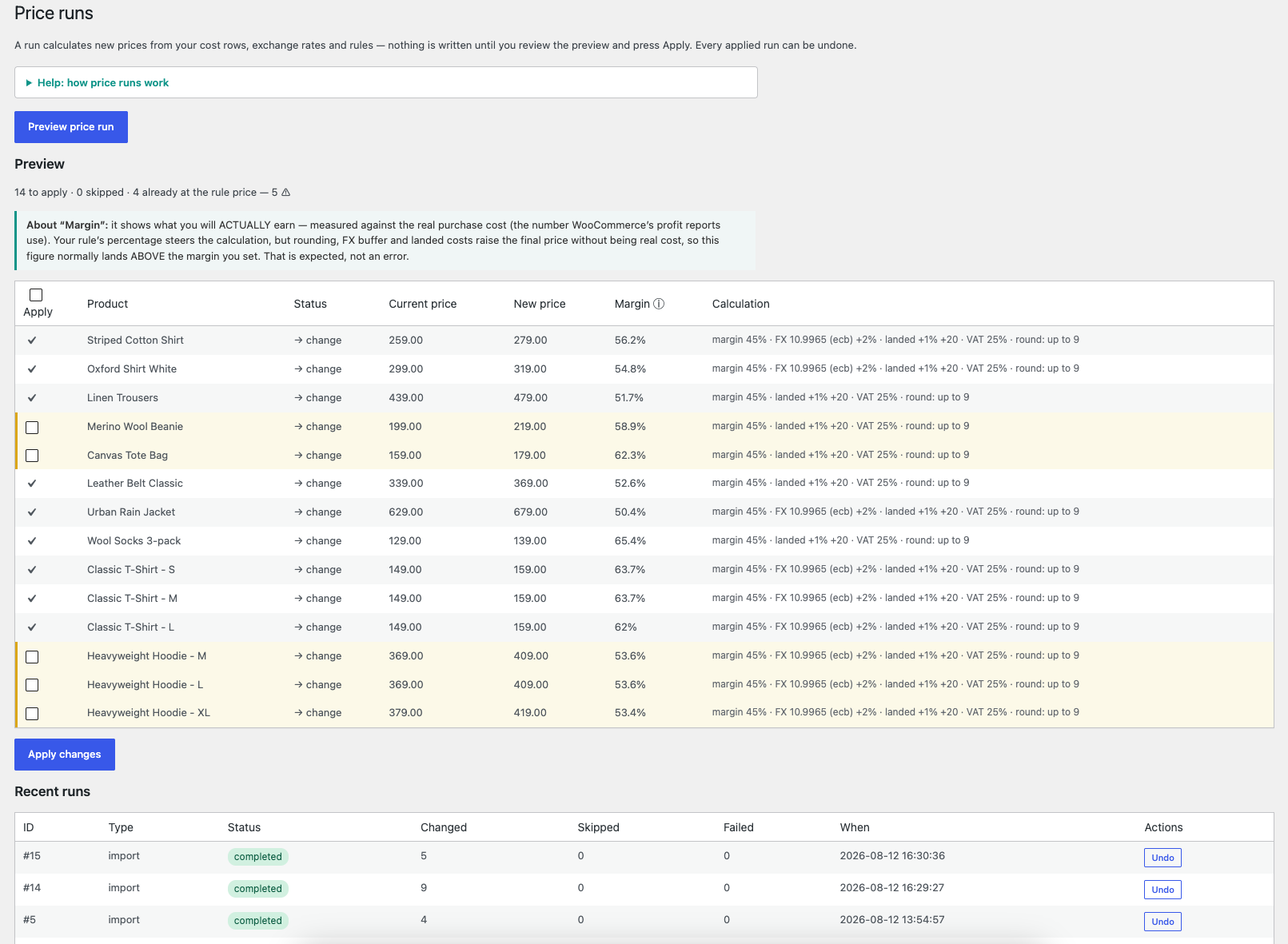
Price runs — preview every change before applying: old and new price, the resulting real margin, and exactly which parameters built each price. Large changes need a per-row tick; every applied run has one-click Undo.
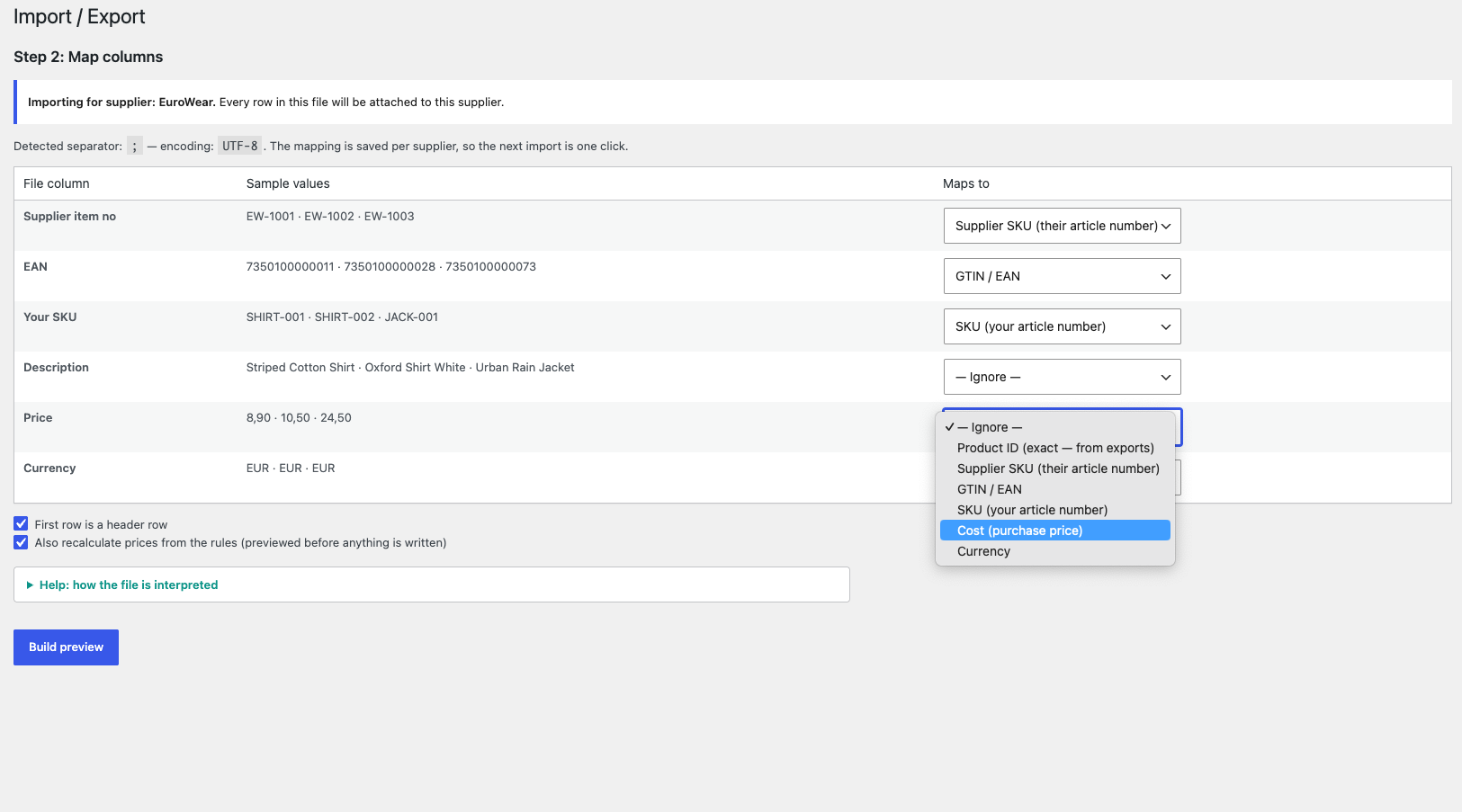
Import, step 2 — the supplier’s file with auto-detected separator and encoding; map the columns once and the mapping is remembered per supplier.
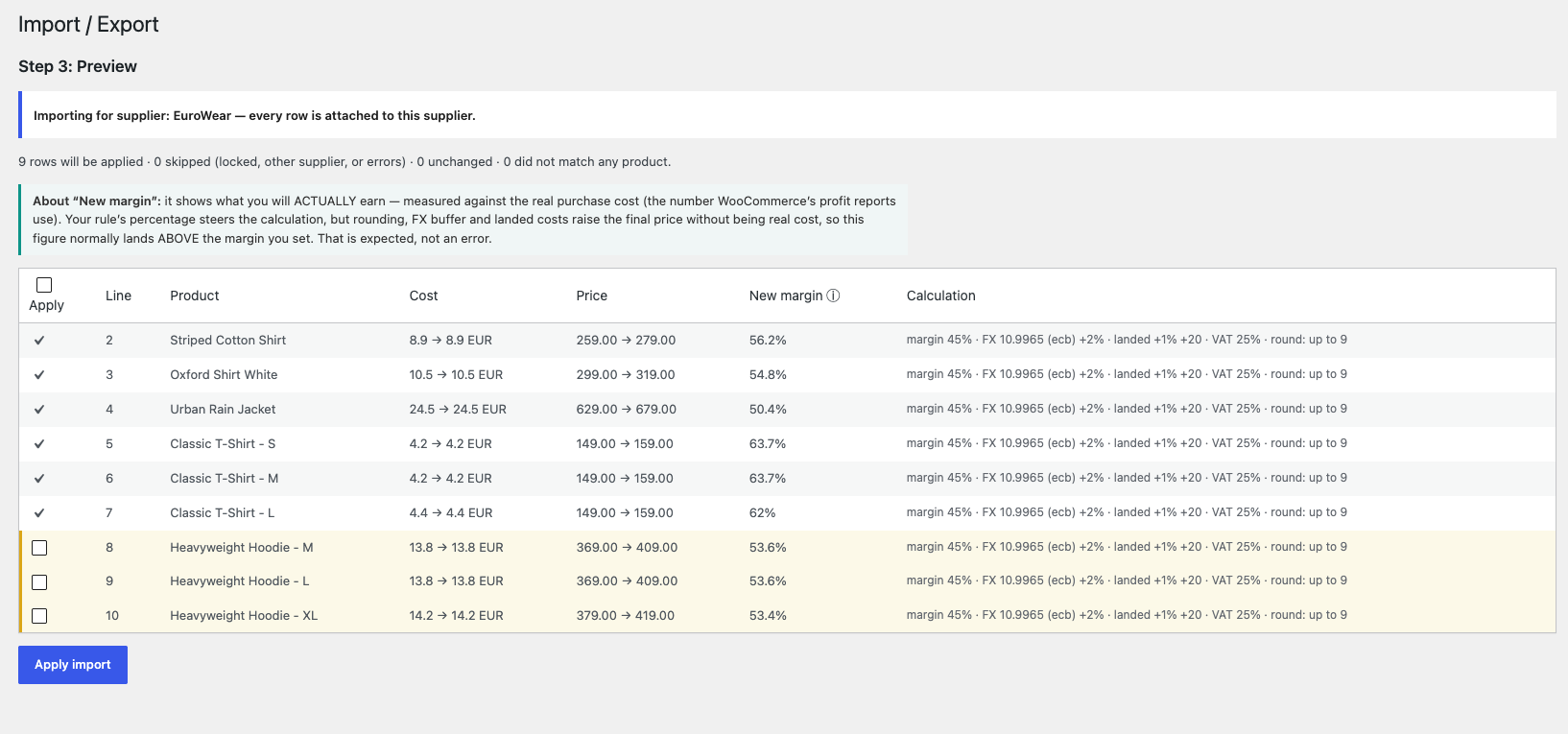
Import, step 3 — every row matched to your products with cost changes, calculated prices and the full calculation breakdown; large changes wait for your tick.
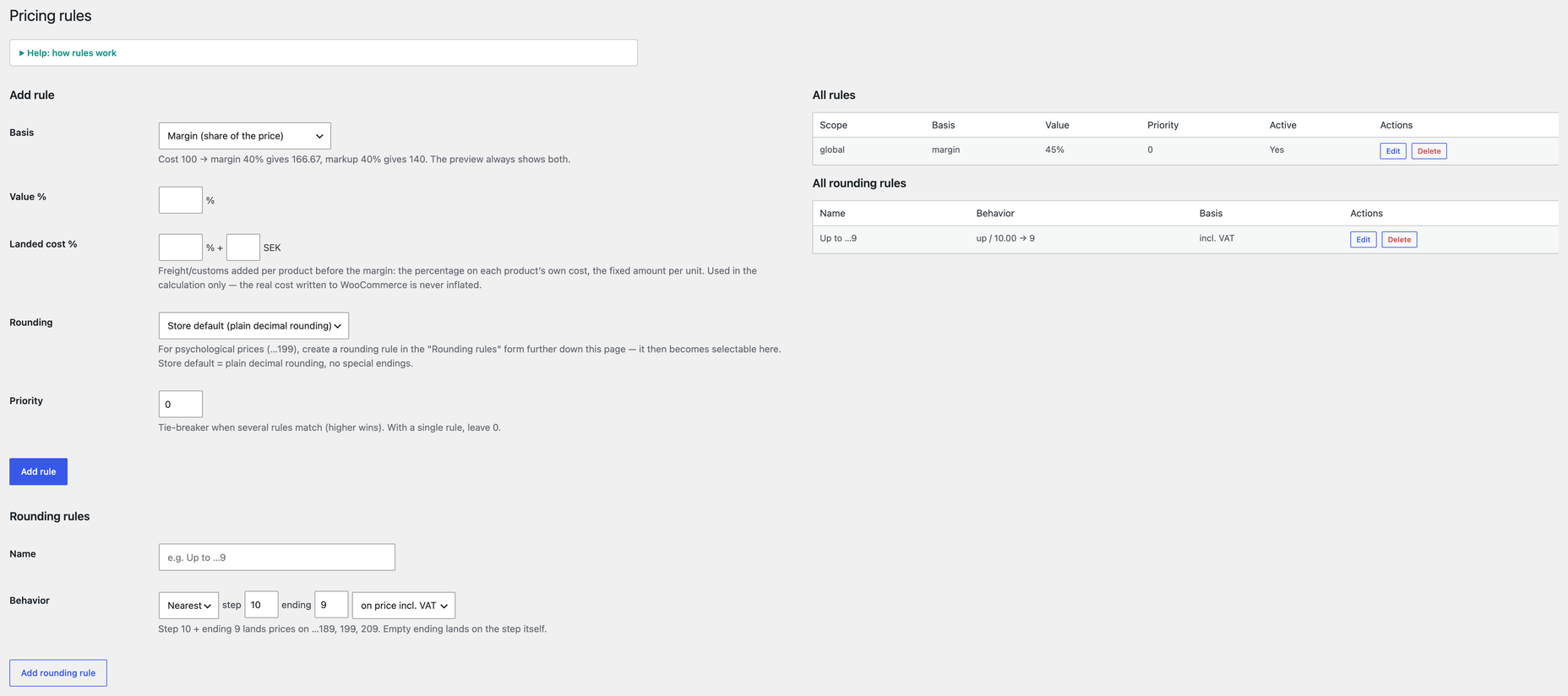
Pricing rules — set the margin or markup once, add landed costs, and land prices on psychological endings like …199. Rounding rules are defined on the same page.
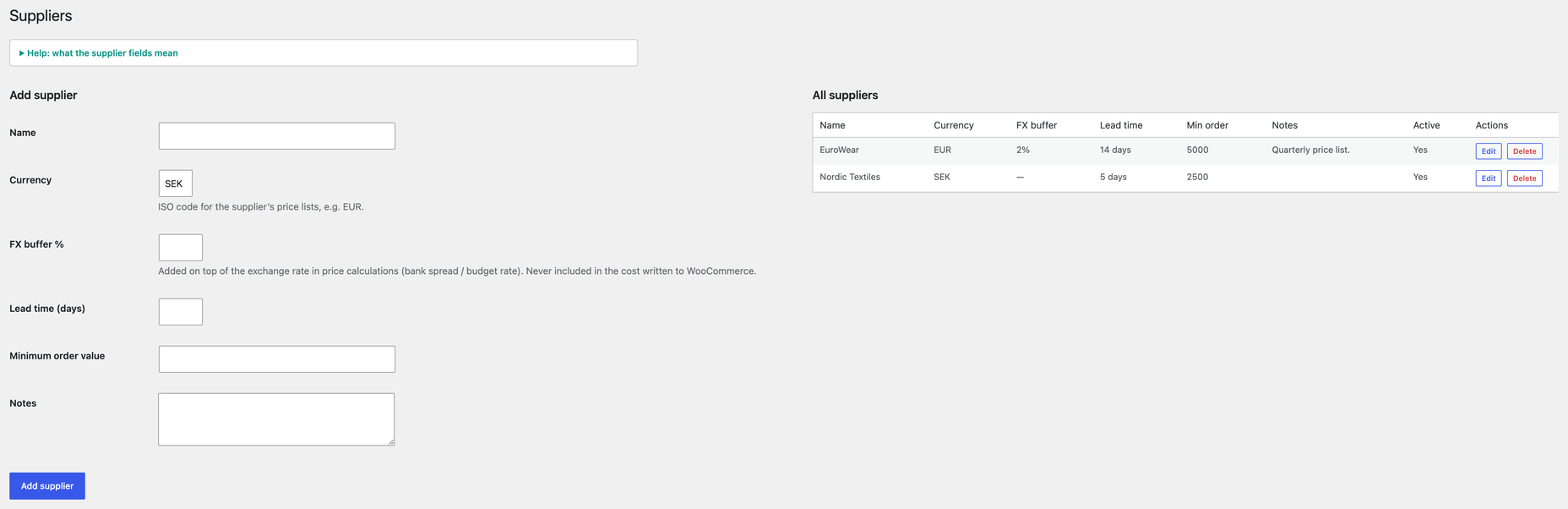
Suppliers — currencies, FX buffers, lead times and minimum order values in one place.
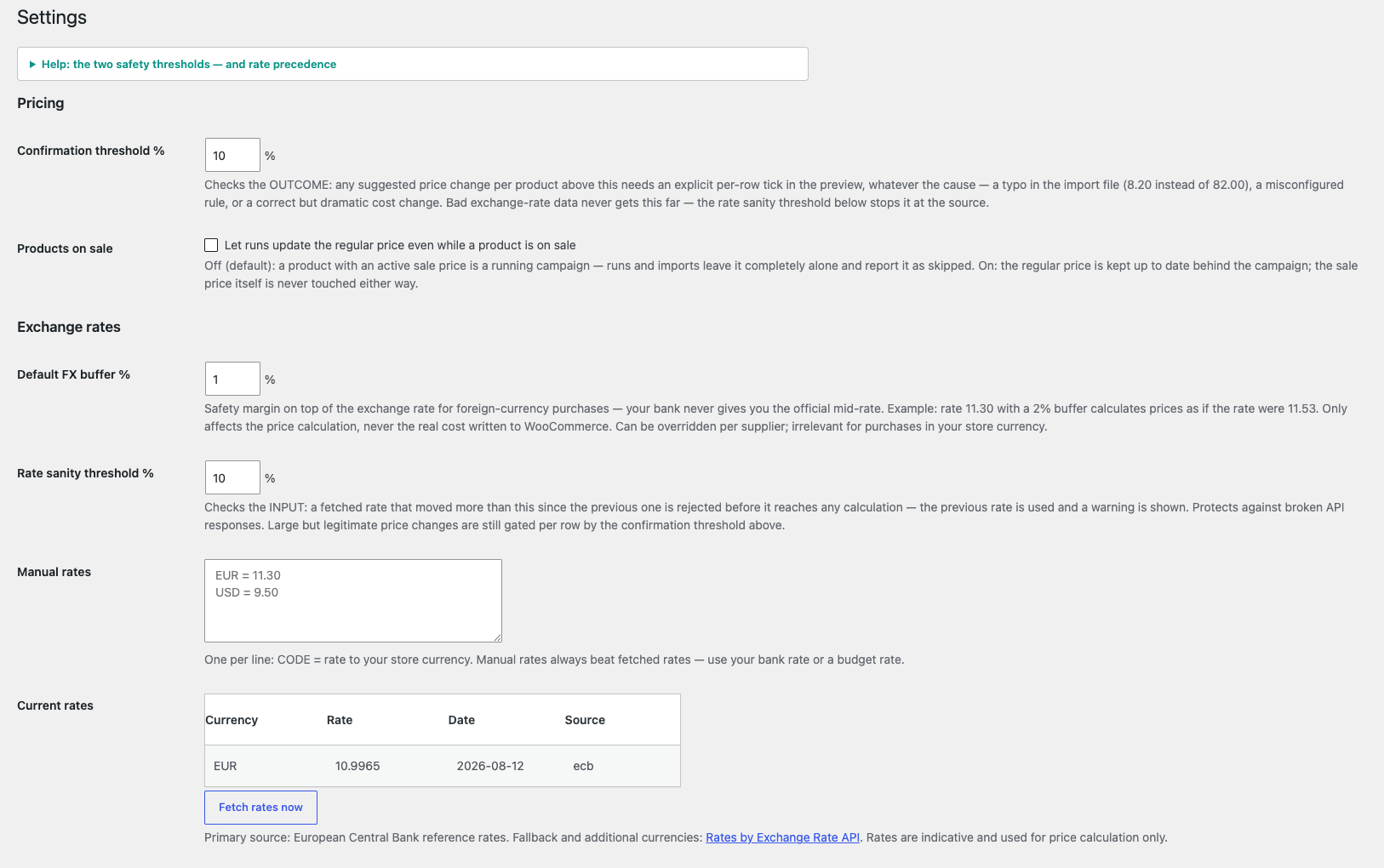
Settings — the two safety thresholds, manual exchange rates, and current rates with their source.
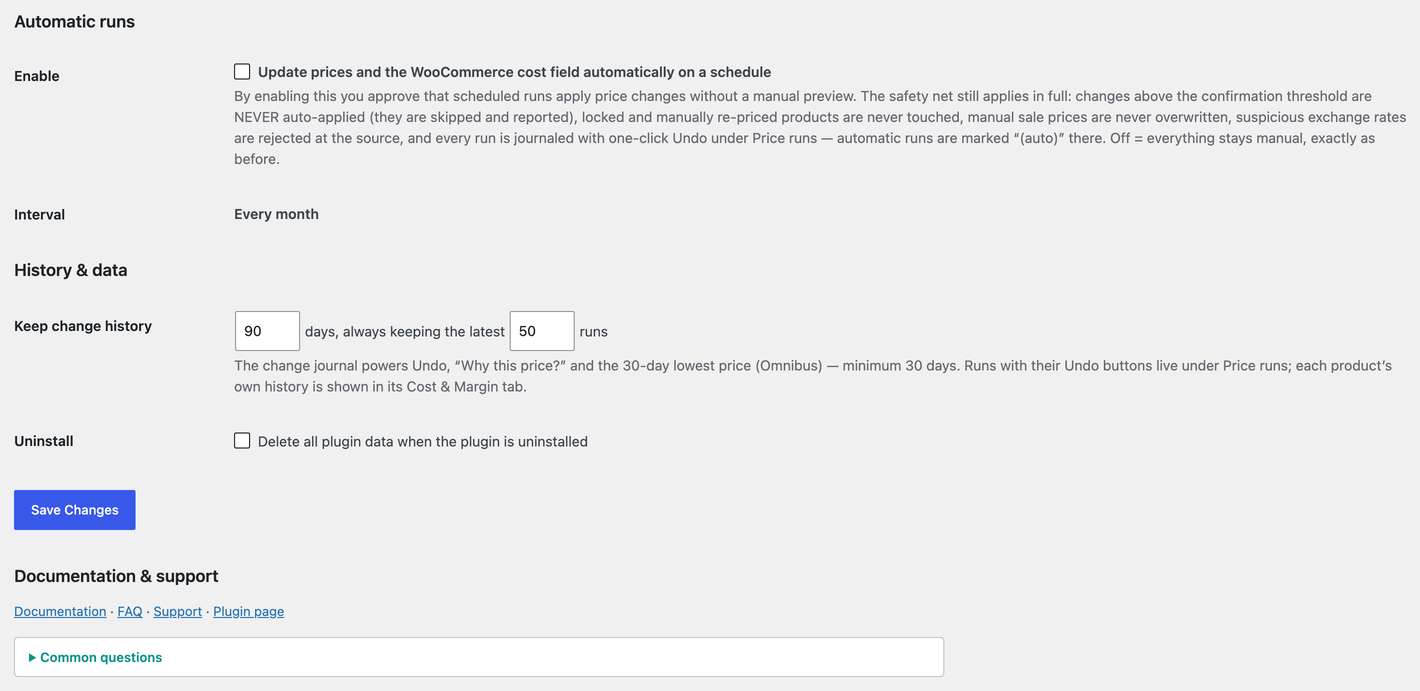
Automatic runs — optional scheduled repricing (explicit opt-in) with the full safety net spelled out, plus how long the change journal is kept.
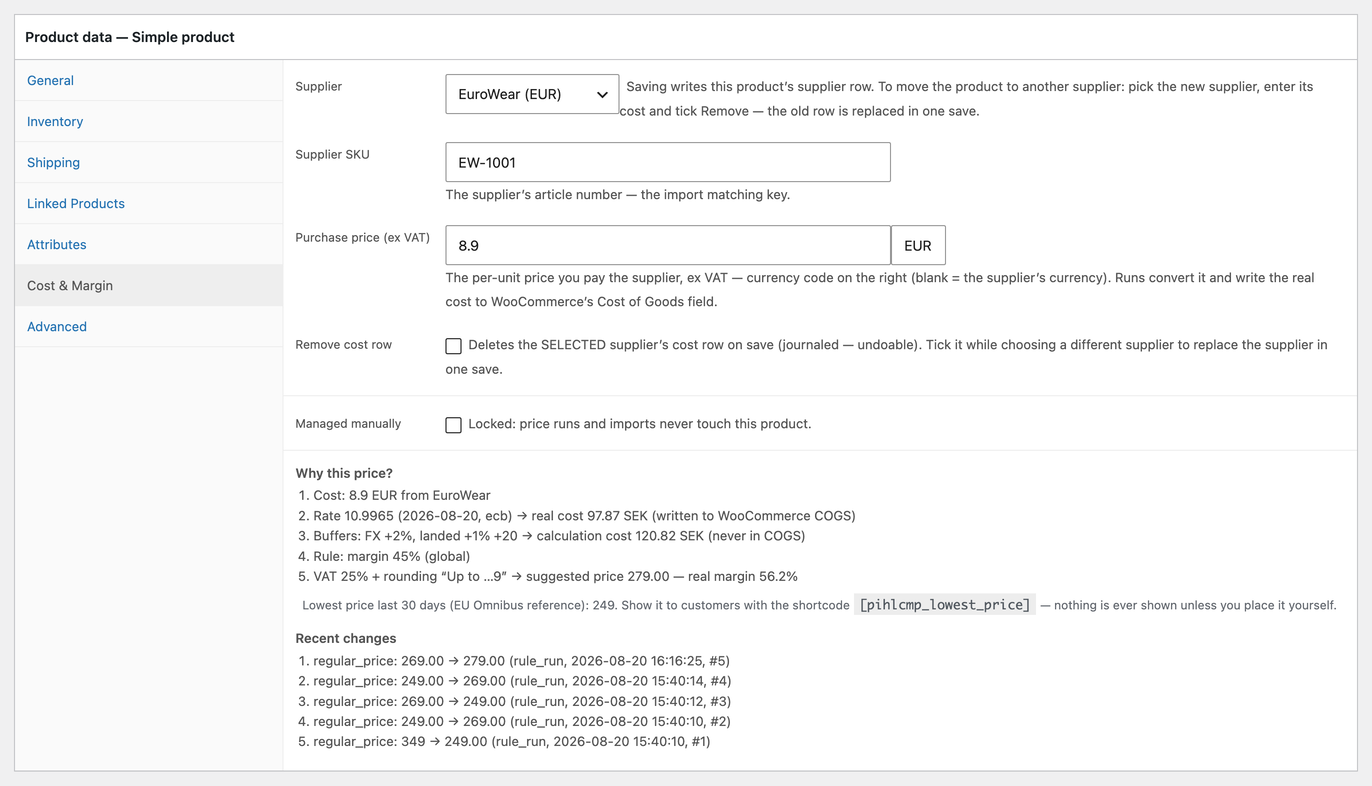
The product’s Cost & Margin tab — supplier and purchase price in the supplier’s currency, price lock, and the full “Why this price?” breakdown: cost, exchange rate, buffers, rule, VAT and rounding, with the 30-day lowest price (Omnibus reference) and the product’s recent price changes.


