
Wellenbrecher Wordpress Plugin - Rating, Reviews, Demo & Download

Plugin Description
Most anti-spam plugins for WordPress guard one door: the comment form. Wellenbrecher guards the ones that cost you money. User registration, the WooCommerce checkout and the eight form builders that carry the traffic on real sites are covered the moment the plugin is active, comments and trackbacks included. Nothing is sent to a third party, and no visitor is asked to prove they are human.
Every submission is scored on your own server. There is no account to create, no API key to enter, no request quota, and no data processing agreement to sign, because no submission ever leaves your site. That is the difference that matters under the GDPR: a filter that ships every comment and every contact request to a third-party service is a processing step you have to declare, find a legal basis for and tell your visitors about. This one is not.
More than thirty small signals contribute points to the score: a hidden honeypot field, a form token, whether JavaScript ran, how fast the form was filled in, request headers, link density, mixed writing systems, throwaway email domains, repeat offenders from your own log, and a filter that learns from your own moderation decisions. Three zones decide the outcome: let it through, hold it in quarantine, or block it.
Nothing disappears silently. Every decision lands in the log with its score and the rules that produced it, so a legitimate submission that was caught is visible instead of lost. Releasing it takes one click, and the sender is trusted again afterwards.
Which forms are covered
Wellenbrecher hooks into each builder’s own submission path, so there is nothing to configure. Install the plugin, and these are covered as soon as the builder is active:
- Contact Form 7
- WPForms
- Gravity Forms
- Jetpack forms
- Fluent Forms
- Forminator
- Ninja Forms
- MetForm
Alongside them: WordPress comments and trackbacks, user registration including multisite and the WooCommerce account form, WooCommerce product reviews, the WooCommerce checkout, and the Hafenstudios Leadlotse form plugin.
Coverage is not identical everywhere, and it should not be sold as if it were. Where a builder renders an ordinary HTML form, Wellenbrecher adds its own hidden signals to it and gets the full picture. Ninja Forms and MetForm rebuild their form in the browser and submit it through their own endpoint, so those extra fields cannot be attached; both are still scored, but on content and request signals only, not on behaviour. User registration is scored the same way, on content and request signals, because the registration form is WordPress’ own and carries no extra fields. The classic WooCommerce checkout does get the hidden fields and the honeypot; the block-based checkout submits through the Store API and is scored on content and request signals as well.
What you get
- An explainable score with three zones. Every rule can be switched off or reweighted, and the breakdown is shown for each decision
- Observation mode for the first seven days: everything is recorded, nothing is blocked, so you see what would have happened before you arm it
- A log with a release button, so a false positive costs one click instead of a customer
- A learning filter trained by your own moderation, entirely on your server
- Quarantine for form submissions: the log keeps the submitted values and releases them per row
- Comment quarantine in the native WordPress spam folder, with a column that shows the score
- A dashboard widget with the last 14 days, the totals for 7 and 30 days and a breakdown per channel
- Statistics and a CSV export of the log for your own records
- Move-in help: reads what a previously installed anti-spam plugin had configured, shows what maps across, and imports it on your confirmation. Nothing is deleted and no service keys are read
- Your own keyword list, and the option to remove the XML-RPC methods for comments and pingbacks
- Invisible to visitors. No captcha, no puzzle, no cookie
- Fail-open by design: if the plugin hits an internal error, the submission passes through to normal moderation instead of vanishing
No external services
Wellenbrecher makes no outbound request. The scoring, the word lists, the learning filter, the statistics and the log all live on your server. There is no telemetry, no remote font, no remote script and no phone-home of any kind.
Privacy
- IP addresses are never stored in clear text, only as a non-reversible check value under a key that rotates weekly
- Of email addresses only the domain is kept
- Retention is automatic: blocked and flagged rows after seven days, quarantine after 30 days, both adjustable
- Suggested text for the WordPress privacy policy tool, plus hooks into the WordPress data export and erasure requests
Not a security plugin
Wellenbrecher stops spam, not attacks. It brings no login brute-force protection, no firewall and no .htaccess changes, so it stays out of the way of a dedicated security plugin.
Screenshots
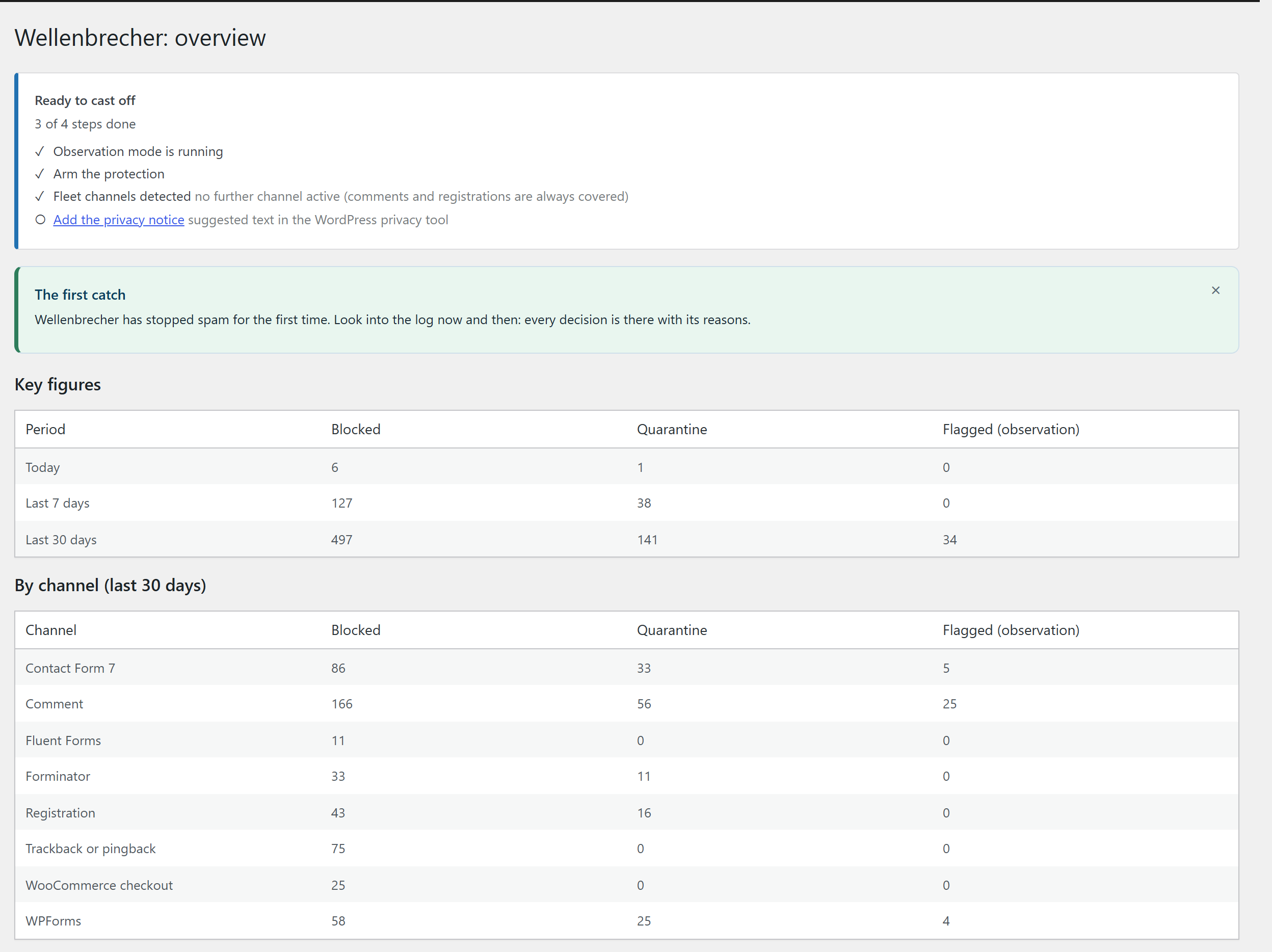
Overview: today’s decisions per zone, the busiest channels and the state of the observation window.
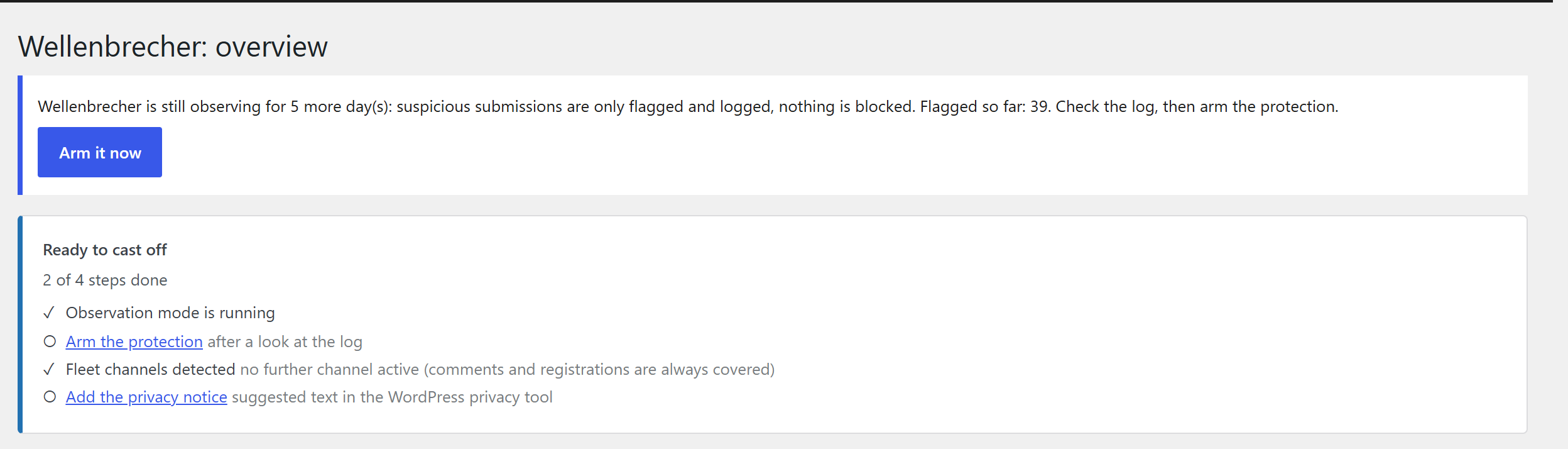
Setup checklist: the observation window, the channels it detected, the privacy note and arming the protection.
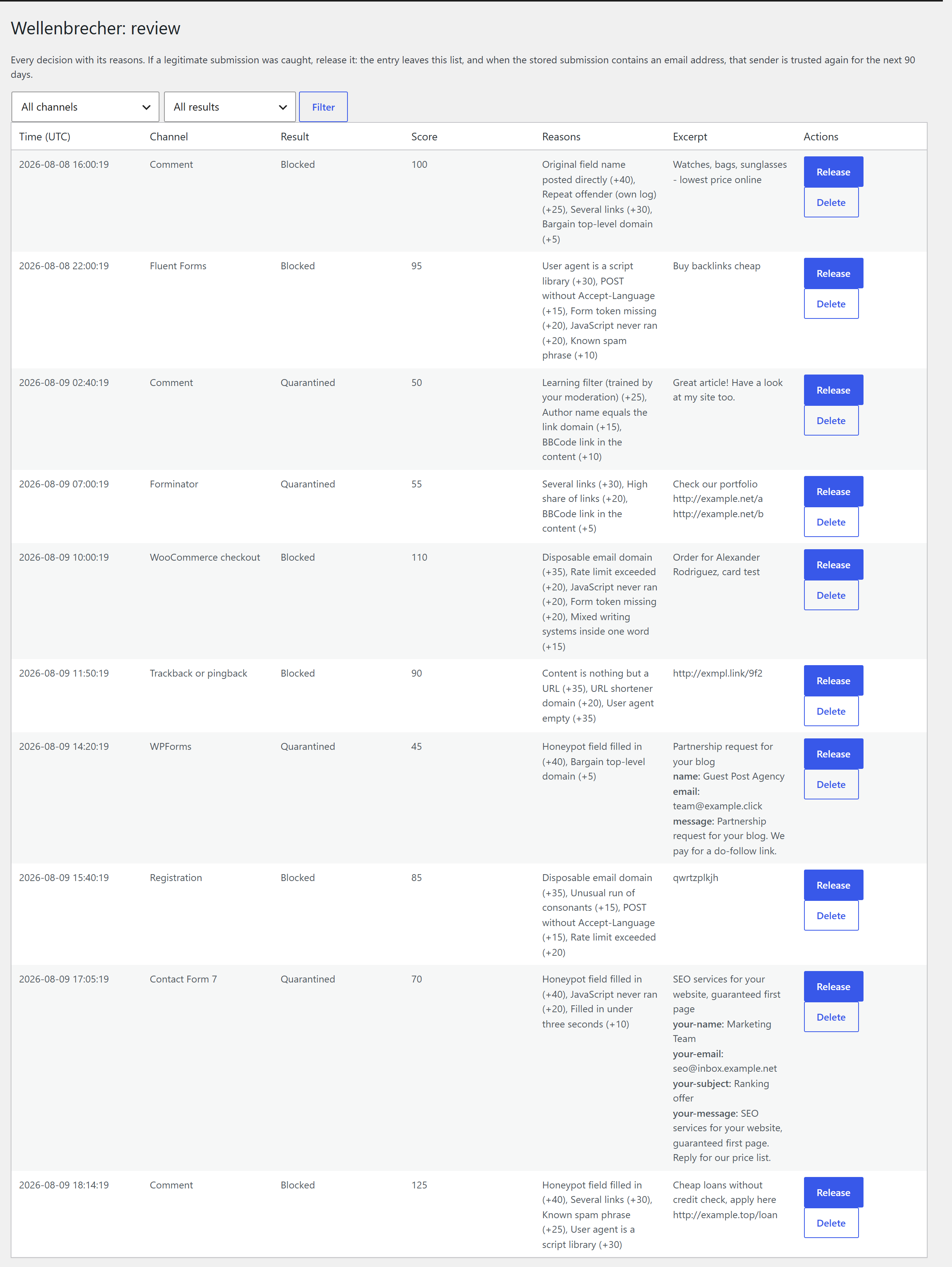
The log: every decision with its score, the rules that fired and a release button per row.
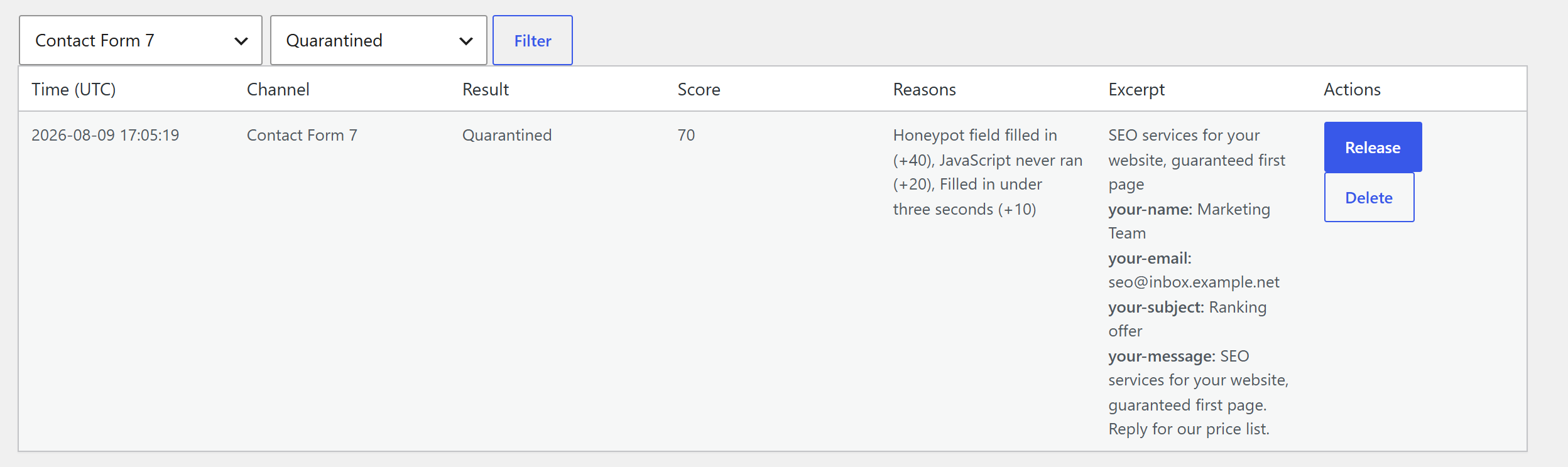
A single decision expanded, showing which rule contributed how many points.
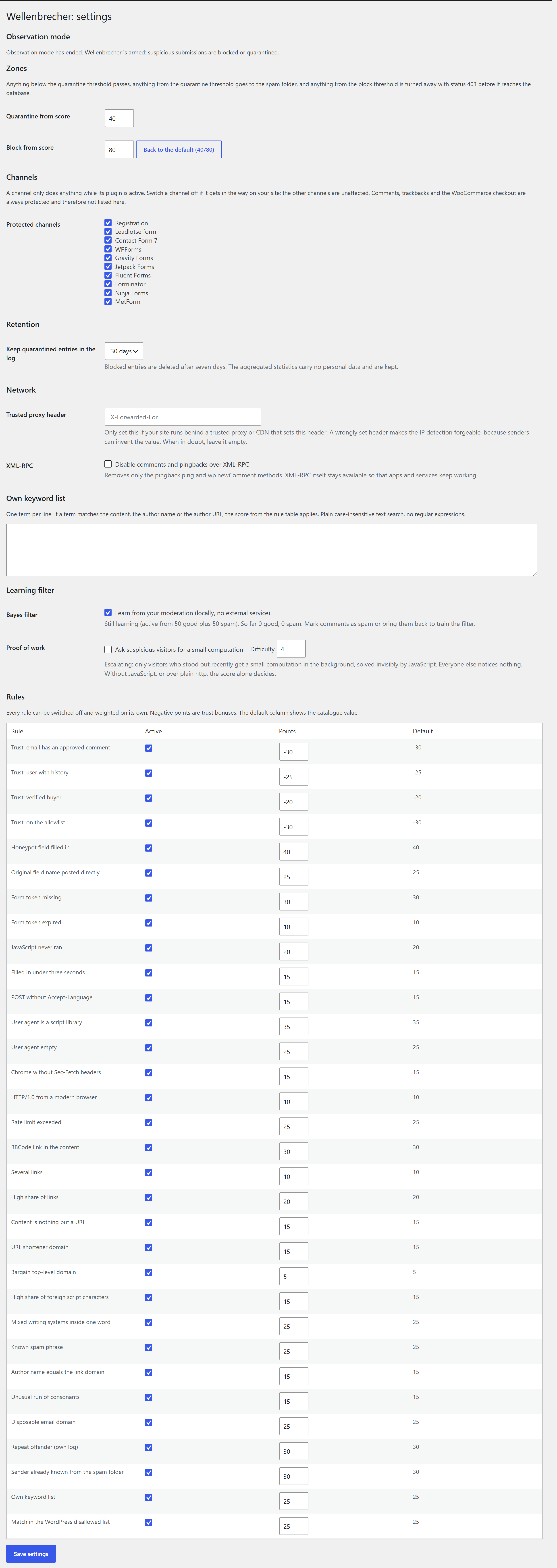
Settings: every rule can be switched off or reweighted, and the two thresholds that separate the three zones are set here.
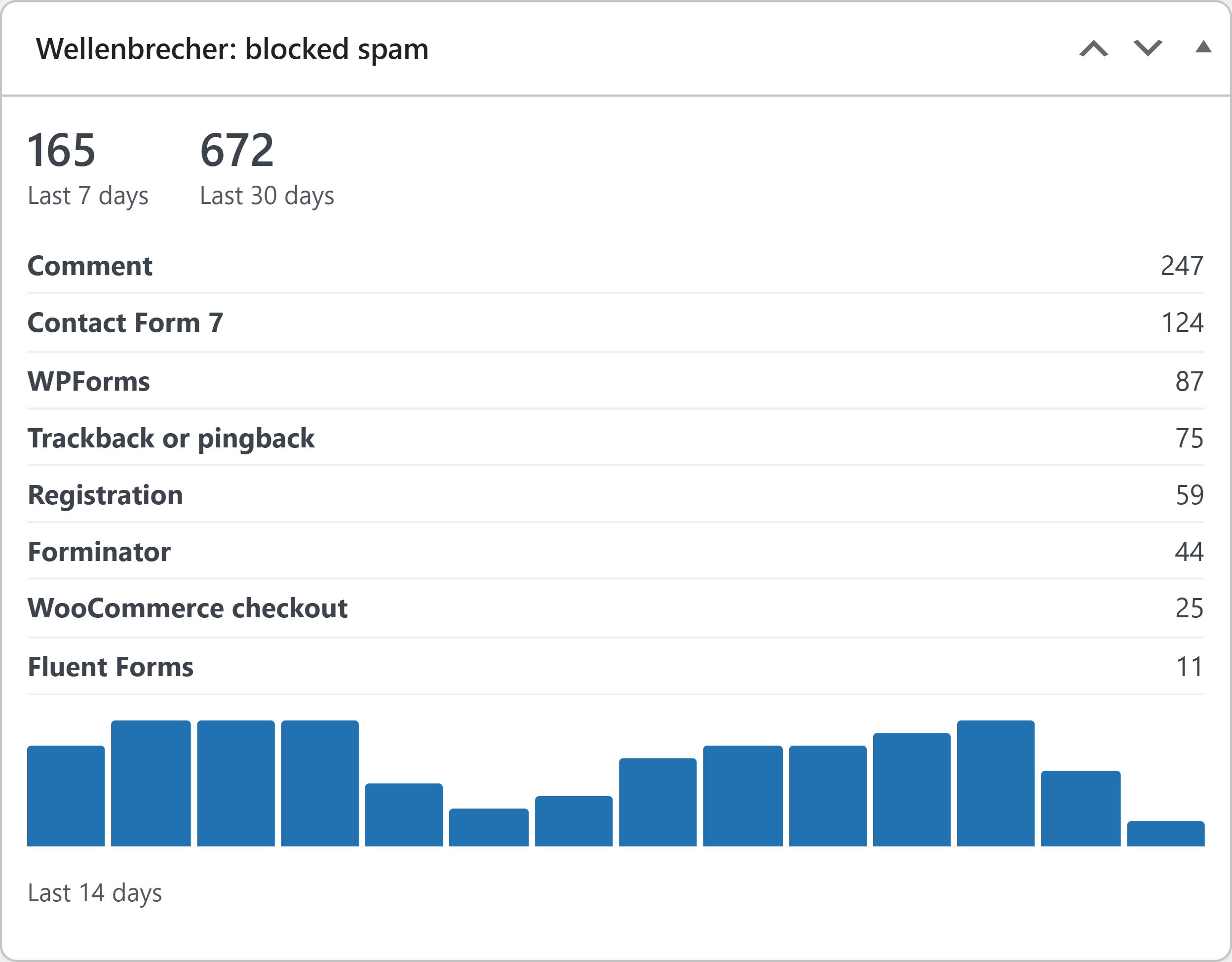
Dashboard widget with the last 14 days, the totals for 7 and 30 days and the breakdown per channel.
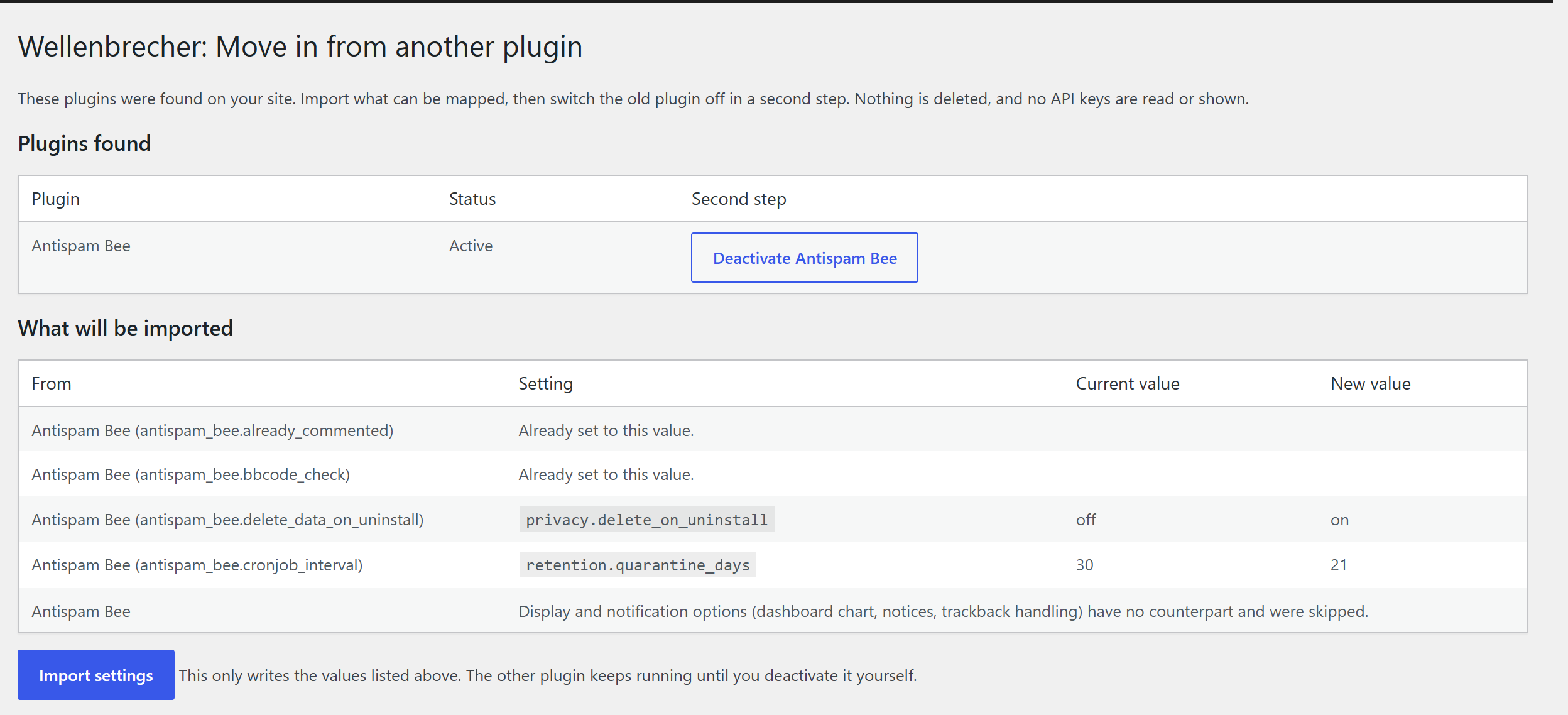
Move-in help: what a previously installed anti-spam plugin had configured, and what of it maps across.


