
Karasunouta Admin Menu Folder Wordpress Plugin - Rating, Reviews, Demo & Download

Plugin Description
Karasunouta Admin Menu Folder is a simple and lightweight plugin that aggregates multiple WordPress admin sidebar menu items into a clean, dedicated submenu folder.
As you install more plugins, your admin sidebar easily becomes cluttered with items you rarely touch. Karasunouta Admin Menu Folder lets you tuck away infrequently used menus into a single organized folder. This allows you to build a streamlined sidebar focused exclusively on your daily essential menus, while maintaining immediate access to all other tools whenever you need them.
Key Features
- Streamlined Sidebar: Keep your sidebar focused on daily high-frequency menus while preserving immediate access to secondary items inside the folder.
- Easy Toggle Interface: Drag-free intuitive checkbox interface for managing menu items in the settings page.
- Admin Bar Shortcut: Option to display a direct link to the settings page in the top admin bar.
- Submenu Settings Link: Option to place a settings link at the top or bottom of the submenu folder.
- Clean & Lightweight: Uses standard WordPress core hooks with no external bloat or performance impact.
Optional Pro Version
For larger websites or advanced administration workflows, Karasunouta Admin Menu Folder Pro is also available with additional capabilities:
- Multiple Folders: Create and organize multiple dedicated folders (e.g., Tools, Marketing, Settings).
- Custom Folder Icons & Titles: Assign distinct icons and custom names to each folder.
- Flexible Reordering: Freely customize the display order of folders in the sidebar and rearrange menu items inside each folder.
Source Code & Development
The source code for this plugin is available on GitHub:
https://github.com/karasunouta/karasunouta-admin-menu-folder
Screenshots
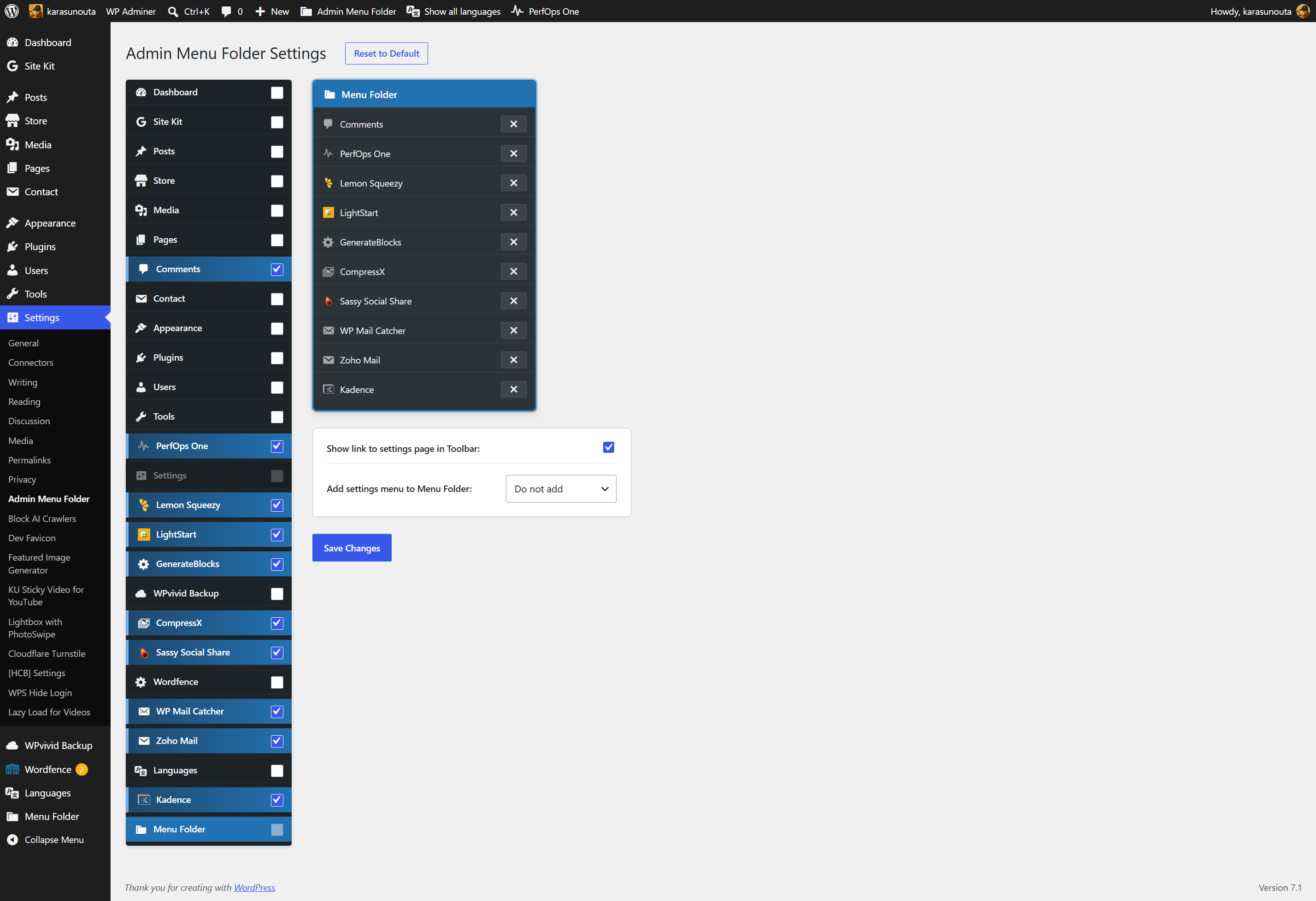
Settings screen — intuitive toggle checkboxes and real-time folder preview.
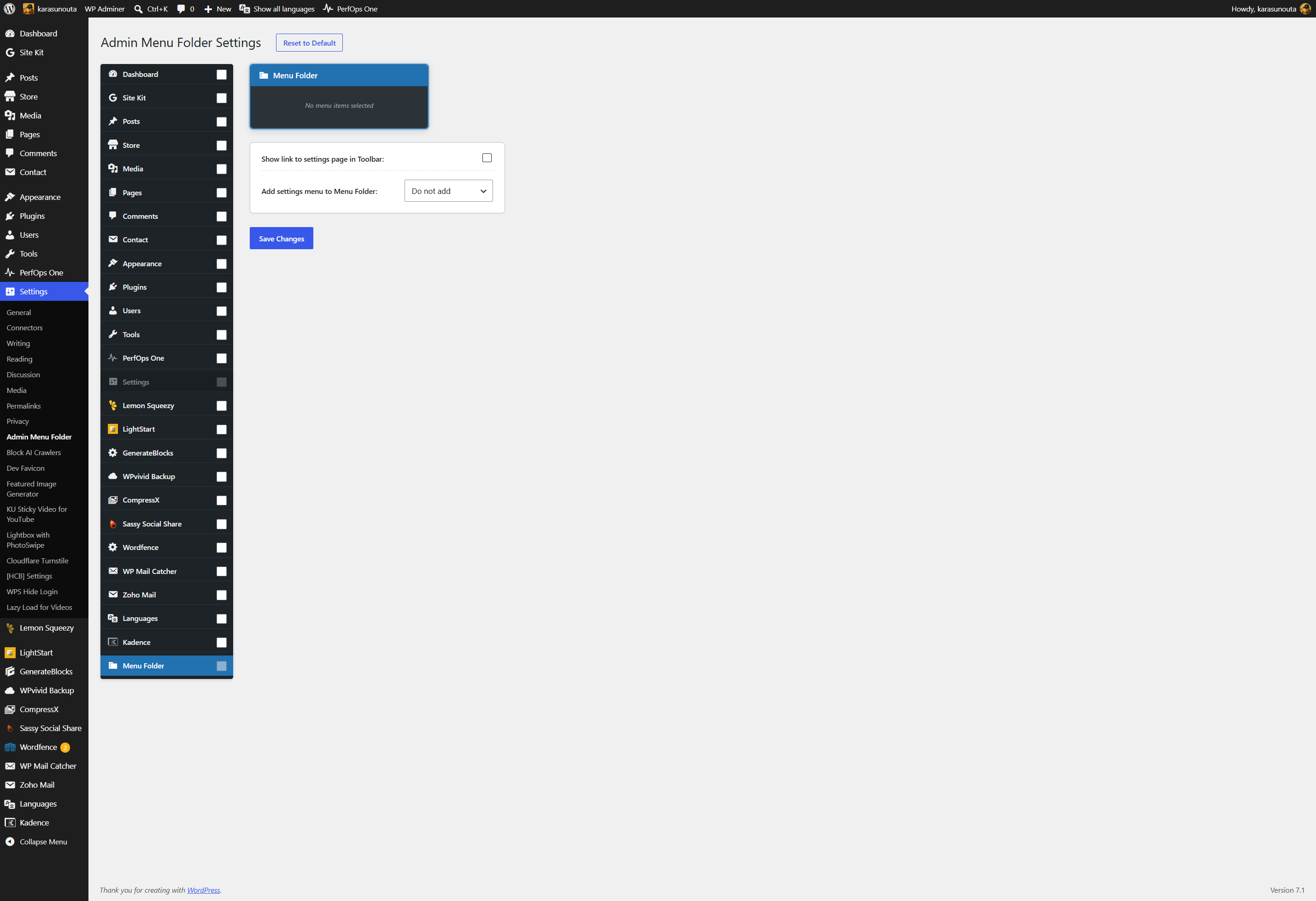
Before configuration — admin sidebar cluttered with many third-party plugin menus.
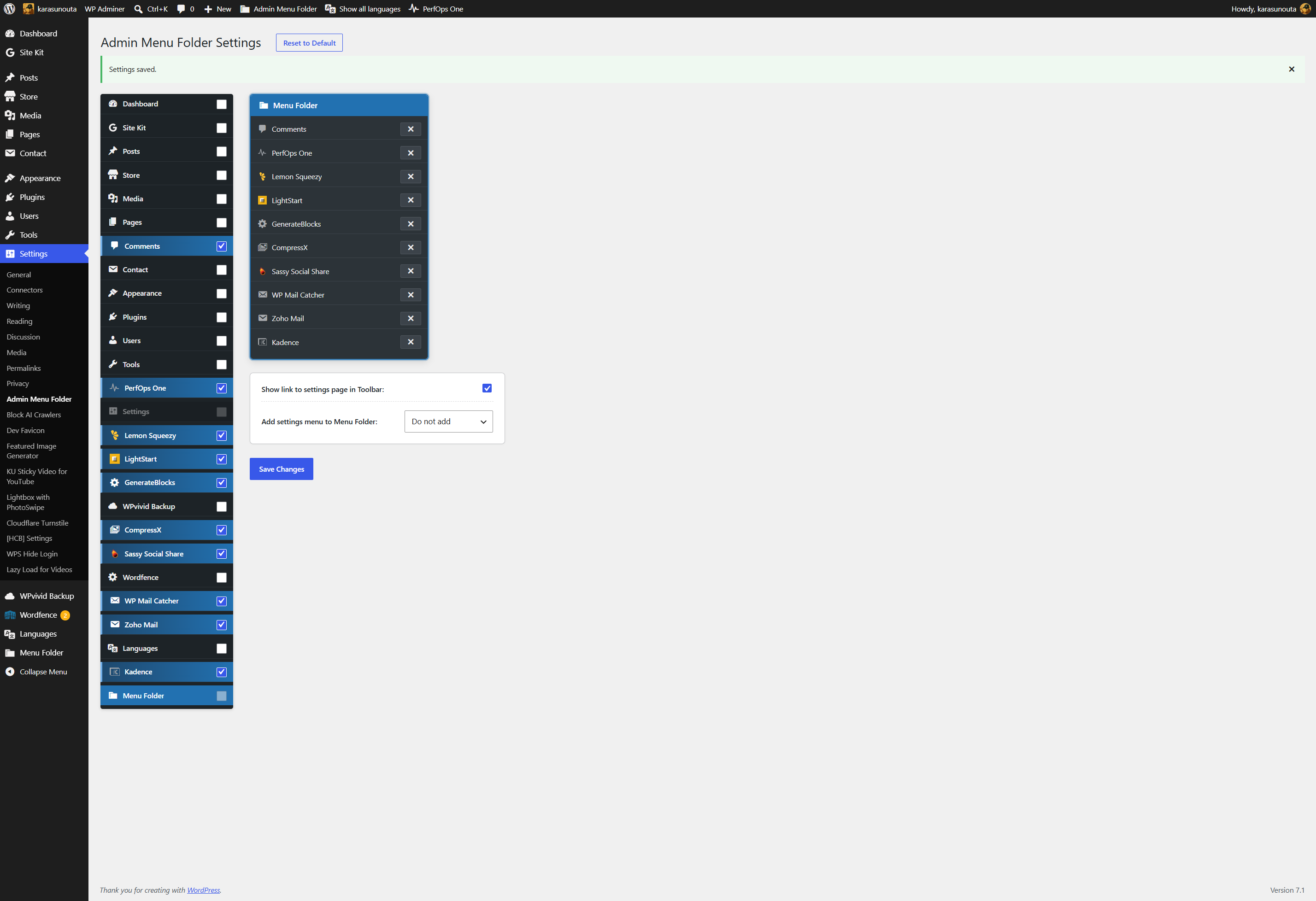
After configuration — selected menus are cleanly aggregated into a single folder.
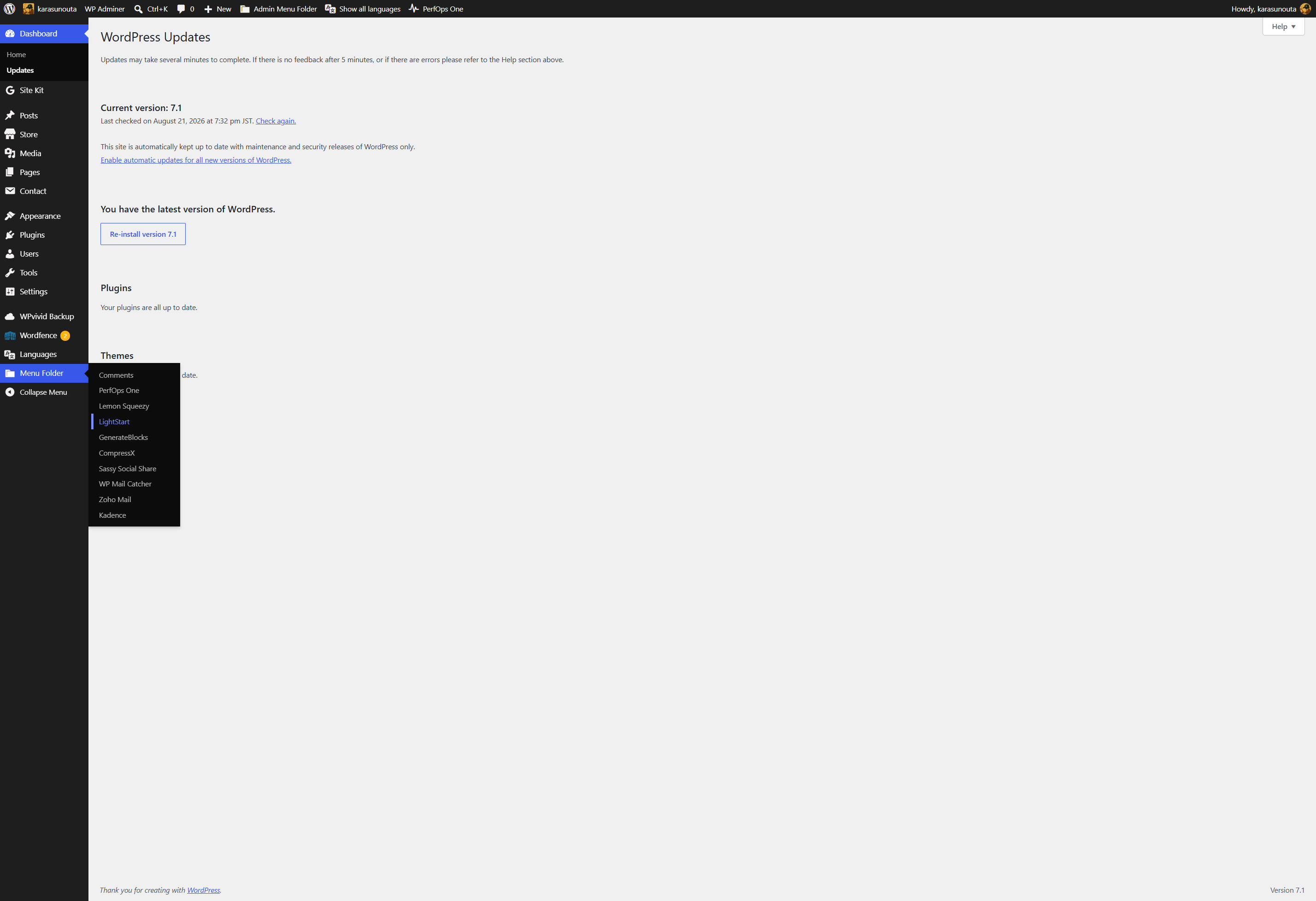
Accessing stored items — expanding the folder to navigate to a stored menu (e.g., selecting “Menu Folder > LightStart”).
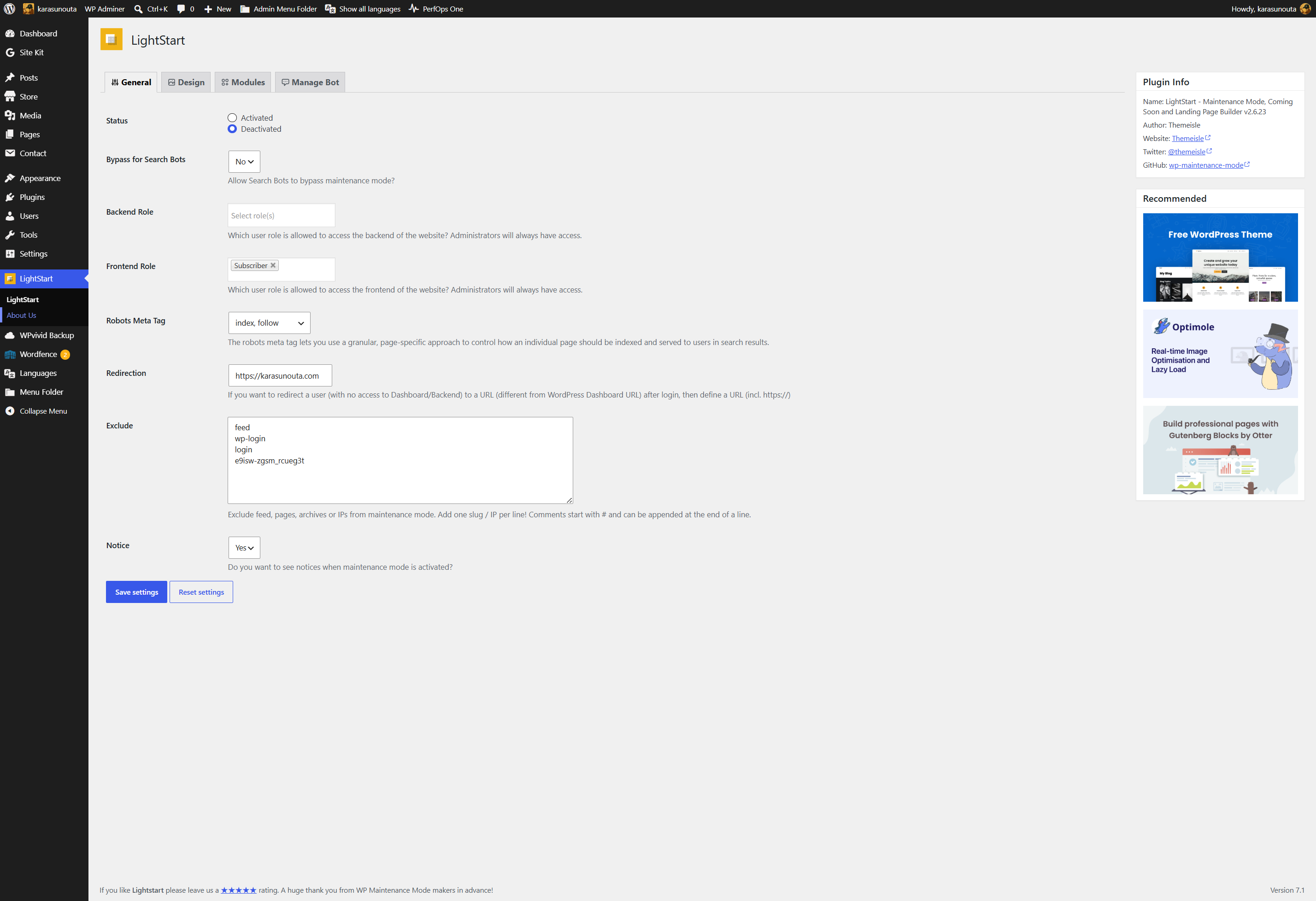
Preserved submenu functionality — opening a stored plugin (such as LightStart) displays its screen and seamlessly reveals all of its native child items (e.g., “LightStart > About us”) in the sidebar.


