TutorHelper Bookings Wordpress Plugin - Rating, Reviews, Demo & Download

Plugin Description
TutorHelper Bookings is a WordPress booking plugin created specifically for independent tutors and tuition providers.
It provides the Core tools needed to publish lesson availability, allow registered students to request available lessons, and manage those bookings from your own WordPress website.
Instead of sending students to a separate scheduling service, TutorHelper keeps your booking experience within the website you already manage.
Designed for tutors
TutorHelper Bookings follows a request-and-confirm workflow designed around private tuition:
- The tutor creates one or more Booking Types.
- The tutor publishes the dates and times they are available.
- A registered student chooses an available lesson and submits a booking request.
- The request appears in the TutorHelper Booking Hub as awaiting confirmation.
- The tutor reviews the request and confirms the lesson.
- The student can view the lesson from their TutorHelper student dashboard.
- TutorHelper sends the appropriate request, confirmation and cancellation emails throughout the process.
The free Core plugin does not require an external TutorHelper booking service.
Core features
- Create and manage multiple Booking Types.
- Set lesson duration and price information.
- Configure online, telephone, in-person and custom lesson locations.
- Set minimum booking notice for each Booking Type.
- Enable or disable student cancellation for each Booking Type.
- Set a minimum cancellation notice period.
- Create recurring weekly tutor availability.
- Restrict availability to selected Booking Types and locations.
- Make date-specific changes to recurring availability.
- Remove individual dates or ranges from recurring availability.
- Prevent students from requesting unavailable or conflicting lesson times.
- View lessons and availability through the TutorHelper Booking Hub calendar.
- View the Booking Hub by week or month.
- Create and edit tutor-entered bookings.
- Confirm student lesson requests from the Booking Hub.
- Allow registered students to request available lessons online.
- Display the responsive booking form using a shortcode.
- Give students a dashboard showing pending, upcoming, cancelled and previous lessons.
- Allow students to cancel eligible lessons and provide a cancellation reason.
- Allow tutors to cancel lessons and provide a reason to the student.
- Keep cancelled lessons visible as part of the booking history.
- Manage registered TutorHelper students from WordPress.
- Send automatic lesson request, confirmation and cancellation emails.
- Enable or disable individual Core email templates.
- Edit the subject and message text of the fixed Core email templates.
- Configure shared email sender, contact and privacy-policy details.
- Configure the pages used for student booking, lesson management and login.
- Use the standard WordPress login page or select a custom login page.
- Configure the working currency used for Booking Type prices and new bookings.
- Run TutorHelper Diagnostics to check whether the essential booking setup is ready.
- Download diagnostic system information and TutorHelper technical logs when troubleshooting.
- Store Core booking and availability information within the WordPress database.
Booking Shortcodes
Use the following shortcode to display the student lesson booking form:
[tutorhelper_student_booking]
Use the following shortcode to display the logged-in student’s lesson dashboard:
[tutorhelper_student_dashboard]
Students must be logged in with a registered TutorHelper student account to request lessons or view their lesson dashboard.
Student booking workflow
Student bookings are submitted as lesson requests.
A new student request is not automatically confirmed. The tutor can review the request from the TutorHelper Booking Hub and change its status to Confirmed.
TutorHelper Core is designed around individual lesson requests. Recurring booking requests, multiple simultaneous bookings and integrated online payments are not included in Core.
Booking Types
Booking Types describe the lessons or services you offer.
Each Booking Type can define information including:
- Title and description.
- Lesson duration.
- Price information.
- Available location types.
- Location or joining details.
- Minimum booking notice.
- Whether student cancellation is allowed.
- Minimum cancellation notice.
- Whether the Booking Type can be requested through online booking.
Booking Types can be reordered and archived when they are no longer required.
Availability
TutorHelper Availability controls when students may request lessons.
You can create recurring weekly availability and then make changes to individual dates or date ranges when your normal timetable changes.
Availability can also be restricted to particular Booking Types or lesson locations.
TutorHelper checks existing bookings and tutor unavailability before allowing a student to request a lesson time.
Booking Hub
The TutorHelper Booking Hub provides a calendar-based view of your lessons and availability.
Tutors can use it to:
- View bookings by week or month.
- Review pending student lesson requests.
- Confirm lesson requests.
- Create tutor-entered bookings.
- Edit upcoming bookings.
- Cancel lessons.
- Review cancelled lessons and cancellation reasons.
- Work with Booking Types and Availability from the booking interface.
Student dashboard
The student dashboard gives logged-in students a simple view of their lessons.
It separates lessons into useful sections including:
- Pending requests.
- Upcoming lessons.
- Cancelled lessons.
- Previous lessons and booking history.
Where a Booking Type permits student cancellation and the required notice remains, the student can cancel the lesson from their dashboard and provide a cancellation reason.
Booking emails
TutorHelper Core includes fixed automatic email templates for the standard booking workflow.
These include messages for:
- A new student lesson request sent to the tutor.
- Confirmation that the student’s request was received.
- A confirmed lesson.
- A cancelled lesson.
- A student cancellation notification sent to the tutor.
Core users can enable or disable these registered templates and edit their subject and message text.
The layout and template types themselves remain controlled by TutorHelper Core.
Emails are sent using the standard WordPress wp_mail() function. Actual email delivery can therefore be affected by the website’s hosting configuration or any SMTP or transactional email plugin in use.
TutorHelper Diagnostics
TutorHelper Diagnostics checks important parts of the Core booking setup and highlights anything that may need attention.
Checks include areas such as:
- Database readiness.
- Student booking and dashboard pages.
- Active Booking Types.
- Tutor availability.
- Tutor configuration.
- Email settings.
- Privacy-policy configuration.
The Diagnostics screen also provides technical system information and TutorHelper log information that can be reviewed when troubleshooting.
Diagnostic information is not sent automatically to TutorHelper.
Privacy
TutorHelper Bookings stores information required to provide and manage lesson bookings.
Depending on how the plugin is used, this may include:
- WordPress user IDs.
- Student account information.
- Student names.
- Student email addresses.
- Booking dates and times.
- Booking Type information.
- Lesson location and joining information.
- Student booking notes.
- Booking status.
- Cancellation status and reasons.
- Tutor and student relationships required to manage bookings.
Core booking and availability information is stored within the WordPress database.
TutorHelper Bookings does not automatically send booking information to an external TutorHelper booking service.
Automatic emails are sent through the WordPress wp_mail() system. Information contained within an email will therefore be processed by the website’s configured email-delivery system.
TutorHelper also maintains a limited technical diagnostic log. The logger is designed to record technical information rather than student names, email addresses or other unnecessary personal information.
Website owners are responsible for explaining how booking information is collected, processed, stored and retained within their own privacy policy and for complying with the privacy requirements that apply to their organisation.
TutorHelper Pro
TutorHelper Bookings Core is designed to remain useful as a standalone free plugin.
Additional TutorHelper Pro functionality may be available separately for tutors who require more advanced booking tools.
Planned advanced functionality may include features such as:
- Recurring lesson bookings.
- Multiple lesson bookings.
- Integrated online payments.
- More advanced Booking Type restrictions.
- Term-time-only booking rules.
- Additional booking automation.
- More advanced booking management tools.
- Extended email customisation, layouts and branding.
TutorHelper Bookings Core does not require TutorHelper Pro in order to provide its standard booking workflow.
Support
Support for the free plugin is available through the WordPress.org support forum.
TutorHelper documentation, tutorials and information about additional TutorHelper products are available from the TutorHelper website.
Video tutorials are also available through the TutorHelper YouTube channel.
Screenshots
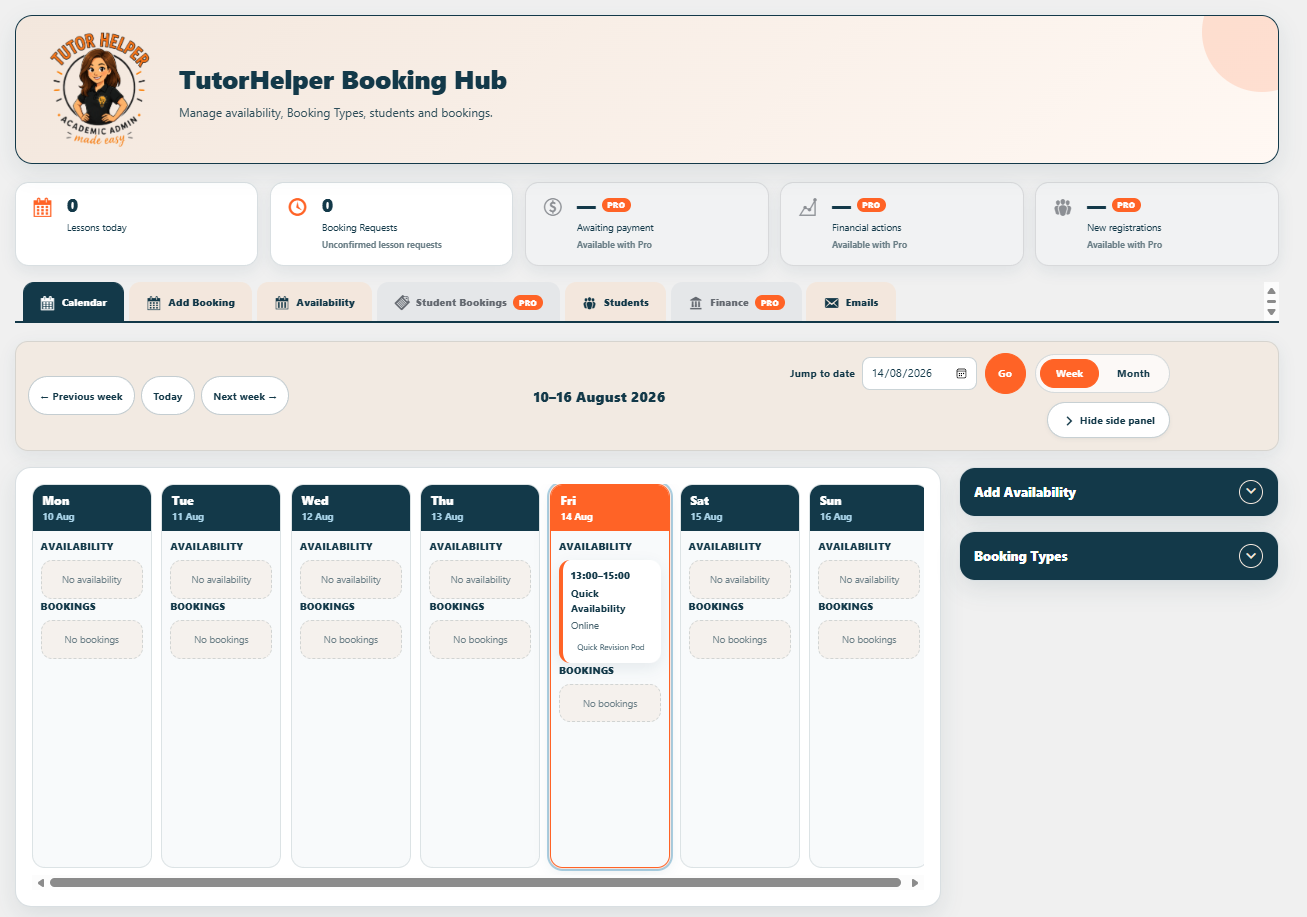
TutorHelper Booking Hub calendar for viewing and managing lessons.
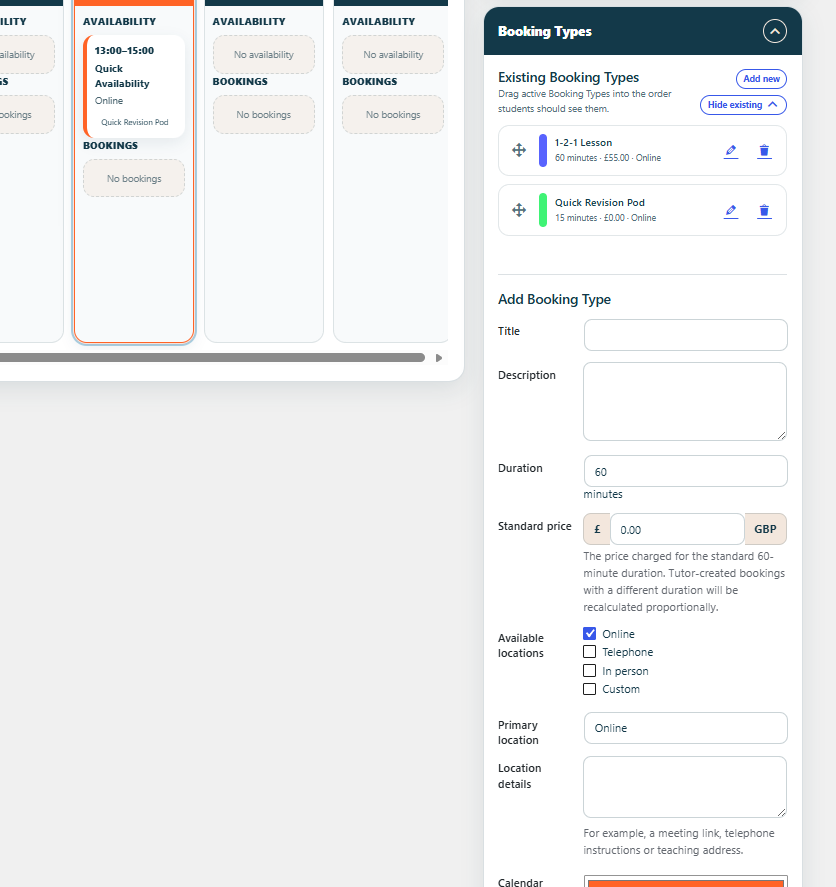
Booking Type management for configuring the lessons and services students may request.
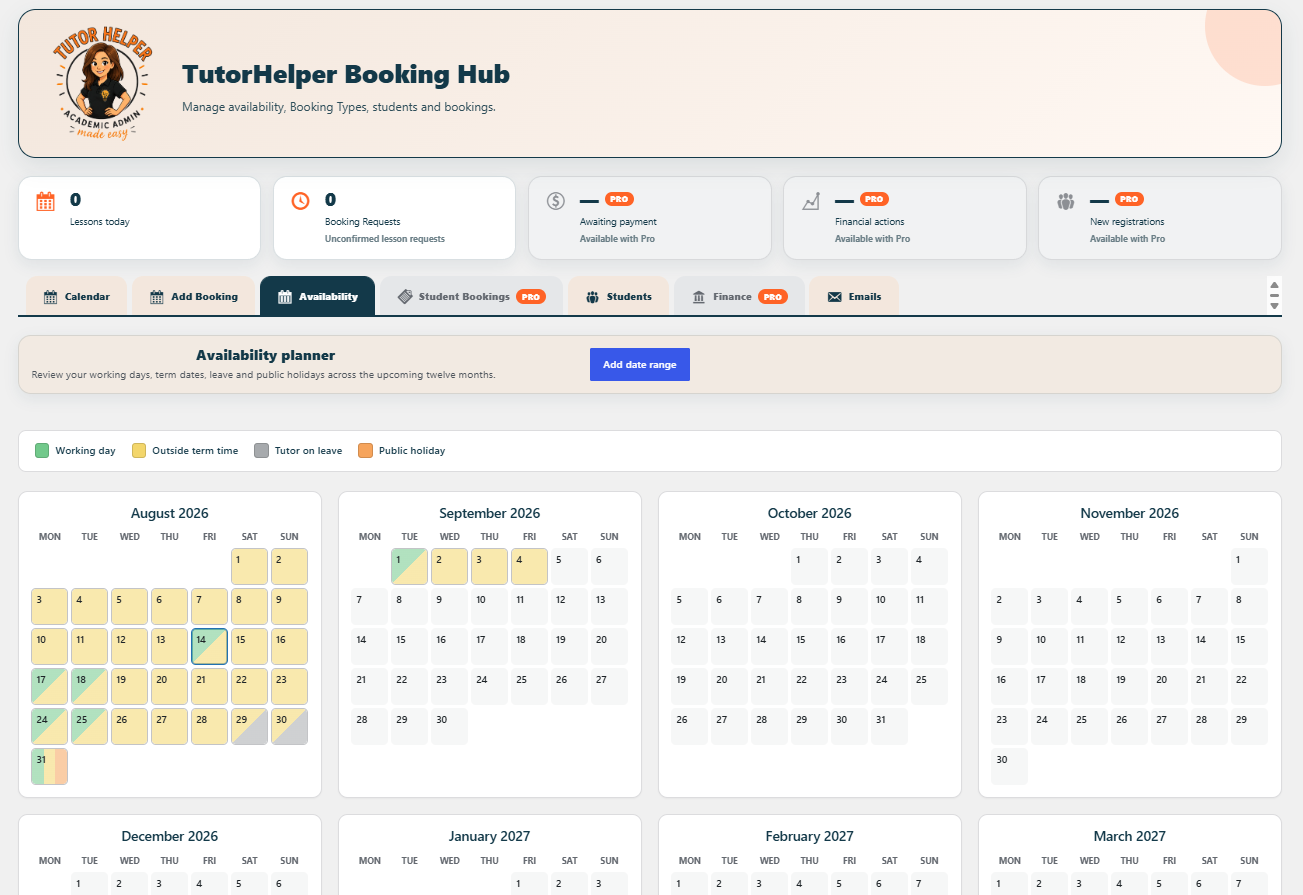
Tutor Availability management for recurring lesson times and date-specific changes.
![Responsive student lesson booking form displayed using the <code>[tutorhelper_student_booking]</code> shortcode.](https://ps.w.org/tutorhelper-bookings/assets/screenshot-4.png?rev=3663772)
Responsive student lesson booking form displayed using the
[tutorhelper_student_booking]shortcode.![Student lesson dashboard displayed using the <code>[tutorhelper_student_dashboard]</code> shortcode.](https://ps.w.org/tutorhelper-bookings/assets/screenshot-5.png?rev=3663772)
Student lesson dashboard displayed using the
[tutorhelper_student_dashboard]shortcode.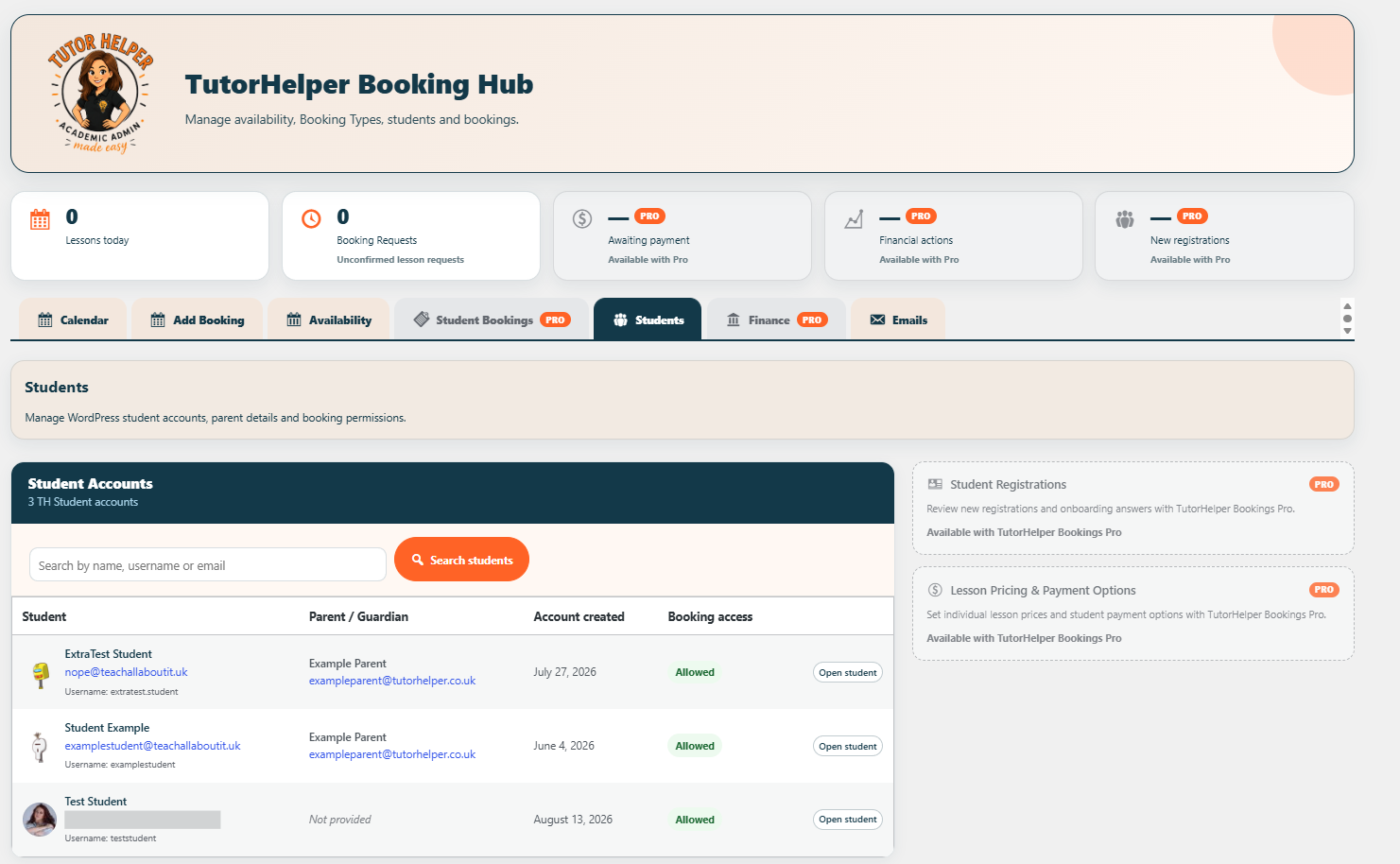
TutorHelper student management screen for viewing registered students.
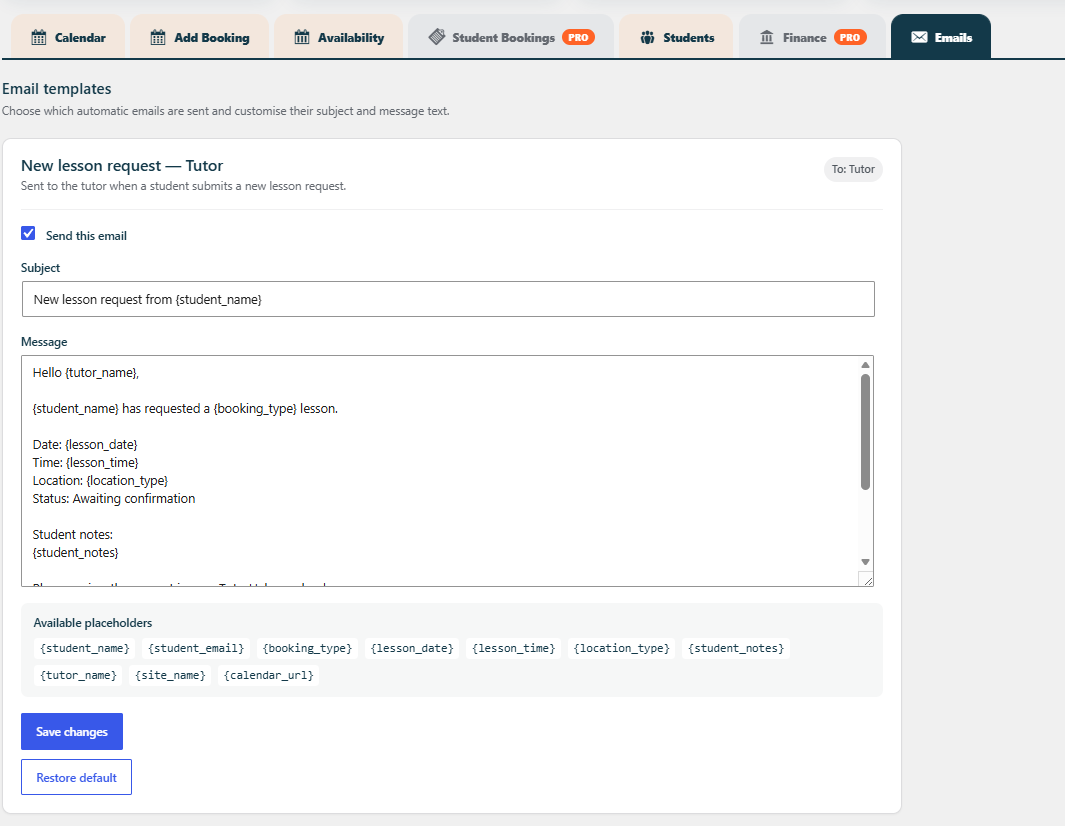
Core booking email template settings for automatic request, confirmation and cancellation messages.
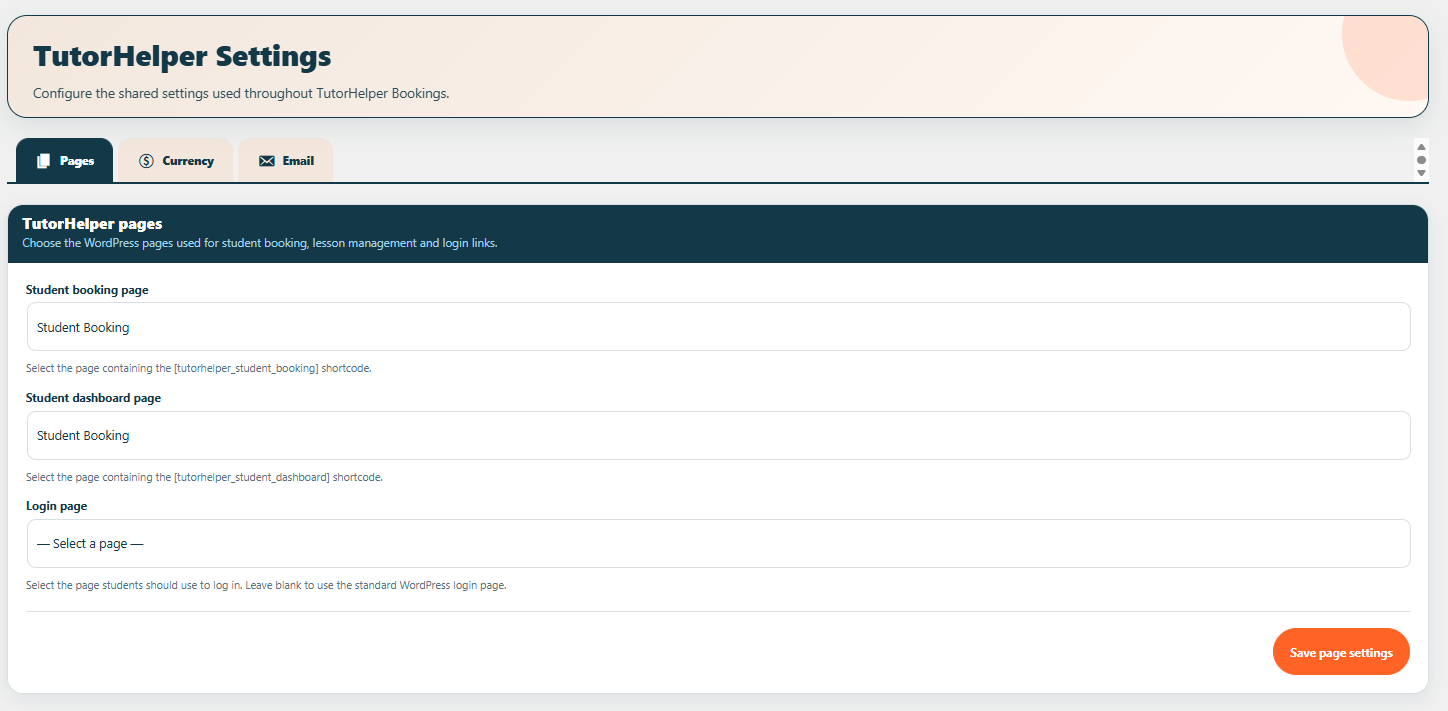
TutorHelper page settings for choosing the booking, student dashboard and login pages.
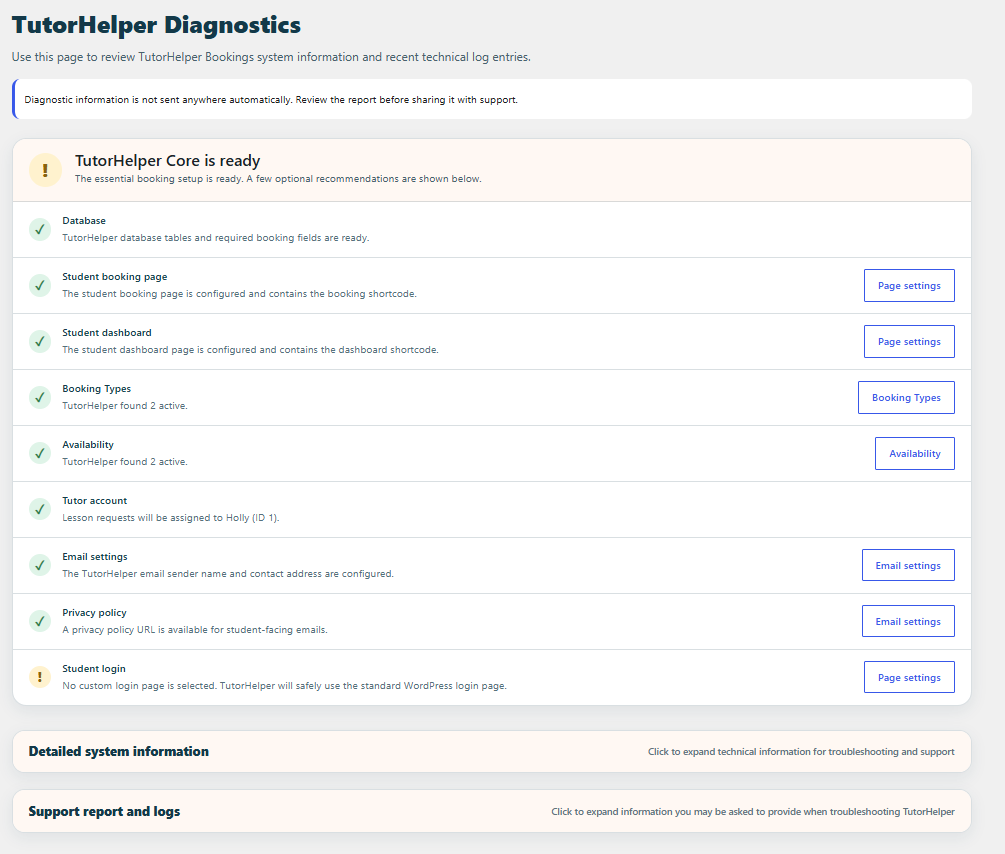
TutorHelper Diagnostics showing Core booking readiness and technical system information.