
Areviews – Import Photo & Video Reviews For WooCommerce Wordpress Plugin - Rating, Reviews, Demo & Download
Plugin Description
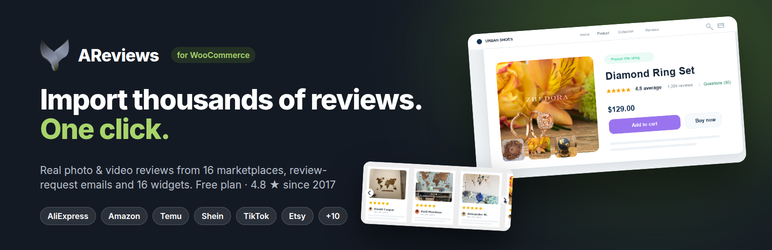
Areviews is the connector between your store and Areviews, a hosted
product-reviews service at areviewsapp.com. The plugin
does not store or render reviews on its own — it links your store to your Areviews
account, sends the product and order data the service needs, and places the review
widgets the service returns on your storefront.
Reviews, including photo and video reviews, can be imported into your Areviews
account from AliExpress, Amazon, Shein, Temu, Shopee, Etsy and TikTok, and this
plugin puts them on your WooCommerce product pages. You can also collect fresh
reviews from your own customers: the plugin sends paid and completed orders to
Areviews, which emails each buyer a review request and can reward them with a
WooCommerce coupon.
An Areviews account is required. Without one the plugin has nothing to
connect to and no widget will appear. See External services below for exactly
what data leaves your site, and when.
What the plugin does
- Connects your store to your Areviews account with a single connection key.
- Displays the photo and video reviews you imported into Areviews on your product
pages, alongside the reviews your own customers leave. - Keeps products in sync (add / update / delete).
- Sends paid and completed orders so Areviews can send review-request emails;
past orders can be imported from the Areviews dashboard. - Places the storefront widgets, all controlled from the Areviews dashboard —
nothing to edit in your theme: product reviews widget (placement of your
choice or the[areviews]shortcode), star ratings near the product title and
on shop / category pages, recent-purchases popup, floating badge, reviews
slider ([areviews_slider]), mini slider ([areviews_mini_slider]), floating
slider, side widget, home page reviews ([areviews_home_reviews]), cart
reviews ([areviews_cart_reviews]), Review Bubbles, Review Reels, World Map
and the all-reviews / testimonials page ([areviews_reviews_page], with
one-click page creation from WooCommerce > Areviews). - Adds the Areviews rating to the WooCommerce (and Yoast SEO) product structured
data for Google rich snippets. - Creates review-reward coupons as normal WooCommerce coupons.
Privacy
Order and customer data (including customer email addresses) is sent to Areviews
so that review-request emails can be delivered. Connecting your store is an
explicit, manual action — nothing is transmitted until you enter a connection key
and click Connect Store, and disconnecting stops it. If your store serves
visitors in the EU/UK, mention Areviews as a processor in your own privacy
policy.
External services
This plugin connects your site to Areviews, a third-party review service
operated by Areviews (https://areviewsapp.com). The plugin cannot function
without it. The service endpoint is https://wordpress.areviewsapp.com unless
you change it on the settings screen.
- Service: Areviews — https://areviewsapp.com
- Terms of use: https://wordpress.areviewsapp.com/terms_and_conditions
- Privacy policy: https://wordpress.areviewsapp.com/privacy_policy
What is sent, and when
- Connecting or disconnecting the store (when you click Connect or
Disconnect in WooCommerce > Areviews, and when the plugin is deactivated):
your site URL, site title, store domain, the site administrator email
address, and your WordPress, WooCommerce and plugin versions. - Widget settings check (while storefront pages are rendered, at most once a
minute): your store domain only. - Product changes (whenever a product is created, updated, trashed or
deleted): product ID, name, slug, URL, status, SKU, price, image URL and
creation date. - Orders (when an order becomes Processing or Completed, and when you run the
past-orders import from the Areviews dashboard): order ID and number,
currency, order-status URL, line items (product ID, name, quantity), and the
customer’s ID, billing email address, first and last name, and billing /
shipping country. This is what the review-request emails are addressed with. - Google rich snippets (on product pages, only while the feature is enabled
in the Areviews dashboard; cached for 6 hours): your store domain and the
product ID. - Rendering a widget — sent from the visitor’s browser to
https://wordpress.areviewsapp.com/api/display_reviews_api on pages that
show a widget: your store domain, the public widget token, the product ID,
and, for signed-in customers only, the WordPress user ID and email address so
that “verified buyer” and “you already reviewed this” can be resolved. -
Widget markup and scripts — the widgets are rendered by the service and
placed into the page by the plugin’s script, and the Review Bubbles, Review
Reels and World Map widgets are loaded as JavaScript from
https://wordpress.areviewsapp.com/js_codes/ on product pages, only while
those widgets are switched on in the Areviews dashboard. As with any remote
asset, these requests tell the service the visitor’s IP address and user
agent.These three widgets are served from Areviews rather than bundled in the
plugin because they are part of the hosted service and change with it: their
layout, animation and data handling are improved on a rolling basis and the
rendering has to stay in step with the dashboard settings and the review API
that drives them. Shipping them inside the plugin would mean every design
change waited on a plugin release and on each merchant updating, and stores
on older versions would render widgets the service no longer supports. They
are ordinary, readable JavaScript served over HTTPS from the documented
service endpoint, they are requested only on product pages and only for
widgets the merchant has switched on, and they are browser-cached like any
other script. -
Theme compatibility support — off by default, and only useful when a
widget is not appearing. Some themes rewrite the WooCommerce templates and
remove the hooks the Areviews widgets attach to, which is why a widget can be
enabled in the dashboard and still not show. Ticking “Theme compatibility
support” in WooCommerce > Areviews lets our support team read the layout
files responsible: your theme’s WooCommerce templates (product, shop /
category, cart), its layout files (style.css, header, footer, theme.json,
woocommerce.php), any Site Editor templates for those pages, and your
WordPress, WooCommerce and PHP versions with the list of active plugins.functions.php,
wp-config.php, your uploads, your database and all
customer, order and personal data are out of scope. The list of files is
fixed in the plugin’s source and folders are never scanned, so nothing
outside that list can be requested; anything resembling a key or password
inside a template is masked before it is sent. While the setting is off the
endpoint refuses every request.
Areviews also reads store data back from your site over signed REST requests
(/wp-json/areviews/v1/…) for products, orders, verified-buyer checks and
review-reward coupons. Every request in both directions is signed with the
connection key you pasted in, and requests older than five minutes are refused.




