Web Plura Security Center Wordpress Plugin - Rating, Reviews, Demo & Download
Plugin Description
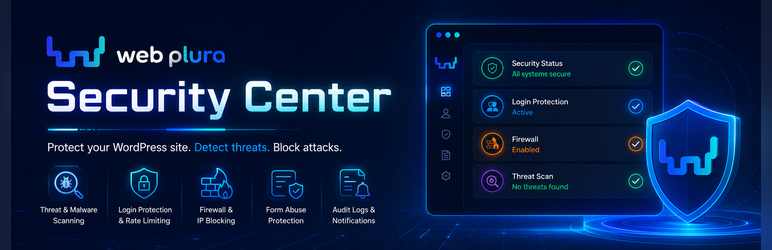
Web Plura Security Center helps site owners and operations teams detect, track, and fix security issues.
Product page: https://wplura.com/products/web-plura-security-center
Terms: https://wplura.com/terms
Privacy: https://wplura.com/privacy
Support: https://wplura.com/support
More: https://wplura.com/about, https://wplura.com/contact, https://wplura.com/security, https://wplura.com/docs, https://wplura.com/legal, https://wplura.com/cookie-policy, https://wplura.com/acceptable-use, https://wplura.com/data-processing-addendum, https://wplura.com/service-level-agreement
Optional Web Plura Services
The WordPress.org package is fully functional for local security checks, login protection, firewall controls, incident visibility, reports, admin guidance, privacy tools, and plugin-owned data controls. Separately installed or hosted Web Plura services may offer account-backed support, hosted security operations, or cross-site workflows, but they are not required for the local features included here.
Core capabilities:
- Local security scans for suspicious files, malware indicators, and risky configuration.
- Local setup templates, score checklist, and bounded file-change baseline summaries.
- Local Form Abuse & Lead Security advisor for form plugins, lead pages, SMTP, privacy page, updates, and risky form markers.
- Local Admin/User Risk & File Integrity advisor for administrator drift, registration role exposure, permissions, upload executables, debug logs, public archives, and recent component changes.
- Firewall rules with rate limiting and temporary blocking controls.
- Incident tracking, audit visibility, and email notification support in wp-admin.
Local advisors read only the WordPress data and bounded filesystem markers needed for their checks. They do not submit forms, collect lead content, change users or files, send telemetry, upload baseline history, or require Web Plura Cloud.
External Services
This free plugin does not connect to Web Plura Cloud. It may contact these third-party services only when an administrator enables the related local feature:
Administrator consent is required before optional CAPTCHA checks or checksum verification checks use those external services.
- WordPress.org Plugin Checksums API: https://api.wordpress.org/plugins/checksums/1.0/
- Purpose: verifies installed plugin files against WordPress.org checksums when an administrator runs checksum verification.
- Data sent: plugin slug and version identifiers needed for checksum lookup.
- Runs: only when checksum verification checks are run.
- Terms: https://wordpress.org/about/terms/
- Privacy: https://wordpress.org/about/privacy/
- Cloudflare Turnstile: https://challenges.cloudflare.com
- Purpose: loads the selected Turnstile challenge and verifies CAPTCHA responses when an administrator enables Cloudflare Turnstile for login protection.
- Data sent: browser request metadata needed to load the challenge, the CAPTCHA verification token, and the requester IP address during verification.
- Runs: only on configured login surfaces after the administrator enables Turnstile and saves Cloudflare keys.
- Terms: https://www.cloudflare.com/website-terms/
- Privacy: https://www.cloudflare.com/privacypolicy/
- Turnstile Privacy Addendum: https://www.cloudflare.com/turnstile-privacy-policy/
- hCaptcha: https://js.hcaptcha.com and https://hcaptcha.com
- Purpose: loads the selected hCaptcha challenge and verifies CAPTCHA responses when an administrator enables hCaptcha for login protection.
- Data sent: browser request metadata needed to load the challenge, the CAPTCHA verification token, and the requester IP address during verification.
- Runs: only on configured login surfaces after the administrator enables hCaptcha and saves hCaptcha keys.
- Terms: https://www.hcaptcha.com/terms
- Privacy: https://www.hcaptcha.com/privacy
- Google reCAPTCHA: https://www.google.com/recaptcha/
- Purpose: loads the selected reCAPTCHA challenge and verifies CAPTCHA responses when an administrator enables Google reCAPTCHA for login protection.
- Data sent: browser request metadata needed to load the challenge, the CAPTCHA verification token, and the requester IP address during verification.
- Runs: only on configured login surfaces after the administrator enables reCAPTCHA and saves Google reCAPTCHA keys.
- Terms: https://policies.google.com/terms
- Privacy: https://policies.google.com/privacy
Suspicious file samples, form-advisor data, admin/user risk data, file baseline history, and setup checklist data are not uploaded by the free plugin.
No third-party executable PHP/JS code is loaded except the administrator-enabled CAPTCHA provider scripts documented above. Plugin/theme updates are not served by this plugin from non-WordPress.org update channels.
Some payment, social, CDN, or static-hosting domains may appear in local scanner signature allowlists so the plugin can avoid false positives while reviewing site files. Those strings are detection references only. The free plugin does not enqueue or execute Stripe, Facebook, jsDelivr, or gstatic assets.
Screenshots

Security Dashboard overview with local protection and scan status.

Security Center page with local setup templates, score checklist, and bounded file-change baseline summaries.

Security Check page for quick and full local scans.

Form Abuse & Lead Security page for local lead capture exposure checks.

Threat Alerts page listing suspicious findings and remediation context.

Firewall controls for local request protection settings.

User Profile Login Security controls for 2FA enrollment, passkeys, backup codes, and login availability notices.

Settings page for local protection modules, notifications, SMTP delivery, and privacy/data boundary status.