Caresort Accessibility Monitor Wordpress Plugin - Rating, Reviews, Demo & Download
Plugin Description
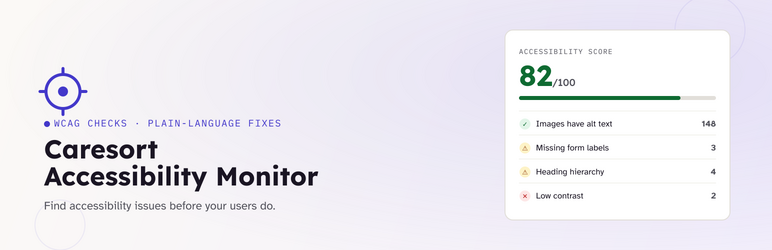
Caresort Accessibility Monitor scans your published posts and pages — the actual rendered HTML, not just the post editor content — and checks them against common accessibility problems. For every issue it finds, it explains why it matters and what to do about it, so you don’t need to already know WCAG to act on the results.
Detect Explain Fix Verify
Every issue in the report includes:
- Detect — exactly what was found, and where.
- Explain — why it matters for real users (in plain language, not just a WCAG citation).
- Recommended fix — the specific change to make.
- Verify — a one-click recheck that confirms whether your fix actually resolved it.
What gets checked
- Missing image alt text
- Missing page language attribute
- Form fields without labels
- Empty links and buttons (no accessible name)
- Heading structure (skipped levels, multiple H1s)
- Color contrast, where technically possible (see note below)
- Basic keyboard accessibility (non-interactive clickable elements, positive tabindex)
Features
- Site-wide accessibility health score
- Scans posts and pages
- Sortable, searchable, filterable issue report (Open / Ignored / Resolved / All)
- Manual “Scan Now” button
- Issue history — resolved issues are kept, not just deleted
- Dashboard widget with a live score summary
- Recheck / Ignore / Delete actions per issue, plus bulk actions
A note on the contrast check
The contrast check can only evaluate colors set directly via an inline style="" attribute on an element. It cannot see colors that come purely from your theme’s stylesheet, since that would require a full browser rendering engine. It’s a genuinely useful partial check, not a complete one — you can turn it off under Settings if you’d rather not see partial results.
Screenshots
No screenshots provided