Kal AI – AI Chatbot & Analytics Wordpress Plugin - Rating, Reviews, Demo & Download

Plugin Description
Kal AI turns your existing WordPress content into an intelligent, context-aware chat assistant. Connect your content sources, import them into a knowledge base, and deploy a fully branded chat widget — all without writing a single line of code.
Key Features:
- LearnDash Integration — Bulk import entire courses, lessons, and topics with a guided wizard. Auto-embed the chat bot directly on course pages.
- Import Articles — Import posts from any post type (native or custom) into your AI knowledge base.
- Import YouTube & Vimeo Videos — Pull video content using custom fields. AI transcribes and indexes the content.
- Import PDF/DOC/DOCX Documents & Google Drive Files — Upload documents or connect Google Drive to import them.
- Manage Multiple Bots — Create separate bots for different audiences, each with its own knowledge base, branding, and embed settings.
- Deploy Chat Widget — Add the chat via
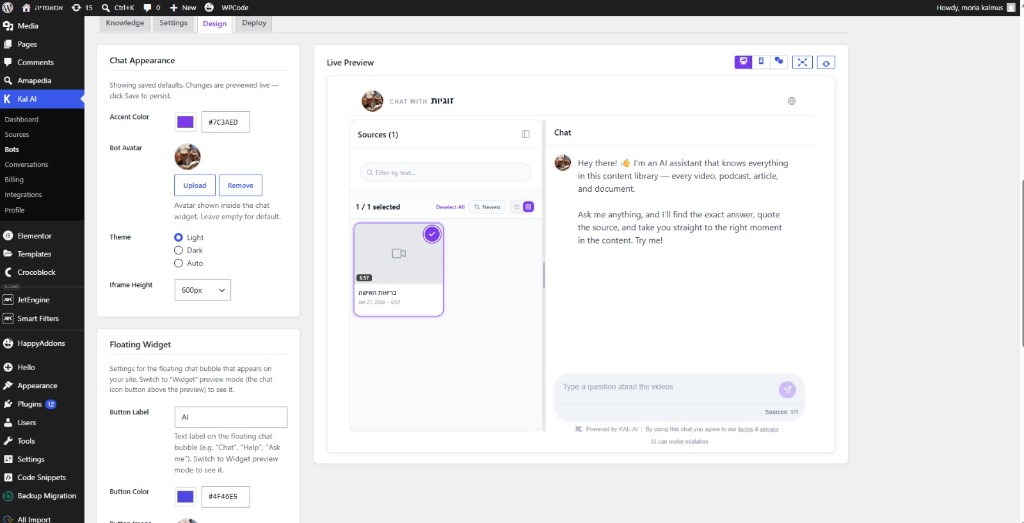
[kalai_chat]shortcode, auto-embed on all pages, or specific LearnDash courses. - Design & Deploy Tab — Fully customize colors, avatar, theme (light/dark/auto), floating widget label, and greeting text with a live preview.
- Domain Restriction — Lock your bot so it only works on your WordPress domain.
- Billing & Hours — View your plan, purchase import hours, manage your subscription, and view purchase history.
- Conversations Dashboard — See real audience questions, which bot answered, which source it used, and when.
External Services:
This plugin requires a free Kal AI account to function. Content you import (posts, videos, PDFs) and visitor chat interactions are transmitted to and processed on Kal AI servers. By using this plugin you agree to the Kal AI Terms of Service and Privacy Policy.
Vimeo oEmbed API — When you import Vimeo videos, the plugin contacts the Vimeo oEmbed endpoint (https://vimeo.com/api/oembed.json) to fetch video metadata (title, duration). This occurs only when an admin triggers a Vimeo import. No personal visitor data is sent to Vimeo. Vimeo Privacy Policy | Vimeo Terms of Service.
SUMIT (OfficeGuy) Payments — The Billing page loads the SUMIT payment script (https://app.sumit.co.il/scripts/payments.js) to process subscription and import-hour purchases. This occurs only on the plugin Billing admin page when a payment form is displayed. Payment data is handled directly by SUMIT and is never stored on your server. SUMIT Terms of Service | SUMIT Privacy Policy.
How It Works:
- Install and activate the plugin
- Register a free Kal AI account directly from the plugin setup wizard
- Connect a source (LearnDash, Vimeo, YouTube, articles, PDFs, Google Drive)
- Import your content into the AI knowledge base
- Create a bot and link it to your sources
- Deploy the chat widget using a shortcode or auto-embed
Privacy Policy
Kal AI connects to the Kal AI cloud service hosted at https://kal-ai.com and https://api.kal-ai.com.
Data sent to Kal AI servers includes:
- WordPress post/page content (title, body text) when you trigger an import
- YouTube and Vimeo video URLs submitted for transcription
- PDF and Google Drive document contents submitted for indexing
- An anonymised WordPress user identifier and a short-lived HMAC token so the chat widget can load a visitor’s conversation history (logged-in users only)
- Your API key, used to authenticate all requests
No data is sent without a deliberate action by the site administrator (importing content) or by a visitor interacting with the deployed chat widget.
External services
This plugin connects to the following external services:
Kal AI API — The core service this plugin is built on. Used for all AI processing, bot management, content import, and chat widget delivery. Data transmitted: WordPress content (on import), visitor chat messages, WP user identifiers (HMAC-signed, for logged-in users). Kal AI Terms of Service | Kal AI Privacy Policy.
Vimeo oEmbed API (https://vimeo.com/api/oembed.json) — Used only when an admin imports Vimeo videos. The plugin sends the Vimeo video URL to retrieve metadata (title, duration). No visitor data is transmitted to Vimeo. Vimeo Terms of Service | Vimeo Privacy Policy.
SUMIT (OfficeGuy) Payments (https://app.sumit.co.il) — A payment processing service used on the plugin Billing admin page to handle subscription and import-hour purchases. The SUMIT payment script loads when a payment form is displayed. Payment data is submitted directly to SUMIT and is never stored on your server. SUMIT Terms of Service | SUMIT Privacy Policy.
Screenshots
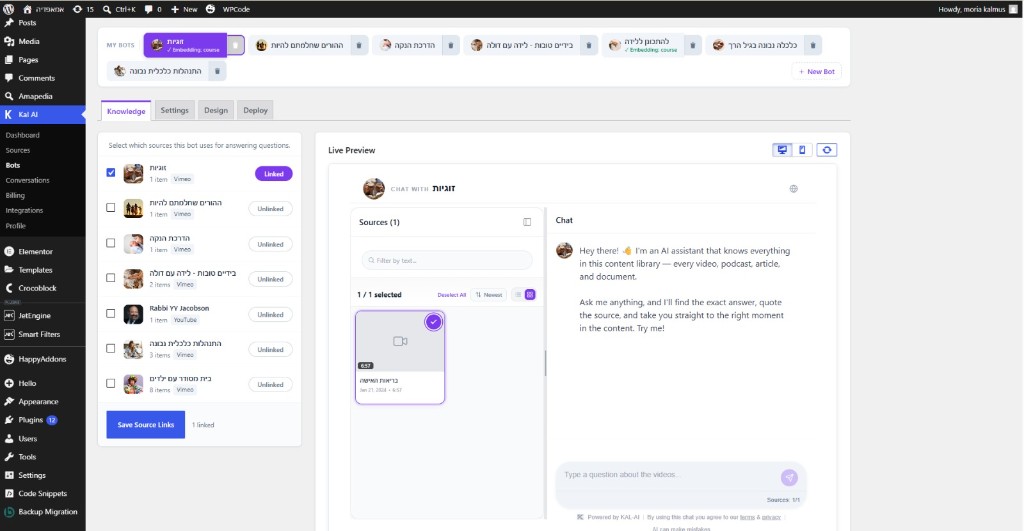
Bot Knowledge tab — select which sources power each bot, with a live chat preview alongside
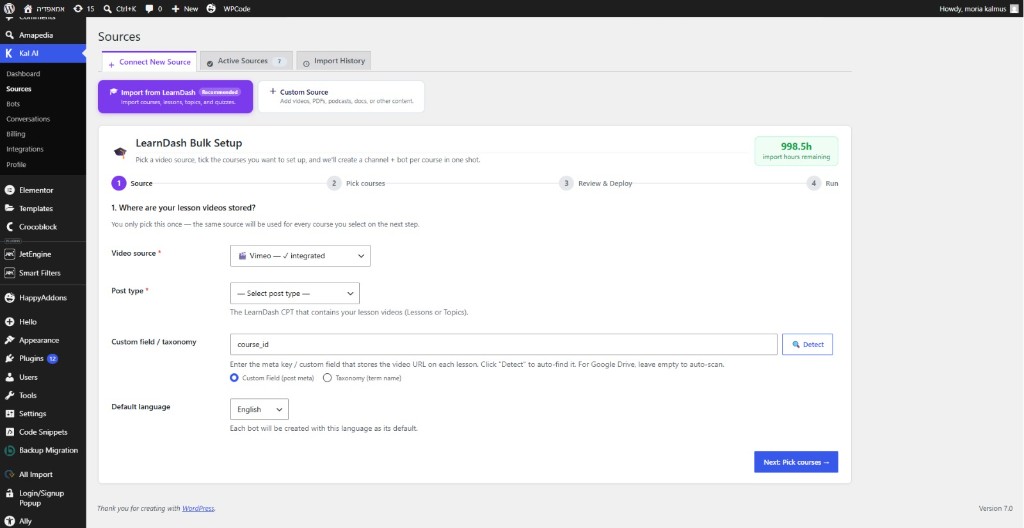
LearnDash Bulk Setup Wizard — pick your video source, post type, and custom field in one step
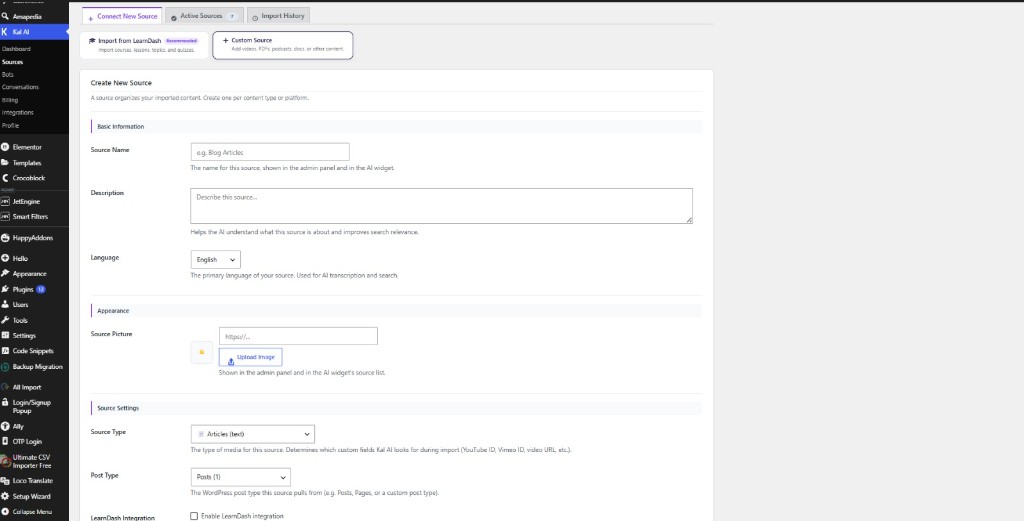
Connect New Source — create a source with name, description, language, type, and LearnDash integration
Design tab — set accent color, avatar, theme, iframe height, and floating widget label with a live preview
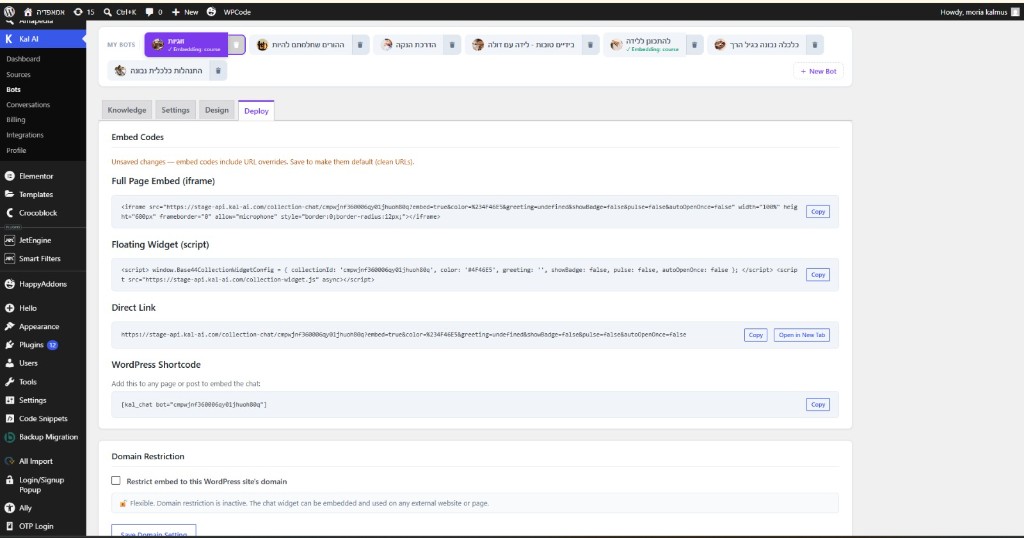
Deploy tab — full page iframe, floating widget script, direct link, WordPress shortcode, and domain restriction
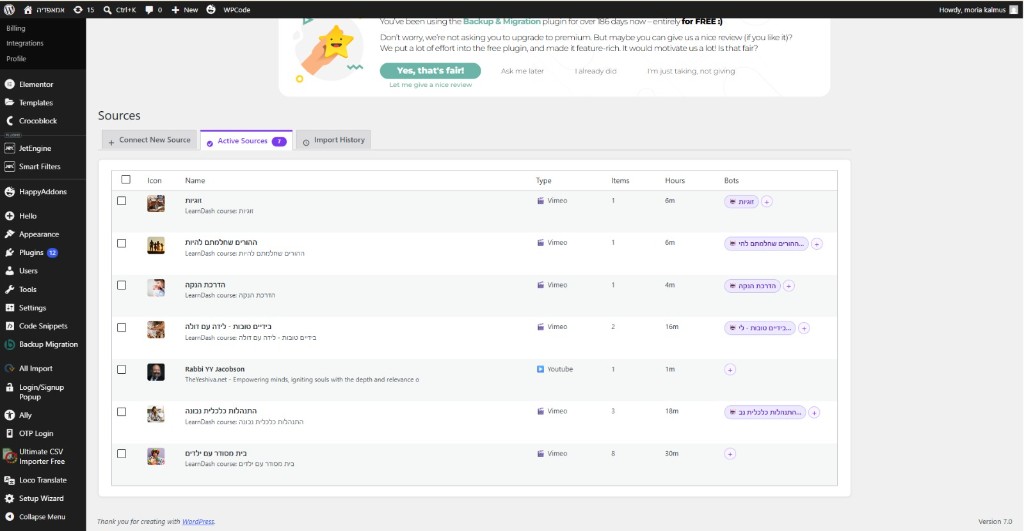
Active Sources list — all sources with type, item count, import hours used, and connected bots
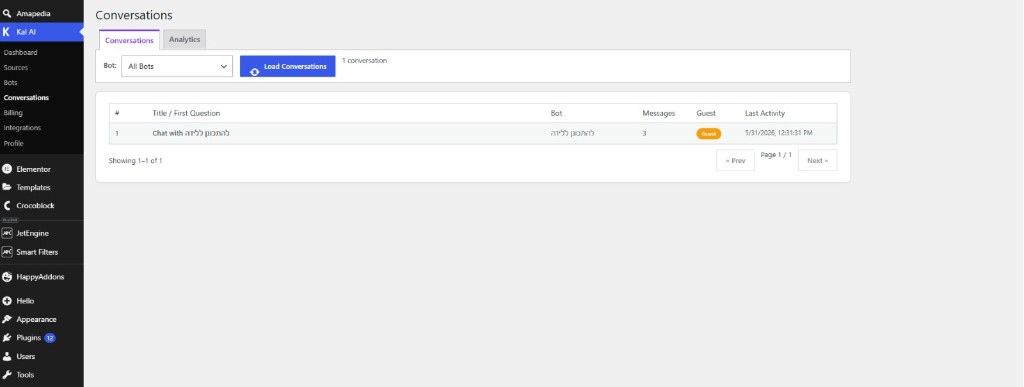
Conversations dashboard — view every conversation by bot, message count, visitor type, and timestamp